
Airport Fleet Management for Ground Support Equipment
Fleet Scanner is airport fleet management for Indian ground handling agents, airport operators and airlines. See every unit by stand rather than as a dot on a map, measure engine hours instead of kilometres, and keep airside permits from expiring on somebody who is already working.
Airside equipment and landside shuttles on one platform, with hours based servicing and movement records for every turnaround. Cloud or self hosted on your own server.
What Is Airport Fleet Management?
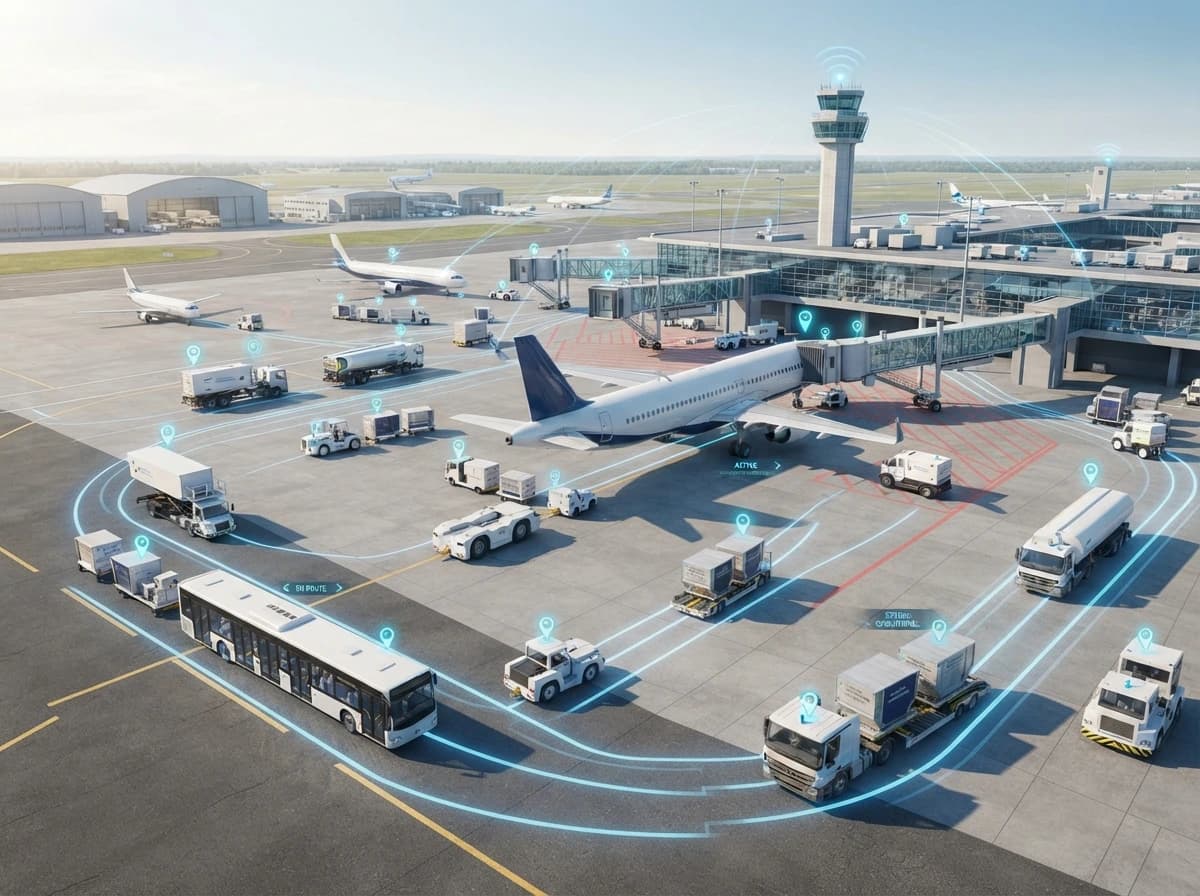
Airport fleet management is a system that tracks the vehicles working airside and landside at an airport. It shows which stand each piece of ground support equipment is at, how many engine hours it actually worked, whether the driver holds a current airside permit, and what happened around an aircraft during a turnaround.
An airport fleet breaks most of the rules other fleets follow. The vehicles almost never leave the perimeter, so distance means very little. A belt loader might cover four kilometres in a day and still be worked hard, because the number that matters is engine hours. The equipment is expensive, mostly parked, and shared between aircraft that arrive on somebody else’s schedule. And a single reversing mistake near a fuselage can cost more than the vehicle. Fleet Scanner keeps location, engine hours, driver permits and stand activity on one platform, so a ground handling team can answer for equipment the same way it answers for a turnaround.
- Stand
- Bay 24
- Aircraft
- On blocks 09:12
- Units at stand
- 5 of 6
- Pending
- Belt loader
- Driver permit
- Valid
- Engine hours today
- 4h 20m
- Apron speed
- WITHIN LIMIT
- Turnaround
- 5 of 6 units in
Where an Airport Fleet Costs You Time
Airport fleets fail in ways that cost far more than the vehicle involved. A tug that is not at the stand when the aircraft is. A loader nobody can find. A reversing manoeuvre nobody recorded. Airport fleet management is aimed at all three.
Equipment is not at the stand in time
An aircraft blocks on and the belt loader is still at another gate. Ten minutes go before anyone finds it, and the turnaround is already behind. Knowing where every unit is by stand, rather than by radio call, is what stops that becoming routine.
Nobody knows what is actually being used
An airport fleet is expensive and mostly stationary. Without engine hours per unit, the fleet looks fully used because everything is out somewhere. Half of it may be running four hours a day while the rest never stops. Nobody can tell which half.
Ground damage has no record around it
A scrape appears on a fuselage or a cargo door. The investigation asks which equipment was at that stand and when. If that has to be reconstructed from memory and CCTV, it takes days. The airline is waiting the whole time.
Permits expire quietly
An airside vehicle permit or a driver's entry permit lapses and nobody notices. It surfaces when a gate turns the vehicle away, or worse, when an audit finds it. These dates get checked hard, and they are the easiest thing in the operation to lose track of.
What Runs Inside Airport Fleet Management
Airport fleet management has to work inside a fence. Distance means nothing there, and hours mean everything. Each item below is a working module in Fleet Scanner, not a paid add on.
Live Location by Stand and Zone
See every tug, loader, tractor and van by the stand or zone it is in, rather than as a dot on a wide map. The apron is small. The useful answer is which bay a unit is at right now.
GPS tracking →Engine Hours and Utilisation
Ground support equipment is measured in hours, not kilometres. Running hours, idle hours and hours per unit per day show which equipment earns its place. They also show what is standing in a corner.
Reports hub →Stand and Apron Zones
Geofence stands, gates, equipment parking areas and landside routes. Arrival and departure at each are captured on their own. That is what turns a turnaround into something you can measure.
Geofencing →Driver Permits and Allocation
Hold airport entry permit and airside vehicle permit dates, licence class and training refreshers against each driver, with reminders. You can also see who was allocated to which unit on which shift, without asking around.
Driver management →Maintenance Scheduled by Hours
Service intervals are set by engine hours rather than distance, with breakdown history per unit. A tug that fails during a peak bank does not just stop. It delays an aircraft.
Maintenance →Speed and Event Records
Apron speed limits, harsh braking and long idling are recorded per unit and per driver. When an incident is investigated, the movement history for that stand and hour is already there.
Alerts management →How Equipment at a Stand Is Recorded
This is one aircraft turnaround. The blocks are ground support equipment arriving at the stand. The amber one turned up late and held the whole thing up, which is exactly what airport fleet management is built to surface.
The aircraft arrives at the stand
The stand becomes active. Equipment entering and leaving that zone is stamped from this point on, so the turnaround has a start time nobody has to remember.
Units arrive and start work
Steps, loaders, tugs and service vehicles enter the stand zone. Each arrival is recorded, so the order and timing of the turnaround build themselves.
One arrival holds the rest
A unit reaches the stand later than the turnaround needed. It shows on the same screen as the aircraft, while a supervisor can still send an alternative.
The turnaround closes
The aircraft departs and the stand clears. Equipment time at that stand, engine hours used and any speed or braking events are saved against the units and the drivers involved.
Permits, Access and Ramp Discipline
Airside work is one of the most tightly controlled environments any fleet operates in. Every person needs an Airport Entry Permit issued under BCAS rules, every vehicle needs its own permit to be on the apron, and DGCA has been tightening what it expects of ground handling agents around ramp discipline and equipment incidents. Airport fleet management is where the vehicle side of that evidence lives.
Dates that get checked
People need an Airport Entry Permit and vehicles need an airside vehicle permit. Fleet Scanner holds those references and expiry dates against drivers and vehicles with reminders. It does not issue permits or grant access, which stay with BCAS processes and your airport operator.
A separate system
Airside vehicle access at Indian airports runs through RFID readers at vehicle entry points, controlled by the airport. Fleet Scanner works alongside that. It does not replace access control and does not open a gate.
Ramp discipline on record
DGCA has been tightening what it expects of ground handling agents around ramp discipline, training records and equipment incidents. Movement history, speed events and driver allocation records are the fleet side of that evidence.
Refreshers with reminders
Airside driving authorisations and safety training need renewing. Those dates sit against each driver, so an expired refresher is flagged before someone is put on a unit rather than at a gate.
Available afterwards
Playback, stand entry timings and speed history stay available and export together, which is what a ground damage investigation asks for. Fleet Scanner supplies the movement record. It does not determine cause or liability.
Where they apply
Vehicles that also run landside need fitness, permit, insurance, PUC and road tax dates tracked. Those sit in the compliance module alongside the airside permits with the same reminders.
Please note: Fleet Scanner records and organises the vehicle side of airport ground operations. It does not issue AEP or AVP permits, grant or control airside access, replace RFID access control, allocate stands, manage flight schedules, connect to an airport operational database or a ground handling system on its own, prevent ground damage, or determine cause or liability after an incident. Positioning accuracy on an apron can be affected by terminal buildings and structures, so zone level tracking is usually more reliable than exact position. Airside rules are set by BCAS, DGCA and your airport operator and they change. Confirm what applies to your operation with them before relying on anything here.
Airport Ground Operations Terms, Explained
Airport ground operations run almost entirely on abbreviations. Here is what each one means on this page.
- GSE
- Ground support equipment. The vehicles and machines that service an aircraft on the ground, including pushback tugs, belt loaders, ground power units, steps and catering trucks.
- Apron
- The paved area where aircraft park, load and are serviced. Also called the ramp. It is where almost all airport fleet work happens.
- Stand
- The marked parking position an aircraft occupies during a turnaround. Also called a bay or a gate position.
- Turnaround
- Everything that happens between an aircraft arriving on stand and leaving again. Every minute of it is scheduled, and equipment being late is one of the common reasons it slips.
- AEP
- Airport Entry Permit. The pass a person needs to work in restricted airside areas, issued under BCAS rules with defined zones, roles and validity.
- AVP
- Airside Vehicle Permit. The separate permission a vehicle needs to be driven on the apron, held alongside the driver's own authorisation.
- GHA
- Ground handling agent. The company contracted to service aircraft on the ground for airlines, often running most of the equipment at a terminal.
- Ground damage
- Damage caused to an aircraft by equipment or a vehicle while it is on the ground. Rare, expensive, and always investigated.
Who Uses Airport Fleet Management
If your vehicles work around aircraft, this page is about you. Airport fleet management matters more the busier the apron gets. That is when equipment stops being where anyone expects it.
- Ground handling agents Companies servicing aircraft under contract to airlines, usually running the largest equipment fleets at a terminal.
- Airport operators The airport itself, running its own vehicles for maintenance, security patrol, follow me duties and airfield works.
- Airlines that self handle Carriers running their own ground equipment at base stations rather than contracting it out.
- Cargo terminal operators Freight sheds and cargo villages moving ULDs, pallets and trucks between airside and landside.
- Refuelling and catering companies Specialist operators whose vehicles work airside on their own permits and their own schedules.
- Landside transport teams Staff buses, crew transport, passenger coaches and shuttles running between terminals, car parks and hotels.
Radio, Tracking App, or Fleet Scanner
A tracking app shows a dot on a map. At an airport the map is one square kilometre and every vehicle is on it. The useful questions are different. Which stand is the unit at? How many hours did it run? Is the person driving it allowed to be there? Airport fleet management answers those three.
| Requirement | Radio and logbook | Basic tracking app | Fleet Scanner |
|---|---|---|---|
| Where a unit is now | Call on the radio | A dot on a wide map | By stand and zone, with playback |
| Engine hours per unit | Read off the meter | Not captured | Recorded and reported per unit |
| Idle against working hours | Not measured | Not included | Split, per unit and per shift |
| Equipment at a stand during a turnaround | Reconstructed later | Not shown | Stamped from stand zones |
| Driver permit expiry | A spreadsheet | Not included | AEP, AVP and training with reminders |
| Movement history after an incident | CCTV and memory | Basic route only | Stand timings, speed and playback |
| Service scheduled by hours | A diary | Not included | By engine hours with breakdown history |
| Everything in one login | No | Tracking only | 18 plus modules on one platform |
Numbers Your Station Manager Asks For
Ground handling contracts are measured, and equipment budgets are argued over. Sixty plus reports come ready to run. Pick a terminal, an equipment type or a date range, then export to Excel or PDF. You can also have one arrive every Monday morning.
Airport Fleet Questions, Answered
Short answers to what ground handling and airport operations teams ask us most often.
What is airport fleet management?
Airport fleet management is a system for tracking the vehicles that work at an airport, both airside and landside. It covers ground support equipment location by stand, engine hours and utilisation, driver permit expiry, maintenance scheduled by hours, and movement records around a turnaround. In Fleet Scanner it sits on one platform alongside compliance and reporting, so equipment is managed the same way the rest of a fleet is.
How is this different from ordinary GPS tracking?
It measures hours and zones instead of distance. Ordinary tracking is built around distance across a wide area. An airport is about one square kilometre with every vehicle inside it, so distance tells you almost nothing. What matters instead is which stand a unit is at, how many engine hours it ran, and whether the driver is currently permitted to be airside. Those are different questions and they need different reporting.
Why does ground support equipment use engine hours instead of kilometres?
It is because GSE barely travels. A belt loader might cover four kilometres in a day while running its engine for seven hours, so distance based servicing and distance based utilisation both give the wrong answer. Hours reflect the actual work done, which is why manufacturers set service intervals by hours and why airport fleet management should measure the same way.
Can it track equipment inside the apron accurately?
Yes, at zone level, which is usually what you need. That means which stand or which equipment parking area a unit is in. Exact position can be affected by terminal buildings and large structures reflecting signals, which is a known limitation of satellite positioning close to big buildings. For most ground handling decisions the zone answer is the useful one anyway.
Does it manage AEP and AVP permits?
It tracks the dates, not the permits themselves. Airport entry permit and airside vehicle permit references and expiry dates sit against drivers and vehicles with reminders, so nothing lapses unnoticed. Fleet Scanner does not issue permits, grant airside access or replace the RFID access control your airport operates at vehicle entry points.
Can it help after a ground damage incident?
Yes, by giving the investigation a movement record. Which units entered that stand, at what times, at what speeds, and who was driving each of them, all exportable together. Fleet Scanner does not prevent ground damage and does not determine cause or liability. What it does is remove the days usually spent reconstructing what happened from CCTV and memory.
Does it work for landside vehicles too?
Yes. Staff buses, crew transport, passenger shuttles and maintenance vans sit in the same vehicle list as the airside equipment. Routes, trips and documents are handled the normal way. Reports can be filtered so airside equipment measured in hours and landside vehicles measured in distance stay separate and comparable.
Can we run it on our own server?
Yes. Fleet Scanner is available as a cloud plan and, on the Enterprise tier, as a self hosted or white label setup on your own server. Airport operators and ground handling agents often choose self hosting. Airside movement and permit data sits inside a security controlled environment, with its own rules about where information may be held.
Know where every unit is by stand
Book a free walkthrough of airport fleet management using one of your own terminals as the example. We will show equipment by stand, engine hours against idle time and a permit expiry list in about twenty minutes.