
Fleet KPIs That Prove Your Software Is Working
Fleet software can look impressive on a screen and still leave you squinting at the yard on Monday morning, wondering what actually got better. That is why fleet performance metrics matter. In plain English, fleet performance metrics are the numbers that show if your software is cutting costs...
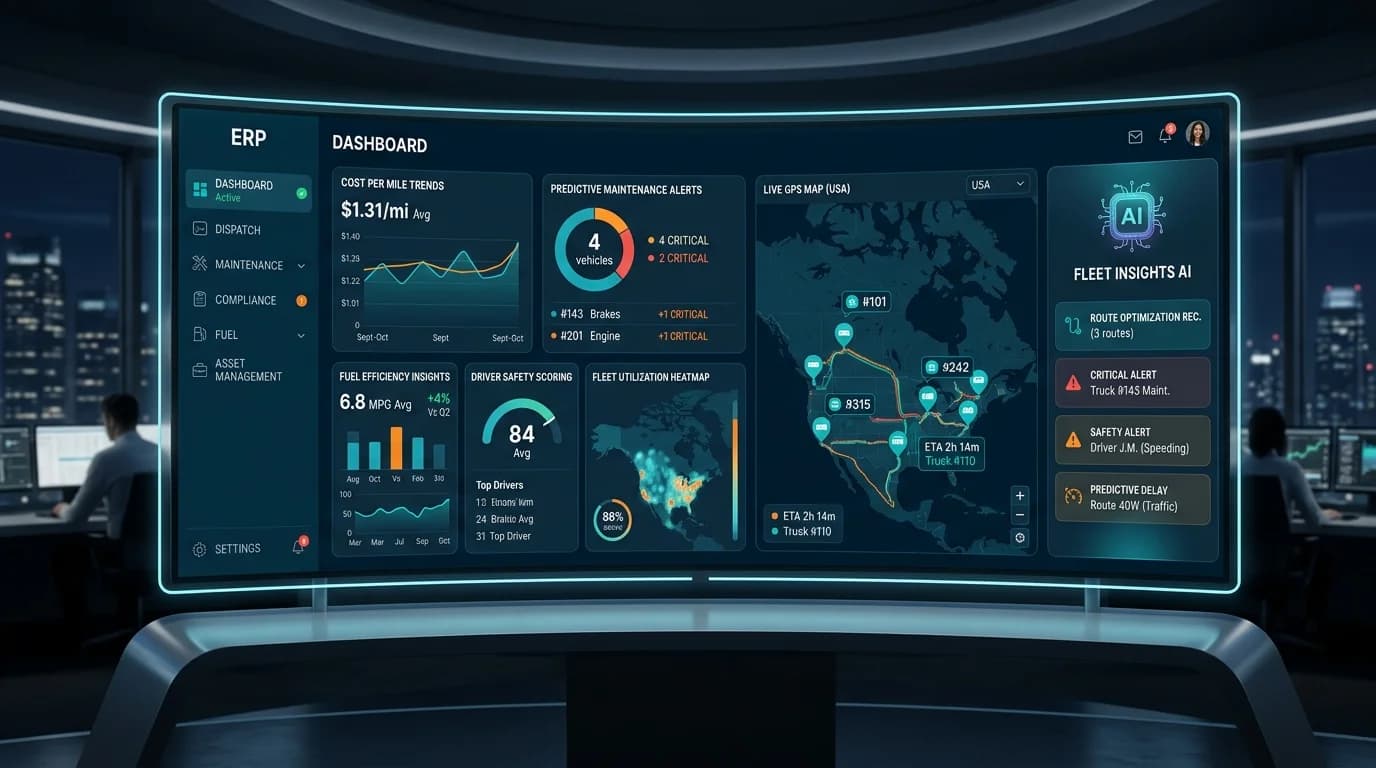
Fleet software can look impressive on a screen and still leave you squinting at the yard on Monday morning, wondering what actually got better. That is why fleet performance metrics matter. In plain English, fleet performance metrics are the numbers that show if your software is cutting costs, reducing downtime, improving safety, and giving you tighter control over day-to-day operations.
Early on, you want proof, not pretty charts. You want to know which numbers deserve your attention, which ones show real progress, and how to connect them to decisions you can actually make.
What “software is working” actually looks like in a fleet
If software is doing its job, your operation feels calmer. Fewer surprise breakdowns. Fewer phone calls chasing vehicle status. Less guessing about which unit is draining money or which shop process keeps slowing repairs down.
That is the real test. Software only works when your fleet gets easier to run and more predictable to manage.
Here’s what you’ll learn in this guide:
- Which fleet KPIs matter most
- How to spot proof metrics fast
- Which maintenance numbers reveal trouble
- How safety data shows behavior change
- Which operational KPIs show control
- How to set baselines and targets
- How to report results clearly upward
The difference between dashboard noise and useful KPIs
Not every number on a dashboard deserves space in your head.
A useful KPI helps you fix something, swap something, justify a budget, or catch a problem before it grows teeth. A noisy metric just sits there looking busy. Total logins, raw GPS pings, or giant data exports can create the feeling of visibility without helping you make a decision.
The trick is simple: ask what action a number leads to. If a KPI shows that idling jumped 18 percent in one depot, you can coach drivers, adjust routes, or check for excessive warm-up time. If a KPI shows one vehicle’s maintenance cost is double its class average, you can inspect, replace, or retire it. That is a proof metric.
Start with outcomes, not features
A feature list does not prove value. Alerts, including automated fleet alerts, maps, work orders, scorecards, and inspection forms are only useful if they lead to better outcomes.
A good example of this approach can be seen in modern fleet platform FleetScanner.io, which combine operations, maintenance, fuel, and analytics into outcome-driven systems rather than standalone features. For fleets that require greater deployment flexibility and data ownership, self hosted GPS software can support the same outcome-driven approach while keeping infrastructure under your control.
Start with the outcomes that matter most in your operation: lower fuel spend, fewer missed PMs, faster repair turnaround, higher asset availability, cleaner inspections, better route performance. Then work backward and ask which software features should improve those results.
That shift matters because it keeps you honest. A fleet platform can have every bell and whistle in the world, but if downtime stays flat and fuel waste keeps climbing, the software is not working in the way that counts.
The core fleet performance metrics that prove value fast
If you want the fastest read on whether your system is helping, start here. These fleet performance metrics usually show movement early, especially after rollout, cleanup, and a few process changes.
You do not need twenty numbers right away. You need the handful that reveal cost, uptime, usage, and control.
Cost per mile
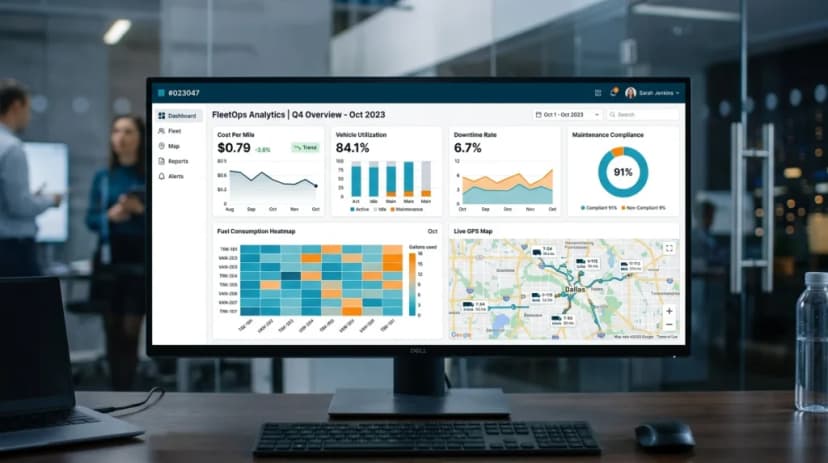
Cost per mile is one of the clearest proof points in fleet management because it turns a messy pile of expenses into one number you can track over time. At its simplest, you take operating costs and divide by miles driven.
Those costs usually include fuel, maintenance, repairs, tires, and other day-to-day vehicle expenses. Once that number is in front of you every month, trends become easier to spot. If cost per mile drops after better PM scheduling or route changes, that is not a vague improvement. That is proof.
It also helps during awkward budget conversations. Instead of saying costs feel high, you can show that a class of vehicles climbed from $0.74 to $0.89 per mile over two quarters and point to the likely cause.
Vehicle utilization rate
Utilization rate shows how much each asset is actually being used versus how much it sits. And honestly, this is where fleets often find hidden waste.
One van is overloaded and constantly unavailable. Another sits three rows over collecting dust except twice a month. Without software, that imbalance can hide in plain sight. With centralized visibility, you can compare mileage, engine hours, route assignments, and days in service to spot underused units or stretched assets.
Higher utilization is not always better. The goal is balanced utilization, because overloaded vehicles wear out faster while idle vehicles tie up capital for no good reason.
Downtime rate
Downtime tells you how often vehicles are unavailable, and it deserves close attention because it hits everything at once: labor scheduling, customer service, utilization, and costs.
You want to separate planned downtime from unplanned downtime. Planned downtime means service was scheduled and controlled. Unplanned downtime means something failed and disrupted your day. When software is working, planned downtime becomes more organized and unplanned downtime starts to shrink.
That shift is one of the easiest wins to notice. Fewer roadside failures, fewer last-minute substitutions, fewer dispatch headaches.
Fuel usage and idling trends
Fuel is usually one of the first leaks software helps you notice.
Track fuel consumption, miles per gallon, idling time, route inefficiency, and fuel exceptions. Even basic visibility can uncover obvious waste, like vehicles idling too long at job sites, routes with recurring extra miles, or units with poor MPG compared with similar assets.
Idle time matters more than it looks. Ten or fifteen extra minutes a day per vehicle adds up fast across a larger fleet. Once that trend is visible, coaching and route adjustments become a lot easier to justify.
On-time preventive maintenance compliance
PM compliance is the share of scheduled maintenance completed on time. If your target is 100 oil changes this month and only 78 happen on schedule, PM compliance is 78 percent.
This KPI matters because it sits upstream from a lot of expensive problems. Missed preventive maintenance leads to more breakdowns, shorter asset life, and higher repair costs later. Strong PM compliance usually means your scheduling, alerts, and shop follow-up are actually working.
If software is supposed to keep you ahead of problems, this number should improve. No excuses.
Maintenance KPIs that show your system is preventing chaos
Maintenance is where a lot of fleet tools earn their keep. Good software turns repairs from a scramble into a process. You can see what is due, what is late, what is waiting on parts, and what keeps breaking on the same unit.
That control shows up in a few key numbers.
Mean time to repair (MTTR)
MTTR is how long a vehicle stays down from the moment a problem is identified to the moment it returns to service. It is one of the best ways to measure repair efficiency without getting lost in shop chatter.
If MTTR is dropping, something good is happening. Work orders are moving faster. Parts are easier to find. Status updates are clearer. Approvals are not getting stuck in email limbo. Even a one-day reduction can make a real difference when a busy unit is needed every morning.
Breakdown frequency and repeat repairs
Breakdown frequency tells you how often vehicles fail unexpectedly. Repeat repairs tell you how often the same issue comes back.
That second number is especially revealing. If a brake issue shows up again two weeks after a repair, something got missed. Bad diagnosis, weak quality control, incomplete repair history, wrong part, rushed work. Software helps connect those dots because the history sits in one place instead of being spread across paper notes and memory.
A falling breakdown rate is good. A falling repeat repair rate is even better, because it usually means the underlying process is getting smarter.
Maintenance cost per vehicle
Average maintenance spend can hide problem units. Maintenance cost per vehicle puts a spotlight on them.
Track this by unit, class, age, location, or operating type. That way you can see if one older truck is swallowing a ridiculous share of the budget or if a certain depot keeps running higher-than-normal repair costs. Once those outliers are visible, you can make better decisions about replacement timing, vendor performance, and repair strategy.
Without this view, expensive units keep quietly draining the budget month after month.
Inspection completion and defect resolution time
Inspection data is only useful if it is complete and acted on. That is why inspection completion and defect resolution time matter so much.
You want to know if drivers are completing DVIRs and inspections on time, and how long it takes to resolve flagged defects. Software should tighten both sides of that process. Fewer missed inspections. Faster follow-up. A clean record of what was found, who saw it, and when it was closed.
That beats the old paper pile in the cab every single time.
Driver and safety metrics that prove software is changing behavior
Fleet software should not just track vehicles. It should help improve habits behind the wheel.
Behavior-based safety metrics are useful because they show whether coaching, alerts, and visibility are changing what happens during a normal day on the road.
Harsh driving events, speeding, and idle behavior
Harsh braking, rapid acceleration, speeding, and excessive idling are not just telematics jargon. They are clues.
A cluster of harsh braking events can point to aggressive driving, bad route design, or both. Repeated speeding in the same corridor may reveal schedule pressure. Persistent idle behavior could mean drivers are wasting fuel or waiting too long between stops. Once these trends are visible, coaching gets more specific and a lot more fair.
The number itself is not the goal. The trend is. If those events start dropping after regular coaching, your system is influencing behavior.
Accident rate and incident cost
Accident rate is one of the strongest long-term proof points for fleet software because safety improvement tends to show up both operationally and financially.
Track preventable collisions, claims cost, repair cost per incident, and near-miss reporting if your system supports it. Over time, lower incident frequency and lower incident cost can point to better driving habits, better route oversight, and better response after an event.
This is not always a quick win. But when it improves, the impact is hard to argue with.
Driver scorecards and coaching follow-through
Driver scorecards are helpful only if something happens after the score appears.
A scorecard should start a short conversation, not end one. If a driver gets flagged for speeding or excessive idle time, the next step is coaching with context, not just posting a ranking and moving on. Regular follow-through is what turns raw event data into behavior change.
Think of the scorecard like a check engine light. Useful, yes. But only if you actually open the hood.
Operational KPIs that show better control across the fleet
Some of the best signs that software is working show up outside the shop. You notice them in dispatch, planning, scheduling, and the daily handoff between teams.
This is where centralized control becomes visible.
Route efficiency and on-time performance
Route efficiency tells you how tightly your day is running. On-time performance tells you whether execution matches the plan.
Look at route adherence, extra miles, missed stops, late arrivals, and time variance by route or region. If GPS and dispatch data are being used well, you should see fewer detours, fewer avoidable delays, and better consistency. That can also uncover a more basic problem: unrealistic route plans that force bad outcomes before the day even starts.
Asset availability
Asset availability is the percentage of vehicles ready for use when you need them.
This KPI sounds simple because it is. And that is why it is so useful. Higher availability usually means maintenance planning is stronger, downtime is lower, and vehicle assignments are more organized. It also means your software is reducing admin drag instead of adding it.
If your dispatch team can trust that the available list is actually accurate at 6:15 a.m., that is real operational value.
Work order completion time
Work order completion time measures how long it takes a job to move from creation to close. This includes diagnosis, approvals, repair work, and final signoff.
When this number is too high, bottlenecks are usually hiding in plain sight. Maybe approvals sit too long. Maybe technicians cannot see priority clearly. Maybe parts status is unclear. Better workflow visibility helps you fix those choke points and move jobs through faster.
Parts and inventory turnover
Inventory can quietly create chaos. Too little stock causes delays. Too much stock ties up cash and shelf space.
Parts and inventory turnover help you see if you are carrying the right items in the right amounts. Good software can flag recurring part usage, low-stock risk, and slow-moving inventory so you can avoid over-ordering or waiting three days for something your shop needs right now.
For larger fleets, this metric matters more than it gets credit for.
How to set up fleet KPIs so the numbers mean something
Good KPI tracking is not about collecting every available data point. It is about choosing a short list of numbers that connect directly to your biggest headaches.
That keeps reporting useful and keeps your team from drowning in exports nobody opens twice.
Pick a small set of KPIs tied to your biggest headaches
Start with five to seven KPIs. That is enough to show patterns without turning your dashboard into wallpaper.
Tie those KPIs to current pain points. If fuel spend is climbing, track cost per mile, idle time, and MPG. If vehicles keep missing service, track PM compliance, downtime, and MTTR. If utilization is a mess, focus on usage rate, availability, and route efficiency. A shorter list is easier to manage, easier to explain upward, and much harder to ignore.
Record a clean baseline before judging the software
You need a before-and-after view or your results will feel fuzzy.
Record a clean baseline before judging anything. That means using a stable comparison period, not the first chaotic week after rollout. A better approach is to compare the first full month after setup with a prior month or quarter, once data collection is consistent. If your launch week looked like pure confusion in the Phoenix yard, toss it out and use cleaner data.
No baseline, no proof. Just opinions.
Set targets by vehicle class, depot, or operating region
One fleet-wide target can hide a lot of problems.
A light-duty service van should not be measured exactly like a heavy-duty truck running a different route profile and payload. Break KPIs out by vehicle class, depot, route type, or operating region so your comparisons stay fair. Once you segment the data, weak spots become easier to spot and easier to fix.
How to turn KPI results into proof for leadership and daily decisions
Numbers do not speak for themselves. You still need to package them in a way that makes decisions easier.
That does not mean building some giant presentation deck. It means making trends visible and tying them to action.
Build a simple monthly scorecard
A one-page monthly scorecard is usually enough.
Group your numbers into four buckets: cost, maintenance, safety, and utilization. Show the current month, prior month, and trend line. That format makes it easier to see what moved and where to look next. It also gives leadership a cleaner answer than dumping a spreadsheet into an inbox and hoping the right rows get noticed.
Watch trends, not one-off spikes
One ugly week can send anybody into panic mode. Resist that.
Look for patterns over time, especially after route changes, coaching efforts, maintenance scheduling updates, or policy shifts. If idle time spikes one week during extreme weather, that is different from a steady three-month climb. Trends tell you whether the process changed. Spikes just tell you something weird happened.
Use KPI gaps to decide what to fix next
A weak number should lead to a specific next move.
If PM compliance is low, tighten reminders and scheduling. If utilization is uneven, reassign assets. If repeat repairs are climbing, review diagnostics and repair history. If idle time stays stubbornly high, coach drivers and examine route design. The point of a KPI is not to admire it. The point is to fix what it reveals.
Common mistakes that make fleet software look worse than it is
Sometimes software gets blamed for problems that are really setup problems, process problems, or data problems.
That is the catch. Good tools can still look ineffective if the basics are off.
Tracking too many metrics at once
Too many metrics bury the useful ones.
When every chart is red, green, yellow, and blinking, nothing stands out. Teams stop paying attention because the dashboard feels like background noise. Cut the list down to the KPIs that actually support decisions, and your results get easier to read almost immediately.
Ignoring data quality
Clean inputs are the trick behind trustworthy outputs.
Missed odometer entries, incomplete inspections, delayed work order closure, and messy fuel data can distort everything downstream. If the data is sloppy, the KPIs will lie to you. That makes software look worse than it is, when the real problem is process discipline.
Expecting instant gains without process changes
Software is not a magic wand.
If alerts are ignored, inspections are skipped, work orders sit open for days, or nobody acts on utilization data, performance will stay flat. The platform can surface the issue, but your operation still has to respond. The best results come from pairing visibility with small, consistent process changes.
Try this this week: the five-number check
Pull five numbers for the last 90 days: cost per mile, downtime, PM compliance, utilization, and idle time. Then circle the one that bugs you most.
Start there. Fix that single number first, and use it to guide your next process change this week. That is usually how software starts proving itself, not through a giant transformation, but through one number getting better where you can actually feel it.
FAQs About Fleet KPIs
What are fleet KPIs?
Fleet KPIs are measurable performance indicators that show how well a fleet operation is running. These metrics help track costs, maintenance efficiency, fuel usage, driver behavior, downtime, and overall fleet productivity.
Why are fleet performance metrics important?
Fleet performance metrics help businesses understand whether their fleet software and operational processes are improving efficiency. They provide clear proof of cost savings, reduced downtime, better maintenance planning, and improved driver safety.
Which fleet KPIs should I track first?
Start with a small group of high-impact KPIs such as cost per mile, downtime rate, PM compliance, vehicle utilization, and idle time. These metrics usually provide the fastest insight into whether your fleet software is delivering results.
What is cost per mile in fleet management?
Cost per mile measures how much it costs to operate a vehicle for every mile driven. It typically includes fuel, maintenance, repairs, tires, and other operating expenses. This KPI helps fleets identify rising costs and compare vehicle performance over time.
Keep reading
Fuel Monitoring Systems: Features Every Fleet Needs in 2026
A fuel monitoring system is a combination of hardware (tank-level sensors and GPS trackers) and software (dashboards and alerts) that monitors fuel levels, refueling and consumption in real time across a fleet. It integrates telematics, fuel-card data and sensor readings — enabling fleets to...

Construction Equipment GPS Tracking: Theft and Utilization
Construction Equipment GPS Tracking helps prevent theft, reduce idle time, improve utilization, and schedule maintenance using real-time asset data.

School Bus GPS Tracking: Features, AIS-140 & Buying Guide
Learn how school bus GPS tracking works, AIS-140 requirements, safety features, parent alerts, and how to choose the right tracking system for schools.