E-Way Bill Software to Create and Manage Shipping Documents
Fleet Scanner’s e-way bill software helps transport and logistics companies create, manage, and track shipping documents from one place. Instead of typing the same information again and again, your team can generate documents using shipment data that already exists in the system.
Whether you’re moving freight from Delhi to Mumbai or delivering cargo between Chennai and Bengaluru, Fleet Scanner helps keep your shipments organized and your fleet moving.
Get Free Demo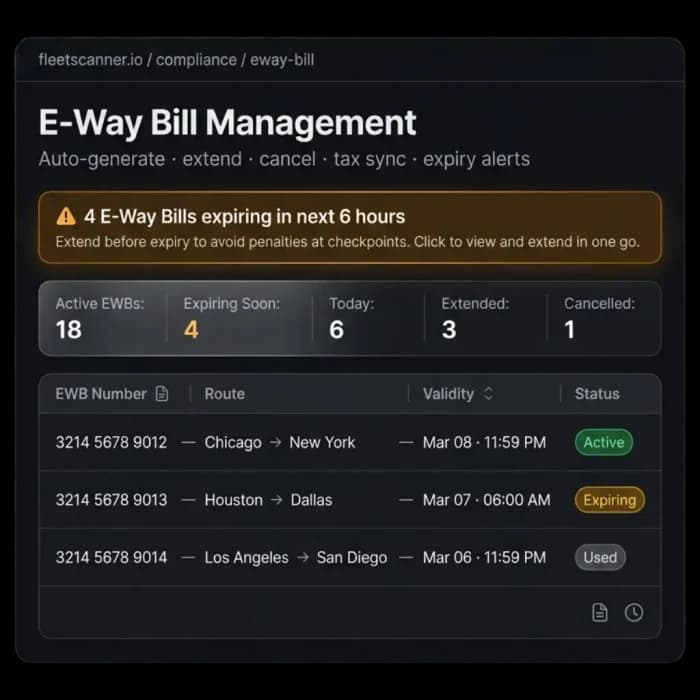
Missing or incorrect shipping documents can slow down deliveries
When drivers are on the road, they need the right shipment documents ready at all times. If information is missing, outdated, or entered incorrectly, deliveries can be delayed and your team spends extra time fixing paperwork instead of helping customers.
Important documents can be missed
When teams track everything manually, it’s easy to forget updates or document deadlines.
Delays can become expensive
A truck sitting still means lost time, extra costs, and unhappy customers.
Too much manual work
Typing the same shipment information into different systems wastes valuable time.
Duplicate data entry
Shipment details already exist in your Fleet Billing Software, but teams often enter them again somewhere else.
Everything you need to manage shipment documents in one place
Fleet Scanner helps your team create, organize, and manage shipping records faster while reducing paperwork and mistakes.
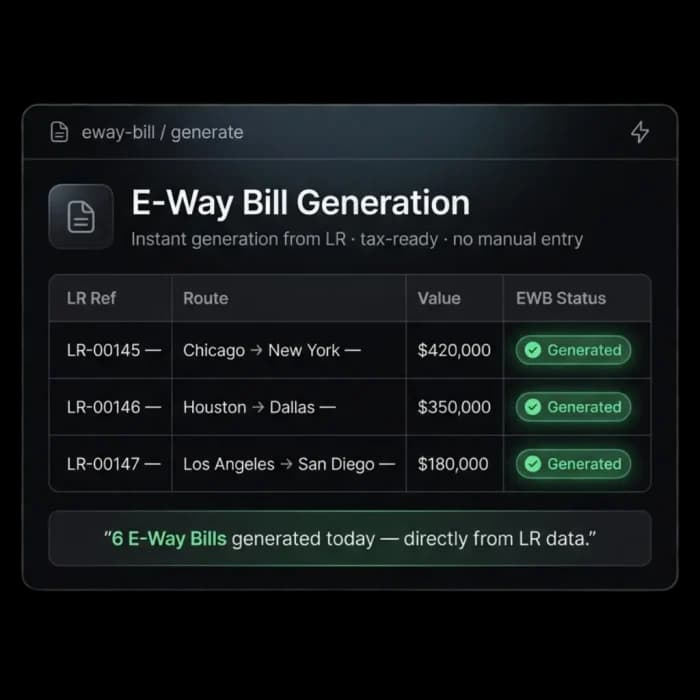
Create shipping documents in seconds
Shipment information such as customer details, cargo information, vehicle assignments, and freight charges can be used automatically when creating documents.
- Uses information already stored
- Generate documents with fewer clicks
- Reduce manual typing
- Save time for your operations team
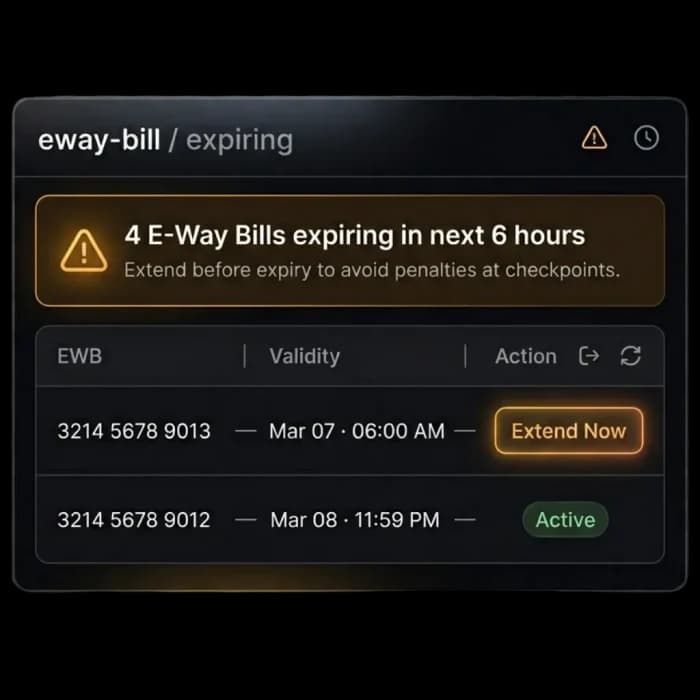
Stay ahead of important updates
Fleet Scanner watches active shipments and notifies your team when action is needed. This helps prevent delays and keeps shipments moving smoothly.
- Automatic reminders and notifications
- Easy-to-see status updates
- Manage multiple shipments at once
- Reduce missed deadlines
Keep all shipment information together
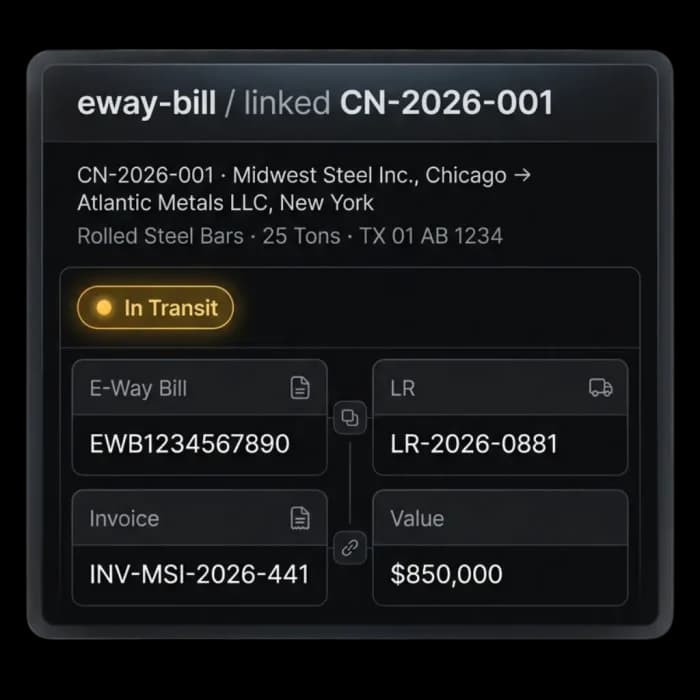
Every shipment record stays connected to its vehicle, customer, freight charges, and delivery information.
- Shipment records linked together
- Easy access to important details
- Faster customer support
- Better visibility across operations
Connect documents with invoicing and payments
Because Fleet Scanner includes Fleet Billing Software, shipment information can flow directly into billing and invoicing without extra work.
- Faster invoice creation
- Fewer billing mistakes
- Better revenue tracking
- One connected workflow
Less paperwork, fewer mistakes, and smoother operations
Keep vehicles moving
Drivers spend less time waiting for paperwork and more time delivering freight.
Save time every day
Automated document creation removes repetitive tasks from your team’s workload.
Improve accuracy
Information comes from existing shipment records, reducing mistakes caused by manual entry.
Speed up billing
Connected Fleet Billing Software helps create invoices faster and improve cash flow.
Better organization
Keep shipment records, customer details, invoices, and freight information together.
One connected platform
Fleet E-Way Bill Software, Fleet E Bill Software, Fleet Billing Software, shipment tracking, and customer records all work together in one system.
From shipment data to a live document
Pull data
LR, invoice & vehicle details auto-fill.
Generate
Create EWB, single or bulk, synced to GSTN.
Dispatch
EWB rides with live consignment tracking.
Alert
Warned hours before expiry.
Extend
One-click extend before the deadline.
The complete guide
E-way bill software: a complete guide
What is e-way bill software?
E-way bill software is a tool that creates, tracks and manages the electronic way bills that must travel with goods moving by road in India under GST. Instead of logging in to the government portal and typing consignment details by hand, transporters generate the e-way bill (EWB) from data they already hold, then watch its validity until delivery. The bill carries the same consignment, vehicle and value details that already sit on the LR and invoice, which is why typing it again by hand wastes time and invites mistakes.
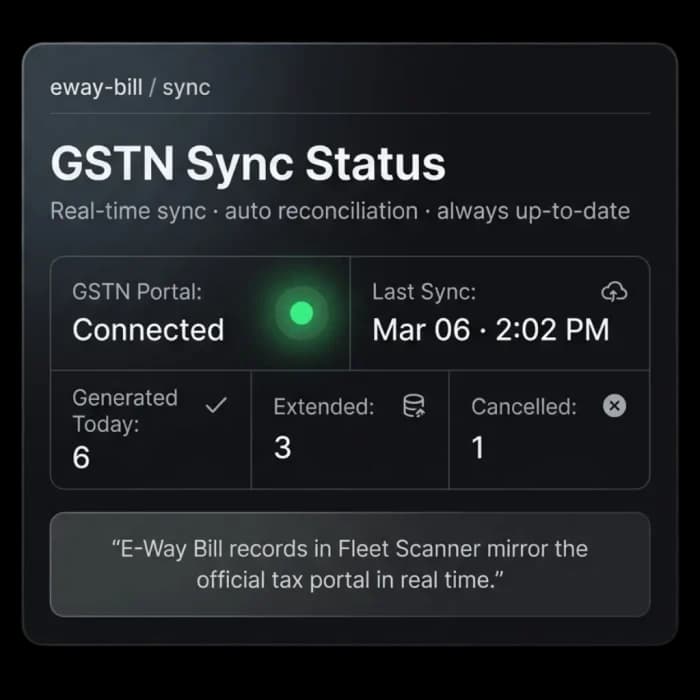
A good e-way bill system pulls details from the LR, invoice and vehicle record, syncs with the GSTN portal, and warns you before a bill expires on the road. Fleet Scanner does this inside the same platform that runs your LRs, billing and live tracking, so every EWB stays linked to its consignment, customer, freight charges and invoice. Your team can still update or cancel a record whenever plans change.
How e-way bill software works
- 01Pull dataLR, invoice and vehicle details fill in automatically from records already in Fleet Scanner. Your team does not retype consignor, cargo or freight details.
- 02GenerateCreate one e-way bill or a batch in bulk, synced to the GSTN portal. Each EWB is attached to its LR and invoice.
- 03DispatchThe e-way bill travels with live consignment tracking. Operations can see the document and the truck location in one view.
- 04Get alertsFleet Scanner watches active bills and warns you 6 hours before expiry. You see which trucks need action before the deadline passes.
- 05Extend or cancelExtend a bill in one click, or in bulk, before it runs out. Records can also be updated or cancelled when plans change.
What to look for in e-way bill software
Auto-fill from LR and invoice
Retyping shipment data causes errors and delays. Fleet Scanner generates documents from LR, invoice, customer and vehicle data already stored.
GSTN portal sync
Bills created outside the portal must still reach it. Fleet Scanner has GSTN portal sync built in.
Expiry alerts
An expired EWB can hold up a loaded truck. Fleet Scanner alerts you 6 hours ahead of the deadline.
Bulk generate and extend
Busy dispatch desks handle many consignments at once. Fleet Scanner lets you generate and extend in one go.
Link to tracking
You need to know where the goods are while the bill is live. Each EWB stays connected to consignment tracking and delivery details.
Billing integration
Shipment data should flow into invoices without extra work. Fleet Scanner connects e-way bills directly with its Fleet Billing Software.
Manual process vs e-way bill software
Spreadsheets, paper and phone calls
- Staff retype LR and invoice details into the portal.
- Bills are created one at a time.
- Expiry dates are tracked in a notebook or spreadsheet.
- Trucks wait while someone extends an expired bill.
- Invoices are raised later from separate paperwork.
With Fleet Scanner e-way bill software
- LR, invoice and vehicle data fill the EWB automatically.
- Bills are generated singly or in bulk, synced to GSTN.
- Active bills are monitored with alerts 6 hours ahead.
- Extensions happen in one click before the deadline.
- Shipment data flows straight into the invoice.
Who uses e-way bill software?
E-way bill software is built for Indian transporters, logistics companies, freight brokers and shippers that move GST goods by road. Dispatch clerks, billing teams and operations managers use it daily, whether the fleet runs a few trucks between two cities or many consignments across states. Because the same platform holds LRs, tracking and billing, everyone works from one shipment record instead of separate files.
It pays off once e-way bills become a daily task: when several consignments leave each day, when long routes risk expiry in transit, or when the same data is being typed into the portal, the LR and the invoice. Linking all three in one EWB software removes that repeat work and the delays that come with it. Drivers spend less time waiting for paperwork, and invoices go out sooner.
Fleet E-Way Bill Software FAQs
Simple answers to common questions about how shipping documents work in Fleet Scanner.
Get Free DemoWhat is Fleet E-Way Bill Software?
Fleet E-Way Bill Software helps transport companies create, manage, and organize shipment documents faster. Fleet Scanner keeps shipment information connected with tracking, billing, and customer records to reduce paperwork and save time.
Can documents be created automatically?
Yes. Fleet Scanner can use shipment, customer, vehicle, and freight information already stored in the system to help create documents quickly.
How do alerts work?
The system monitors active shipments and sends notifications when important actions or updates are needed.
Can I update or cancel shipment documents?
Yes. Fleet Scanner allows your team to manage shipment records and make changes whenever needed.
Does it work with Fleet Billing Software?
Yes. Shipment information connects directly with Fleet Billing Software, helping create invoices faster and reducing manual work.
Does it connect to shipment tracking?
Yes. Every shipment record stays connected to tracking information, customer records, freight details, and invoicing for complete visibility.