
Fleet Administration Software & Fleet Admin API Software
Fleet Scanner’s Fleet Administration Software helps you manage users, permissions, settings, and system connections from one simple dashboard. You can decide who can see what, track every important activity, and connect Fleet Scanner with other business tools using powerful Fleet Admin API Software.
Whether your fleet operates in Delhi, Mumbai, Chennai, Kolkata, or anywhere in the world, Fleet Scanner helps keep your business secure, organized, and connected.
Get Free Demo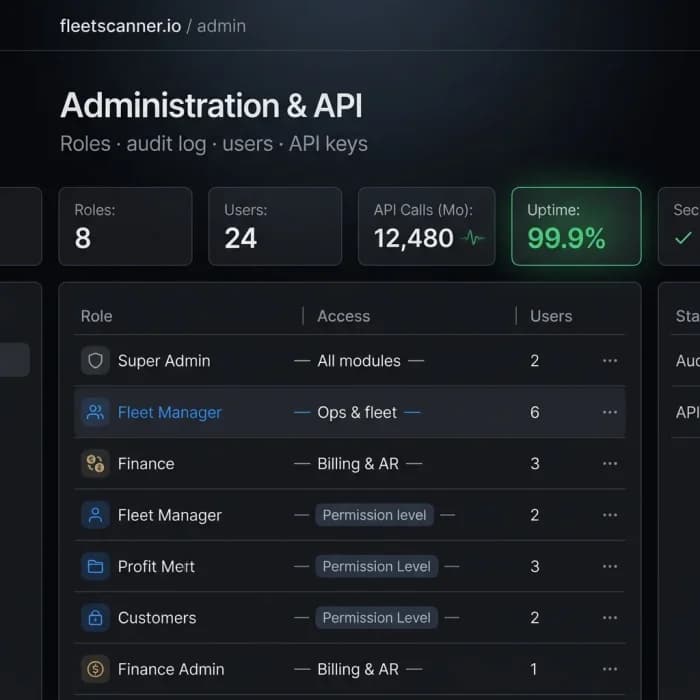
Giving Everyone Access Can Create Big Problems
When too many people can access important information, mistakes happen. Data can be changed accidentally, important records can disappear, and nobody knows who made the change.
Too Much Access
If everyone can see everything, sensitive customer and billing information may not stay protected.
Nobody Knows Who Changed What
Without activity tracking, it becomes difficult to find out who updated a trip, invoice, or customer record.
User Accounts Become Difficult To Manage
Adding new employees and removing old accounts manually can create security risks.
Systems Don’t Work Together
Without APIs and integrations, teams waste time entering the same information into multiple systems.
Fleet Administration Software Built For Growing Fleets
Fleet Scanner helps you manage users, security, settings, and integrations from one place so your fleet operations stay organized and secure.
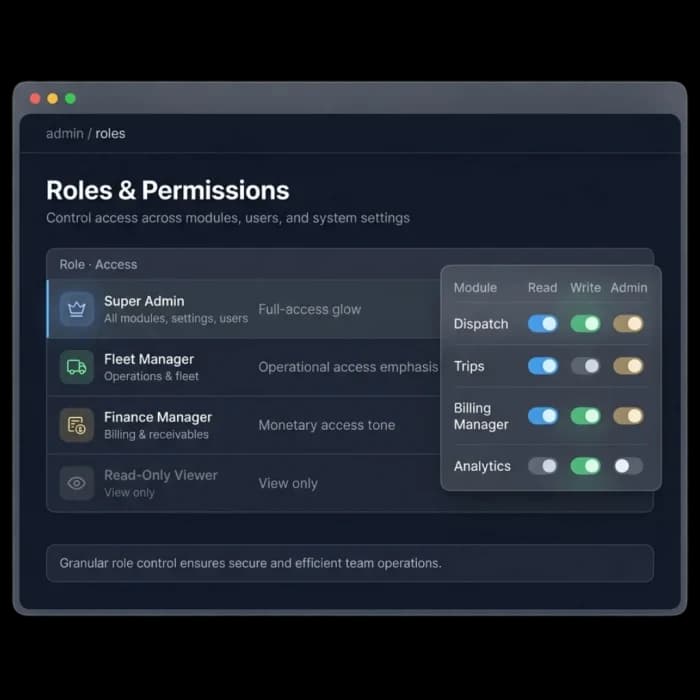
Give every team member the right access
Not everyone needs access to every part of the system. Dispatchers, accountants, managers, and drivers all have different responsibilities.
Fleet Scanner’s fleet administration software lets you decide exactly what each person can view and manage.
- Separate user roles for every department
- Control access to specific modules
- Keep customer and financial data protected
- Simple, easy permission management
See Every Important Activity
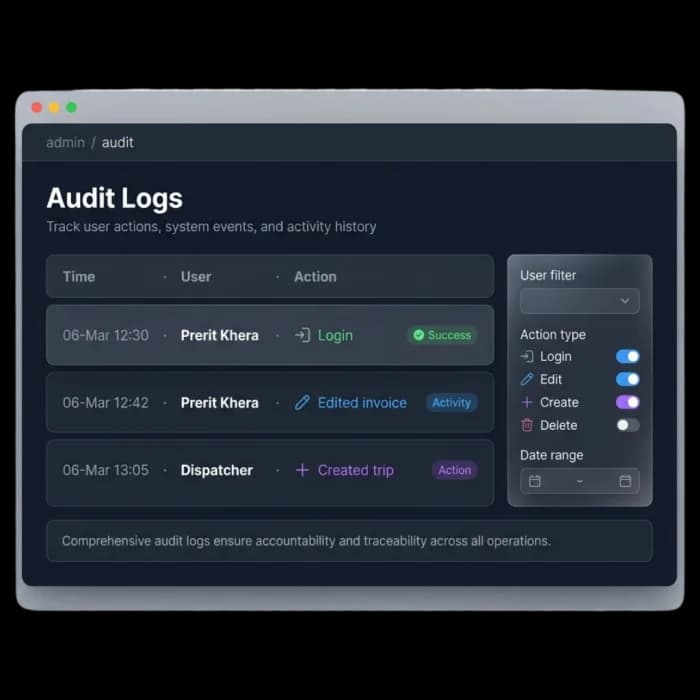
Fleet Scanner keeps a record of important actions across the platform. You can see who logged in, what changes were made, and when those changes happened.
This fleet administration software feature improves accountability and makes it easier to investigate issues.
- Track every user activity and change
- View full login history and actions
- Monitor updates across all modules
- Full activity history in one place
Manage Your Team Easily
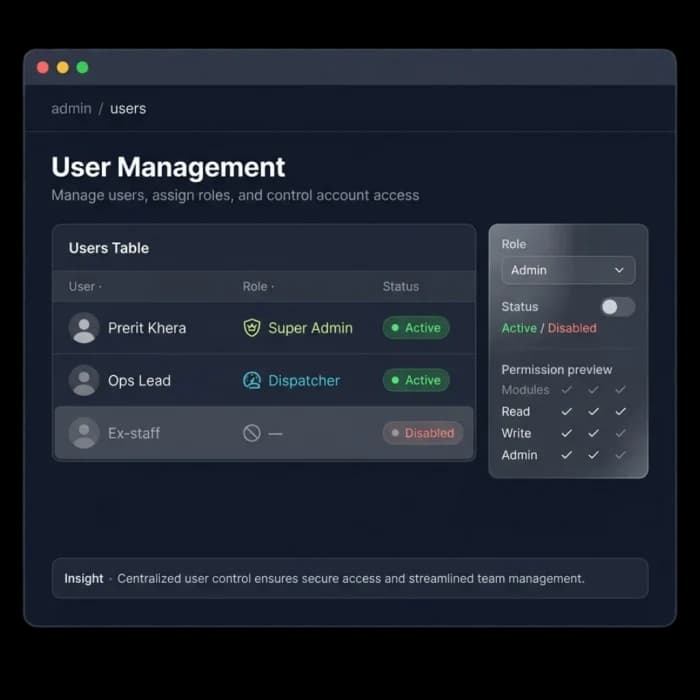
Adding new employees or updating existing accounts takes only a few clicks. When someone joins your company, you can give them access right away. When they leave, you can remove access instantly.
- Add new users quickly
- Disable accounts instantly
- Update user roles anytime
- Keep team access organized and secure
Connect Fleet Scanner With Other Systems
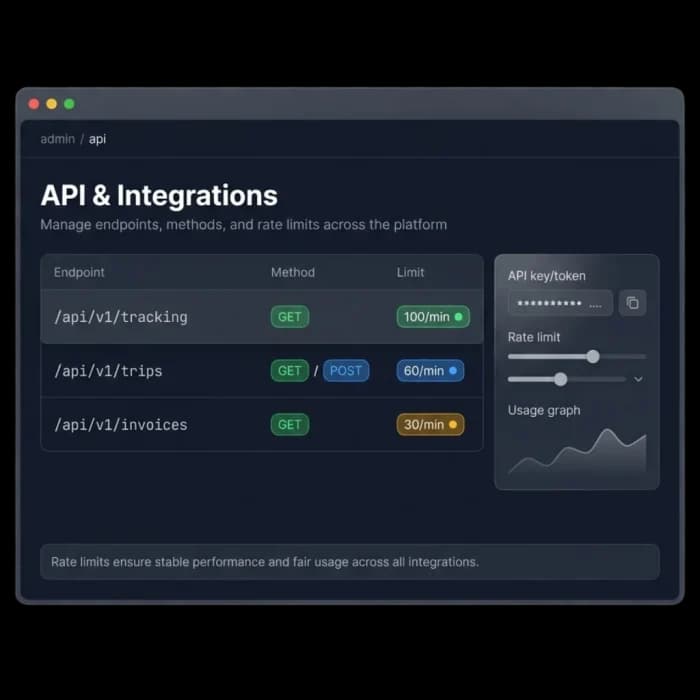
Fleet Scanner’s Fleet Admin API Software helps you connect tracking, billing, trips, and reports with other software your business already uses.
If your accounting team uses QuickBooks, ERP software, or custom business systems, Fleet Scanner helps everything work together automatically.
- REST APIs for fleet data
- Real-time webhooks and notifications
- Connect tracking and trip information
- Integrate with accounting and ERP systems
More Security, Better Control, Less Manual Work
Keep Data Safe
Only authorized people can access sensitive information.
Improve Accountability
Know who made changes and when they happened.
Manage Teams Easily
Add, update, and remove users without confusion.
Connect Everything
APIs and integrations reduce manual work and duplicate data entry.
Real-Time Updates
Keep connected systems updated automatically.
Built For Enterprise Fleets
Perfect for companies that need security, control, and flexibility as they grow.
From role to integration
Role
Assign the right role.
Access
Scope modules per user.
Audit
Every action logged.
Integrate
APIs & webhooks connect.
Sync
ERP & accounting aligned.
The complete guide
Fleet administration software: a complete guide
What is fleet administration software?
Fleet administration software is the control layer of a fleet management system. It decides who can log in, what each person can see and change, and how the platform shares data with other business tools. A good admin tool covers user accounts, roles and permissions, an audit log of every important action, and an API so data does not have to be typed twice. Without it, a fleet platform that holds trips, invoices and customer records is only as safe as its weakest shared password.
In Fleet Scanner, administration sits across every module. You assign roles from 8 built-in options, limit each user to the modules they need, and review a full audit trail of logins and changes. A REST API and webhooks connect tracking, trips, billing and reports to ERP, accounting and custom systems, so the fleet platform works with the software your business already runs. It runs on your own server, so the admin layer and its audit trail stay under your control.
How fleet administration software works
- 01Assign a roleEach new user gets a role that matches their job, such as dispatcher, accountant or manager. The role sets a sensible starting level of access.
- 02Scope accessYou choose which modules each person can open, so customer and billing data stays with the people who need it.
- 03Log activityEvery login, edit and new record is written to the audit log with the user and time. You can filter it when you need to check who changed a trip or invoice.
- 04Connect systemsThe REST API and webhooks send tracking, trip and invoice data to other tools as it changes. Your ERP or accounting software stays in step without manual exports.
- 05Remove accessWhen someone leaves, you disable the account in a few clicks. Their access ends at once and the history they created stays in the log.
What to look for in fleet administration software
Role-based access control
Dispatchers, accountants and managers need different views. Fleet Scanner lets you set roles and control access to specific modules, so sensitive data stays protected.
A full audit trail
When a record changes, you need to know who did it and when. Fleet Scanner keeps login history and changes across all modules in one place.
Fast user management
Slow onboarding and forgotten old accounts are a security risk. In Fleet Scanner you add users, update roles and disable accounts instantly.
A documented REST API
An API lets other systems read fleet data without copy and paste. Fleet Scanner offers REST APIs for tracking, trips and invoices.
Webhooks for live events
Polling an API all day is wasteful. Fleet Scanner webhooks push updates to connected systems in real time.
ERP and accounting links
Finance teams should not re-enter trip and billing data. Fleet Scanner connects with ERP, accounting tools and custom business systems.
Manual process vs fleet administration software
Spreadsheets, paper and phone calls
- Everyone shares one login and sees everything.
- Nobody can tell who edited a trip or invoice.
- Old staff accounts stay active for months.
- Trip and billing data is typed into each system.
- Reports are exported and emailed to other tools.
With Fleet Scanner fleet administration software
- Each user has a role and only the modules they need.
- The audit log shows who changed what, and when.
- Leavers lose access the moment you disable them.
- APIs pass trip and billing data between systems.
- Webhooks update connected tools as events happen.
Who uses fleet administration software?
Fleet administration software suits any fleet with more than a handful of people in the system: transport companies with dispatch and accounts teams, logistics firms with several branches, and enterprises that must show who touched which record. Owners, IT leads and finance managers get the most from it. Developers use the API side to build their own dashboards, sync records with ERP software, or trigger actions in other tools when a trip or invoice changes.
It pays off as the team grows, when staff turnover makes access hard to track, and when the fleet platform needs to talk to ERP or accounting software. At that point permissions, audit logs and an API stop being extras and become part of running a secure, connected operation. Setting them up early is easier than cleaning up shared logins later.
Fleet Administration Software FAQs
Simple answers to common questions about how administration and APIs work in Fleet Scanner.
Get Free DemoWhat is Fleet Administration Software?
Fleet Administration Software helps companies manage users, permissions, security settings, audit logs, and system integrations from one platform. It keeps fleet operations secure and organized.
How does role-based access control work?
You can create different user roles and decide which modules each person can access. This helps protect sensitive business information.
What information is stored in the audit log?
The audit log records user actions, logins, updates, and system changes so you always know what happened and when.
What is Fleet Admin API Software?
Fleet Admin API Software allows Fleet Scanner to connect with other software systems such as ERP platforms, accounting tools, reporting systems, and custom applications.
Is Fleet Scanner secure for large businesses?
Yes. Fleet Scanner includes user permissions, audit tracking, secure access controls, and enterprise-grade administration tools.
Can Fleet Scanner integrate with other business software?
Yes. Fleet Scanner supports APIs, webhooks, ERP integrations, accounting software connections, and other third-party business systems.