Fleet Trip Operations Software from Dispatch to Settlement
Plan and manage every trip from start to finish with Fleet Scanner’s Trip Operations Software. Dispatch vehicles, track pickups and deliveries in real time, record fuel, toll, and driver expenses, and close every trip with verified documents and a clear profit report.
Get Free Demo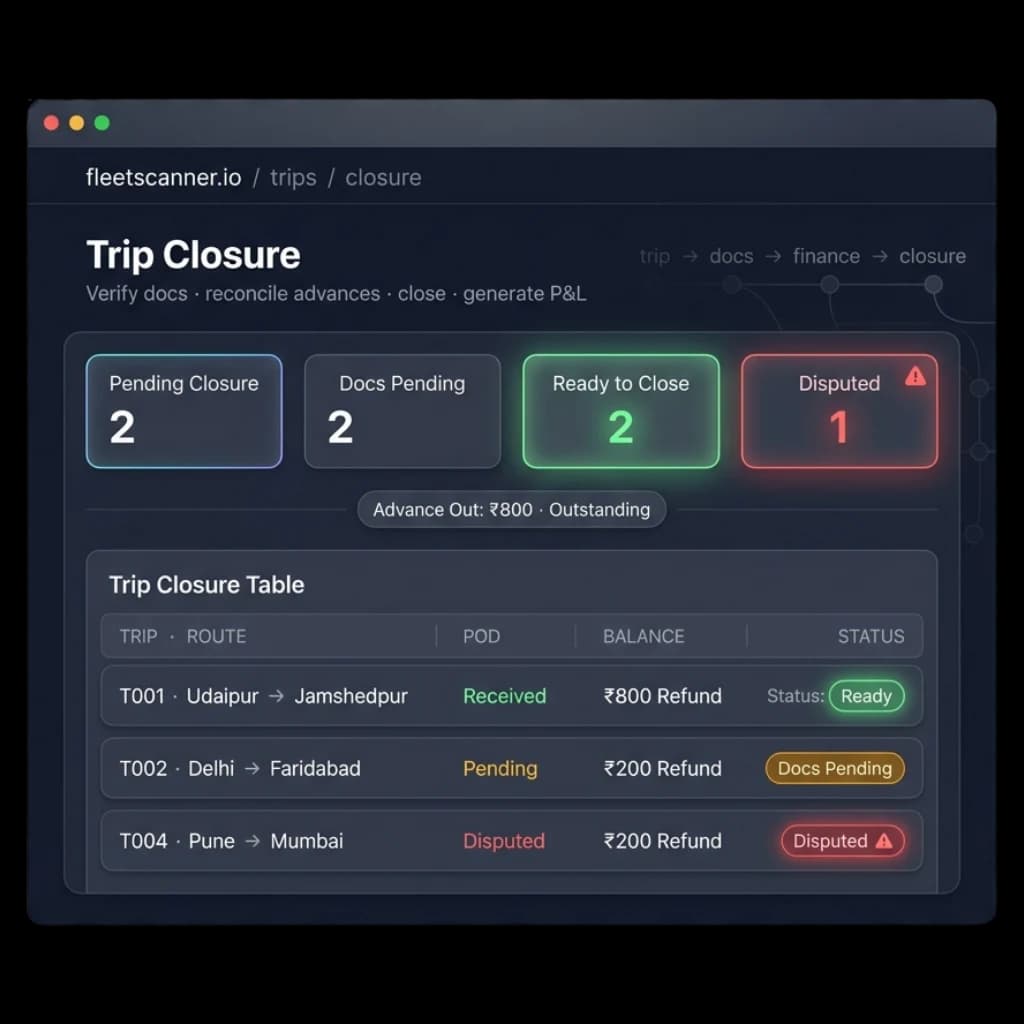
Complete Fleet Trips Visibility
You may know how much a customer paid for a trip, but the real cost is often unclear. Driver advances, fuel expenses, toll charges, and missing documents make it hard to see the true profit. Weeks later, the trip gets closed, but the numbers are often just estimates.
Unreconciled Advances
Money given to drivers is often difficult to track. Without proper records, refunds and balances can easily be missed.
Missing Bills
Fuel and toll receipts don’t always come back. When receipts are missing, it’s hard to know the real cost of the trip.
Lost PODs
Proof of Delivery documents can get lost or stay unverified. This delays billing and can lead to customer disputes.
No Per-Trip Profit Visibility
Without trip-level profit reports, you can’t see which routes, customers, or drivers are helping your business grow.
Inside the Fleet Trip Operations Software
Fleet Scanner trip operations software helps you manage the entire trip lifecycle. From dispatch and vehicle tracking to expense management and trip settlement, everything stays connected in one system.
Plan Every Stop With Trip Operations Software
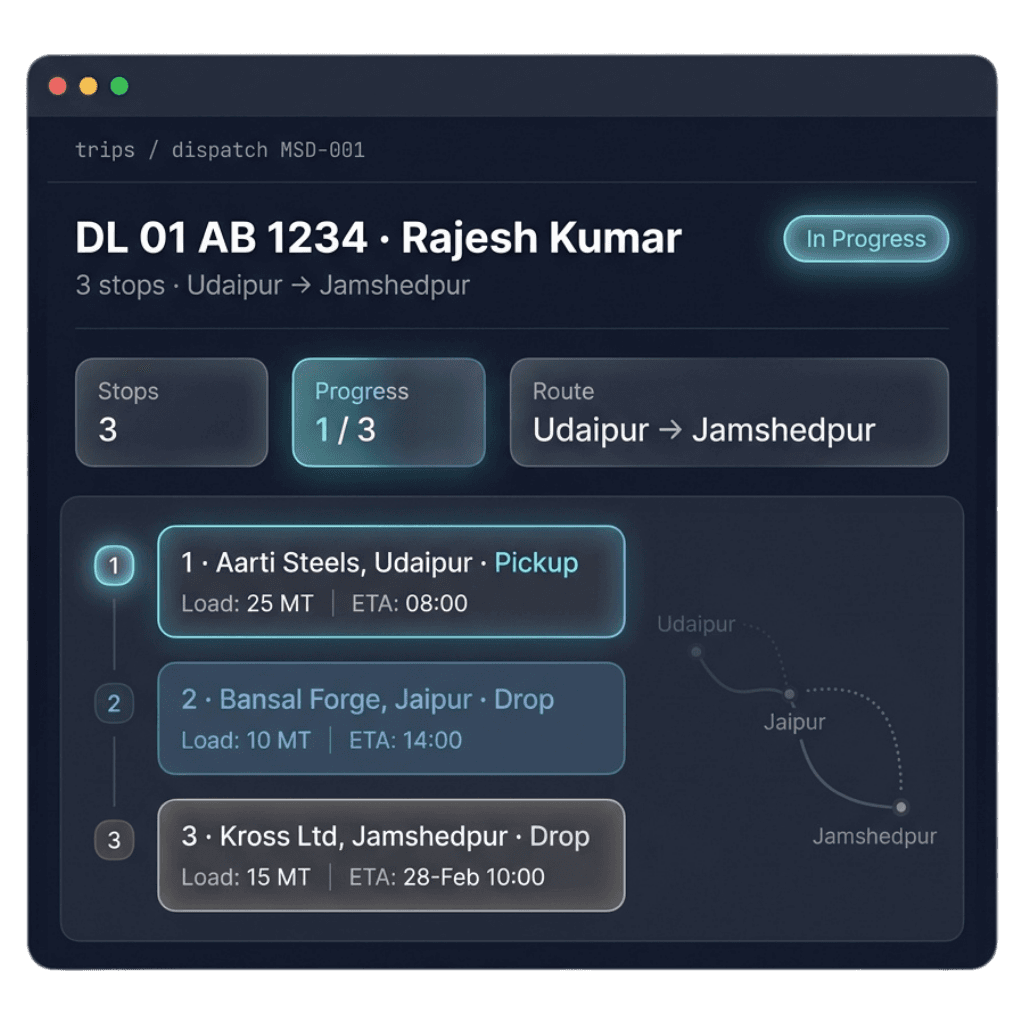
Assign trips to vehicles and drivers with all pickup and delivery locations arranged in order. Every stop includes a planned arrival time so everyone knows the schedule.
- Trip assigned to the right vehicle and driver
- Pickups and deliveries planned in sequence
- Planned arrival times for every stop
Vehicle Tracking Software for Every Stop
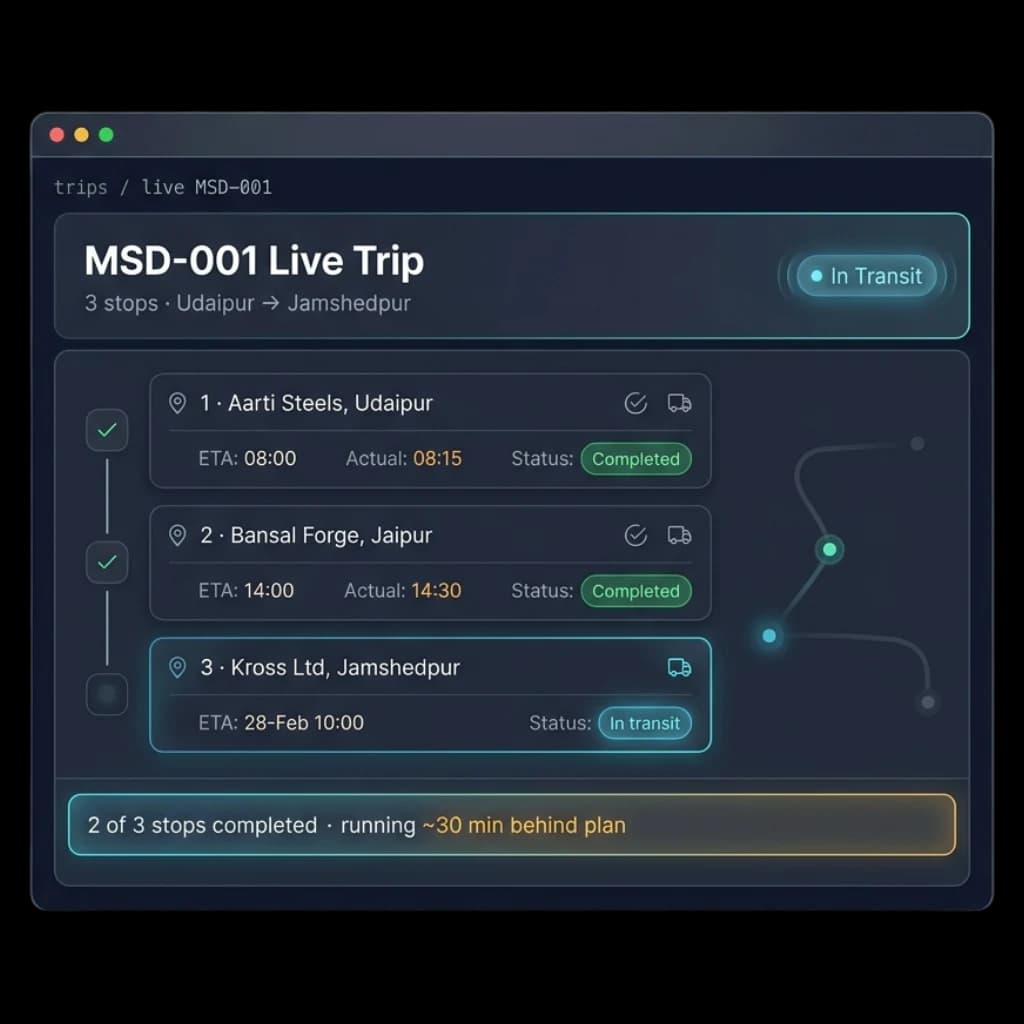
Track each stop as the trip moves. Compare planned arrival times with actual arrival times and see the current status of every stop in real time.
- Planned vs actual arrival times
- Live status updates: Completed, In Transit, or Pending
- Track trip progress from first stop to last stop
Capture Every Trip Cost in One Place
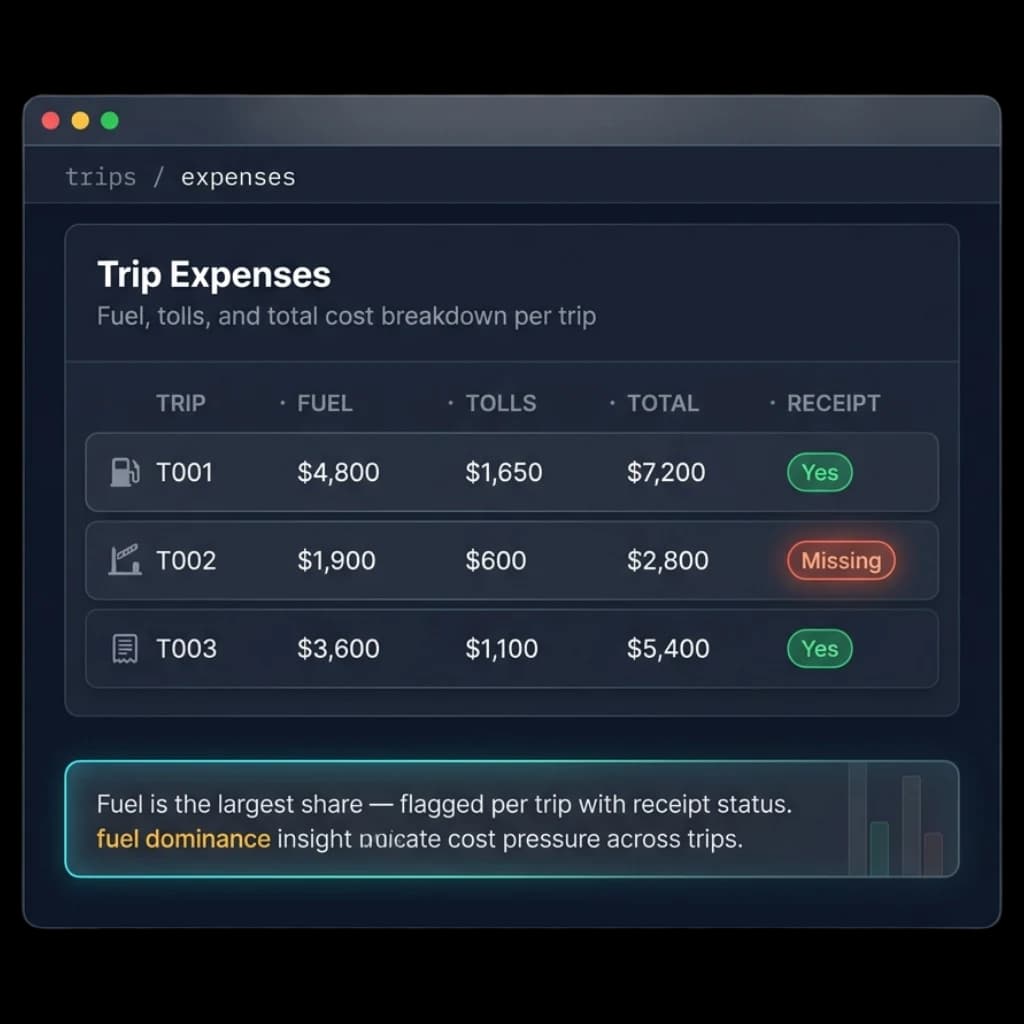
Record fuel costs, toll charges, parking fees, food expenses, and other trip-related spending. Attach receipts and keep all costs linked to the trip.
- Fuel, toll, parking, food, and other trip expenses
- Receipt upload with approval tracking
- Cost breakdown and missing receipt alerts
Close Trips With Verified Profit Reports
Before closing a trip, Fleet Scanner checks PODs, fuel receipts, and toll documents. Driver advances are matched with actual expenses, and a trip profit report is generated automatically.
- Verify PODs, fuel bills, and toll receipts
- Reconcile driver advances against actual expenses
- Generate profit and loss reports for every trip
Profit You Can See on Every Trip
Profit Per Trip
Know exactly how much money each trip makes. See which routes, customers, and drivers bring the best results.
No Advance Leakage
Track driver advances properly and quickly identify refunds or outstanding balances.
Complete Documentation
Keep fuel receipts, toll records, and PODs organized and verified before trip closure.
Faster Billing
Verified delivery documents help you send invoices sooner and reduce payment delays.
Better On-Time Delivery Performance
Live trip tracking helps you spot delays early and keep deliveries on schedule.
One Connected Workflow
Dispatch, vehicle tracking, trip expenses, documents, and settlement all work together in one platform.
From dispatch to settlement, fully tracked
Dispatch
Assign trip, stops & load to a vehicle.
Track
Stops update planned vs actual, live.
Expense
Log fuel, tolls & spend with receipts.
Verify
Check POD, bills & reconcile advance.
Close
Settle & generate per-trip P&L.
Everything You Need to Know
Simple answers to common questions about how trip operations work in Fleet Scanner.
Get Free DemoWhat is trip operations software?
Trip operations software manages the complete journey of a consignment from the moment a booking is made to the moment it is delivered and billed. Fleet Scanner™ covers indent creation, vehicle assignment, dispatch, live tracking, digital proof of delivery, and automatic billing in one connected platform.
How does automatic trip billing work?
When a trip closes in Fleet Scanner™, the system reads the actual GPS distance driven, applies your agreed rate card, and generates the invoice automatically. There is no manual entry and no estimation. The invoice reflects exactly what happened on the road.
Can customers track their own deliveries?
Yes. Fleet Scanner™ generates a live tracking link for each consignment that you can share with your customer. They can follow the delivery on a map in real time without calling your team for updates.
Does trip operations software work for FTL and PTL loads?
Yes. Fleet Scanner™ handles full truck loads, part truck loads, and multi-stop last-mile deliveries within the same platform. You can manage different load types with different rate cards for each customer.
How fast can a dispatcher create and assign a trip?
Most dispatchers on Fleet Scanner™ create and assign a trip in under five minutes. The system shows available vehicles and drivers instantly so there is no back-and-forth to figure out what is free.
What is digital proof of delivery?
Digital proof of delivery is a delivery confirmation collected at the point of delivery through the driver mobile app. It includes a photo of the delivered goods, the customer’s signature, and a GPS stamp with the exact time and location of delivery.