Fleet Alerts Management Software for Real-Time Event Monitoring
Fleet problems rarely happen with a warning. A driver speeds for several minutes, a vehicle enters a restricted area, or a truck stays idle while burning fuel. Without the right alerts, these problems can go unnoticed until they become expensive.
Fleet Scanner™ Fleet Alerts Management Software watches your vehicles 24/7 and sends instant notifications when important events happen. Your team knows what needs attention immediately, so they can fix small issues before they become bigger problems.
Get Free Demo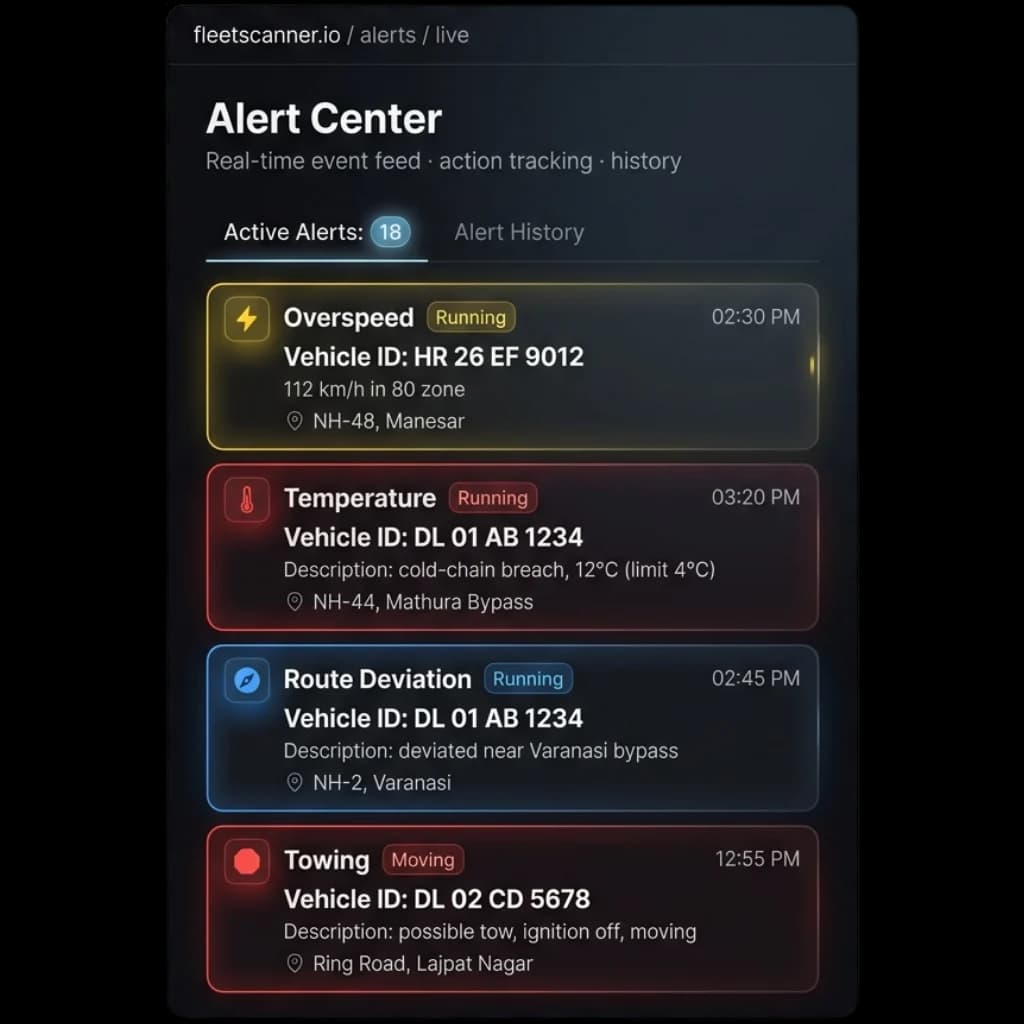
Fleet Problems That Create Hidden Costs
Many fleet issues happen silently. Without automatic alerts, managers often discover problems too late.
Unsafe Driver Behaviour
Speeding, harsh braking, and aggressive driving can increase accident risks and vehicle damage.
Unplanned Vehicle Movement
Vehicles may leave approved areas or enter restricted zones without anyone knowing.
Wasted Fuel From Idle Time
Engines running during long stops waste fuel and increase daily operating costs.
Slow Emergency Response
When drivers need help, delays can put people and vehicles at risk.
8 Built-In Fleet Alert Types
Every fleet event needs the right response. Fleet Scanner™ provides alerts for the most important vehicle activities.
Know immediately when drivers exceed safe limits or show risky driving patterns
Every risky event is logged in detail by Fleet Scanner, giving managers everything they need to review driver behaviour and make the roads safer.
- Overspeeding triggers an alert right away
- Every event includes the driver and vehicle involved
- See exactly where and how fast it happened
- Sudden braking and harsh acceleration are tracked too
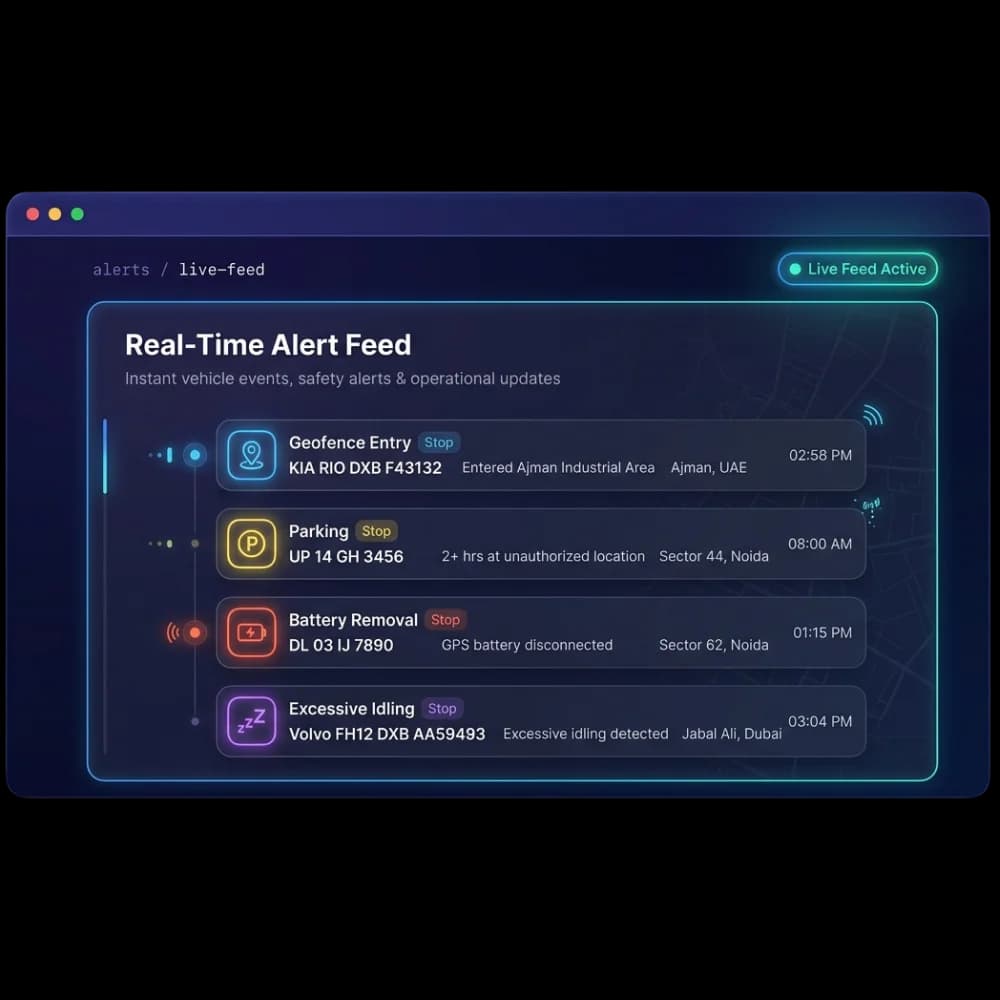
Create virtual boundaries around important locations and receive alerts whenever vehicles enter or leave them
Keep an eye on depots, customer locations, restricted areas, and business zones automatically, with no manual checking needed.
- Set up custom geofence zones for any location
- Get notified the moment a vehicle enters or exits a zone
- Catch unauthorised movement as soon as it happens
- Monitor vehicle activity after business hours
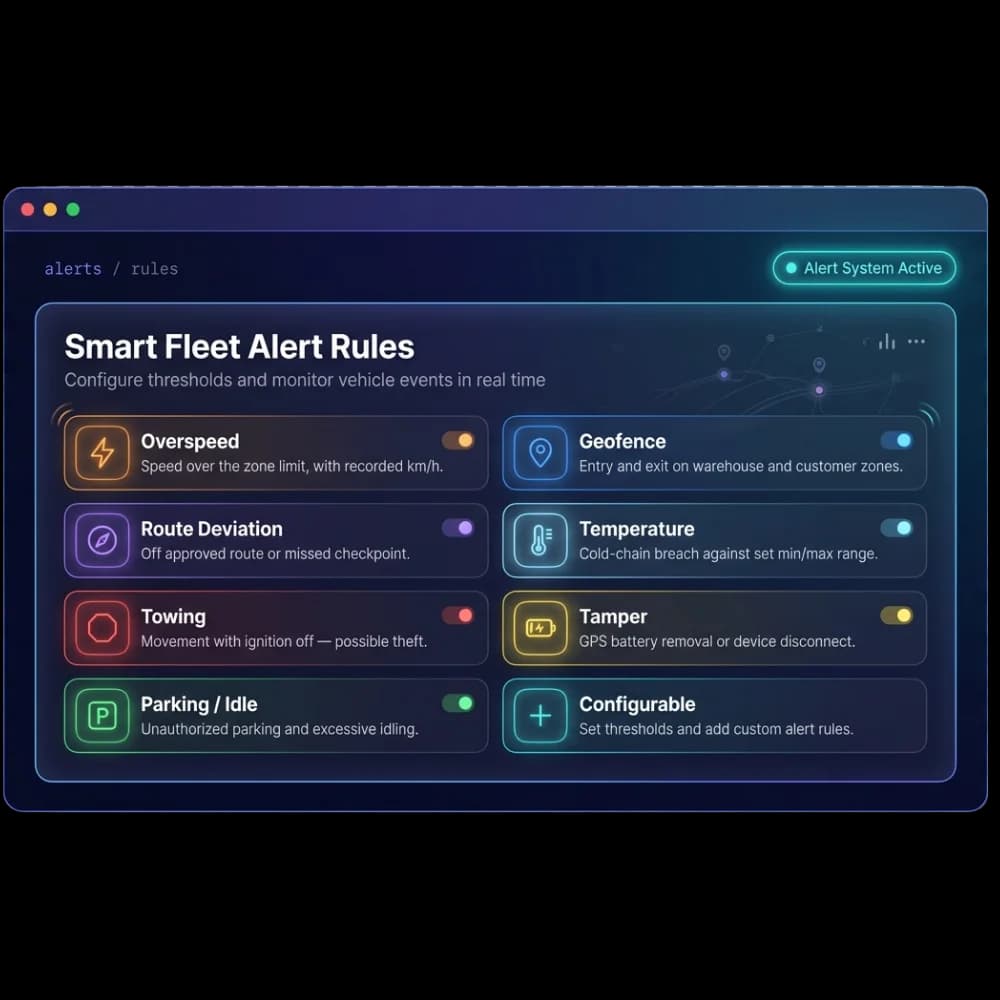
Reduce unnecessary fuel usage by knowing when vehicles stay stopped with the engine running
Fleet Scanner keeps track of every idle event and helps you spot patterns across your whole fleet.
- Set your own idle time limits
- Keep a record of driver activity
- Review idle trends and reports over time
- Get insights that help you save on fuel
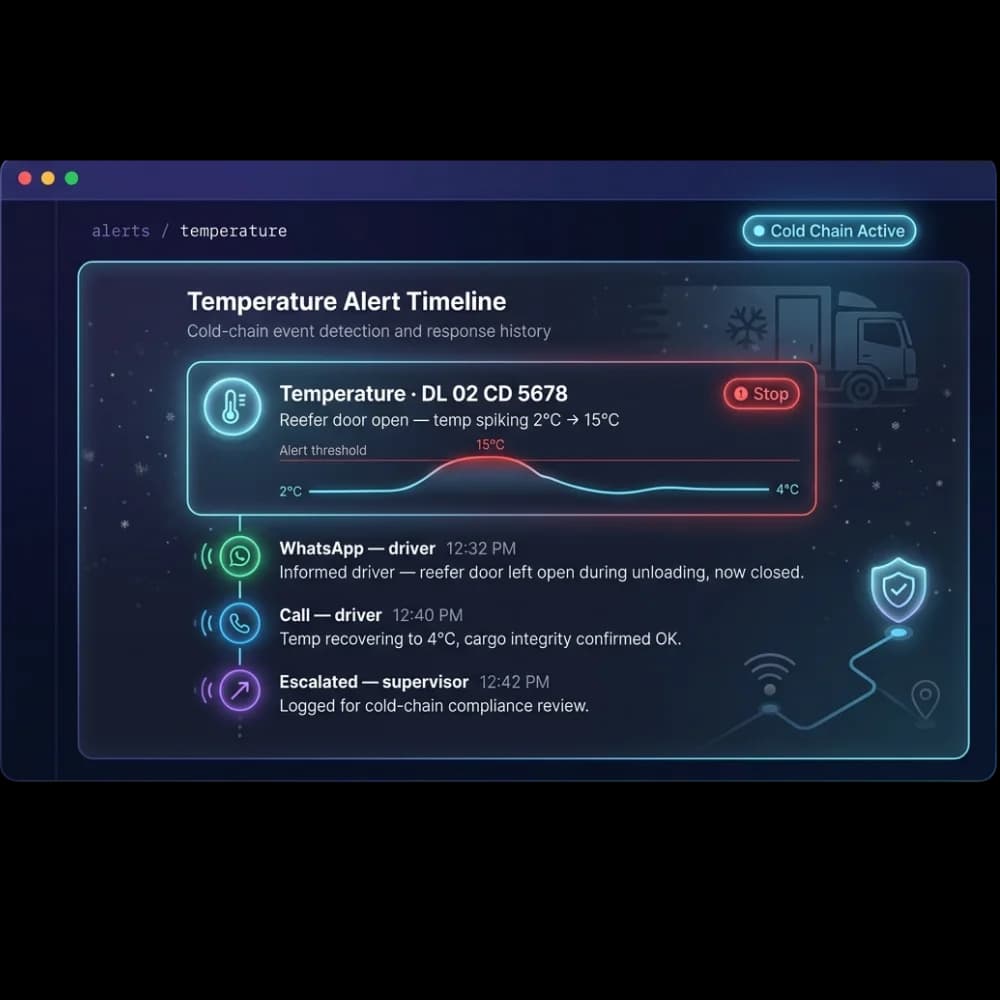
Keep a complete record of every fleet event
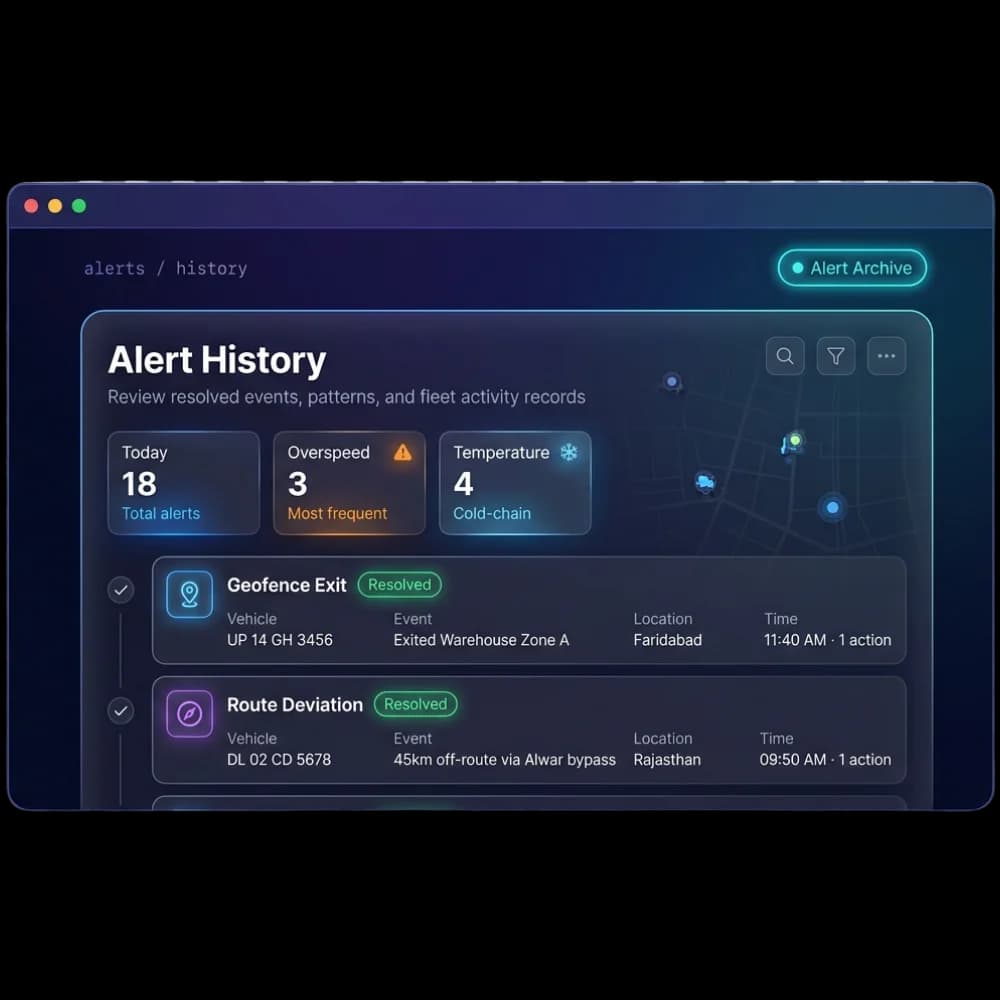
Every resolved alert is automatically saved in a searchable history, so you always have a clear record of past incidents. Review trends, check a specific vehicle or driver's activity, and pull up detailed records whenever you need them, whether that's for compliance checks, insurance claims, or a dispute with a customer. Every action taken is logged, so nothing gets lost.
- Search and pull up any past alert whenever you need it
- Filter records by vehicle, driver, alert type, or date
- Keep complete action logs ready for audits and dispute resolution
Faster response, safer drivers, protected cargo
Improve Driver Safety
Catch speeding, harsh driving, and emergency situations before they lead to accidents.
Reduce Fuel Costs
Monitor idle time and unnecessary vehicle usage to lower fuel consumption.
Increase Fleet Visibility
Know where vehicles are and what they are doing without constantly checking maps.
Prevent Unauthorized Activity
Get immediate alerts when vehicles enter restricted areas or leave approved locations.
Faster Decision Making
Real-time notifications help managers respond before small issues become expensive problems.
Better Accountability
Maintain a complete record of every alert, event, driver action, and fleet incident.
From inward to scrap, fully tracked
Configure
Set thresholds & alert types per fleet.
Detect
GPS & sensors flag events in real time.
Surface
Alert appears live in the center.
Act
Call, WhatsApp or escalate; log a remark.
Archive
Resolved alerts saved to history.
Everything You Need to Know
Simple answers to common questions about how fleet alerts work in Fleet Scanner.
Get Free DemoWhat is fleet alerts management software?
Fleet alerts management software monitors vehicles and drivers in real time and sends notifications when important events occur. It helps fleet managers react quickly and improve safety, compliance, and efficiency.
How many alert types does Fleet Scanner™ support?
Fleet Scanner provides 8+ built-in alert types covering overspeeding, geofence entry and exit, route deviation, temperature breach, towing, tampering, parking and idle events, plus configurable custom alerts.
How are alerts delivered?
Alerts appear live in the Alert Center and can be actioned across multiple channels, including a call, a WhatsApp message, or escalation to a supervisor. Every action taken is time-stamped and logged.
What is a geofence alert?
A geofence alert notifies you the moment a vehicle enters or leaves a virtual boundary you have drawn around a location such as a depot, customer site, or restricted area.
Can Fleet Scanner™ help reduce fuel costs?
Yes. Idle time and vehicle activity alerts show when vehicles stay stopped with the engine running, so you can spot patterns across the fleet and cut unnecessary fuel usage.
What happens when a driver triggers an SOS alert?
An SOS alert surfaces immediately in the Alert Center with the vehicle and driver details and location, so your team can call the driver, escalate to a supervisor, and log every action taken.