
Fleet Reports Software With 60+ Ready-to-Use Reports
Good decisions start with accurate data. Every day, your fleet generates valuable information about vehicles, drivers, trips, fuel usage, maintenance, and operating costs. Without organized reports, it becomes difficult to spot trends, measure performance, or identify areas for improvement.
Fleet Scanner™ Fleet Reports Software brings all your fleet data together in one reporting hub. With more than 60 built-in reports, you can monitor operations, analyze performance, and make informed decisions without creating spreadsheets or collecting information from multiple systems.
Get Free Demo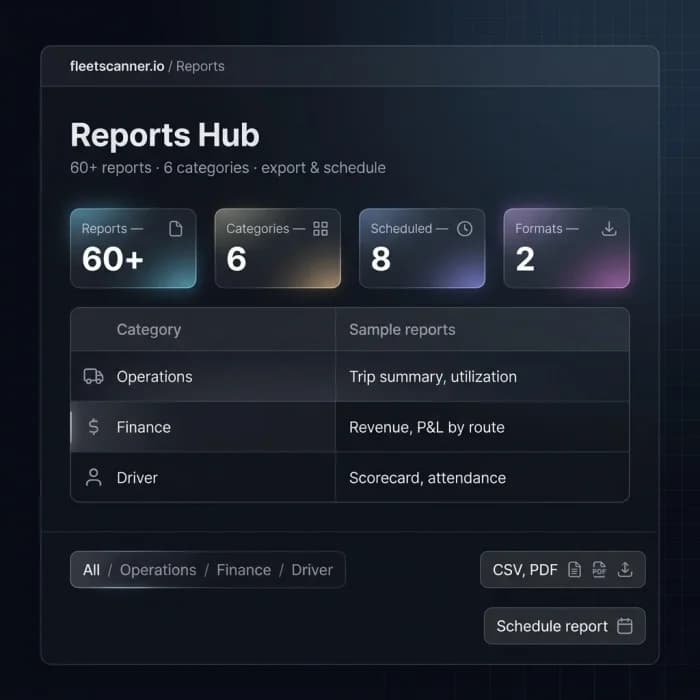
Reporting Challenges Fleet Businesses Face
Without reliable reports, managing fleet performance becomes difficult.
Data Scattered Across Multiple Systems
Vehicle, driver, fuel, and maintenance information often lives in different places, making reporting slow and complicated.
Limited Visibility Into Fleet Performance
Without detailed reports, it is difficult to understand which areas of the business need improvement.
Time-Consuming Manual Reporting
Creating reports manually takes hours and increases the risk of errors.
Delayed Business Decisions
When reports are incomplete or outdated, managers cannot respond quickly to operational issues.
Centralized Fleet Reporting Dashboard
Fleet Scanner™ automatically collects data from every module and organizes it into easy-to-read reports.
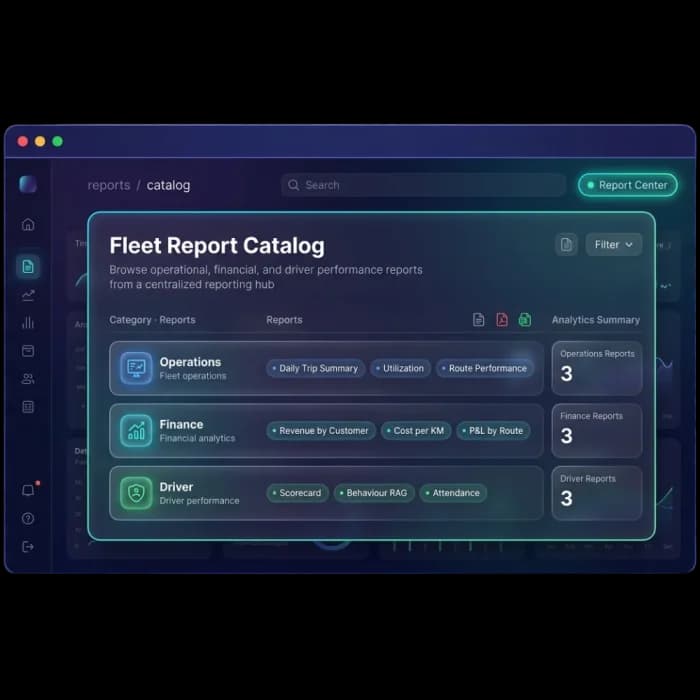
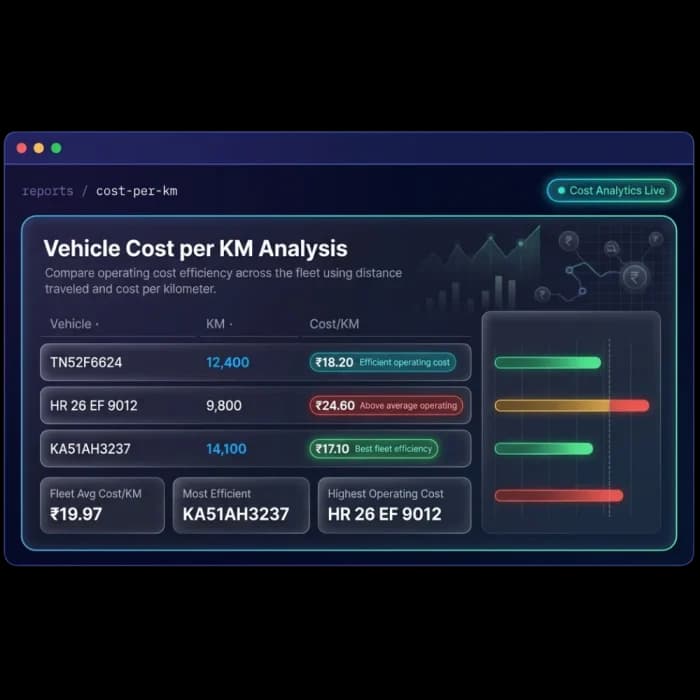
Monitor the health and performance of every vehicle
Keep track of vehicle utilization, mileage, operating costs, and overall fleet performance with reporting that goes into real detail.
- Reports showing how well each vehicle is being used
- Mileage and distance covered, broken down clearly
- Cost per kilometre worked out for you
- Quick summaries of your whole fleet’s health
Measure driver performance using real operational data
Look at driving behaviour, attendance, settlements, and productivity in one place, so coaching and recognition are always based on facts.
- Clear reports on how each driver actually drives
- Analysis of speeding and time spent idling
- Driver rankings that show who’s performing best
- Simple summaries of attendance and settlements
Track every trip from start to finish
Dig into delivery performance, trip costs, route efficiency, and customer service with trip reports that show you the full story.
- Complete trip history at your fingertips
- Track how often deliveries actually arrive on time
- See where vehicles strayed from the planned route
- Find out which trips actually made you money
Take the numbers anywhere
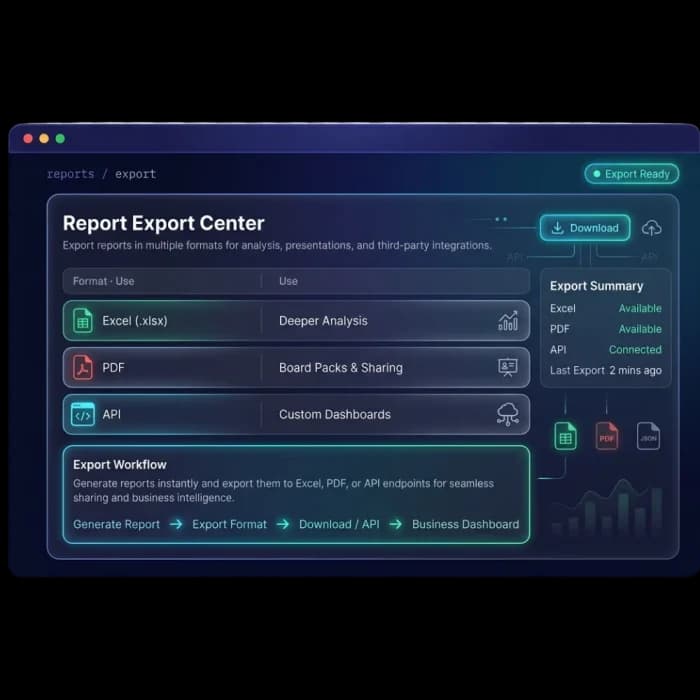
Your fleet data should be easy to use wherever you need it. Fleet Scanner™ lets you export reports in just a few clicks, so sharing information with managers, customers, finance teams, or stakeholders takes no effort at all.
Whether it’s a report for a meeting, an update for a client, or data you want to dig into further, you can download it in whichever format suits you best. Already using your own reporting tools or business systems? The same data is available through the API.
- Export to Excel or PDF with a single click
- Share polished, ready-to-present reports with teams and stakeholders
- Connect fleet data to your own dashboards and systems through the API
- Make reporting and data sharing faster, simpler, and more flexible
Decisions on data, with no spreadsheet evenings
Make Better Business Decisions
Use accurate reports to improve fleet operations and planning.
Save Time on Reporting
Generate professional reports in minutes instead of hours.
Improve Fleet Performance
Identify trends, inefficiencies, and opportunities for improvement across your operation.
Increase Driver Accountability
Measure performance using reliable operational data.
Control Operating Costs
Monitor fuel, maintenance, and trip expenses with detailed reporting.
Share Reports Easily
Export reports for management, customers, auditors, or stakeholders whenever needed.
From data to decisions
Pick
Choose from 60+ reports.
Filter
Date, vehicle, customer, route.
Run
Live data, instantly.
Schedule
Auto-deliver on a cadence.
Export
Excel, PDF or API.
Everything You Need to Know
Simple answers to common questions about how Fleet Reports Software works in Fleet Scanner.
Get Free DemoWhat is fleet reports software?
Fleet reports software collects data from every part of your fleet operation and turns it into structured, readable reports that help you manage your vehicles, drivers, trips, fuel, and costs more effectively. Fleet Scanner™ reports hub includes over 60 standard reports covering every module in the platform with options to schedule, export, and share them automatically.
How many reports does Fleet Scanner™ include?
Fleet Scanner™ includes over 60 standard reports across vehicles, drivers, trips, fuel, maintenance, and finance. Reports can be filtered by date range, vehicle, driver, route, or customer. You can also build custom reports using the report builder if you need a view that is specific to your operation.
What formats can I export fleet reports in?
Fleet Scanner™ reports can be exported in PDF, Excel, and CSV formats. PDF is useful for sharing with customers and stakeholders. Excel and CSV are useful when you want to do further analysis or import the data into your accounting software.
Can I schedule reports to be sent automatically?
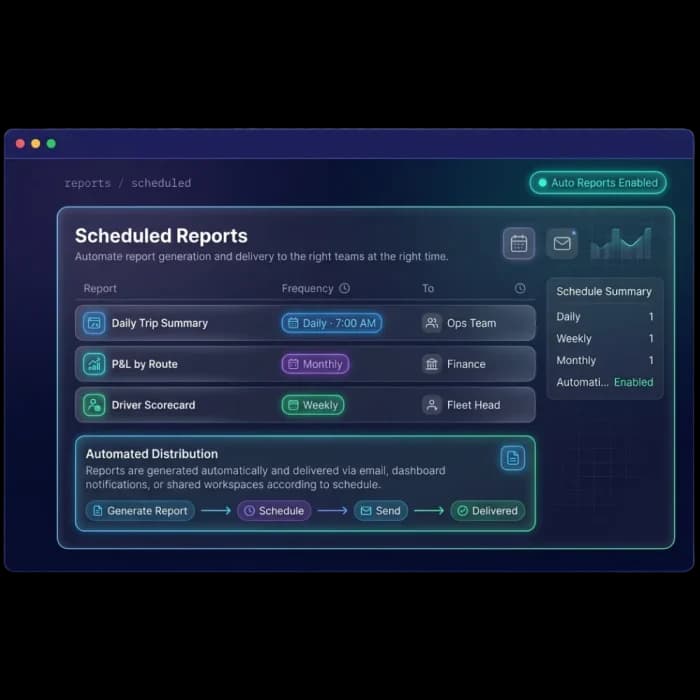
Yes. Any report in Fleet Scanner™ can be scheduled to run and deliver automatically by email at the frequency you choose. Daily, weekly, monthly, or a custom schedule are all supported. You can set different reports to go to different people so each stakeholder gets exactly the information they need without any manual work.
Does Fleet Scanner™ include driver performance reports?
Yes. Fleet Scanner™ includes comprehensive driver performance reports covering behavior scores, speeding events, harsh braking, idle time, attendance, trip completion rates, and fuel efficiency per driver. Reports can be run for individual drivers or compared across your full driver roster.
How does the per-trip profit and loss report work?
The per-trip profit and loss report in Fleet Scanner™ calculates the revenue generated by each trip from the GPS kilometres and agreed rate card, then subtracts the fuel cost, driver cost, toll costs, and any other expenses recorded against that trip. The result is a clear profit or loss figure for every consignment so you always know which routes and customers are actually making you money.