Freight Billing Software That Turns Delivered Loads into Invoices
Fleet Scanner Freight Billing Software helps transport companies create freight invoices quickly and accurately. As soon as a load is delivered, you can generate a GST-ready invoice, track payments, and see which customers still owe money.
Everything stays connected, from the trip and LR to the invoice and payment, so your team spends less time on paperwork and more time growing the business.
Get Free Demo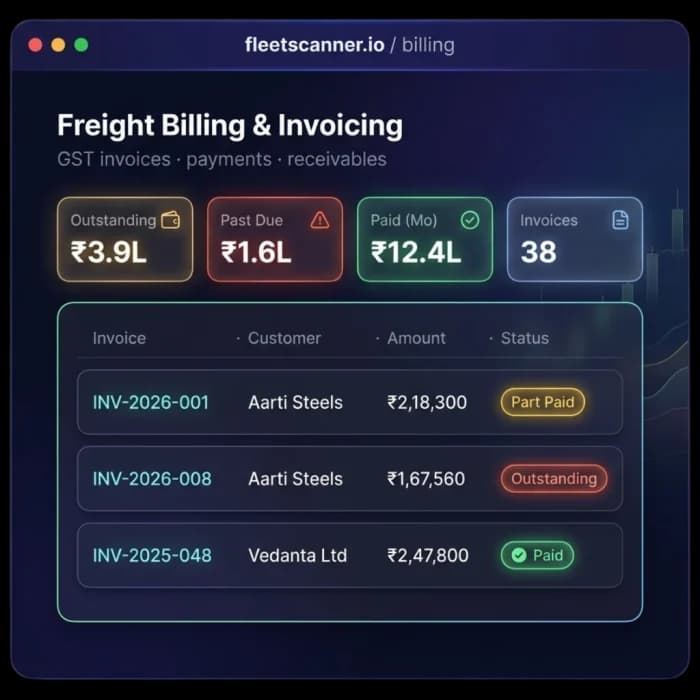
Deliveries are fast, but getting paid takes too long
Many transport companies deliver loads on time but spend days creating invoices and following up on payments. Small delays in billing can slow down cash flow and make it harder to run the business smoothly.
Slow invoicing
Teams spend hours collecting LR copies, checking rates, and creating invoices manually.
Rate and GST mistakes
Manual calculations can lead to billing errors, rejected invoices, and lost revenue.
Missed payments
Without a clear view of outstanding invoices, overdue payments can easily be forgotten.
Systems that don’t work together
Operations and billing often use separate systems, causing duplicate work and wasted time.
Simple process from delivery to payment with freight billing software
Fleet Scanner connects deliveries, invoices, payments, and customer records into one easy workflow. Everything stays connected so information only needs to be entered once.
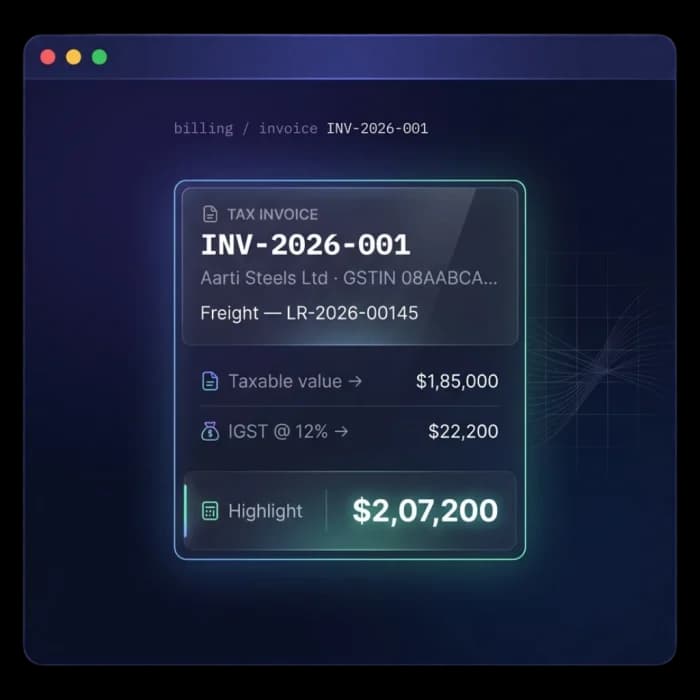
Create invoices as soon as a load is delivered
Once a delivery is finished and the proof of delivery comes in, Fleet Scanner can raise the invoice on its own, pulling from the trip details already sitting in the system.
- Raise invoices straight from delivered LRs
- Customer and shipment details fill themselves in
- Billing moves faster with far less manual work
- POD-verified deliveries are ready to invoice right away
Apply the correct rate every time
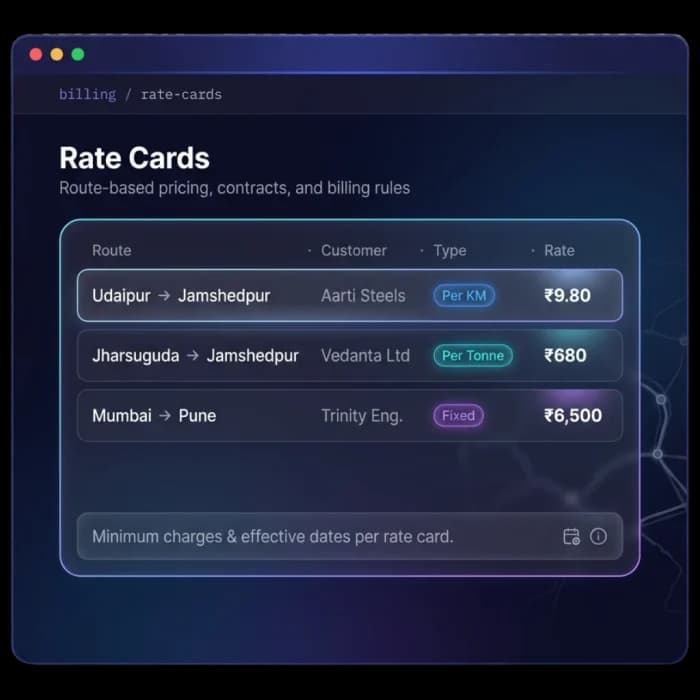
Keep your customer pricing saved in the system, and let Fleet Scanner pick the right rate for every shipment on its own.
- Rates worked out per kilometre
- Rates worked out per tonne
- Fixed pricing wherever it suits
- Pricing rules set customer by customer
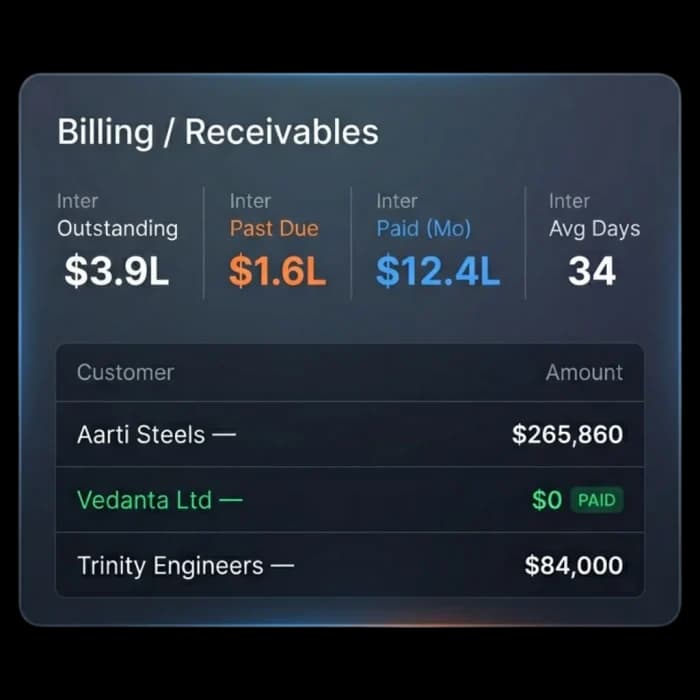
Always know who has paid and who hasn’t
Follow every invoice and payment as it happens. See at a glance what’s paid, unpaid, partly paid, or overdue, with no spreadsheets involved.
- Payments tracked for every customer
- Outstanding balances always visible
- Bank and transaction references kept on record
- A live receivables dashboard
Stay on top of payments and GST requirements
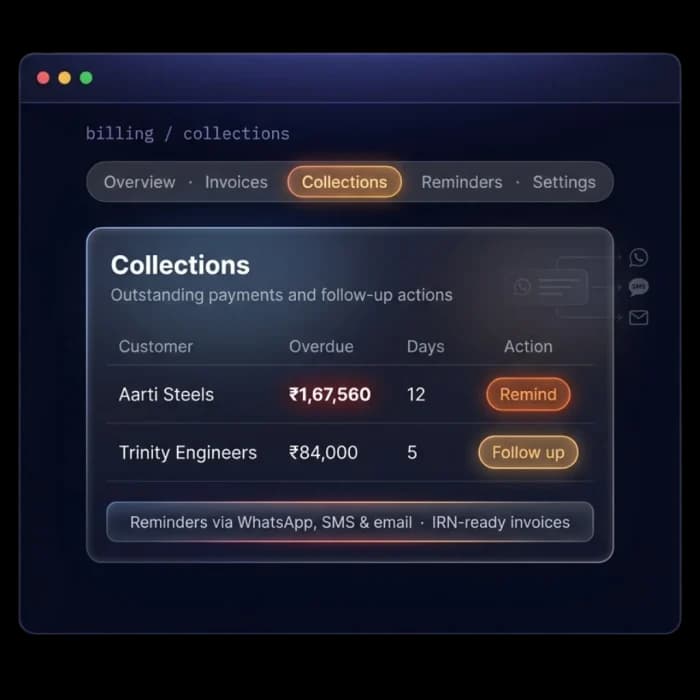
Fleet Scanner helps you chase up overdue invoices, while keeping every invoice GST-ready and compliant.
- Keep track of accounts that have gone overdue
- Helps your team prepare GST returns
- Generate invoices that are GST-compliant
- Ready for E-Invoice (IRN)
Faster payments, fewer mistakes, and better cash flow
Get invoices out faster
Create invoices quickly after delivery and reduce billing delays.
Improve billing accuracy
Automatic rates and GST calculations help reduce errors.
Collect payments sooner
See outstanding invoices and follow up before payments become overdue.
Stay GST compliant
Generate invoices that are ready for GST reporting and e-invoicing.
Better visibility
Know exactly how much money customers owe and when payments are due.
Everything connected
Trips, LRs, PODs, invoices, customers, and payments all work together in one system.
From delivery to collection
Deliver
LR delivered, POD verified.
Rate
Rate card applied to freight.
Invoice
GST invoice generated, IRN-ready.
Collect
Payment logged; AR updated.
Chase
Overdue accounts followed up.
The complete guide
Freight billing software: a complete guide
What is freight billing software?
Freight billing software is a tool that turns delivered shipments into invoices, applies the right customer rates, and tracks what each customer has paid and still owes. For a transport company, it closes the gap between a load being delivered and the money arriving in the bank.
A good freight billing system works from the trip and delivery records you already have, so nobody retypes shipment details. Fleet Scanner raises invoices from delivered LRs once proof of delivery is verified, applies per-km, per-tonne, fixed or customer-specific rate cards, tracks paid, partly paid and overdue invoices on a live receivables dashboard, and helps your team follow up on overdue accounts. For Indian fleets, invoices are GST-compliant and ready for e-invoicing (IRN).
How freight billing software works
- 01DeliverThe load is delivered and the proof of delivery is verified, which marks the LR as ready to bill.
- 02RateThe customer's saved rate card is applied to the shipment automatically, whether per km, per tonne or fixed.
- 03InvoiceAn invoice is generated with customer and shipment details filled in from the trip, with GST calculated.
- 04CollectPayments are logged with bank and transaction references, and receivables update as each one comes in.
- 05Follow upOverdue accounts are listed so your team can chase them before they slip further.
What to look for in freight billing software
Invoices from delivered loads
Rebuilding invoices from LR copies wastes hours. Fleet Scanner creates the invoice from the delivered LR and verified POD using details already in the system.
Flexible rate cards
Customers pay in different ways. Fleet Scanner supports per-kilometre, per-tonne, fixed pricing, minimum charges and rules set customer by customer.
Receivables tracking
Overdue payments are easy to forget without a clear view. Fleet Scanner shows paid, unpaid, partly paid and overdue invoices for every customer on a live dashboard.
Collection follow-up
Cash flow depends on chasing late payers early. Fleet Scanner lists overdue accounts so your team can act before balances age.
Tax compliance
Wrong tax on an invoice can mean rejection and delay. Fleet Scanner generates GST-compliant invoices, supports e-invoicing (IRN) and helps your team prepare GST returns.
Connection to operations
Separate billing and operations systems mean double entry. In Fleet Scanner, trips, LRs, PODs, invoices, customers and payments work together, so data is entered once.
Manual process vs freight billing software
Spreadsheets, paper and phone calls
- LR copies collected by hand before billing starts
- Rates and tax worked out on a calculator
- Invoices sent days after delivery
- Outstanding payments tracked in a spreadsheet
- Billing team retypes data from operations
With Fleet Scanner freight billing software
- Delivered, POD-verified LRs are ready to invoice
- Customer rate cards and GST applied automatically
- Invoices raised as soon as delivery is confirmed
- Live receivables dashboard for every customer
- Trip and shipment details flow straight into invoices
Who uses freight billing software?
Freight billing software suits transport companies, freight carriers and logistics operators that bill customers per load, per km or per tonne. Billing teams use it to raise invoices, accounts teams use it to track receivables and GST, and owners use it to see who owes what and when it is due.
It pays off when the business delivers on time but waits too long to get paid, or when billing errors and missed follow-ups start hurting cash flow. Because billing sits in the same platform as trips, LRs and proof of delivery, an invoice can go out as soon as a delivery is verified.
Freight Billing FAQs
Simple answers to common questions about how freight billing works in Fleet Scanner.
Get Free DemoWhat is freight billing software?
Freight billing software helps transport companies create invoices for delivered shipments. Fleet Scanner turns completed LRs into GST-compliant invoices, tracks payments, monitors outstanding balances, and helps businesses manage customer billing more efficiently.
How does LR-to-invoice work?
When a load is delivered and proof of delivery is received, Fleet Scanner can automatically create an invoice using the shipment and customer details already stored in the system.
Can it apply different rate types?
Yes. Fleet Scanner supports per-kilometre rates, per-tonne rates, fixed pricing, minimum charges, and customer-specific rate cards.
How does it track outstanding payments?
The system records invoices and payments in real time, showing which invoices are paid, partially paid, overdue, or still outstanding.
Is it GST-compliant and e-invoice ready?
Yes. Fleet Scanner generates GST-compliant invoices and supports e-invoicing (IRN) requirements.
Does it connect to LRs, PODs, and customers?
Yes. Freight billing is fully connected with customer records, LRs, proof of delivery, trips, and payment tracking, creating one complete billing workflow.