
Construction Vehicle Tracking for Equipment & Operations
Fleet Scanner™ is a powerful construction vehicle tracking platform built for Indian contractors, builders, infrastructure and construction companies. Track vehicles, heavy equipment, and job site assets in real time while managing daily operations from one simple dashboard.
Whether you manage dump trucks, excavators, cranes, service vehicles, or equipment across multiple project sites, Fleet Scanner helps you improve visibility, reduce downtime, and keep projects moving on schedule.
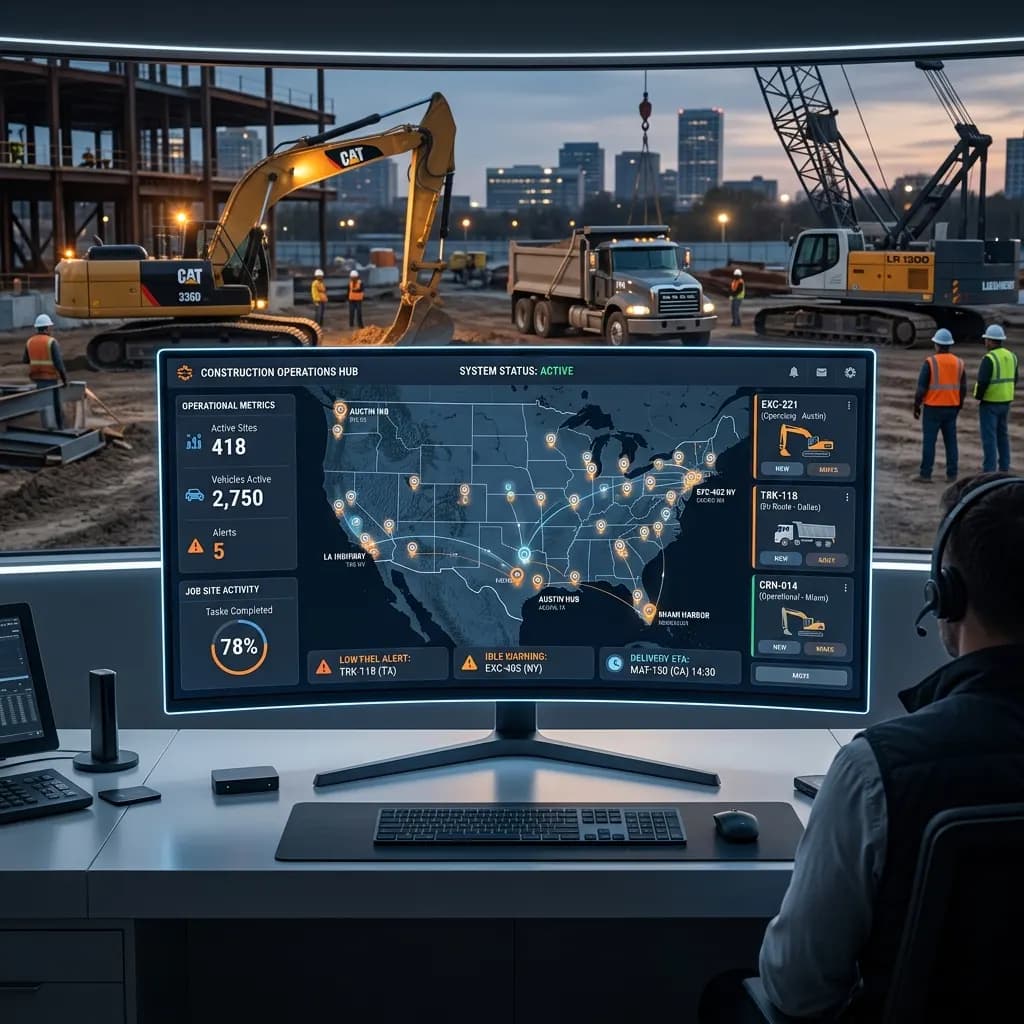
The Problems Every Construction Company Faces
Construction projects rely on vehicles, machinery, operators, and materials arriving at the right place at the right time. Without a Construction GPS Tracking System, it becomes difficult to monitor equipment, manage resources, and avoid costly delays.
Equipment Is Difficult to Locate
Construction equipment often moves between different job sites. Teams waste valuable time trying to find vehicles, machinery, or tools when locations are not updated.
Construction Vehicle Tracking helps managers see where every asset is in real time.
Unexpected Equipment Downtime
A broken vehicle or machine can stop work for hours or even days. Many companies only discover problems after equipment fails on-site.
Heavy Equipment Tracking Software helps monitor usage and maintenance schedules before issues become expensive.
Limited Visibility Across Job Sites
Project managers need to know what is happening across multiple locations. Without live tracking, it is difficult to monitor equipment activity and vehicle movement.
A Construction GPS Tracking System provides real-time visibility across all active projects.
High Fuel and Operating Costs
Long idle times, inefficient routes, and poor equipment utilization increase operating expenses without clear visibility into the cause.
Fleet Scanner helps identify waste and improve efficiency through live monitoring and reporting.
Know Where Every Vehicle and Equipment Asset Is
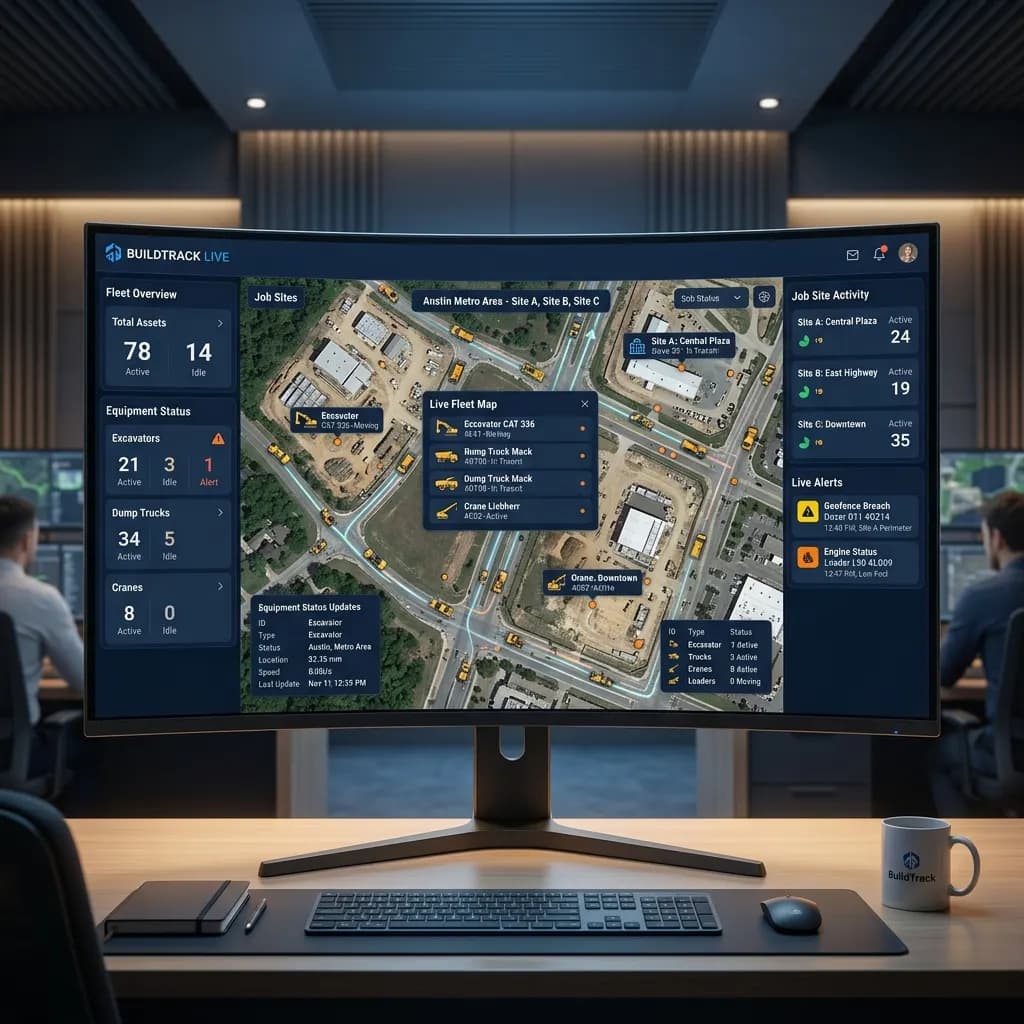
Our Software gives construction companies complete visibility into vehicle and equipment activity. Monitor locations, movement history, job site activity, and operational status from one connected dashboard.
This helps project managers improve planning, reduce delays, and keep teams productive.
- Real-time Construction Vehicle Tracking
- Live GPS tracking across all job sites
- Equipment movement and route history
- Vehicle status and activity monitoring
- Instant alerts for unusual activity
Manage Equipment More Efficiently
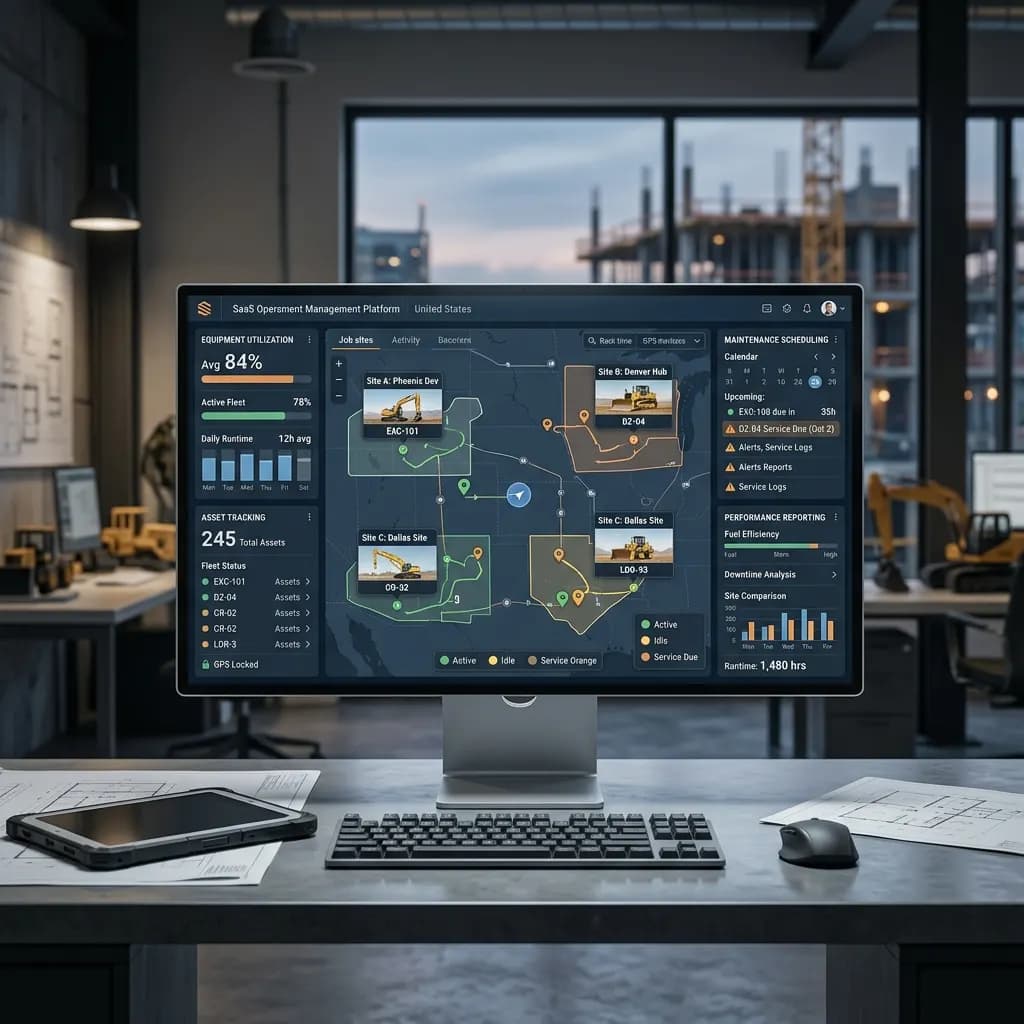
Our Software helps construction businesses manage vehicles, machinery, and field operations from one platform. Everything stays connected so teams can make faster decisions and reduce manual work.
With better visibility and reporting, managers can improve equipment utilization and reduce downtime across projects.
- Heavy Equipment Tracking Software
- Equipment utilization monitoring
- Maintenance scheduling and alerts
- Asset tracking across multiple sites
- Equipment performance reporting
Construction Operations Fleet Scanner Supports
Heavy Equipment Operations
Track excavators, bulldozers, cranes, loaders, and other heavy machinery across project locations.
- Live Equipment Tracking
- Maintenance Monitoring
- Utilization Reporting
Construction Vehicle Fleets
Monitor tippers, dump trucks, transit mixers, service vehicles, and transport fleets in real time, from city building sites to highway projects.
- GPS Vehicle Tracking
- Route Monitoring
- Delivery Visibility
Multi-Site Project Management
Manage equipment and vehicle operations across multiple construction projects from one dashboard.
- Job Site Visibility
- Asset Tracking
- Centralized Operations
How Construction Companies Use Fleet Scanner™ Every Day
Construction companies use Fleet Scanner™ to track vehicles, monitor heavy equipment, and improve project coordination.
Project managers use live dashboards to locate assets quickly, monitor site activity, and improve workforce productivity.
Operations teams use equipment tracking, maintenance alerts, and utilization reports to reduce downtime and keep projects on schedule.
Business owners use fleet analytics and operational insights to improve efficiency and reduce unnecessary costs.
Features Built for Construction Vehicle Tracking
Fleet Scanner™ is designed specifically for construction companies that need better visibility into vehicles, equipment, and job site operations.
Construction Vehicle Tracking
Track every vehicle in real time with live location updates, route history, and activity monitoring.
GPS tracking software →Construction GPS Tracking System
Monitor vehicle movement, job site activity, and operational status through one connected platform.
Fleet geofencing software →Heavy Equipment Tracking Software
Track excavators, loaders, cranes, and other machinery across multiple project locations.
GPS tracking software →Asset Tracking & Monitoring
Know where important equipment and assets are located at all times.
Fleet asset management software →Fleet AI Agent
Ask questions about equipment, vehicles, and project operations using AI-powered insights.
AI assistant for fleet managers →Reports & Equipment Analytics
Access reports on equipment utilization, vehicle activity, maintenance, fuel usage, and project performance.
Fleet reporting software →The complete guide
Construction vehicle tracking: a complete guide
What is construction vehicle tracking?
Construction vehicle tracking is the use of GPS trackers and software to see where your trucks, machines and site assets are, what they are doing and how much they are used. Each tracker sends its location to one live map. The office can see a dump truck on the highway, an excavator on a city site and a generator sitting in the yard, all at the same time. People also call it construction fleet tracking or construction fleet monitoring.
Good construction fleet tracking software does more than show dots on a map. It keeps the movement history of every vehicle, counts engine hours, flags long idle time and reminds you when a machine is due for service. Fleet Scanner tracks vehicles and heavy equipment across all your job sites from one dashboard, sends alerts for unusual activity, plans maintenance and gives you reports on use, fuel and downtime. You can also ask the Fleet AI Agent simple questions about your equipment and get an answer in plain words.
How construction vehicle tracking works
- 01Fit trackersPut a wired tracker on machines that run every day and a long-life battery tracker on trailers, generators and idle assets.
- 02Set up sitesDraw each job site and yard on the map, so you know when a vehicle or machine arrives or leaves.
- 03Watch it liveSee every vehicle and machine on one map, with its status, route history and activity across all projects.
- 04Act on alertsGet told when equipment leaves a site, starts after hours, sits idle too long or is due for service.
- 05Review reportsCheck use, fuel, maintenance and project reports to move, sell or rent machines based on real numbers.
What to look for in construction vehicle tracking
Vehicles and equipment in one place
Trucks and machines are run by the same team, so they should be on the same screen. Fleet Scanner is fleet and equipment management software that shows tippers, transit mixers, excavators, cranes and loaders on one map.
Support for many tracker types
Heavy equipment and road trucks often need different hardware. Fleet Scanner works with 1,000+ GPS devices, so wired and battery trackers both report to the same dashboard.
Engine hours and idle reports
Hours, not kilometres, tell you how hard a machine works. Fleet Scanner reports engine hours, idle time and utilization for each asset.
Maintenance alerts
A broken machine can stop a whole site. Fleet Scanner schedules service and alerts you before a missed check turns into downtime.
Many job sites, one view
Construction work rarely stays in one place. Fleet Scanner lets you follow assets across every active project and see what is on each site right now.
Web and mobile access
Site managers are not always at a desk. Fleet Scanner runs as web based fleet tracking with Android and iOS apps, so you can check any machine from the site or the office.
Manual process vs construction vehicle tracking
Spreadsheets, paper and phone calls
- Staff drive between sites to find a machine.
- Breakdowns are found only when work stops.
- Engine hours are written down by hand, if at all.
- Idle machines burn fuel with nobody noticing.
- Nobody knows a machine left the site at night.
With Fleet Scanner construction vehicle tracking
- Every vehicle and machine shows on one live map.
- Service reminders arrive before parts fail.
- Engine hours and use are counted for you.
- Idle reports show which machines sit running.
- Alerts fire when equipment moves after hours.
Who uses construction vehicle tracking?
Construction vehicle tracking suits contractors, builders, infrastructure firms, equipment rental companies and anyone running trucks and heavy machinery across more than one site. Project managers use it to find assets fast, operations teams use maintenance alerts to cut downtime, and owners use reports to decide which machines to keep. Equipment makers and dealers can also offer it under their own name, because white label is included and the system runs on your own server.
If you are comparing the best fleet management software for construction, or looking at Samsara and Geotab alternatives, check how the price grows with your fleet. Fleet Scanner is one complete package with unlimited vehicles and users and no usage-based charges, and you can go live in 2 to 3 weeks. It pays off fastest when machines go missing, sit idle or break down without warning, because those costs show up on every project.
Everything About Construction Vehicle Tracking
Simple answers to common questions about how construction vehicle and equipment tracking works in Fleet Scanner.
What is construction equipment GPS tracking?
It sends the location, movement and engine hours of machines such as excavators, loaders, generators and trailers to one map. You use it to stop theft, cut idle time and plan service by real use.
How does GPS tracking stop construction equipment theft?
You get an alert when a machine leaves its site or starts after hours. If it is stolen, the live location trail helps the police and your insurer. For costly machines, use a hidden wired tracker with a backup battery.
Which GPS tracker is best for heavy equipment?
It depends on power. Machines that run every day suit a wired tracker that also counts engine hours. Trailers, generators and idle assets suit a long-life battery tracker. Both kinds show on the same map in Fleet Scanner.
How does construction fleet tracking reduce idle time?
Engine-hour and idle reports show which machines sit running without working. You can then move them to another site, bill the right job or decide to sell or rent fewer machines.
What is Construction Vehicle Tracking?
Construction Vehicle Tracking helps companies monitor vehicles, equipment, and assets in real time using GPS technology.
What is a Construction GPS Tracking System?
A Construction GPS Tracking System provides live location updates, route history, and activity monitoring for vehicles and equipment. Fleet Scanner works with AIS-140 approved trackers used on Indian commercial vehicles.
Can I track heavy equipment with Fleet Scanner?
Yes. Fleet Scanner includes Heavy Equipment Tracking Software for excavators, cranes, loaders, and other machinery.
Does the system work across multiple job sites?
Yes. You can monitor vehicles and equipment across all project locations from one dashboard.
Can Fleet Scanner help reduce equipment downtime?
Yes. Maintenance alerts and equipment monitoring help prevent unexpected breakdowns.
Can I see equipment usage reports?
Yes. Fleet Scanner provides detailed reports on equipment utilization, vehicle activity, and operational performance.
What is the difference between fleet tracking and fleet and equipment management software?
Fleet tracking tells you where a vehicle is and where it has been. Fleet and equipment management software also covers how much each machine is used, when it needs service and what it costs to run. Fleet Scanner does both for trucks and heavy equipment from one dashboard.
Can equipment manufacturers or dealers white label Fleet Scanner?
Yes. White label is included, so you can put your own name and brand on the system and offer telematics to your own customers. It runs on your own server, and there are no limits on vehicles or users.
How do I measure the ROI of construction fleet management software?
Compare a few months of costs before and after. Look at idle fuel, hours lost to breakdowns, time spent finding equipment and machines you rent or buy that you may not need. Fleet Scanner's utilization, idle, fuel and maintenance reports give you those numbers for each machine and site.
Is Fleet Scanner web based, or do I need an app?
Both are available. Managers can use the web dashboard in a browser, and teams on site can use the Android and iOS apps. Everything shows the same live data.