
LR Bilty Software for Transporters: Digital Lorry Receipts
Fleet Scanner’s LR bilty software helps transport companies create, manage, and track every fleet LR bilty from one place. Generate professional lorry receipts, dispatch shipments, track cargo, and turn completed deliveries into invoices without using paper books.
Whether you’re moving freight between Delhi and Mumbai or managing regional deliveries in Gujarat and Maharashtra, every shipment stays organized from booking to delivery.
Get Free Demo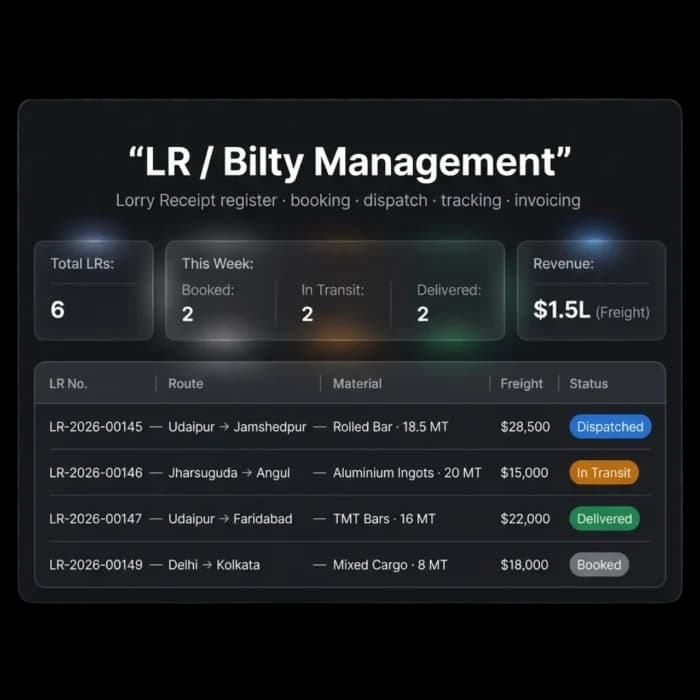
Your fleet bilty process is still stuck on paper
The LR (Lorry Receipt), GR (Goods Receipt), or bilty is one of the most important documents in transport. It proves what was shipped, where it is going, and how much freight was charged. But many companies still use paper records that are easy to lose and difficult to track.
Paper records create confusion
Handwritten fleet bilty documents can be hard to read, easy to lose, and difficult to manage across different branches.
No shipment visibility
Once a paper LR leaves the office, it becomes difficult to know where the shipment is or whether it has been delivered.
Slow invoicing
Teams spend extra time collecting paper copies before invoices can be created and sent to customers.
Disputes become harder to solve
If an LR or bilty goes missing, proving shipment details, cargo weight, or delivery terms becomes much more difficult.
The complete fleet LR bilty lifecycle in one system
Fleet Scanner turns every LR, GR, and bilty into a digital record that can be tracked from booking to delivery and invoicing.
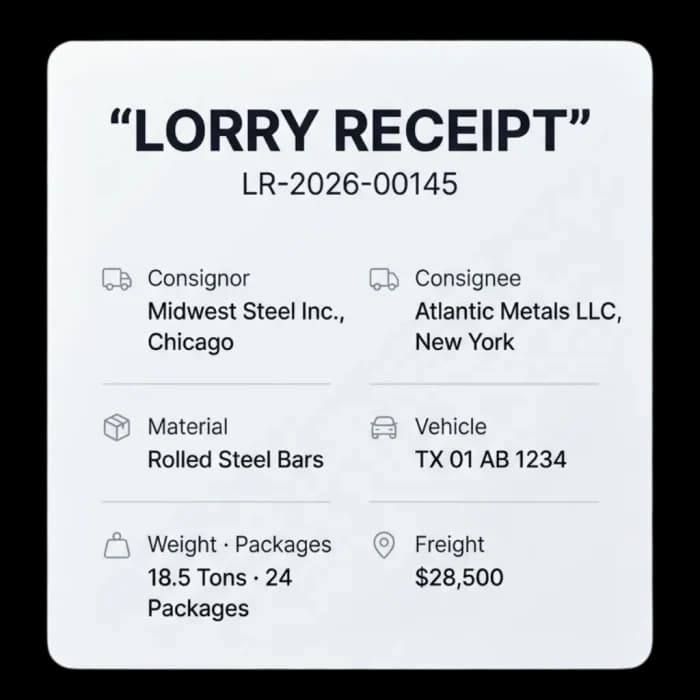
Create professional lorry receipts in seconds
Fill in shipment details through a simple form and generate a professional fleet bilty right away.
- Sender and receiver information
- Material, cargo weight, and package details
- Vehicle, freight charge, and shipment date
- LR and GR numbers created automatically
Manage shipments from booking to delivery
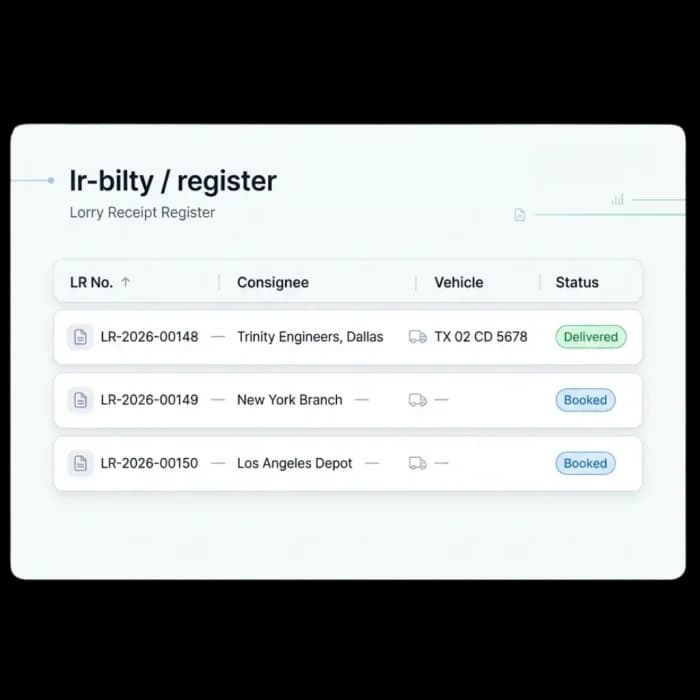
Book shipments ahead of time, assign the right truck and driver, and follow each consignment through every stage until it is delivered.
- Book shipments ahead of time
- Assign trucks and drivers easily
- Track shipment status in real time
- Follows a clear path: Booked → Dispatched → In Transit → Delivered
Track every shipment live
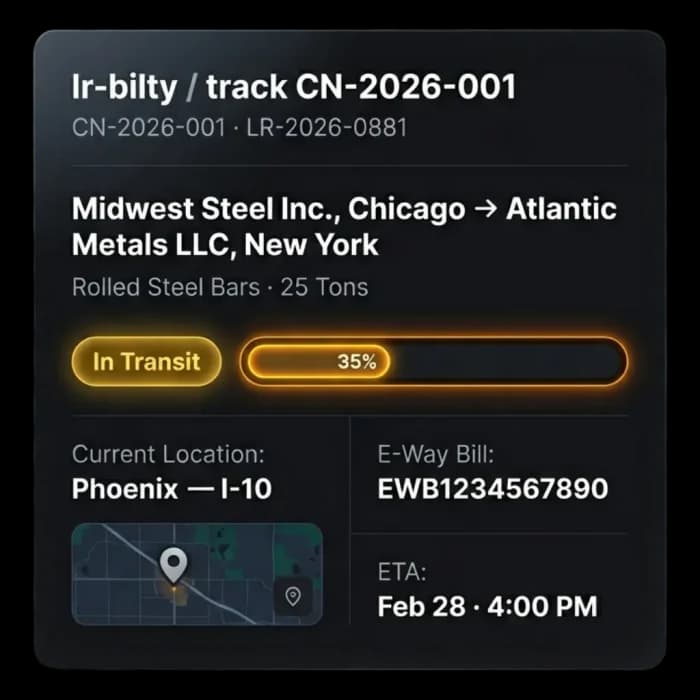
Every fleet LR bilty is connected to live shipment tracking, so you always know where the cargo is.
- Live shipment location updates
- Track how far along a delivery is
- Estimated arrival times (ETA)
- Invoice and shipment records linked together
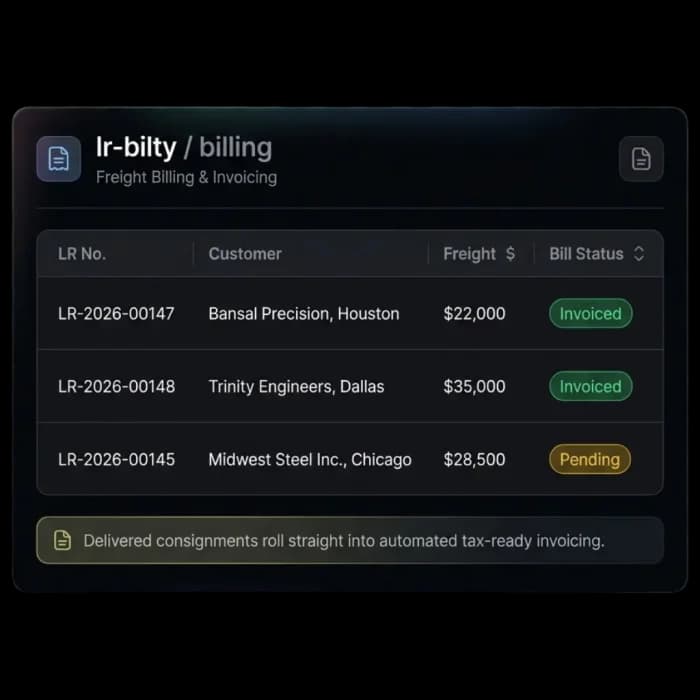
Turn delivered shipments into invoices
Once a shipment is delivered, Fleet Scanner helps create the invoice quickly, using the information already saved in the LR.
- Freight charges saved at the time of booking
- Delivered shipments ready to be invoiced
- Faster billing with fewer manual steps
- Revenue tracked across all shipments
Faster billing, better tracking, and fewer mistakes
Get paid faster
Create invoices quickly after delivery and reduce delays in billing.
Track every shipment
Know exactly where your cargo is from booking to final delivery.
Resolve disputes faster
Digital fleet bilty records provide clear shipment information whenever questions arise.
Professional documents
Replace paper books with clean, professional lorry receipts and shipping records.
Better compliance
Keep shipment and freight information organized for easier accounting and reporting.
Everything connected
LRs, GRs, fleet bilty records, shipments, invoices, PODs, and customers all work together in one system.
From booking to billing
Book
Create LR with consignor, consignee & freight.
Dispatch
Assign vehicle & driver; print the LR.
Track
Live status, location & e-way bill linked.
Deliver
POD captured; LR marked delivered.
Invoice
Freight flows into a GST invoice.
The complete guide
LR bilty software: a complete guide
What is LR bilty software?
LR bilty software is a tool Indian transporters use to create and manage lorry receipts digitally instead of writing them in carbon-copy books. The LR (lorry receipt), GR (goods receipt) or bilty records the consignor, consignee, cargo, weight, vehicle and freight charge for a shipment, and it is the main proof of what was shipped and on what terms. Different regions and companies use different names, but the document does the same job, so a good system handles all three.
A good lorry receipt system does more than print the document. It follows the consignment from booking to delivery and turns it into an invoice. Fleet Scanner generates professional LR, GR and bilty documents with automatic numbering, manages booking and dispatch, links each LR to live tracking, the e-way bill and the POD, and carries the freight charge into a GST invoice. LRs, GRs, bilty records, shipments, invoices, PODs and customers all sit in one system, so the record you create at booking is the one you bill from.
How LR bilty software works
- 01BookFill in a simple form with consignor, consignee, material, weight, packages and freight. LR and GR numbers are created automatically.
- 02DispatchAssign a truck and driver, then print the LR or share it digitally.
- 03TrackFollow the consignment live with location, progress and ETA, with the e-way bill linked to the record.
- 04DeliverCapture the POD and the LR moves to delivered. Status runs from booked to dispatched, in transit and delivered.
- 05InvoiceThe freight charge saved at booking flows into a GST invoice, so billing starts right after delivery.
What to look for in LR bilty software
Professional digital LRs
Handwritten bilty copies are hard to read and easy to lose. Fleet Scanner produces clean lorry receipts you can print or share.
Automatic numbering
Duplicate or skipped numbers cause confusion across branches. Fleet Scanner creates LR and GR numbers automatically.
Booking and dispatch
The LR should drive the shipment, not just record it. Fleet Scanner lets you book ahead and assign trucks and drivers easily.
Live consignment tracking
Customers ask where their goods are. Every LR in Fleet Scanner is linked to live location, progress and ETA.
POD and invoicing link
Billing waits when paper copies must be collected. Fleet Scanner connects LRs, PODs, shipments and invoices in one workflow.
Multi-branch records
Paper books stay at the branch that wrote them. Fleet Scanner keeps every LR in one system, from small transporters to multi-location freight operations.
Manual process vs LR bilty software
Spreadsheets, paper and phone calls
- LRs are handwritten in carbon-copy books.
- Shipment status is unknown once the LR leaves.
- Invoices wait for paper copies to come back.
- Lost bilty copies make disputes hard to settle.
- Each branch keeps its own register.
With Fleet Scanner LR bilty software
- LRs are generated from a form in seconds.
- Each LR shows live location and ETA.
- Delivered shipments are ready to invoice at once.
- Digital records settle disputes with clear details.
- All branches share one LR register.
Who uses LR bilty software?
LR bilty software is made for Indian transport companies, fleet owners, freight forwarders, transport contractors and logistics firms that issue lorry receipts for every consignment. Booking clerks, dispatch staff, branch managers and billing teams use it every day. It works for a small trucking company with one office and for a freight operation spread across many locations.
It pays off once paper LR books slow down billing, when shipments run between several branches, or when disputes over weight, cargo or freight terms need quick proof. Moving the bilty to a digital system links it to tracking and invoicing, so cash comes in sooner. Customers also get clear answers about where their cargo is, without your staff phoning the driver.
Fleet LR Bilty Software FAQs
Simple answers to common questions about how LR and bilty documents work in Fleet Scanner.
Get Free DemoWhat is LR / bilty software?
LR bilty software helps transport companies create, manage, and track lorry receipts digitally. Fleet Scanner lets you generate fleet LR bilty documents, dispatch shipments, track cargo, and connect deliveries directly to invoicing from one platform.
What is the difference between an LR, GR, and bilty?
These terms are often used for the same transport document. Different regions and companies may use different names, but they all record shipment details such as consignor, consignee, cargo, freight charges, and delivery information.
Can I print a professional lorry receipt?
Yes. Fleet Scanner generates clean and professional LR, GR, and fleet bilty documents that can be printed or shared digitally.
Can I track a shipment after dispatch?
Yes. Every fleet LR bilty is linked to shipment tracking, allowing you to monitor cargo location, delivery progress, and estimated arrival times in real time.
Does it connect to invoicing and proof of delivery?
Yes. Fleet Scanner connects LRs, PODs, shipments, and invoices into one workflow, reducing manual work and improving accuracy.
Is Fleet LR Bilty Software suitable for growing transport companies?
Yes. Whether you manage a small trucking company or a large freight operation across multiple locations, Fleet Scanner helps organize shipments, documentation, tracking, and billing from one platform.