
Share Live Shipment Tracking With External Tracking Software
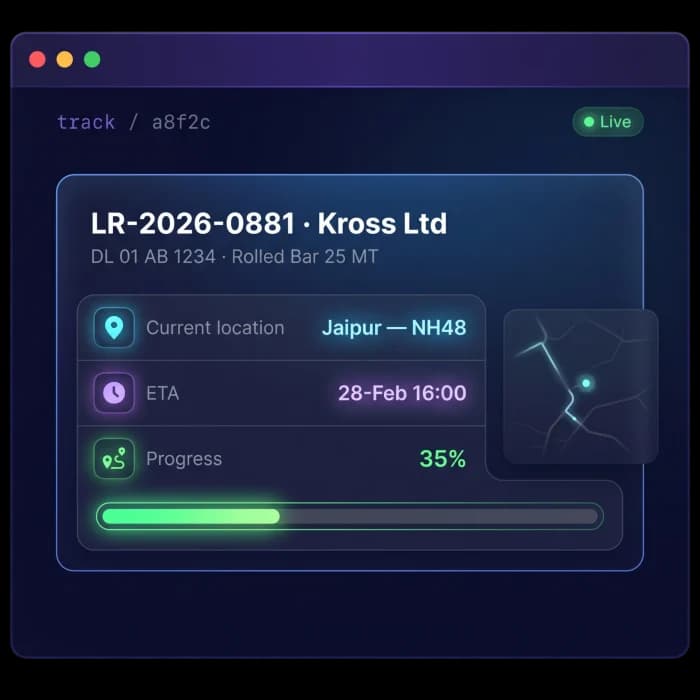
With Fleet Scanner’s External Tracking Software, you can send customers a live tracking link through WhatsApp, SMS, or email. They can see their shipment’s location, ETA, and delivery progress in real time without creating an account or downloading an app.
You can also see when the link has been opened, and the tracking link automatically expires after delivery.
Get Free Demo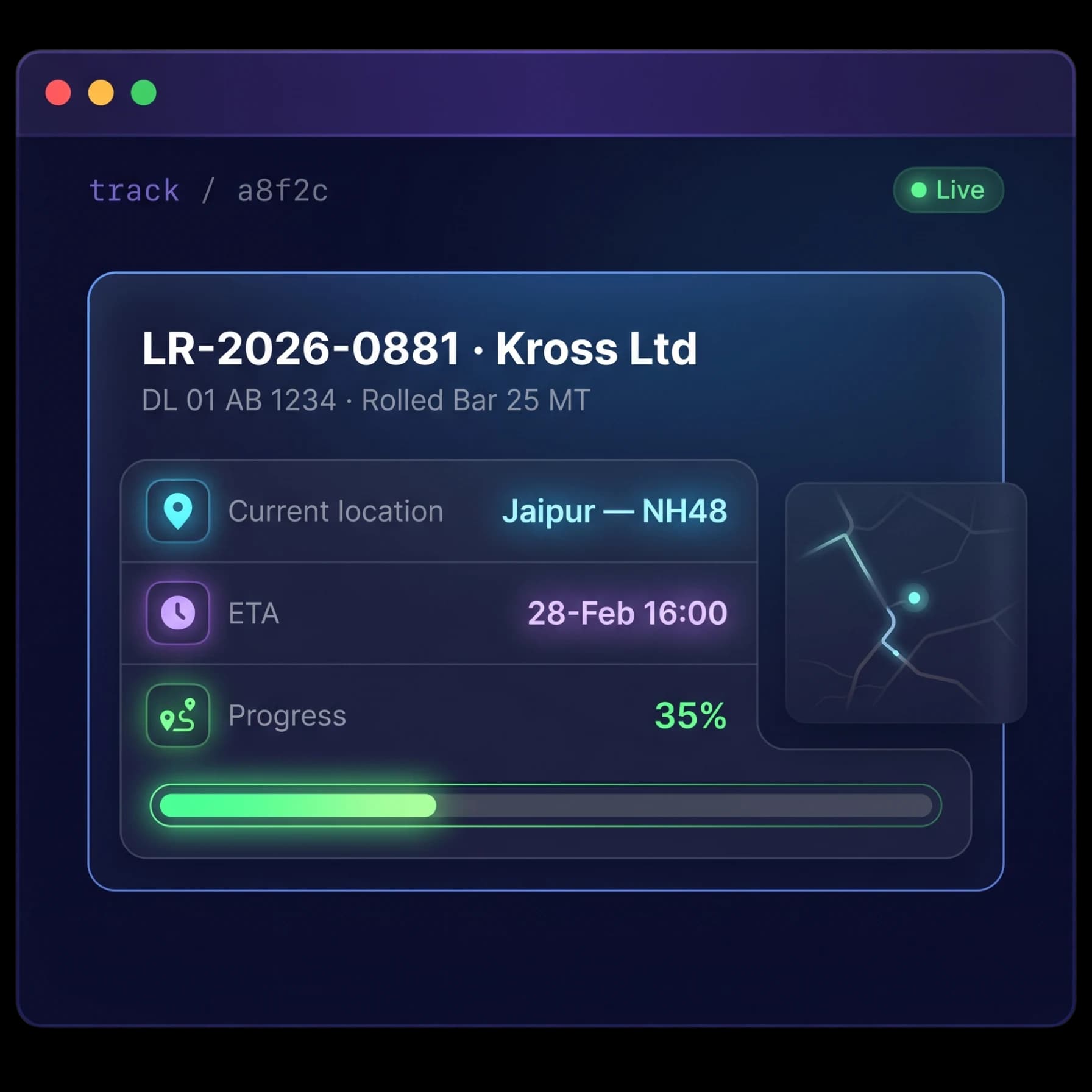
Without External Tracking Software, Tracking is a Problem
Customers often call or message to ask for shipment updates. Every time this happens, your dispatch team has to stop their work and manually check the vehicle location. This wastes time, slows operations, and leaves customers waiting for answers.
Status-call overload
Dispatchers spend hours answering shipment status questions instead of focusing on deliveries and operations.
Portals nobody uses
Most customers do not want to create an account or install an app just to track one shipment.
Customers in the dark
Without self-service tracking, customers have no easy way to check delivery progress on their own.
Looks unprofessional
Customers expect modern tracking. If parcel companies offer live tracking and you do not, your business can appear behind the competition.
External Tracking Software That Works for You
Fleet Scanner turns every active trip into a live tracking link that customers can open instantly. The system shares updates automatically and helps reduce calls while improving customer experience.
Live tracking with a single tap
Create a tracking link for any active trip. Customers simply tap the link and instantly see the vehicle location, ETA, and delivery progress.
- No login, password, or app required
- Live map with current vehicle location
- Real-time ETA and trip updates
- Works on any phone, tablet, or browser
Send tracking links the way customers prefer
Share tracking links using the communication channel your customer already uses.
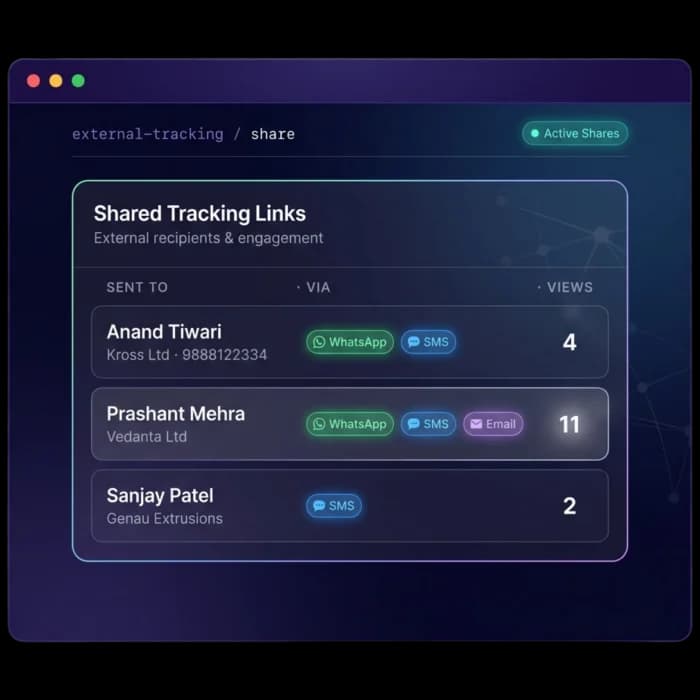
- Send through WhatsApp, SMS, or email
- Share with customers, consignees, or partners
- Copy and send the link anywhere
- Share directly from the active trip screen
Know when customers open the tracking link
Fleet Scanner shows how many times a tracking link has been viewed so you know customers are receiving updates.
- Track link views and customer engagement
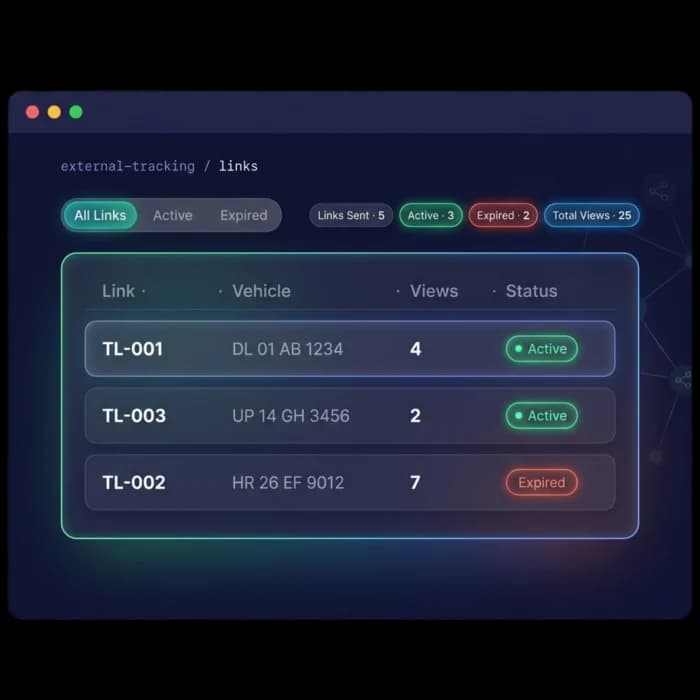
- Automatic link expiry after delivery
- Resend links with one click
- View active and expired links
Your brand on every tracking update
External Tracking Software helps you deliver a professional experience by showing your company brand on the tracking page instead of a generic tracking service.
- White-label tracking pages with your branding
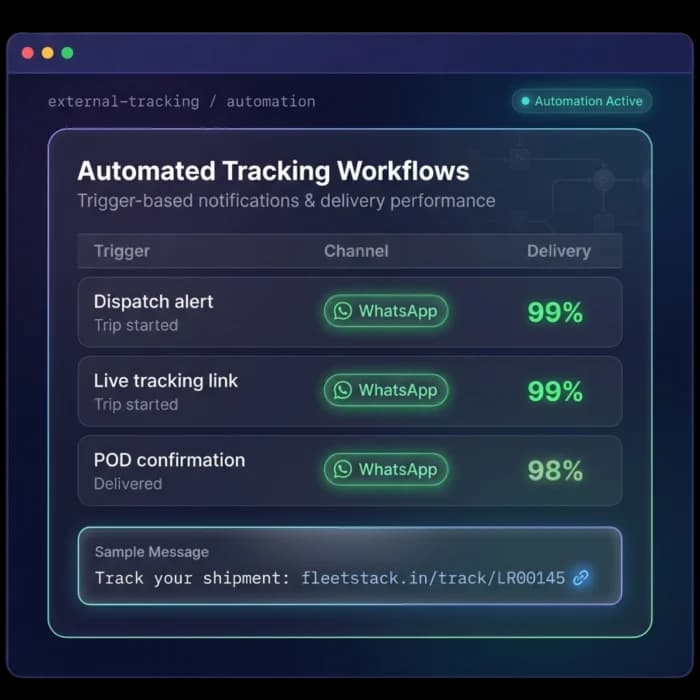
- Automatic tracking messages when trips start
- WhatsApp and SMS automation
- Connected to trips, shipments, and delivery records
Fewer calls, happier customers, and a stronger brand
Reduce status calls
Customers can check shipment progress themselves without calling your team.
Better customer experience
Live tracking gives customers confidence and keeps them informed.
Look more professional
Branded tracking pages help your business look modern and reliable.
Know customers received updates
View counts show when customers have opened the tracking link.
Save time with automation
Tracking links can be sent automatically when a trip begins.
Everything stays connected
Tracking links are connected to trips, deliveries, and proof-of-delivery records inside Fleet Scanner.
From dispatch to “delivered”
Dispatch
Trip starts; a live link is generated.
Share
Send via WhatsApp, SMS, email or copy.
Track
Customer opens live location & ETA.
Monitor
See views; resend if needed.
Expire
Link closes automatically on delivery.
The complete guide
External tracking software: a complete guide
What is external tracking software?
External tracking software is a tool that lets a fleet share live vehicle and shipment tracking with people outside the company: customers, consignees, brokers and partners. Instead of calling dispatch for an update, they open a link and see the vehicle's location, ETA and delivery progress for themselves. It is sometimes called customer tracking, a shipment tracking link or a live tracking page.
The best external tracking tools need no login, no password and no app. Fleet Scanner turns every active trip into a live tracking link that opens on any phone, tablet or browser. You can send it by WhatsApp, SMS or email, see how many times it was viewed, and the link expires automatically once delivery is complete. Tracking messages can also go out automatically over WhatsApp and SMS, so nobody has to remember to send them.
How external tracking software works
- 01DispatchWhen a trip starts, Fleet Scanner generates a live tracking link for it. Links can also be sent automatically at trip start.
- 02ShareSend the link through WhatsApp, SMS or email, or copy it and share it anywhere, straight from the active trip screen.
- 03TrackThe customer taps the link and sees the live map, current location, ETA and trip progress.
- 04MonitorView counts show whether the customer opened the link. Resend it with one click if needed.
- 05ExpireThe link closes automatically after delivery, so shipment details stay visible only while they matter.
What to look for in external tracking software
No login for recipients
Customers rarely create accounts to track one load. Fleet Scanner links open instantly without a login, password or app.
Live location and ETA
A static status message is not enough. The tracking page shows the live vehicle position, real-time ETA and trip updates.
Multi-channel sharing
Customers use different apps. Fleet Scanner shares links through WhatsApp, SMS and email, or as a copied link.
View tracking
You should know if updates were seen. Fleet Scanner counts link views and lists active and expired links.
Automatic expiry
Old links should not show where your trucks go next. Links expire on their own once delivery is complete.
White-label branding
A generic tracker page does not build your brand. Fleet Scanner offers white-label tracking pages with your company branding.
Manual process vs external tracking software
Spreadsheets, paper and phone calls
- Customers call dispatch for every status update
- Dispatchers stop work to check vehicle location
- Customer portals that nobody logs into
- No record of what the customer was told
- Shipment details shared long after delivery
With Fleet Scanner external tracking software
- Customers check live location and ETA themselves
- Links go out automatically when trips start
- One tap opens tracking, no account needed
- View counts show the customer saw the update
- Links expire automatically after delivery
Who uses external tracking software?
Trucking companies, freight forwarders, logistics providers, courier and delivery fleets use external tracking software to keep customers, consignees and brokers informed. Dispatchers and customer service teams gain the most, because the phone stops ringing for routine status questions. Shippers who work with several carriers also like a simple link that works the same way every time, on any device.
It pays off as soon as status calls start taking real time out of the day, or when customers expect parcel-style tracking. Because tracking links connect to trips, deliveries and proof of delivery records in Fleet Scanner, the shared view always matches what your own team sees. White-label pages also mean every update carries your brand, not a generic tracking service.
External Tracking Software FAQs
Simple answers to common questions about how external tracking works in Fleet Scanner.
Get Free DemoWhat is external tracking?
External tracking allows you to share a live vehicle tracking link with customers, consignees, brokers, and other people outside your company. With Fleet Scanner, they can view live location, ETA, and shipment progress without logging in or installing an app.
Does the customer need an account or app?
No. There is no login, password, or app required. The customer simply taps the link and instantly sees the vehicle location, ETA, and delivery progress on any phone, tablet, or browser.
How is the tracking link shared?
You can send the link through WhatsApp, SMS, or email, share it with customers, consignees, or partners, copy and send it anywhere, or share it directly from the active trip screen.
Can I see if the customer opened the link?
Yes. Fleet Scanner shows how many times a tracking link has been viewed, so you know customers are receiving updates. You can also see active and expired links and resend with one click.
Do the links expire?
Yes. Tracking links expire automatically after delivery is complete, so the shipment information is only available while it is relevant.
Can the tracking page carry my own brand?
Yes. External Tracking Software gives you white-label tracking pages with your branding, so customers see your company brand instead of a generic tracking service.