
Spare parts inventory software that reorders before you run out
Spare parts inventory software from Fleet Scanner tracks every spare part using its SKU, brand, and rack location. You can see live stock levels and total stock value anytime. The system sends alerts when parts are running low, logs every part used in a job, and helps you create purchase orders in one simple flow.
Get Free Demo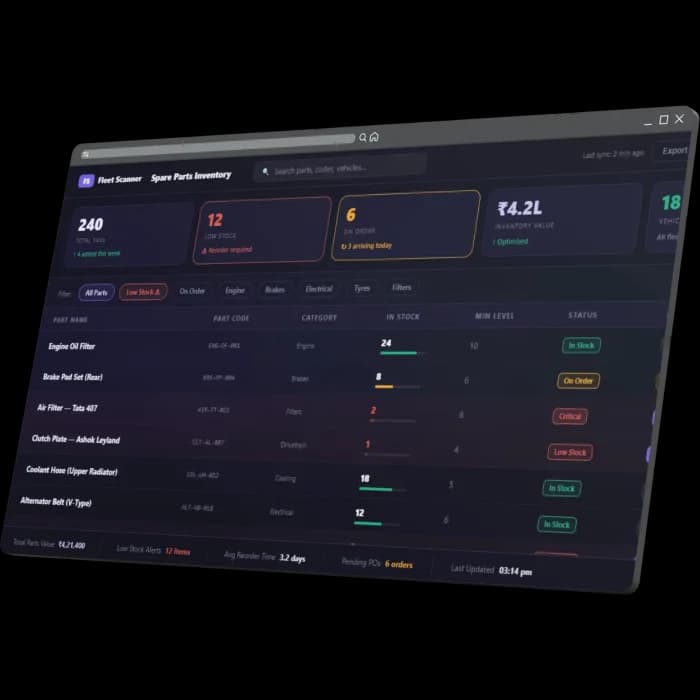
Wrong stock levels cause problems both ways
If a needed part is not available, a truck stays stuck in the workshop. If you buy too much stock, your money gets locked on shelves. Without live tracking, fleets face both problems, and no one knows exactly what was used, on which job, or by whom.
Out at the worst time
A part may show as available in records, but it is actually missing from the shelf when a truck needs it.
Dead cash on shelves
Extra parts stay unused in storage, blocking money that could be used elsewhere, and sometimes even expire.
Untracked consumption
Parts are taken from shelves without proper records of which vehicle or job they were used for.
Reactive purchasing
Parts are ordered only after they run out, leading to urgent buying and missing better bulk pricing.
Three connected screens, one parts store
Fleet Scanner works like your real workshop store. It connects stock, usage, and purchasing so every part is tracked from storage to vehicle to reorder.
Every part by SKU, brand and rack location
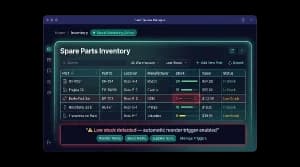
Each spare part is stored with full details, like its part number, brand, unit type, category, and exact shelf location. You can also see the live stock count and total value at any time, so you always know what you have and what it’s worth.
- Part number, brand, unit, category, and shelf location for every item
- Live stock count, minimum level, and total value
- View parts by category, like brakes, fluids, and more
Know what to reorder before it runs out
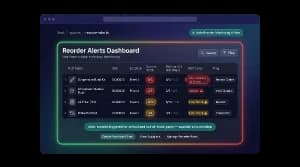
Every part has a set minimum stock level. When stock drops below that level, the system marks it as Low, Critical, or Out of Stock. This lets you reorder ahead of time instead of waiting until a truck is already stuck.
- A minimum stock level and reorder amount set for each part
- Automatic Low, Critical, and Out of Stock alerts
- Plan bulk orders and get supplier discounts
Every part tied to a vehicle and work order
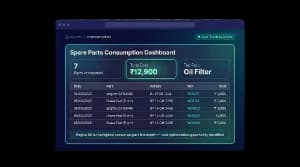
Whenever a part is used, it’s recorded along with the vehicle, technician, and job details. Stock updates on its own, so you always know what was used and where. This also makes it easy to track costs and usage clearly.
- Part, quantity, vehicle, technician, and job all recorded
- Stock updates automatically after each use
- Monthly usage cost and a report on the most-used parts
Reorder, receive and value stock in one place
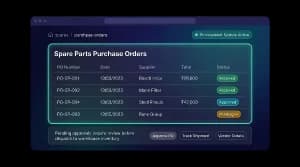
You can create purchase orders straight from low-stock alerts, and track them from pending to approved to received. Once parts arrive, stock updates automatically, so your inventory and its value are always accurate.
- Create purchase orders directly from alerts
- Track status: pending, approved, received
- Stock and value update automatically once parts are received
Less downtime, less dead stock, full accountability
Cut workshop downtime
Important parts are always reordered on time so vehicles do not stay stuck waiting for repairs.
Free up working capital
You only keep the stock you need, so your money is not locked in unused parts.
Full accountability
Every part is linked to a vehicle, technician, and job, so nothing is hidden or untracked.
True maintenance cost
You can see exactly how much each vehicle costs in parts and repairs.
Smarter purchasing
Plan orders early and get better prices instead of emergency buying.
Always-current stock
Stock updates automatically when parts are used or received, so records are always correct.
From shelf to vehicle to reorder
Stock
Add parts with SKU, brand & rack location.
Consume
Issue to a work order; stock auto-decrements.
Alert
Low / critical flag when below min level.
Reorder
Raise a PO to the supplier in one click.
Receive
Received qty flows back into stock & value.
Spare parts inventory FAQs
Simple answers to common questions about how spare parts inventory works in Fleet Scanner.
Get Free DemoWhat is spare parts inventory software?
It is a system that tracks every spare part in your store by name, brand, category, and location. It shows live stock levels, sends alerts when stock is low, records every part used, and helps manage purchase orders so you never run out or overstock parts.
How do low-stock reorder alerts work?
The system alerts you when stock goes below the set minimum level so you can reorder on time.
Can I track which parts were used on which vehicle?
Yes, every part used is linked to the vehicle, technician, and work order.
Does it manage purchase orders?
Yes, you can create, track, and receive purchase orders in one system.
Can I see the value of my parts inventory?
Yes, it automatically calculates the total value of your stock in real time.
Does it integrate with maintenance and work orders?
Yes, all parts usage is connected to maintenance jobs and work orders.