Fleet Automation Software That Runs Your Daily Fleet Tasks
Fleet Scanner™ fleet automation software takes over the routine work that keeps a transport office busy: LR numbers, e-way bills, GST invoices, driver settlements, service reminders, document renewals and daily reports. You set the rules once and the system follows them for every truck, every trip and every customer.
Your team stops chasing paperwork and starts handling exceptions. When fuel drops suddenly, an e-way bill is about to expire or a delivery is verified and ready to bill, the right person is told straight away, or the job is simply done.
Get Free Demo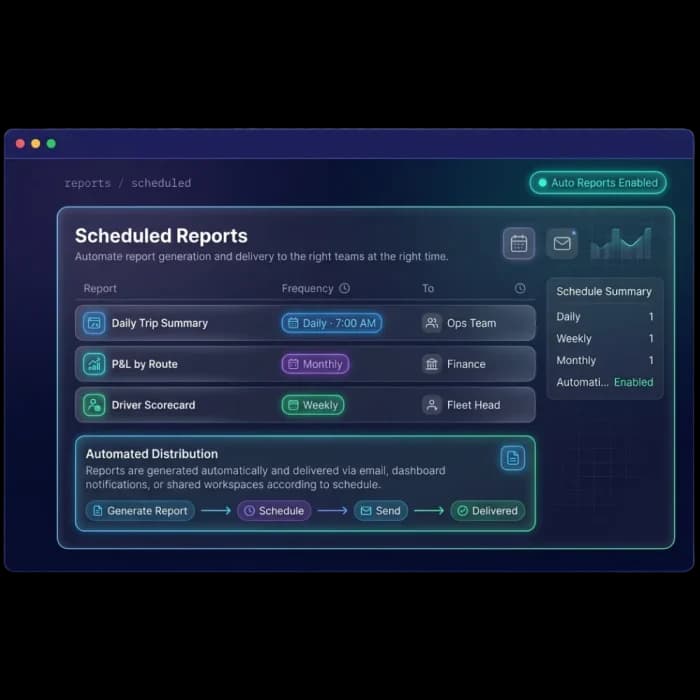
Manual Work That Slows Every Fleet Down
Most transport offices spend more time on repeat tasks than on running trucks.
The Same Data Typed Again and Again
Consignee, vehicle number and freight are entered for the LR, again for the e-way bill and again for the GST invoice. Every retype is a chance for a mistake.
Deadlines Live in Someone’s Head
Service dates, insurance, permits and e-way bill validity are tracked on a wall chart or in a phone. When that person is on leave, things expire.
Problems Are Noticed Too Late
Diesel pilferage, overspeeding or a truck off its route is often discovered the next day, after the loss has already happened.
Billing Waits for Paperwork
Invoices go out days after delivery because PODs, toll slips and expense bills have to be collected and checked by hand first.
Automation From Booking to Payment
Every module in Fleet Scanner™ shares the same data, so one entry can drive documents, alerts, invoices and reports without anyone retyping it.
Trips that update and close themselves
When you dispatch, Fleet Scanner™ shows which vehicles and drivers are free, matches loads to each truck’s capacity and creates LR and GR numbers automatically. Once the truck rolls, GPS updates every stop with planned versus actual arrival times, so nobody has to call the driver for a status.
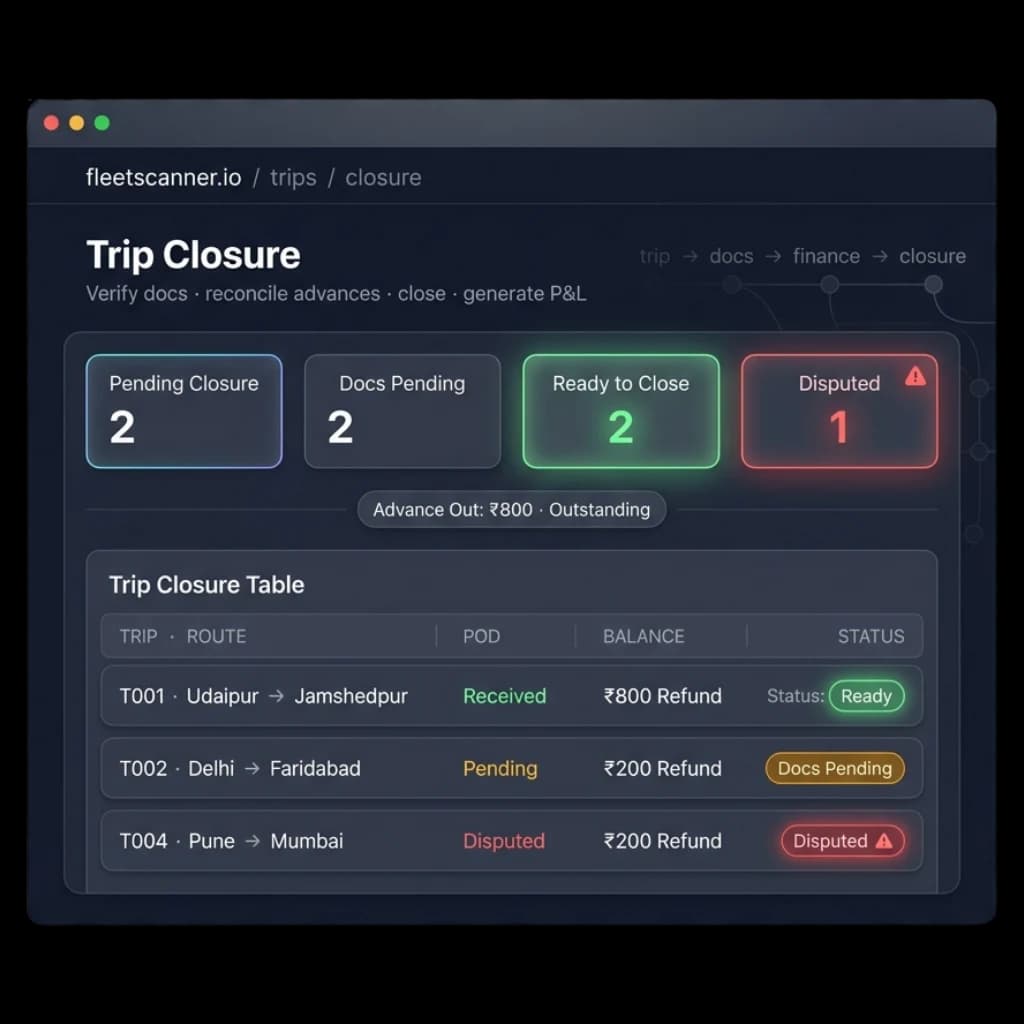
At the end of the trip, PODs, fuel receipts and toll documents are checked before closure, driver advances are matched with actual expenses, a trip profit report is generated, and the driver’s settlement is built from the same trip record.
- Available vehicles and drivers shown at dispatch
- LR and GR numbers created automatically
- Stop arrivals updated live from GPS
- Driver settlement and trip P&L after closure
E-way bills from data you already entered
Consignor, consignee, goods, invoice value and vehicle number are pulled from the LR and invoice to fill the e-way bill, so it is generated in seconds and matches your other documents. Many bills can be generated together when a large dispatch goes out.
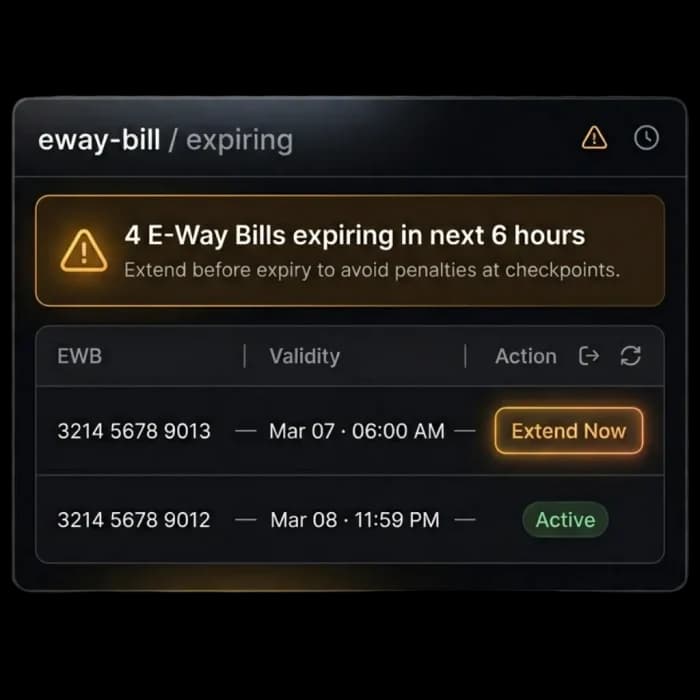
Active bills are watched for validity. If a truck is delayed and a bill is close to expiry, the team is alerted in time to extend it with one click, or in bulk. See how it works in e-way bill software.
- E-way bill filled from LR, invoice and vehicle data
- Bulk generation for large dispatches
- Expiry alerts before validity runs out
- One-click and bulk extension
Bill the moment delivery is proven
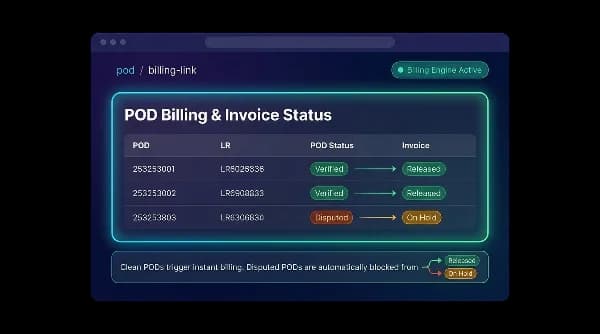
The driver captures photos and the receiver’s signature in the mobile app. As soon as the POD is verified, Fleet Scanner™ raises the invoice using the shipment details, the customer’s rate card and the GPS kilometres for the trip, with GST calculated for you.
Disputed PODs are held back so a wrong bill never reaches the customer, and outstanding amounts are tracked until they are paid. Rate cards, receivables and collections are covered in freight billing software.
- Invoice created when the POD is verified
- Customer rate cards applied automatically
- GST-ready invoices with no manual calculation
- Disputed deliveries kept on hold
Nothing falls due without a warning
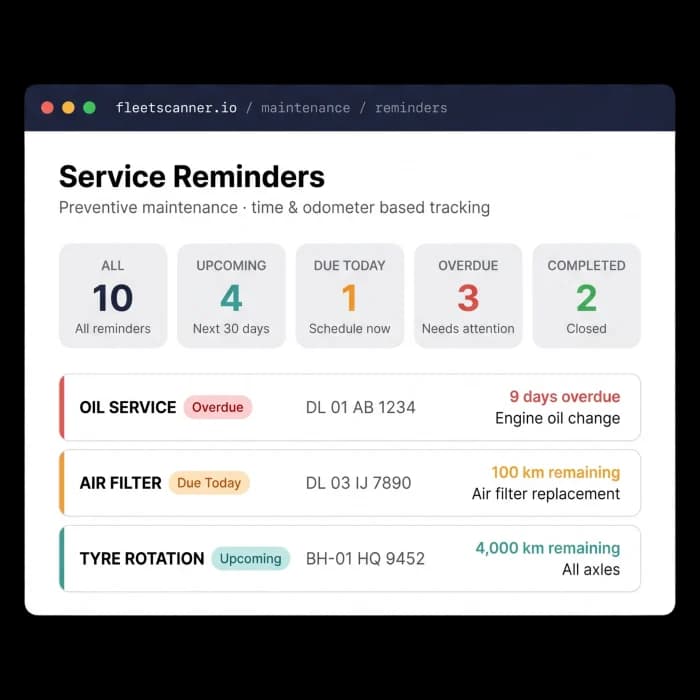
Preventive service is scheduled on time and on kilometres, using the GPS odometer, so an oil change or tyre rotation is flagged before it is overdue rather than after a breakdown. Reminders reach the team on web, mobile, email and SMS.
The same approach covers paperwork. Insurance, permits, registrations, taxes and inspection records each carry an expiry date, and reminders go out ahead of time so trucks are not stopped at a checkpoint for an expired document.
- Service due by date or by km from the GPS odometer
- Insurance, permit and registration expiry reminders
- Overdue items highlighted for the workshop
- Reminders on web, mobile, email and SMS
Find out while it is happening, not the next day
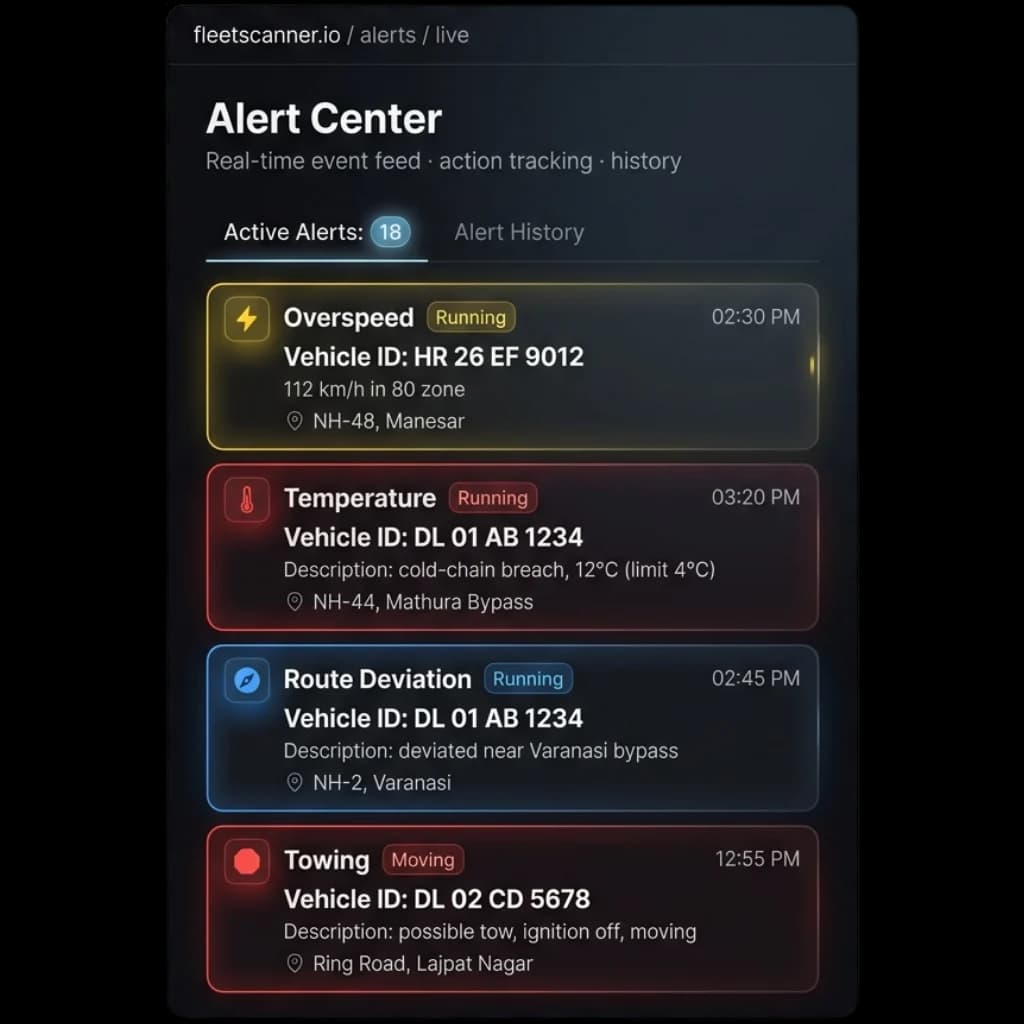
Fleet Scanner™ cross-checks fuel card swipes, GPS position and consumption, and raises an alert when fuel drops without a matching fill or a card is used far from the truck. Overspeeding, idle time, geofence entry and exit, route deviation, temperature breach, SOS and towing alerts work the same way.
Each alert can be actioned with a call, a WhatsApp message or an escalation to a supervisor, and every action is time-stamped. Set it up in fleet alerts management.
- Fuel theft and fuel anomaly alerts
- Overspeed, idle and route deviation alerts
- Geofence entry, exit and overstay alerts
- Escalation and a searchable alert history
Your rules, your reports, your other systems
Rules decide what happens and who hears about it: which events raise an alert, which reminders each team receives, and when an unresolved alert is escalated to a supervisor. Configurable custom alerts cover the cases the built-in ones do not. Scheduled reports run on the same idea, landing in each inbox daily, weekly or monthly without anyone pressing export.
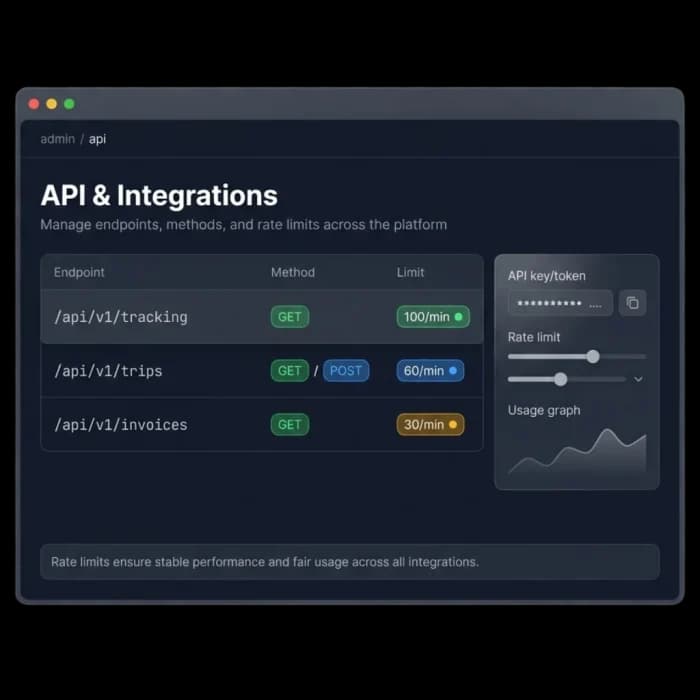
For everything outside Fleet Scanner™, REST APIs and webhooks push trips, invoices and tracking data to your ERP or accounting software as events happen. Details are in administration and API, and the Fleet AI Agent answers questions about anything the automations have done.
- Custom alerts, recipients and escalation
- Reports emailed on a daily, weekly or monthly schedule
- Webhooks for real-time updates to other systems
- REST APIs for ERP and accounting integration
Less paperwork, faster billing, fewer surprises
Hours Back Every Day
Repetitive entry, follow-up calls and report building happen in the background.
Fewer Errors
Data is entered once and reused for the LR, e-way bill, invoice and settlement.
Faster Cash Flow
Invoices go out as soon as delivery is verified, not when the file reaches accounts.
Fewer Penalties
Reminders arrive before e-way bills, permits, insurance and services fall due.
Losses Caught Early
Fuel theft, overspeeding and route deviation alerts reach the right person in real time.
Grow Without Extra Staff
Add trucks and customers without adding the same number of people to the back office.
Set it once, let it run
Set rules
Choose events, limits and who is told.
Watch
GPS, trips, fuel & documents tracked live.
Trigger
A rule fires when its condition is met.
Act
Alert, document, invoice or report goes out.
Sync
Webhooks & API update your other tools.
Everything You Need to Know
Simple answers to common questions about fleet automation in Fleet Scanner.
Get Free DemoWhat is fleet automation software?
Fleet automation software takes the repetitive tasks of running a transport business and does them for you based on rules you set. Fleet Scanner™ creates LR numbers and e-way bills from data already in the system, raises invoices when delivery is verified, settles driver pay after trip closure, sends service and document reminders, raises real-time alerts and delivers scheduled reports by email.
Can e-way bills be created and extended automatically?
Fleet Scanner™ fills e-way bills from the LR, invoice and vehicle details already stored, so there is no retyping. Active e-way bills are monitored for validity and you are alerted before they expire, with one-click extension for a single bill or bulk extension for many at once.
How does automatic invoicing on POD work?
When a driver captures proof of delivery and the POD is verified, Fleet Scanner™ creates the invoice using the shipment details, the customer rate card and the GPS distance for that trip, with GST worked out. PODs marked as disputed are held back from billing until they are resolved.
Which alerts and reminders can be automated?
You can automate alerts for overspeeding, geofence entry and exit, idle time, fuel anomalies, SOS, towing and route deviation, as well as reminders for preventive service by date or kilometres, insurance, permits, registrations, taxes and e-way bill validity. Reminders reach the team on web, mobile, email and SMS.
Can I send fleet reports automatically?
Yes. Any report can be scheduled to run and arrive by email daily, weekly, monthly or on a custom schedule. Different reports can go to different people, for example a daily trip summary to operations, a monthly route P&L to accounts and a weekly driver scorecard to the fleet head.
Does Fleet Scanner™ connect to my ERP or accounting software?
Yes. Fleet Scanner™ provides REST APIs and webhooks, so events such as trip updates and invoices can be sent to your ERP, accounting software or custom systems as they happen, and your systems can read tracking, trip and invoice data whenever they need it.