
GPS Tracker App for Android and iPhone. Your fleet in your pocket.
The Fleet Scanner GPS tracker app puts your fleet on your phone. Managers see every vehicle live, get alerts and replay trips. Drivers use the same app for their trips, proof of delivery and check-in. It works with the GPS trackers already in your vehicles and runs on your own server.
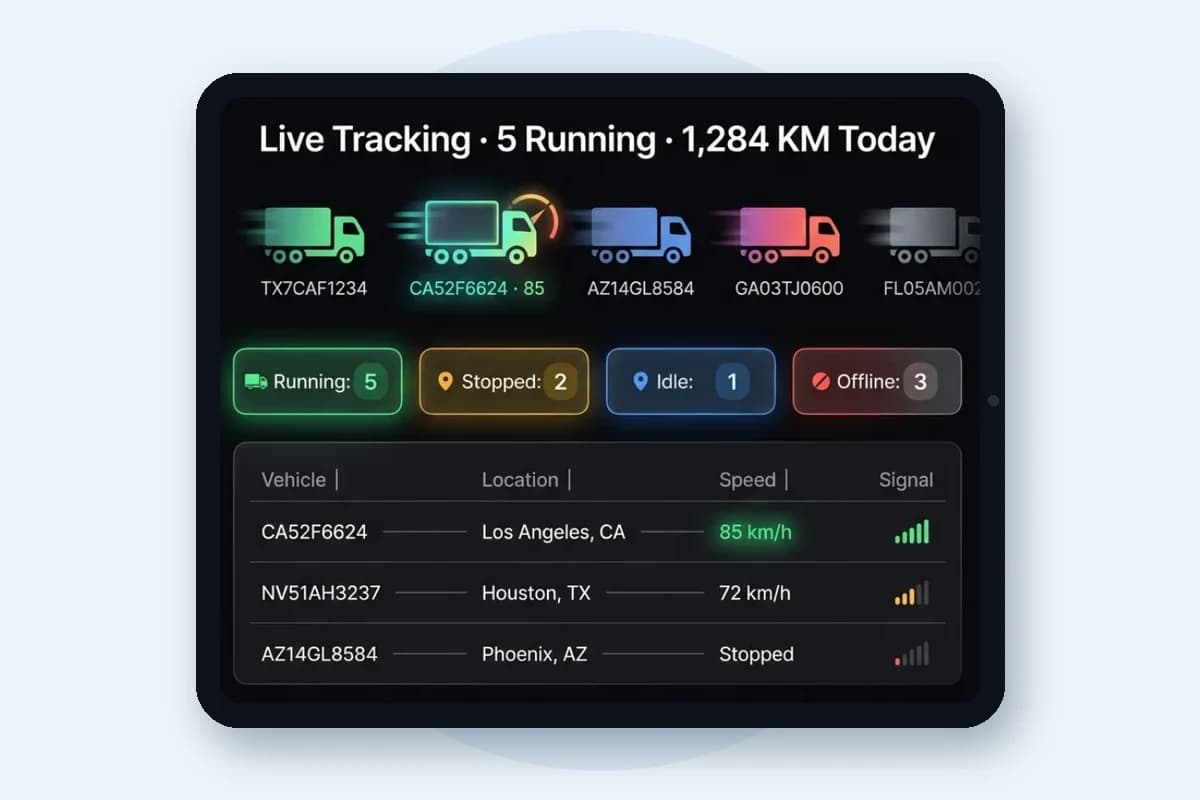
A GPS tracker app is a phone app that shows where your vehicles are, using data from the GPS trackers fitted in them. For a fleet, it also sends alerts, replays trips and gives drivers a simple way to report their work.
Updated
For managers
A fleet tracking app for the people in charge
Everything you check at your desk, on your phone.
Live map of every vehicle
See each vehicle on the map with its speed and status: running, stopped, idle or offline. It is the same live data as GPS tracking software on the web panel.
Alerts as they happen
Speeding, zone entry and exit, long stops and more reach you through the app, email and text message. Set them up in real-time fleet alerts.
Trip replay
Replay any trip on the map with its stops, idle time and speed, to settle a question on the spot.
Zones you can trust
Get told when a vehicle enters or leaves a depot or customer site, using geofence alerts.
Unlimited users
Give the app to every manager, supervisor and dispatcher who needs it, with no charge per user.
Your brand on the app
Resellers can run the apps under their own name with white label GPS tracking software.
For drivers
A driver app that replaces paper
Drivers use the same Android or iOS app to record their day.
Proof of delivery
Photos, the receiver’s signature and a GPS time stamp are saved with each delivery. See electronic proof of delivery.
Route on the phone
The planned route goes to the driver’s phone in one click from route planning software.
Check-in and check-out
Drivers check in and out from the app, and time and place are recorded for driver management.
Trips in one list
Each driver sees the trips assigned to them, linked to trip operations in the office.
Compare
Web panel or mobile app: who uses what
Both read the same live data from your own server.
| Task | Web panel | Android and iOS app |
|---|---|---|
| See vehicles live | Yes, on a large map | Yes, on the move |
| Get alerts | Yes | Yes, plus email and text message |
| Replay a trip | Yes | Yes |
| Proof of delivery | Review and download | Capture photos and signature |
| Check-in and check-out | See attendance records | Drivers record it |
| Reports and settings | 60+ reports and full settings | Day-to-day use |
Get started
How to start using the GPS tracking app
From trackers in the vehicles to the app on every phone.
- 01
Fit or keep your GPS trackers
Use the trackers you already have. Fleet Scanner reads 1,000+ models; check the supported devices list.
- 02
Point them at your server
Each tracker is set to send its data to your Fleet Scanner server address and port.
- 03
Add users
Create logins for managers and drivers, with the access each person needs.
- 04
Install the app
Managers and drivers install the Android or iOS app and sign in with their login.
GPS tracker app FAQs
Is there a Fleet Scanner GPS tracker app for Android and iPhone?
Yes. Fleet Scanner has Android and iOS apps as well as the web panel. Managers use the app to see vehicles live, get alerts and replay trips, and drivers use it for trips, proof of delivery and check-in.
Does the app turn my phone into a GPS tracker?
No. For live vehicle tracking, each vehicle has a GPS tracker fitted, and Fleet Scanner reads it through 1,000+ supported device protocols. The app is how managers and drivers see and use that data on the move.
What can a fleet manager do in the GPS tracking app?
See every vehicle on a live map with its speed and status, get alerts for things like speeding, zone entry and exit and long stops, replay any trip on the map, and check the fleet without being at a desk.
What does the driver app do?
Drivers see their trips, record proof of delivery with photos, the receiver’s signature and a GPS time stamp, check in and out for attendance, and get the route sent to their phone in one click. A normal Android phone or iPhone is enough.
Is the fleet tracking app free?
The Android and iOS apps come with Fleet Scanner. There is no separate app fee and no charge per user, because Fleet Scanner is one complete package with unlimited vehicles and users.
Can I put my own brand on the app?
Yes. White label is included, so GPS tracking companies and resellers can run the web and mobile apps under their own brand for their customers.
What is the best GPS tracking software for Android?
For a business fleet, look for an app that shows live tracking and alerts, works with the GPS trackers you already have, has a separate driver app for delivery and attendance, and does not charge per vehicle or per user. Fleet Scanner covers all of these, and the same data is on the web panel.
Do I need the web panel as well as the app?
Most teams use both. The office uses the web panel for planning, reports and settings, and people on the road use the app. Both show the same live data from your own server.
See the fleet tracking app on your own fleet
Book a free demo and we will show the app and web panel with your vehicles and your trackers.