Fleet Automation in 2026: What You Can Actually Automate
Fleet automation in 2026 is software that performs routine operational tasks end-to-end – not only digitizing a form but eliminating the manual coordination around it. What is automated today are dispatch and routing, maintenance work order, compliance logging, and alerts and reporting. But what a...
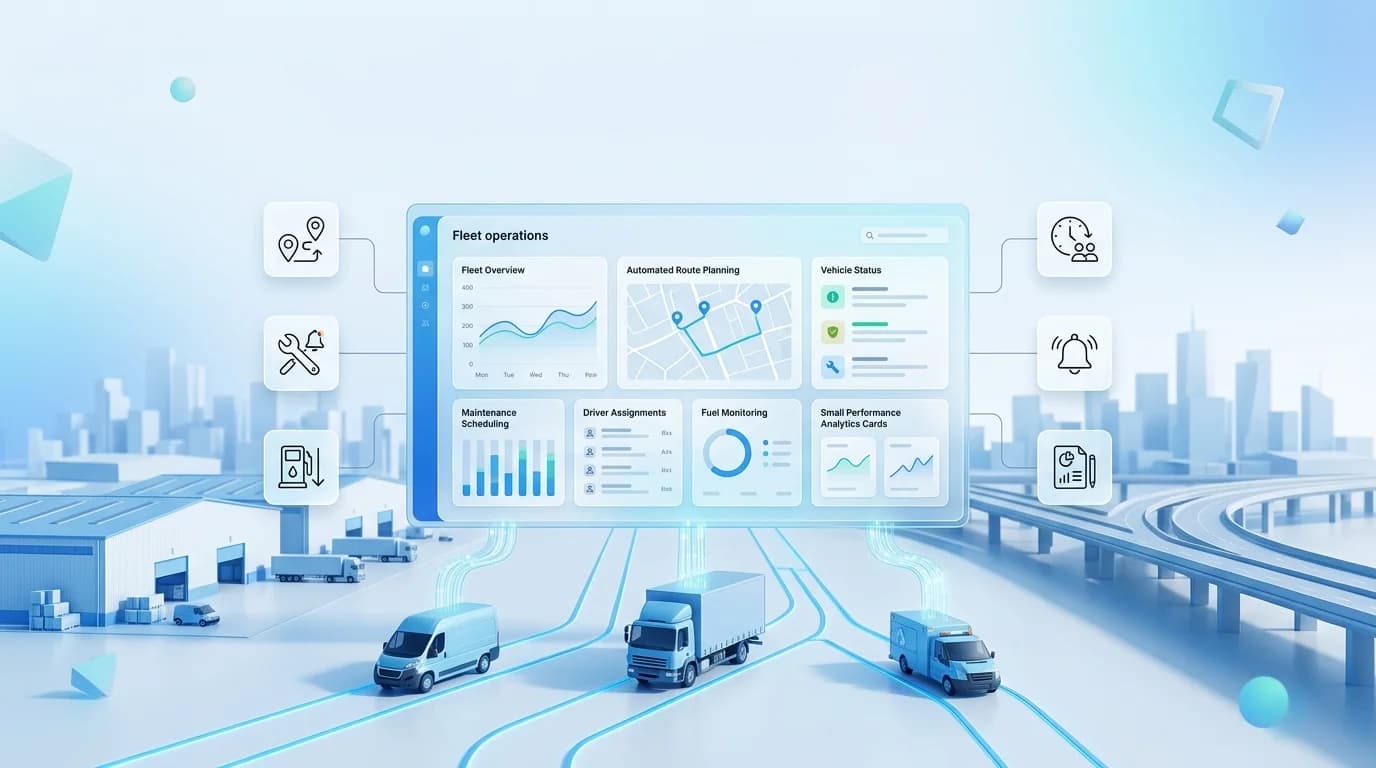
Fleet automation in 2026 is software that performs routine operational tasks end-to-end – not only digitizing a form but eliminating the manual coordination around it. What is automated today are dispatch and routing, maintenance work order, compliance logging, and alerts and reporting. But what a human still needs is judgement: exceptions, negotiations and the calls where the rules are not as important as context. When the data resides in one place, Fleets that automate the routine layer report 40-60% less administrative work.
Key takeaways
- In 2026, fleet automation is not about converting to paperless records; it's all about eliminating manual coordination.
- There are four areas for automating four wells: dispatch, maintenance work order, compliance, and reporting.
- Comprehensive automation is linked to 40–60% less admin work and 20–30% lower operating costs.
- There are still exceptions, negotiation, and edge cases, and they're not something a computer can handle, honest vendors say.
- Automation is only possible on connected data—disconnected tools can't automate across the data gaps.
Fleet automation by the numbers
The scale of the opportunity, before the detail:
| 40–60%
less administrative work |
20–30%
lower operating costs |
65%
of teams plan to adopt AI by end of 2026 |
What fleet automation actually means in 2026
In a few years, ‘fleet automation' was simply defined as a paperless form. Not anymore. In 2026 it's not about digitizing a job anymore. It's about removing the coordination around the job – the calls between dispatch and the shop, the email trail for work order approval, the spreadsheets of who's got which truck.
Modern fleet automation software can do all that – create a work order from a sensor alert, dispatch it to the appropriate technician, order parts before they run out of stock and make the compliance record exactly when the job is finished. There is no human stitching between these steps. The principles remain the same whether 20 or 2,000 vehicles are operated, only the size of the payoff varies.
The difference is easiest to see side by side:
| Manual fleet | Automated fleet |
| Phone calls to assign work | Automatic dispatch |
| Paper DVIR inspections | Digital inspections |
| Manual work orders | Auto-generated work orders |
| Manual reports | Scheduled reports |
| Spreadsheet maintenance | Predictive maintenance |
Fleet automation at a glance
Here's the whole picture in one view — what automates reliably today, what's still maturing, and what stays human. The sections below take each in turn.
| Process | What automates | Maturity |
| Dispatch & routing | Load assignment, route sequencing, ETA alerts | Mature |
| Maintenance | Work orders, part reorders, PM scheduling | Mature |
| Compliance | DVIR, HOS, IFTA, document-expiry alerts | Mature |
| Alerts & reporting | Exception alerts, scheduled reports | Mature |
| Predictive maintenance | Forecasting failures before they happen | Growing |
| Exception handling | Judgement calls on the unusual | Human-led |
| Negotiation & relationships | Customer, driver, vendor conversations | Human |
Maturity reflects how reliably each area automates in production as of July 2026, not vendor marketing claims.
The 4 things that automate well
1. Dispatch and routing
The most developed region. Uses automated load assignment to distribute loads based on driver availability, location and hours on duty (HOD) — which formerly required an experienced dispatcher to perform manual math — sequences routes and sends customer ETA notifications. Add trip operations and route planning, and the dispatcher no longer has to do work to figure out routes, but only what the system signals as exceptions.
2. Maintenance and work orders
The highest-value area for most fleets. A work order is automatically generated when someone should have noticed it (from a sensor warning, no inspection or due interval), it is assigned to a mechanic and parts are ordered when stock is below threshold. Manual 15-30 minutes to raise each work order become almost negligible. This is what maintenance and service management should do – and this is what it draws from in the spare-parts inventory.
3. Compliance and inspections
The unsung, most effective risk-reducer—by eliminating an entire violation category, each automated check reduces risk—one at a time. Audits are by default, triggered by a digital DVIR for any failed item, and a document-expiry alert is triggered for each licence/registration deadline; and HOS/IFTA records are generated automatically and a complete audit trail is provided via fleet reporting.
4. Alerts and reporting
The layer responsible for the routine watching and telling. Unlike blanket alerts, exception-based fleet alerts only alert on details that really matter - excessive speeding, prolonged idling, geofence violations and after-hours driving. Geofencing can automatically take action when someone enters and leaves a location. Scheduled reports will automatically compile and send.
What connected automation looks like
The four areas have a lot to offer when they work together. Let's look at an example to illustrate the importance of the relationship over the sum of its individual automated parts.
Scenario: a 32-truck moving company
Imagine a regional moving business using 32 trucks and that they used to communicate on vehicle maintenance via phone calls and spreadsheets. GPS tracking, inspections, and maintenance were all put onto one platform, and service work orders were generated automatically when an inspection revealed an issue. Mechanics had assignments available immediately, thereby minimizing paperwork and keeping more vehicles on hand for customer moves. The most significant enhancement was not a particular automated process but rather the linkage of all of the maintenance workflow activities.
How to start automating your fleet
Not “buy automation.” A sequence that actually works:
- Get your data in one place first. Centralise tracking, maintenance, fuel and drivers so that a trigger on one can trigger an action on another.
- Automate maintenance work orders. Most valuable and tried starting place. Create and route them automatically, before anything else.
- Add compliance automation. Those categories of violations are eliminated altogether when DVIR, HOS and document-expiry alerts are activated for low effort.
- Turn on exception-based alerts. Mute out any extraneous sound so that only what you want a human to hear is visible to your team.
- Automate dispatch once the basics stick. The more the data under the hood is clean, the more you will be rewarded for routing and load assignments.
- Keep humans on the exceptions. Time saved can be measured and invested in judgment, which time machine won't do.
Where Fleet Scanner fits
All the automations rely on the same principle: data can only be automated when it's in one place. Fleet Scanner is all-in-one fleet management software that combines GPS tracking, maintenance and work orders, alerts, compliance reporting and dispatch on a single self-hosted platform, making it easy for one action in one module to trigger the next action in a different module — the point of automation. It also delivers a Fleet AI Agent which operates on that consolidated data.
What the Fleet AI Agent automates
Working on one connected dataset, the Fleet AI Agent can:
- Be able to generate work orders from alerts and failed inspection
- Maintenance by urgency and availability of vehicle should be the priority
- Summarize exception to get manager's attention to key items
- Create and send scheduled reports.
- Identify irregular fleet activity and alert to it in a timely fashion
- Recommend preventative maintenance before they occur
Frequently asked questions
What is fleet automation?
Fleet automation refers to software that performs routine operational tasks from end-to-end—from maintenance work order generation and routing, to dispatch, to compliance logging and exception notifications—without any human intervention. In 2026 it's not about digitizing forms, it's about getting rid of manual coordination.
What fleet processes can be automated?
Today the four that are reliably automated are dispatch and routing, maintenance work orders and parts ordering, compliance (DVIR, HOS, IFTA, document-expiry alerts), and alerts and reporting. On top of these, predictive maintenance is rapidly gaining in maturity.
What can't be automated in fleet management?
Judgement-heavy work: true exceptions, negotiation and relationships, new situations that the system hasn't encountered. The routine should be automated, so that your people have time for calls where human judgement is required.
How much can fleet automation save?
Comprehensive automation can reduce administrative workload by 40-60% for fleets and operating costs by 20-30%. The measure of success will be tied strongly to the data connectivity — if the data is not connected, then what can be automated is the data.
What's the first thing I should automate?
Maintenance work orders. If you have enough data centralized to let the triggers get to the right place, then it's the highest value, best-proven starting point: Auto-generating and routing work orders from alerts and inspections.
Do I need AI for fleet automation?
Not for the basics. Compliance, alerts and work orders and dispatch are done by rule-based automation and do not require AI. While the automation that underlies AI is simpler than the marketing makes it sound, the predictive capability goes on top, predicting failures instead of reacting to them.
Want to see what a connected, automation-ready fleet platform looks like for your operation? Book a free demo →
Keep reading

How Can Fleet Maintenance Software Cut Costs And Downtime?
Fleet maintenance software is a digital system for fleet maintenance management that centralizes preventive maintenance schedules, work orders, inspections, parts inventory and service history in one place and tracks and schedules them. By reducing downtime and the cost of repairs, it eliminates...
Self-Hosted vs Cloud Fleet Management: Which Is Best?
Cloud fleet management software is hosted by the vendor, and you access it via the internet while self-hosted (on-premise) fleet management software runs on your own servers and your data is on your own network. Cloud is best for fleets, who wish for low upfront cost, automatic updates, and no IT...
How Can Fleet Management Security Protect Your Vehicles?
Fleet management security protects your vehicles by combining physical protection (GPS tracking, geofencing, immobilisation and theft alerts) with data security (encryption, access controls and secure infrastructure) into one system. These two halves have been joined in 2026 and the digital theft...