
How to Reduce Fuel Costs With Fleet Tracking Software (30-Day Plan)
Fuel bills creep up through small leaks: idling, extra miles, harsh driving, theft and missed service. Here is how fleet tracking software finds each leak, how to measure your fuel savings, and a simple 30-day plan to start.
 Prerit Khera17 min read
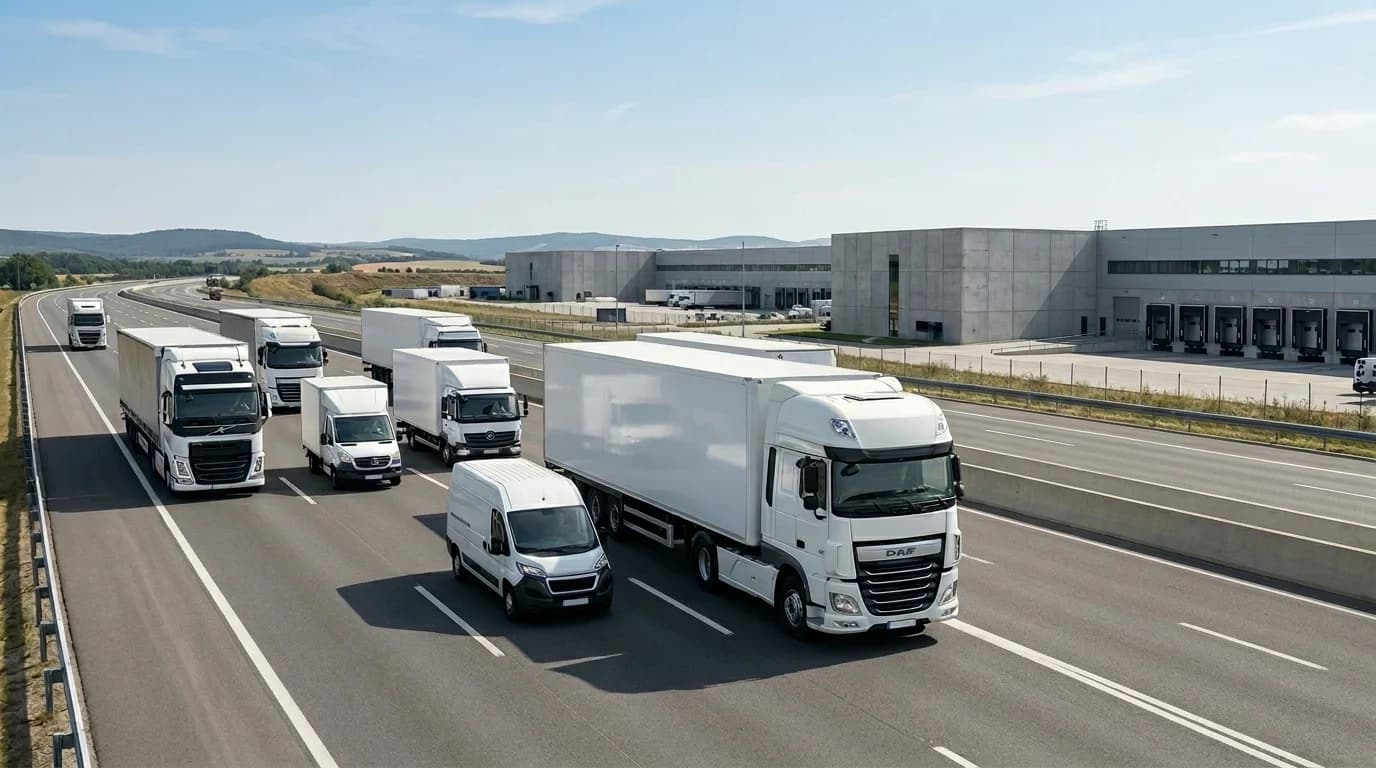
You reduce fuel costs with fleet tracking software by making fuel waste visible and then acting on it every week. The software shows you which trucks idle too long, which routes add extra miles, which drivers speed and brake hard, and which fill-ups do not add up. Fuel bills rarely jump because of one big mistake. They creep up through many small leaks: a truck idling behind a jobsite gate, a route that loops back across town at 4:30 p.m., or a service issue that drags down MPG (miles per gallon) for weeks.
This guide shows where fleet fuel waste comes from, which numbers to track, how fuel theft detection works, and a simple 30-day plan to start. It is written for fleet managers who want a practical fix, not a sales pitch.
Quick answer: Fleet tracking software lowers fuel spend by cutting idling, speeding, harsh driving and wasted miles. It tracks fuel use per vehicle, flags odd fuel card transactions and sudden fuel drops, and reminds you about the maintenance that keeps engines efficient. The savings come from what you do with those alerts, not from the data alone.
How does fleet management software actually reduce fuel costs?
It works as a simple chain. Each step feeds the next one.
- A GPS tracker in each vehicle records location, speed, idling and engine data.
- The software turns that data into reports and alerts. For example, it warns you when a truck idles too long or a driver speeds.
- It tracks fuel use for each vehicle and flags big drops or fill-ups that do not match a real stop.
- You act on it. You coach drivers, fix routes, book service and check odd transactions.
- You compare fuel spend with your starting point every month.
Step 4 is where the money is. A fleet that collects fuel data but never acts on it saves nothing. A fleet that reviews its worst problems every week turns the same data into lower bills.
Why fuel costs and downtime usually show up together
A vehicle that burns too much fuel is often the same vehicle that breaks down later. That link gets missed all the time.
Fuel waste and downtime usually come from the same few problems. Poor routing adds miles and wear. Idling burns fuel and adds engine hours. Skipped maintenance hurts fuel economy first, then reliability. Aggressive driving raises fuel use, tire wear and brake wear all at once.
That is why spreadsheets and separate tools stop working once your fleet gets busy. One person sees fuel card data. Another sees maintenance records. Dispatch sees route problems. Nobody sees the full picture fast enough to act. Fleet software closes that gap by putting the waste and the warning signs in one place.
What causes fuel waste in a fleet?
Most fleet fuel waste comes from a short list of causes. Tracking software can show you every one of them.
- Idling. The engine runs while the vehicle is parked and does no useful work.
- Speeding and harsh acceleration. Hard driving burns much more fuel than smooth driving.
- Long or poor routes. Extra miles and backtracking mean extra fuel and extra hours.
- Fuel theft and unauthorized use. Fuel leaves the tank or the fuel card without doing any work for you.
- Poor maintenance. Under-inflated tires, dirty filters and engine faults all lower fuel economy.
- The wrong vehicle for the job. A big truck on a small run burns fuel you did not need to spend.
Idling and poor routes are usually the quickest wins. You can start fixing them right away with driver coaching and better route planning.
Fleet fuel tracking: the data that matters most
Fleet fuel tracking means recording how much fuel each vehicle uses, where and when the fuel was bought, and what made a vehicle burn more than it should. Good software to track fleet fuel costs pulls this into one screen. You stop hopping between fuel card portals, maintenance notes, GPS screens and driver texts.
A few data points carry most of the weight:
- Idle time. The U.S. Department of Energy notes that idling uses fuel and adds engine wear. Idle time hides in loading zones, jobsite waiting, long warm-ups and short stops with the engine left on.
- Route efficiency. Every extra mile costs twice: fuel now and maintenance later.
- Fuel transactions. Volume, fill location, time of day, price and odometer reading. A fill on a Saturday night, or more fuel than the tank can hold, should be flagged for you.
- Fuel level. With a fuel sensor, you can see sudden drops in the tank, even when the vehicle is parked.
- Engine fault codes. A fault code is a warning signal the vehicle sends when something starts to go wrong. Many faults hurt fuel economy before they cause a breakdown.
- Maintenance status. Oil changes, tire checks, filters and inspections. Simple maintenance keeps fuel economy up.
- Driver behavior. Speeding, harsh braking and rapid acceleration are safety numbers, but they are also cost numbers.
- Utilization. This shows which vehicles are overworked, underused or wrong for the job.
Once these sit on one screen, patterns jump out. The same unit keeps posting poor MPG. The same route keeps producing extra idle time. The same vehicle has rising fuel spend and overdue preventive maintenance. That is very hard to spot when the information lives in separate tools.
How to reduce fleet fuel costs: 6 levers that work
Software does not cut fuel spend by magic. It cuts spend because it makes waste visible, measurable and hard to ignore. These are the six levers to pull.
1. Cut idling with idle time alerts
A truck sitting with the engine on is like a garden hose left running in the driveway. It does not look dramatic. The bill still shows up.
Idling is easy to miss because it feels normal. Drivers wait at gates, wait at docks, wait for paperwork, warm up too long on cold mornings, or take a quick call with the engine running. Small chunks add up over a month.
Fleet software flags idle events that pass a limit you set, for example five minutes. It lists the vehicles and drivers that idle most. That lets you split idling you cannot avoid from idling that is just habit.
Context matters. If one vehicle idles because of a regular dock delay, that is an operations fix. If another idles through every lunch stop, that is a driver habit. You need to see both.
2. Plan better routes to cut extra miles
Bad routing costs money in a quiet, steady way. Nobody notices three extra miles here or a backtrack there. Multiply that across a fleet and the number gets ugly fast.
Route history shows long or odd paths. Route planning software then helps you order stops better, cut empty miles and work around traffic. If dispatch can see where every vehicle is, it can hand a new job to the nearest driver instead of sending someone across town twice. One stop change at 4:30 p.m. can save fuel, time and overtime in one move.
The fewer miles you drive, the less fuel you burn. It really is that simple.
3. Coach driver behavior
Speeding, hard braking and rapid acceleration burn more fuel than most people think. Smooth driving improves fuel economy, and the effect grows when a vehicle runs all day.
Software turns vague complaints into clear patterns. Instead of saying a driver "seems rough", you can see repeated speeding events and harsh braking counts over time. That makes coaching fairer, because you talk about what happened, not gut feeling. Driver behavior scoring and coaching tools help you do this the same way for every driver.
Keep the tone positive. Show the pattern, explain the cost, set one target, and check back next week. Most drivers improve once they see their own data.
4. Use fuel theft detection
Not every fuel problem happens on the road. Some fuel never reaches the engine at all.
Fuel theft detection compares fuel data with what the vehicle was actually doing. A fuel level sensor (a probe in the tank that measures how much fuel is inside) lets the software spot a sudden drop while the truck is parked. It can also spot a fill-up recorded at a place where the vehicle never stopped. GPS location alone cannot catch this, so skipping fuel sensors leaves a gap.
We keep the sensor side short here. Our guide to fuel monitoring systems and the features they need covers it in detail. If you want to see how a fuel monitoring system works in Fleet Scanner, that page covers fuel sensors, theft alerts and analytics.
5. Get instant alerts on fuel card transactions
Fuel card transactions are another place where money leaks. Software that checks each transaction can flag:
- Fill-ups outside working hours
- Duplicate charges
- Odometer readings that do not match the GPS mileage
- More fuel than the vehicle's tank can hold
- Fill-ups where the vehicle was not at the fuel station
Instant notifications for these transactions mean nobody has to hunt for odd activity at month-end. The alerts do the watching, and you review only the few transactions that look wrong. This builds trust between finance and operations, because both teams see the same facts.
6. Keep vehicles maintained to protect fuel economy and uptime
Underinflated tires, dirty filters, poor alignment and old fluids all drag fuel economy down before they cause a bigger failure. The Department of Energy lists proper maintenance as a way to save fuel.
Fleet maintenance software books service by mileage, engine hours or date and reminds you before work is overdue. Fault code alerts tell you when an engine problem starts, so you can book a repair while the vehicle still runs. Planned repairs are almost always cheaper than roadside failures, which add towing, rush parts and a lost day of work.
Good shop planning also stops you from pulling too many vehicles off the road at once. Healthy vehicles burn less fuel, and vehicles that are not waiting for surprise repairs spend more time doing paid work.
Fuel waste with and without tracking
This table shows the typical difference tracking makes for each fuel factor.
| Fuel factor | Without tracking | With tracking |
|---|---|---|
| Idling | High and unseen | Flagged and cut |
| Speeding and harsh driving | Common and unchecked | Scored and coached |
| Route efficiency | Guesswork | Planned from real data |
| Fuel theft | Hard to detect | Caught by sensors and alerts |
| Fuel card transactions | Checked late, by hand | Odd ones flagged right away |
| Maintenance | Missed until something breaks | Reminders before it is due |
| Fuel reporting | Manual and late | Automatic, per vehicle |
The pattern is clear. Fuel waste stays hidden and costs you money every day until you can see it. Tracking lets you see it, cut it and measure what you saved.
Example: what a fleet might find in the first month
This is a made-up scenario to show a typical pattern. It is not a real customer.
A regional delivery fleet runs 40 vans. Fuel is its biggest cost and it keeps rising, but the manager cannot say why. The fleet turns on idle and speeding alerts and adds fuel monitoring. Within weeks the data shows several vans idling for an hour or more a day, a few drivers running at high speed, and one van with fuel drops that do not match its routes. The manager coaches drivers, sets idle limits and stops the theft. Nothing else changed. The fleet could simply see the waste and act on it.
Fleet fuel management vs fuel monitoring: what is the difference?
The two terms get mixed up, but they cover different jobs.
- Fuel management is the record-keeping side. It covers fill logs, fuel card data, fuel cost per vehicle, theft checks and reports in your software. Fleet fuel management software keeps all of this in one place.
- Fuel monitoring adds hardware, such as fuel level sensors, to watch the tank in real time.
They work best together. Fuel management tells you what you paid for. Fuel monitoring tells you where the fuel went.
Workflows that make fleet fuel savings stick
Features are nice. Routines save money. If the system becomes a dashboard someone glances at once a month, results will be thin. Savings stick when the software is part of the weekly rhythm for dispatch, maintenance and operations.
Set weekly exception reports
An exception report lists only the vehicles that are outside normal limits. Instead of checking every vehicle, you check the outliers first.
Set reports for high idle time, unusual fuel spend, overdue maintenance, underused vehicles and repeat fault codes. Review them on the same day each week. Most fleets do not need more raw data. They need a short list of what needs attention now, and real-time fleet alerts help build that list.
Create driver scorecards that are fair and useful
A good scorecard is short, clear and the same for everyone. Pick a few behaviors that matter most, such as idle time, speeding, harsh braking and MPG trend. Review it on a steady schedule.
Keep it helpful, not a punishment. You can tie improvement to recognition or small rewards. The main value is fairness: everyone knows what is measured and why.
Tie dispatch, maintenance and fuel data together
The real value shows up when different data points to the same cause. A vehicle might have poor MPG, repeated idle spikes and overdue service all at once. A route with lots of stop-and-go traffic might also cause more brake wear and lower fuel economy. Joining those dots lets you fix the cause, not just the symptom.
How to measure fleet fuel savings
If you cannot show results, the software turns into a "nice to have". You need a few numbers that tell a clear story month after month.
The numbers to watch every month
- Fuel cost per mile. Ties fuel spend to actual work done.
- Average MPG. Shows whether fuel efficiency is trending up or down.
- Idle hours. Shows wasted engine time.
- Maintenance compliance. The share of planned service done on time.
- Unplanned downtime. How often vehicles leave service without warning.
- Cost per vehicle and utilization. Shows whether each vehicle carries the right workload.
For formulas and targets for each number, see our list of fleet management KPIs.
Show cost per vehicle in a simple chart
A bar chart of cost per vehicle, split into fuel and maintenance, is one of the easiest views to read. Each bar is one vehicle. The tall bars are your problem units. If a vehicle has a tall fuel bar and a tall maintenance bar, it may need repair or replacing.
How to calculate savings without overcomplicating it
Keep the math simple. Compare fuel spend, fuel cost per mile, downtime hours and emergency repairs before and after you start. Use the months before rollout as your baseline, then compare the same length of time after.
Adjust for the season so you do not fool yourself. Winter idling, summer air conditioning and busy delivery periods can all skew the numbers. A fuel cost calculator helps you price trips and put a money value on the miles and idle hours you cut.
How to reduce fuel costs with fleet tracking software: a 30-day plan
Keep the first month small and focused. You do not need a perfect dashboard on day one. You need a system that starts catching expensive patterns early.
Week 1: Set a baseline and connect your data
Connect your vehicles, fuel cards and fuel logs. Record each vehicle's current fuel use, MPG and idle hours. This baseline is how you will prove savings later.
Week 2: Turn on four alerts
Turn on alerts for long idling, speeding, overdue maintenance and engine fault codes. These cover the biggest fuel wasters and the warning signs of downtime.
Week 3: Add fuel checks and coach one behavior
Check fuel card transactions and fuel levels for theft or odd fills. Pick one driving behavior to coach, usually idling or harsh braking. Book overdue service for the vehicles already showing warning signs.
Week 4: Fix routes and review against your baseline
Use route history to remove long detours and repeat trips. Then compare fuel spend with your baseline. Decide which problem to tackle next month.
Try one step this week: turn on an idle time report and look at your top five idlers. That one move shows you exactly where to start.
What to look for in fleet tracking software if fuel is your goal
Every platform promises visibility and control. What matters is whether it helps you lower fuel spend and keep vehicles on the road.
Features worth paying for
- Live GPS tracking and route history, for route fixes and smarter dispatch
- Idle, speeding and harsh driving reports, for coaching
- Fuel card integration and transaction alerts, for catching leaks
- Fuel sensor support, for theft detection
- Maintenance reminders and fault code alerts, for uptime
- Mobile inspections, so drivers report defects early
- Dashboards and easy exports, because finance will want proof, not screenshots
Fleet Scanner covers these in one package: GPS tracking software, fuel, maintenance, driver scoring, alerts and 60+ ready reports. It works with 1,000+ GPS devices, including Teltonika, Concox, Queclink and Ruptela, and runs on your own server with no per-vehicle monthly fee.
Questions to ask before you buy
- How fast can vehicle and fuel data go live?
- Can dispatchers, mechanics and managers use it without a week of training?
- Does it work with your GPS hardware and your fuel card provider?
- How are alerts and maintenance intervals set up?
- How easy is it to export data for cost analysis?
- Do you need to own your data and servers? If so, ask about self-hosted GPS tracking software.
If basic reporting feels clumsy in a demo, it usually will not get better later.
Common mistakes that stop fuel savings
- Collecting fuel data but not acting on it. Alerts are useless if nobody reads them and nobody coaches drivers. Book a weekly review.
- Ignoring idling. It looks small, but it adds up to real fuel waste. Do not put it off.
- Skipping fuel monitoring. Without fuel sensors, theft and sudden drops stay hidden. Tracking location alone does not catch them.
- Tracking everything at once. This creates noise, not control. Start with fuel waste, overdue maintenance and one driving behavior.
- Skipping driver communication. If tracking appears with no explanation, expect pushback. Tell drivers what is measured and why.
- Ignoring data cleanup. Bad vehicle names, missing odometer history and messy fuel data make early reports less useful.
Frequently asked questions
What is the best way to reduce fuel costs in a fleet?
Use fleet software to cut idling, plan better routes, coach driver behavior and keep up with preventive maintenance. Add fuel card alerts and fuel sensors to stop theft. Then review the results every week and act on the worst problems first.
How much can fleet tracking save on fuel?
It depends on how much waste you have today and how much you act on the data. A fleet with lots of idling and long routes has more to save than one that already runs tight. Set a baseline before you start so you can measure your own savings.
Can fleet tracking detect fuel theft?
Yes. A fuel monitoring setup with fuel sensors alerts you to fuel drops or fills that do not match a real stop. Fuel card checks add another layer by flagging odd transactions. Together they catch theft that never shows up on a fuel bill.
Does idling really waste that much fuel?
Yes. An idling vehicle burns fuel and adds engine wear but earns nothing. Across a whole fleet, many short idle periods add up to a large amount of fuel. Cutting idling is often the fastest way to lower fuel spend.
Does GPS tracking help reduce fuel costs?
Yes. GPS tracking shows route history, so you can remove detours and repeat trips. It helps dispatchers send the nearest vehicle and avoid traffic delays. It also records idling and speeding, which you can coach.
Can fleet software help reduce downtime?
Yes. Preventive maintenance reminders, engine fault code alerts and better shop planning all help you fix problems before a vehicle breaks down. Planned repairs cost less and keep more vehicles on the road.
How quickly will I see fuel savings?
Many fleets see changes in the first couple of months. Idle and speeding alerts work fast once drivers change their habits. The key is a clean baseline, so you can show what actually changed.
Keep reading
Fuel Monitoring Systems: Features Every Fleet Needs in 2026
A fuel monitoring system is a combination of hardware (tank-level sensors and GPS trackers) and software (dashboards and alerts) that monitors fuel levels, refueling and consumption in real time across a fleet.
Motive Alternatives: 6 Fleet Tools Compared for 2026
Motive (formerly KeepTruckin) is strong on US ELD compliance and AI dashcams, but it is not the right fit for every fleet. Here are six alternatives to Motive and how to pick one.
6 Webfleet Alternatives for 2026: Honest Comparison
Six real Webfleet alternatives compared on hosting, hardware, EU tachograph tools and pricing, plus when staying with Webfleet makes more sense.