
Car Rental Fleet Software for Self Drive and Rental Fleets
Fleet Scanner is car rental fleet software for Indian self drive, lease and chauffeur driven fleets. Know where every car is, get an alert the moment one leaves the area a booking allowed, and hold the odometer, fuel and condition record for both ends of every rental.
Damage history, idle day reporting and permit renewals on the same platform. Cloud or self hosted on your own server.
What Is Car Rental Fleet Software?
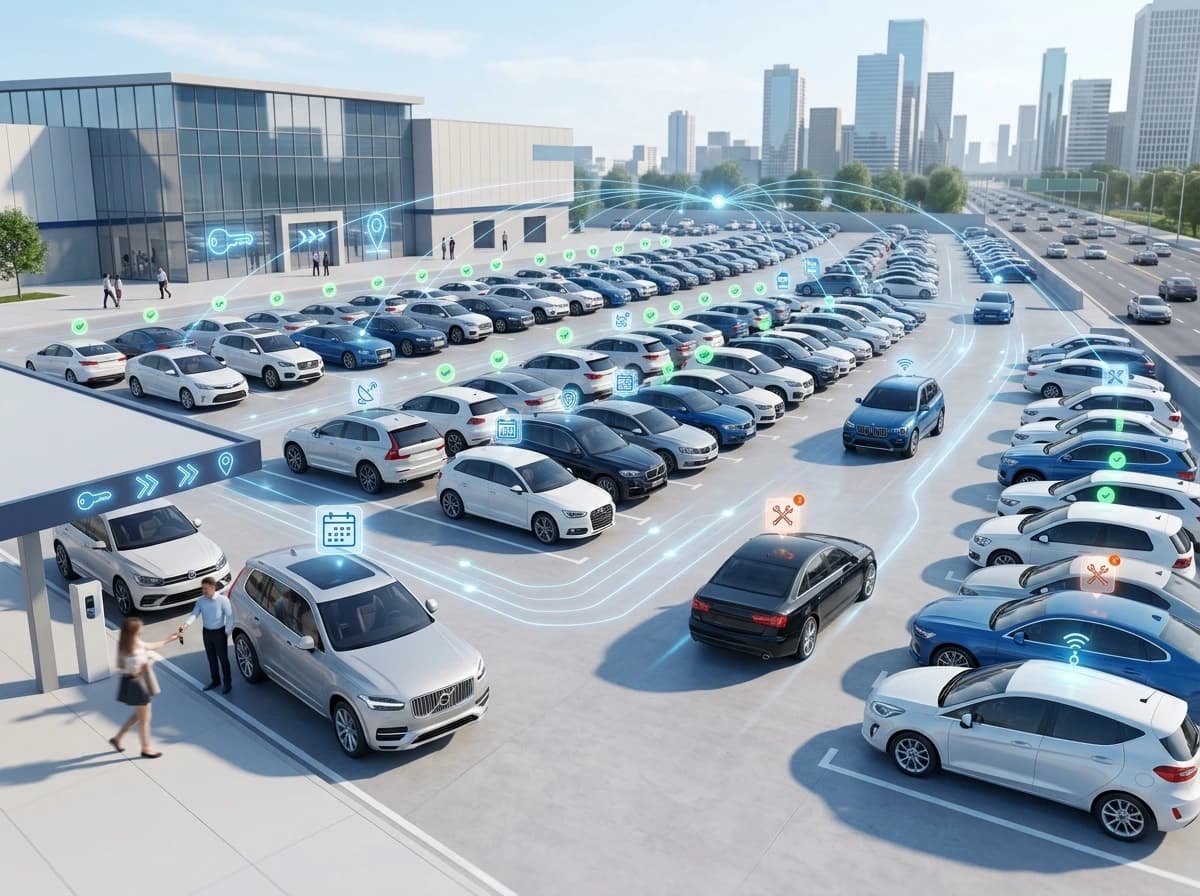
Car rental fleet software is a system that tracks rental and self drive vehicles between bookings. It records the odometer and fuel level at handover and return, where the car travelled, whether it left the area it was allowed in, and what condition it came back in.
A rental fleet earns money only while a car is out and undamaged. Everything that eats into that happens in the gaps: a vehicle sitting idle because nobody noticed it was free, a dent nobody can pin to a booking, a car driven three states away on a city rate, a challan that arrives six weeks after the customer has gone. Fleet Scanner keeps location, boundary alerts, handover readings, damage history and document dates on one platform, so the desk can settle a return in minutes instead of arguing about it.
- Booking
- BK-3308
- Vehicle
- KA01 · Hatch
- Out odometer
- 42,118 km
- Fuel out
- Full
- Allowed area
- Karnataka
- Distance run
- 612 km
- Boundary
- INSIDE AREA
- Package used
- 612 of 800 km
Where a Rental Fleet Leaks Money
Rental businesses lose money in small, deniable amounts. A scratch that appeared somewhere. A car that ran two thousand kilometres on a package that allowed six hundred. A vehicle standing free for four days because it was not on anybody’s screen. Car rental fleet software exists to make all three visible.
Damage cannot be pinned to a booking
A car comes back with a scratch. The customer says it was already there. Without a condition record tied to each handover, the argument is decided by whoever is more stubborn. A trip history showing where the car went in between changes that. The deposit rarely covers it otherwise.
Cars go where the booking did not allow
A city rental ends up three states away. A vehicle crosses into a region your insurance or permit does not cover. By then the risk has already been taken. If it only shows up on a return odometer, the extra charge becomes a difficult conversation.
Idle vehicles quietly stop earning
A car finishes a booking and nobody puts it back into circulation. It sits for four days. Across a fleet of eighty, a handful of unnoticed idle cars is the difference between a good month and a flat one.
Challans and papers arrive late
An e-challan reaches you weeks after the customer has returned the car and their deposit. Insurance, fitness and permit dates creep up the same way. A vehicle off the road for an expired paper is a vehicle earning nothing.
What Runs Inside Car Rental Fleet Software
Car rental fleet software has to answer for the vehicle when the customer is no longer standing there. Each item below is a working module in Fleet Scanner, not a paid add on.
Live Tracking and Trip History
Follow every car on one map with speed, halts and route playback. A customer says they never went there. A vehicle does not come back on time. Trip history answers both without a phone call.
GPS tracking →Area Limits and Boundary Alerts
Draw the city, the state line or any area a booking is limited to. An alert is raised when a vehicle crosses out of it, while the car is still moving rather than when it comes back.
Geofencing →Handover and Return Records
Hold the odometer reading, the fuel level and the condition notes for both ends of a booking. Distance run and fuel used stop being estimates. They become two numbers you can subtract.
Trip operations →Damage, Service and Repair History
Every repair, service and reported damage stays on the vehicle record with its date. A car that keeps coming back in poor condition becomes visible. So does the customer segment causing it.
Maintenance →Utilisation and Idle Days
See which cars are earning and which are standing. Idle days, distance run and time between bookings are counted per vehicle and per branch. A fleet purchase decision then has something behind it.
Reports hub →Documents, Permits and Renewals
Registration, permit, fitness, commercial insurance, PUC and road tax dates sit against every vehicle with reminders, so a car is never parked because a paper quietly expired.
Compliance →How a Rental Is Recorded End To End
This is one car between two bookings. The bar runs from handover to return. The amber stretch is where it went outside the area the booking allowed, and catching that live is what car rental fleet software is for.
The booking starts with two numbers
Odometer and fuel level are recorded as the car leaves, along with condition notes. Everything that follows is measured against that starting point.
The car is tracked, not watched
Location and trip history run in the background. Nobody is watching the customer. The record simply exists if the vehicle is late, missing or in an incident.
A limit is crossed
The car leaves the area the booking allowed. An alert goes out with the time and the place while it is happening, so the desk can call rather than discover it later.
The gap is the charge
Closing odometer and fuel are recorded against the same booking. Distance run, fuel used and any damage noted are now simple differences. They stop being opinions.
Permits, Plates and Papers
Renting a car out for someone else to drive is regulated in India. The Rent-a-Cab Scheme 1989, made under the Motor Vehicles Act, is the framework for renting motor cabs to people who will drive them themselves. Vehicles need commercial registration and the permit their state requires. Operators need a licence from the state transport authority. Car rental fleet software is where those documents and their expiry dates should live.
The permission to operate
Self drive rental in India runs under the Rent-a-Cab Scheme 1989, and operators hold a licence from the state transport authority. Fleet Scanner stores your licence and permit references against the fleet. It does not apply for them or tell you whether you qualify.
Private plates are not enough
Rental vehicles need commercial registration and the permit and plate their state requires. Renting out a privately registered car has led to seizures and refused insurance claims. Registration, permit type and validity sit on each vehicle record.
And they keep changing
Several states have tightened self drive rules recently, with digital permit checks linked to VAHAN, caps on operators and geo tagging conditions. What applies in Karnataka is not what applies in Goa, so confirm with your own state transport authority.
Commercial cover, not private
A rental vehicle needs commercial insurance. Policy numbers and expiry dates sit with the vehicle and are flagged before they lapse. Fleet Scanner does not verify that a policy is the right type for your use.
Attach them to a booking
An e-challan can be recorded against the vehicle and the period it relates to, so it lines up with whoever had the car. Fleet Scanner does not fetch challans from a government portal or pay them.
Papers that chase you
Fitness, permit, insurance, PUC, road tax and driver licence dates all sit in the compliance module with reminders, so an expired document is never the reason a car is off fleet.
Please note: Fleet Scanner records and organises the vehicle side of a rental fleet. It is not a booking engine. It does not take online reservations, process payments or deposits, price a booking, run a customer app, unlock cars remotely, fetch e-challans from a government portal, apply for permits or licences, or decide whether your operation is legally compliant. Where you already use a booking platform, sharing data with Fleet Scanner would need an integration. Self drive rules differ by state and change often. Confirm what applies to your fleet with your state transport authority and your own legal advisor before relying on anything here.
Car Rental Terms, Explained
Car rental fleet software comes with terms that mean different things at different companies. Here is what each one means on this page.
- Rent-a-Cab Scheme
- The 1989 central scheme under the Motor Vehicles Act that governs renting motor cabs to customers who drive themselves. Operators need a licence under it.
- Tourist permit
- The permit issued under section 88 of the Motor Vehicles Act that the scheme applies to. Without the right permit a rental vehicle is not legally on hire.
- Security deposit
- Money held from the customer at handover, refunded after the car comes back and any charges are settled.
- Excess kilometre charge
- What a customer pays per kilometre once the distance included in the package runs out.
- Fuel policy
- The rule about what fuel level the car goes out with and comes back with. Full to full and same to same are the two common versions.
- Condition report
- The record of scratches, dents and interior condition taken at handover and again at return. It is what damage claims stand or fall on.
- Utilisation
- The share of available days a vehicle was actually on rent. The single most important number in a rental business.
- Turnaround
- The time between one booking ending and the next beginning, including cleaning, refuelling and any repair.
Who Uses Car Rental Fleet Software
If you hand a key to somebody and expect the car back, this page is about you. Car rental fleet software matters more as the fleet grows. That is the point where memory stops working.
- Self drive rental operators Fleets renting cars to customers who drive themselves, where boundary limits and condition records decide the margin.
- Corporate lease and subscription fleets Vehicles placed with companies or individuals for months at a time, where utilisation and service history matter more than daily turnaround.
- Tour, travel and chauffeur rental Operators running cars with drivers for tourists and corporates, usually alongside a self drive fleet.
- Hotel and resort fleets Guest cars, airport transfers and in house vehicles run by a property rather than a rental company.
- Electric rental and subscription EV fleets where charge level at handover and charging cost per booking are extra numbers to keep straight.
- Dealership loaner and demo fleets Courtesy cars and test drive vehicles that are lent constantly and tracked casually, until one goes missing.
Paper Forms, Tracking App, or Fleet Scanner
A tracking app tells you where the car is. That is useful when one goes missing. It does nothing about three other things. The odometer reading at handover. The dent that was not there yesterday. The eleven cars sitting idle this week. That is the gap car rental fleet software fills.
| Requirement | Paper forms and memory | Basic tracking app | Fleet Scanner |
|---|---|---|---|
| Where a car is now | Call the customer | Yes, on a map | Yes, with speed, halts and playback |
| Odometer and fuel at handover | Written on a form | Not captured | Held against the vehicle and booking |
| Alert when a car leaves its area | Found at return | Not included | Raised while the car is still moving |
| Damage history per vehicle | A folder | Not included | On the vehicle record with dates |
| Idle days and utilisation | Guesswork | Not included | Counted per vehicle and per branch |
| Challan attached to a period | Loose paper | Not included | Recorded against the vehicle and dates |
| Permit and insurance renewals | A diary | Not included | Reminders before anything lapses |
| Everything in one login | No | Tracking only | 18 plus modules on one platform |
Numbers Your Fleet Owner Asks For
Rental margins are thin, so the numbers get looked at closely. Sixty plus reports come ready to run. Pick a vehicle, a branch or a date range, then export to Excel or PDF. You can also have one arrive every Monday morning.
Car Rental Fleet Questions, Answered
Short answers to what rental operators and fleet owners ask us most often.
What is car rental fleet software?
Car rental fleet software is a system that tracks rental and self drive vehicles across bookings. It records odometer and fuel at handover and return. It tracks where the car travelled and alerts you when it leaves an allowed area. It also keeps damage and document history on the vehicle. In Fleet Scanner it sits alongside maintenance, compliance and reporting, so the whole fleet lives in one place.
Does it handle bookings, payments and deposits?
No, and it is worth being clear about that. Fleet Scanner is a fleet platform, not a booking engine. It does not take reservations, price a rental, process payments or hold deposits, and it does not run a customer facing app. It covers the vehicle side. If you already use a booking system, sharing data between the two would need an integration.
How is this different from ordinary GPS tracking?
Ordinary tracking shows where a car is. A rental fleet needs more. It needs the odometer and fuel at both ends of a booking. It needs an alert when a vehicle crosses out of its allowed area. It needs damage history tied to the vehicle and utilisation figures per car. Those are business questions rather than location questions.
Can it stop a customer taking the car out of state?
It cannot physically stop anything. What it does is tell you while it is happening. Draw the area a booking is limited to, and an alert is raised with a time and a place when a vehicle crosses out of it. That gives you the chance to call the customer rather than discover it from a return odometer reading days later.
Does it help settle damage disputes?
It gives you the record to settle them with. Condition notes, odometer and fuel readings sit against each handover and return, and trip history shows where the car went in between. Fleet Scanner does not inspect vehicles or judge who caused a dent. It removes the guesswork so the conversation is about facts.
Can it track e-challans against the customer who had the car?
It can hold a challan against the vehicle and the period it relates to, which lines up with the booking dates. Fleet Scanner does not fetch challans from a government portal, pay them, or recover money from a customer. Those steps stay with your desk and your own process.
Does it work for self drive and chauffeur driven fleets together?
Yes. Both sit in the same vehicle list with the same tracking, documents, maintenance and reports. Chauffeur driven cars additionally use the driver records module for licence class and expiry. Reports can be filtered by vehicle type, by branch or by category, so the two parts of the business stay comparable.
Can we run it on our own server?
Yes. Fleet Scanner is available as a cloud plan and, on the Enterprise tier, as a self hosted or white label setup on your own server. Larger rental groups often choose self hosting. Vehicle, customer and booking period data then stays inside their own network, under their own retention rules.
Settle the return in minutes
Book a free walkthrough of the car rental fleet software using one of your own vehicles as the example. We will show boundary alerts, handover readings and a utilisation report in about twenty minutes.