
What Is a Driver Management System (Software)? Features, Costs and How to Manage Drivers
A driver management system is software that tracks your drivers, checks how safely they drive, keeps their documents current and links them to trips and pay. Learn what it does, how it cuts costs and how it compares with manual tracking.
 Prerit Khera16 min read
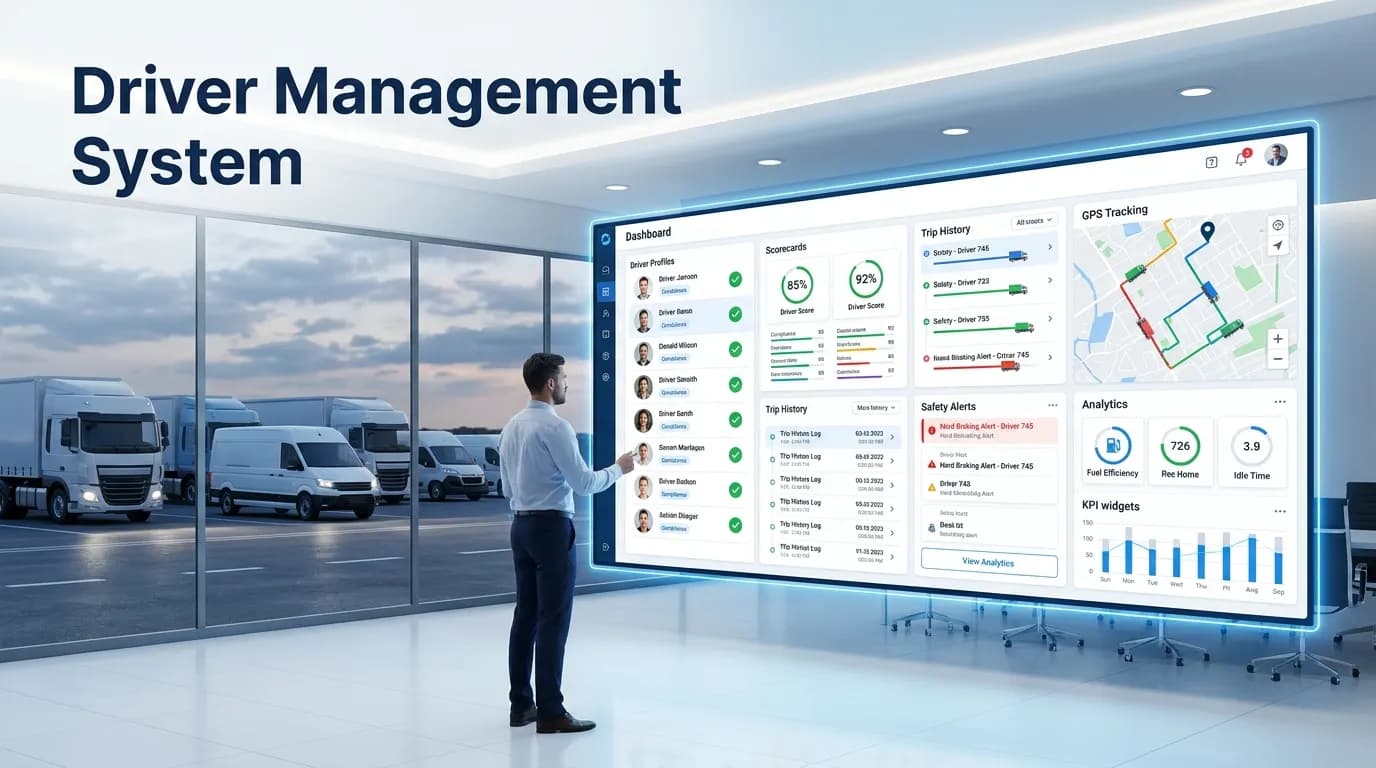
A driver management system is software that helps you run the people who drive your vehicles. It shows where each driver is, how safely they drive, which documents are about to expire and who is free for the next job. A driver management system pulls GPS data, driving events, trips, alerts and driver records into one place. So you stop chasing calls, texts and spreadsheets.
This guide explains what a driver management system is, what it does, how it cuts costs and how it compares with manual tracking. It also covers driver apps, trucking needs and what to check before you pick one.
What is a driver management system?
A driver management system (DMS) is the part of your fleet software that looks after drivers, not vehicles. It answers three questions every fleet manager has. Where are my drivers? How well are they driving? Who needs help or action today?
It uses the same GPS tracker and telematics data that tracks the vehicle. Telematics means the data a device in the vehicle sends: speed, location, braking, idling and more. The DMS links that data to the person behind the wheel. Each hard brake, speeding event and long idle becomes a record on that driver's profile.
A full system then adds the rest of a driver's working life. That means licenses and documents, attendance and hours, availability for dispatch and, in fuller systems, trip pay.
What is driver management software?
Driver management software is the same thing under a different name. People say system, software, solution, program or platform. They all mean a tool that brings driver records, monitoring, compliance, trips and performance into a single system. Some vendors sell it as a separate product. Others build it into their fleet management software as a module.
Driver management in fleet management
Fleet management covers everything a fleet owns and does: vehicles, fuel, maintenance, trips and costs. Driver management is the people side of it. A vehicle can be in perfect shape and still cost you money if the driver speeds, idles or misses a document renewal. That is why driver management sits next to GPS tracking software, maintenance and dispatch, and shares data with them.
What problems does a driver management system solve?
Control gets harder as a fleet grows. More vehicles mean more risky driving, more renewals to track, more idle time and slower dispatch decisions. Here are the main problems and how a DMS deals with each one.
| Problem | What a driver management system does |
|---|---|
| Poor visibility | Puts driver and vehicle data in one view |
| Manual follow-up | Sends automatic alerts and reminders |
| Unsafe driving | Monitors behavior and supports coaching |
| Missed renewals | Warns you before licenses and documents expire |
| Fuel waste | Shows speeding, harsh driving and idling per driver |
| Slow dispatch | Shows who is free and links drivers to trips |
| Inconsistent coaching | Gives every driver a score and a Red, Amber or Green band |
The first problem is scattered information. If you cannot see driver status, route progress, risky events and document expiry in one view, every response takes longer. Dispatch waits. Managers chase updates.
The second is slow reaction to risky driving. Without event data, harsh braking or speeding gets reviewed days later, if at all. With a DMS, you see it the same day and can act on it.
Core features of a driver management system
A good DMS does more than show dots on a map. It works as a hub that links what happens on the road to dispatch, compliance, maintenance and reports.
Driver tracking and live status
Driver tracking software shows where each vehicle and driver is right now. You see the route taken, geofence activity and whether the vehicle is moving, stopped or delayed. A geofence is a virtual boundary on the map, such as a depot or customer site. The system tells you when a driver enters or leaves it.
Driver behavior monitoring
Driver monitoring software records the habits that cause risk and cost. These are the events most systems track:
| Event | What it shows | Why it matters |
|---|---|---|
| Speeding | Risk-taking | Higher crash risk and severity, more fuel |
| Harsh braking | Following too close or distraction | More incidents, brake and tire wear |
| Harsh acceleration | Aggressive driving | Burns fuel, wears the drivetrain |
| Idling | Engine on, vehicle not working | Wasted fuel and engine hours |
| Route deviation | Driver left the planned route | Late deliveries, extra miles |
| Seat belt not worn | Safety rule broken | Higher injury risk |
| Phone use | Distraction | Serious safety risk |
| Fatigue alerts | Tired driver | Higher chance of a crash |
A basic GPS tracker gives you speed and location. Most modern trackers add an accelerometer, which senses harsh braking, acceleration and cornering. Seat belt, phone and fatigue detection usually need a dashcam with video telematics and AI cameras. These cameras form a driver monitoring system that can spot a distracted or drowsy driver in real time.
Driver scoring in short
Raw events are hard to read. So most systems turn them into one score per driver, often out of 100. Serious events cost more points than small ones. The score then goes into a band: Green (safe), Amber (watch and coach) or Red (act now). Fleet Scanner, for example, scores each driver out of 100 from events like overspeed, harsh braking and acceleration, idling, night driving, seat belt use and fatigue, then marks them Green, Amber or Red.
The banding lets a manager see in seconds who needs coaching this week and who deserves praise. For the full method, with formulas and example bands, read our guide to driver scorecards and RAG thresholds.
Dispatch, messaging and trip control
Driver data should sit in the same system as trip assignment. Then you can see who is on duty, on a trip, unavailable or on leave. You assign the job to a free driver, send the route and message them, all from one screen. Proof of delivery and job updates come back into the same record. Linking driver availability with load and dispatch software means no more guessing which vehicle is free.
Licenses, documents and compliance
A DMS stores each driver's license, certificates, medical card and other papers with their expiry dates. It reminds you before anything runs out, so a driver with a lapsed license never takes a vehicle out. It can also track inspection records, hours-of-service logs and policy sign-offs. These are the same records an auditor asks for, so audits get easier too.
Attendance, hours, availability and pay
Fuller systems also track daily check-in and check-out, shifts, hours and overtime. Availability updates on its own, which helps dispatch. Some systems also work out driver pay from completed trips. This is what people mean by managing drivers and settlements: the trip is done, the system knows it, and the driver's pay is calculated without a separate spreadsheet.
Alerts and reports
Data only helps when someone acts on it. Alerts tell you what needs action now: overspeed, document expiry, long idle, route deviation, fuel theft or a geofence breach. Exception reports show the outliers. Trend reports show whether things are getting better or worse over weeks and months.
How to manage drivers with a driver management system
Software does not change behavior by itself. People do, with the right data. Here is a simple way to manage drivers with a DMS.
- Set clear rules. Write down your safety and performance expectations. Tell drivers what is measured and why before the first score appears.
- Turn on the right alerts. Start with speeding, harsh driving, idling and document expiry. Too many alerts and people stop reading them.
- Review real events. Look at what actually happened before you talk to a driver. One bad day is not a pattern.
- Coach the pattern. If a driver brakes hard on the same city route every day, talk about that route. Agree on one thing to change.
- Reward good driving. Recognize drivers who stay in the green. Praise, a bonus or first choice of routes all work.
- Automate the paperwork. Let the system chase renewals and inspections so managers can focus on people.
- Check your numbers often. Track idle time, fuel use, incident rate and vehicle use every week or month.
Coaching, not punishment
The fleets that get the most from driver monitoring use it to coach, not to punish. A score built to punish makes drivers resent it. A score built to coach builds a safety culture drivers take part in. Three habits keep it fair:
- Filter false positives. A pothole is not a harsh brake. If drivers get blamed for bad roads, they stop trusting the score.
- Monitor work driving only. Track on-duty driving, not private life. Many places have laws on this line, so check what applies to you.
- Use the same rules for everyone. Every manager should use the same thresholds and the same steps. Actions should follow written policy, not memory or feeling.
Done this way, a DMS protects good drivers. It catches problems early and ends arguments about what happened, because the event data is there for both sides to see.
How driver management reduces costs
Most fleet costs do not come from big failures. They build up slowly from everyday driving. Small habits like idling, harsh braking, speeding and wrong turns add up to higher fuel bills, more repairs, more downtime and more accidents. A DMS makes those habits visible, so you can fix them.
| Cost area | Common cause | How driver management helps |
|---|---|---|
| Fuel | Speeding, idling, poor routes | Behavior tracking and better route planning |
| Maintenance | Aggressive driving, missed service | Shows which drivers and routes wear vehicles faster |
| Compliance | Expired documents, fines | Automatic reminders and central records |
| Downtime | Breakdowns, late repairs | Driver-reported defects and inspection records |
| Accidents | Unsafe driving | Scores and coaching |
| Admin time | Manual work | Automation and one shared record |
Fuel
Harsh acceleration, speeding and idling waste fuel. The US Department of Energy notes that aggressive driving lowers fuel economy. When you link driving events to fuel monitoring, "drive better" becomes a saving you can measure. The same idle minutes show up in the driver's score and in the fuel bill.
Maintenance and downtime
Hard braking, fast starts and long idling stress brakes, tires and engines. When driver data sits next to maintenance records, you can spot heavy-wear routes, repeat defects and vehicle misuse early. Digital inspections help too. Drivers report defects, tire wear or brake issues from their phone, and the workshop sees them before they turn into breakdowns.
Accidents and insurance
Fewer harsh events and less speeding mean fewer crashes. Event records also help when you need to show what happened in a dispute. Some insurers offer usage-based pricing to fleets that can show their driving is improving. A falling trend in harsh events gives you a strong case when you talk about premiums. Lower premiums are not guaranteed, so treat them as a likely side benefit.
Compliance and admin
Missed renewals lead to fines, vehicles taken off the road and lost jobs. Manual tracking gets harder as you add drivers. Automatic reminders for licenses, certifications, medical cards, inspections and hours-of-service records cut that risk. They also cut the hours managers spend on paperwork.
KPIs to track the savings
You only know costs are falling if you measure them. These are the numbers that link driver performance to cost:
| KPI | What it measures | Why it matters |
|---|---|---|
| Fuel spend | Total fuel used and paid for | Shows the effect of routes and driving style |
| Idle time | Engine running, vehicle not moving | Wasted fuel and engine hours |
| Accident rate | Incidents and safety events | Safety gains and insurance exposure |
| Maintenance spend | Repair and service costs | Spots rising repair bills |
| Vehicle downtime | Time vehicles cannot work | Fleet availability |
| Cost per mile or km | Operating cost divided by distance | One clear view of efficiency |
| On-time performance | Share of trips done on schedule | Route efficiency and service |
| Driver safety score | Score from driving events | Finds high-risk drivers to coach |
| Compliance rate | Inspections and documents done on time | Fewer fines and disruptions |
If you want to start small, track fuel use, idle time, speeding events, maintenance cost, route deviation and on-time performance first. Our list of fleet management KPIs explains how to measure each one.
Driver management system vs manual tracking
Many fleets still manage drivers with phone calls, paper logs and spreadsheets. That can work for a handful of vehicles. It breaks down as the fleet grows. Here is how the two compare.
| Task | Manual tracking | Driver management system |
|---|---|---|
| Knowing where drivers are | Call and ask | Live map, always on |
| Spotting unsafe driving | Only after a complaint or crash | Event alerts the same day |
| Comparing drivers | Gut feeling | Scores and Red, Amber, Green bands |
| Document renewals | Spreadsheet someone must check | Automatic reminders before expiry |
| Dispatch | Calls to find a free driver | Availability shown on screen |
| Driver pay | Built by hand from trip sheets | Worked out from completed trips |
| Proof in a dispute | One person's word against another's | Time-stamped event records |
The biggest difference is speed. With manual tracking, you learn about problems late. With a DMS, you learn about them while you can still do something.
Driver management app for drivers and managers
Most driver management happens on a phone. A driver management app gives each side what they need.
- For drivers: see assigned trips and routes, get messages, report vehicle defects, upload proof of delivery and check their own score.
- For managers: see the live map, get alerts, check who is free and approve or assign jobs while away from the desk.
Look for an app that works on both Android and iOS, plus a web version for the office. Fleet Scanner, for example, has web, Android and iOS apps. Driver management online, through a browser, is useful for office staff. The phone app matters most for the people on the road.
Truck driver management system: what trucking fleets need
A truck driver management system has a few extra jobs compared with a car or van fleet:
- Hours and fatigue. Long-haul drivers face strict limits on driving hours. The system should track hours and flag long continuous driving and night hours.
- Heavy-vehicle risks. Harsh cornering matters more on a loaded truck, because it puts load stability at risk and can cause a rollover.
- Fair comparison. A long-haul highway driver and a city delivery driver face different roads. Compare drivers within the same route type, not across the whole fleet.
- Trip settlements. Truck drivers are often paid per trip. Pay worked out from completed trips saves time and arguments.
- Documents. Licenses, medical cards and vehicle permits must all be current before a truck leaves.
Truck driver management software that covers these lets a trucking company track drivers, save fuel, manage hours and improve safety from one place.
Who uses driver management systems?
Any business where drivers affect safety, fuel, insurance or customer service can use one. Each fleet type has its own focus.
- Logistics fleets: driver output, trip visibility, compliance and work across many sites.
- Trucking companies: driver tracking, fuel savings, hours and safety.
- Delivery operations: delivery routes, completed drops and quick dispatch.
- Field service fleets: sending the right technician and answering service calls faster.
- Bus operators: route adherence, driver schedules and passenger safety.
- Construction fleets: mixed vehicles, equipment use and job-site coordination.
Multi-driver management matters most when several drivers share one vehicle across shifts. The system has to know who was driving at each moment, so every event lands on the right person's record. The value of driver management grows with fleet size. Once a manager can no longer see each driver in person, the patterns only show up in the data.
How to choose a driver management solution
Use this checklist when you compare driver management solutions and suppliers:
- Does it track the core events: speeding, harsh braking, harsh acceleration, idling and distraction?
- Are serious events weighted more than minor ones in the score?
- Can you set your own Red, Amber and Green bands?
- Does it filter false events and track work driving only?
- Does it keep behavior, documents, availability and pay in one driver record?
- Does it link to dispatch, maintenance, fuel and reports, or will you need three separate tools?
- Does it work with the GPS trackers and dashcams you already have?
- Is there a driver app for Android and iOS?
- Where is your data kept, and who controls it?
- How is it priced? Per-vehicle monthly fees grow as your fleet grows.
Data control matters here, because driver data is about your people, not just your vehicles. If you want to keep it on your own server, look at self hosted GPS tracking software. Fleet Scanner runs on your own server or VPS, with unlimited vehicles, users and clients and no per-vehicle monthly fee. It works with 1,000+ GPS devices, including Teltonika, Concox, Queclink and Ruptela. Driver scores, availability, dispatch, fuel and pay share one record. You can see how it works on our driver management software and driver tracking feature page.
Frequently asked questions
What is a driver management system in simple terms?
It is software that helps you track drivers, check how they drive, keep their documents up to date and give them work. It turns fleet data into clear actions. Think of it as one control room for everything about your drivers.
What is driver management?
Driver management is the work of keeping drivers safe, legal, productive and paid. It covers hiring records, licenses, scheduling, monitoring, coaching and pay. In a fleet, most of this now runs through a driver management system.
How does driver management software work?
It collects data from GPS trackers, telematics devices, cameras, documents and trips into one platform. It links every event to the driver who caused it. Alerts, dashboards, scores and reports then show what needs action now and which trends need fixing.
Is a driver management system the same as GPS tracking?
No. GPS tracking shows where a vehicle is. A driver management system adds behavior monitoring, scoring, coaching, documents, dispatch, compliance alerts and performance reports. GPS data is one of its inputs.
How does a driver management system reduce costs?
It shows the driving habits that waste fuel and wear vehicles, like speeding, idling and harsh braking. It cuts fines and downtime by chasing renewals and inspections for you. It also saves admin time because records, trips and pay live in one place.
Does driver monitoring save fuel?
Yes. Aggressive driving and idling waste fuel, so cutting them lowers your fuel spend. The effect is easiest to see when behavior data and fuel monitoring sit in the same system.
Is driver monitoring fair to drivers?
It should be, and fairness is what makes it work. Monitor work driving only, filter false events and use the data to coach rather than punish. Explain the score to drivers before you start and let them question an event they think is wrong.
What equipment do I need for driver monitoring?
A basic GPS tracker gives you speed and location. Most modern trackers also sense harsh braking, acceleration and cornering. For seat belt, phone use and fatigue detection, you need a dashcam or video telematics system.
Keep reading
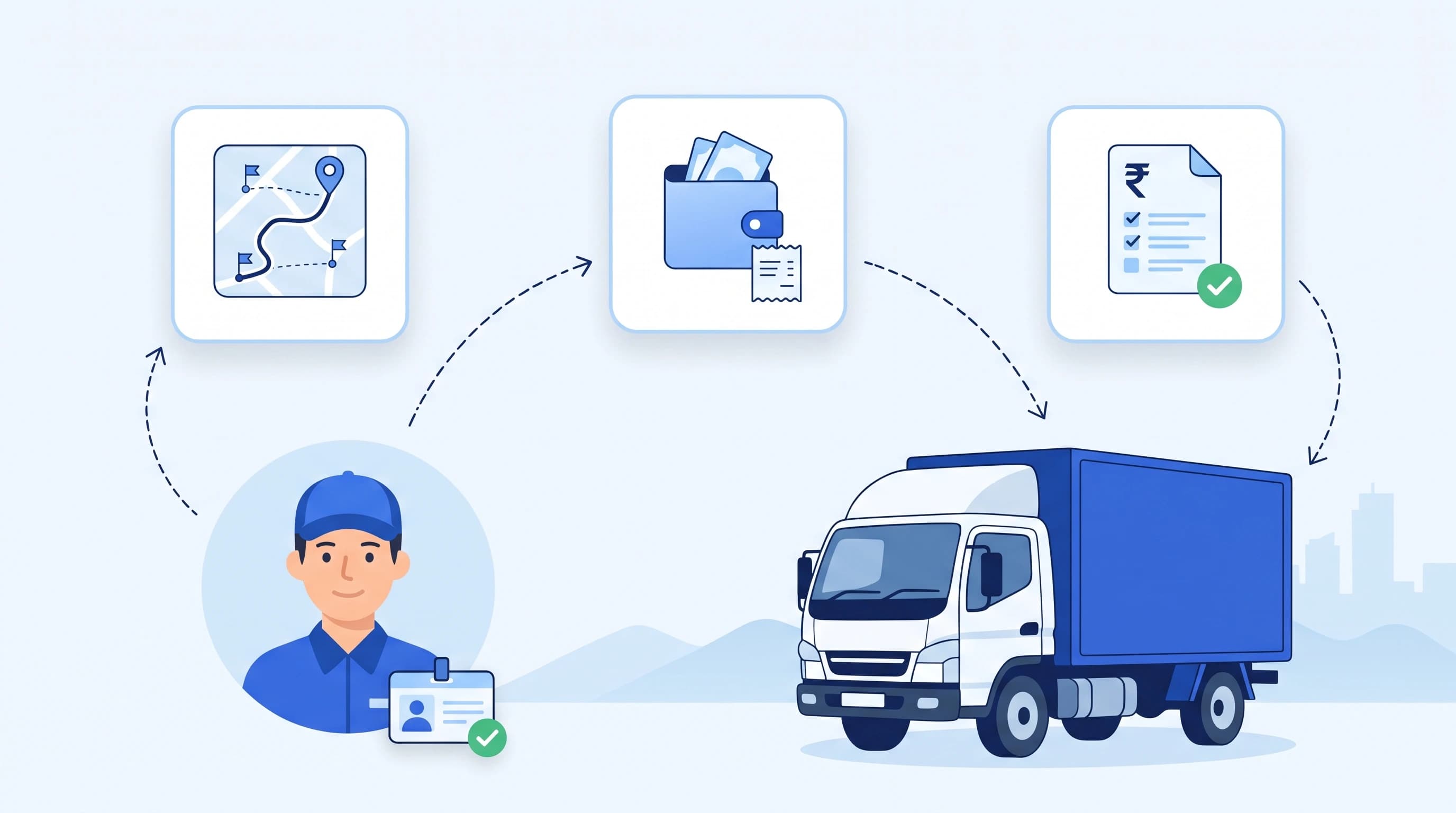
Driver Settlement Software: How It Works and What to Look For
Driver settlement software turns trips, advances and approved expenses into a driver pay statement. See how it works, a worked example and what to look for.
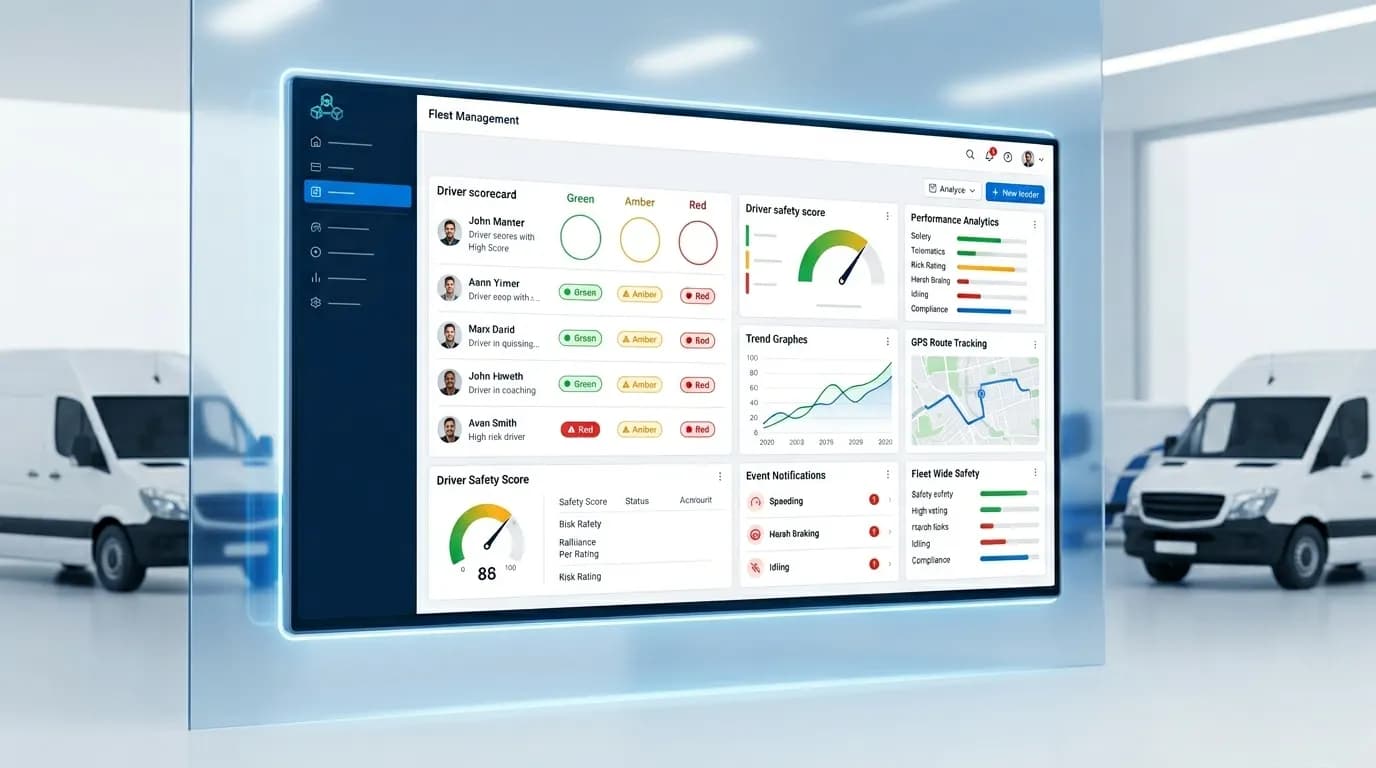
Driver Scorecards: How to Score Drivers and Set RAG Thresholds
A driver scorecard rates each driver out of 100 from events like speeding, harsh braking and idling. Learn how driver scoring works, see a worked example and set Red, Amber and Green thresholds from your own fleet data.
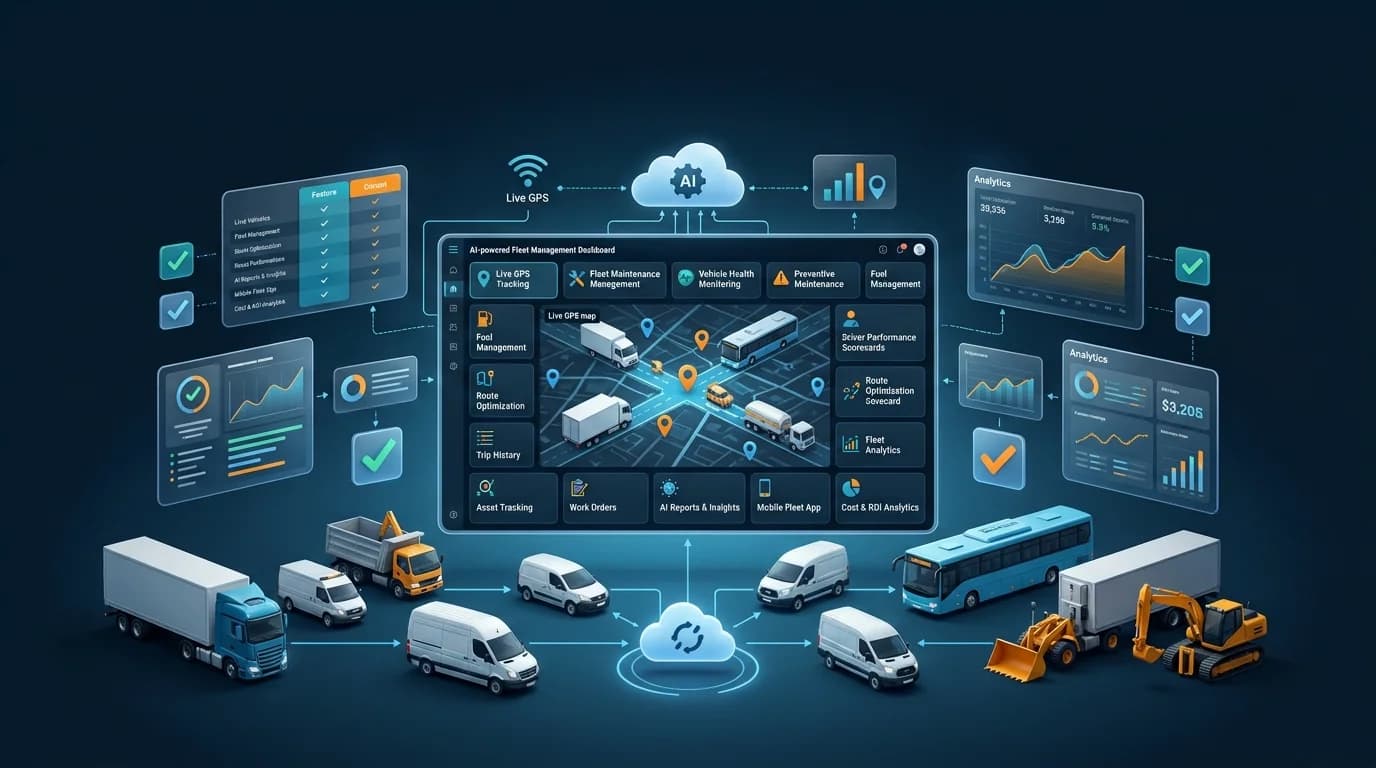
Motive Alternatives: 6 Fleet Tools Compared for 2026
Motive (formerly KeepTruckin) is strong on US ELD compliance and AI dashcams, but it is not the right fit for every fleet. Here are six alternatives to Motive and how to pick one.