Skip to content
Fleet Scanner
Hardware integration · Teltonika FMC640

Teltonika FMC640 4G truck tracker, working inside Fleet Scanner

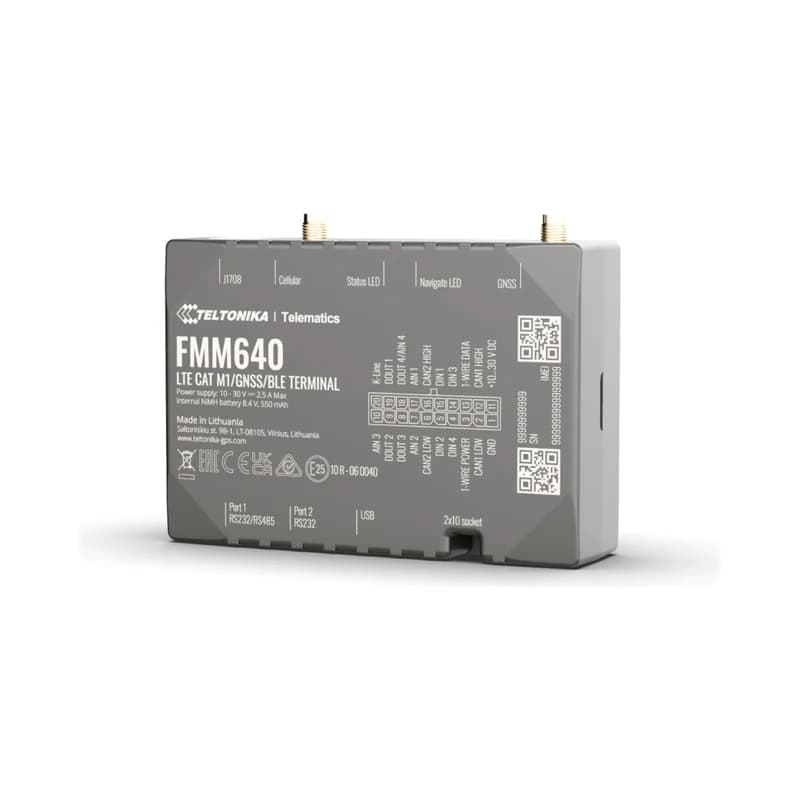
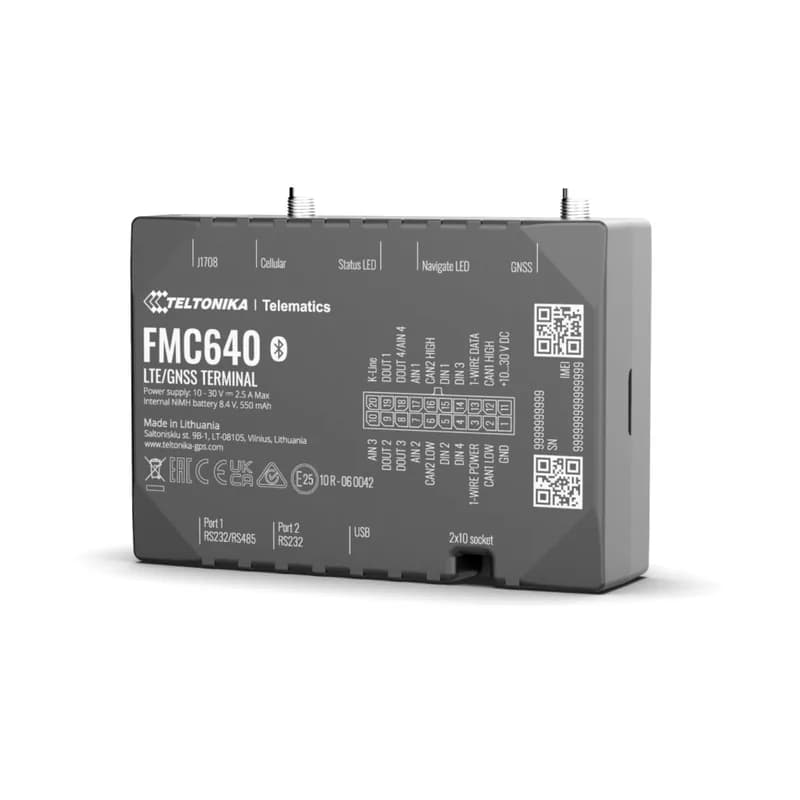
The Teltonika FMC640 is the 4G version of the FMB640, made for heavy trucks and buses. It reads the truck’s own data, works with the tachograph and connects fuel sensors and card readers. Teltonika stopped making it in 2023 and ended support in March 2025, but many trucks still use it. Fleet Scanner still works with it.

4G with 3G and 2G backupTachograph live + file download2 CAN truck data (FMS)Discontinued still supported here
Teltonika FMC640 4G LTE heavy truck GPS tracker
4inputs
4outputs
2 + 1RS232 and RS485 ports
2CAN lines for truck data
32 GBmicroSD card support
truck_data · FMS
Fuel 71 %Hours 5,402
01 · Truck data (FMS) · CAN J1939

Read the truck’s own data

Most trucks share data on a standard called FMS. The FMC640 reads it through two CAN lines: fuel level, fuel used, engine speed, engine hours and axle weights. Fleet Scanner shows these real numbers in fuel and maintenance reports.

87 Fuel level86 Total fuel used88 Engine speed104 Engine hours89–103 Axle weightsUses the FMB640-style ID list
Fuel monitoring system →
tachograph · driver cardsA3 41 9F 00
Card 1 IN
02 · Tachograph · Tachograph

Driver cards and driving time from the tachograph

The tachograph records how long each driver drives and rests. The FMC640 reads live tachograph data, such as which driver card is in and each driver’s working state. It can also download tachograph files remotely, so nobody needs to visit the truck.

187/188 Driver card in184 Driver working state195/196 Driver ID Remote DDD download
Compliance reminders for fleets →
fuel · LLS sensors
Drop -55 L
03 · Fuel sensors · RS232 / RS485

Fuel sensors in every tank

Fuel sensors are long probes that sit inside the tank. One connects to RS232 and up to five to RS485. Fleet Scanner draws a fuel chart for each tank and warns you about sudden drops that may mean theft.

201–214 Fuel sensors (LLS)
Fleet fuel management software →
live_position · 4G
4G
04 · Live tracking · Every record

Live tracking on 4G

The FMC640 sends data over 4G and falls back to 3G or 2G when it has to. It takes two SIM cards (or an eSIM) and saves data on a memory card when there is no signal, so trips are never lost.

24 Speed239 Engine on/off240 Moving or stopped
GPS fleet tracking software →
driving · eventsX -612Y 180Z 990
Speeding
05 · Driving and safety · Events

Harsh driving, crash and towing alerts

The FMC640 notices hard braking, speeding, long idling, crashes and towing. It can also stop unknown drivers from starting the truck. Fleet Scanner sends the alerts and builds driver scores.

253 Harsh driving255 Speeding247 Crash246 Towing251 Immobiliser
Real-time fleet alerts →

FMC640 specifications

StatusDiscontinued by Teltonika (production ended 2023, support ended March 2025); still works with Fleet Scanner
Network4G LTE Cat 1 with 3G and 2G backup, dual SIM or eSIM
SatellitesGPS, GLONASS, Galileo, BeiDou and QZSS
Power10 to 30 V from the truck
Backup battery550 mAh
Inputs and outputs4 inputs, 4 outputs, 4 analog inputs
Extras2 CAN (J1939 / FMS), J1708, K-Line, 2 x RS232, 1 x RS485, 1-Wire, Bluetooth 5.0
TachographLive data and remote file (DDD) download
Memory2 MB plus microSD card up to 32 GB
Size104.1 x 76.8 x 31.5 mm
Fleet Scanner port11922

Specifications can differ between hardware revisions. Check the manufacturer’s datasheet for your exact unit.

How to connect the FMC640 to Fleet Scanner

  1. If the FMC640 is already in your truck, you do not need to touch the wiring.
  2. Open the Teltonika Configurator and change the server address to your Fleet Scanner server, with port 11922.
  3. In Fleet Scanner, add the tracker by its IMEI number and pick the FMC640 model and the truck.
  4. Check the live map, then check that fuel and tachograph data appear in the truck’s details.

Teltonika FMC640 FAQ

Does Fleet Scanner still support the Teltonika FMC640?

Yes. Teltonika has stopped making and supporting it, but Fleet Scanner still reads its location, truck (FMS) data, tachograph data, fuel sensors, driver keys and alerts. It uses port 11922.

What is the difference between the FMC640 and the FMB640?

They have the same connections and use the same list of data IDs. The FMC640 uses 4G with 3G and 2G backup and has Bluetooth. The FMB640 uses 2G only.

Should I buy a new FMC640?

No. It is discontinued and gets no more updates. Keep the units you have, and choose a current Teltonika truck tracker for new trucks. Ask us which one fits.

Can the FMC640 download tachograph files?

Yes. It can send live tachograph data and download tachograph (DDD) files remotely, so drivers do not need to visit the office.

Keep your FMC640 trucks on one platform.

From a single tracker to a mixed fleet across 1,000+ device models: live tracking, alerts, fuel, drivers, maintenance and reports in one self-hosted platform. See it with your own hardware.

Get a free demo

More supported GPS trackers

Parameter IDs follow the FMB640-style AVL ID list used by the FMC640. Teltonika lists the FMC640 as end of life. Teltonika and FMC640 are trademarks of Teltonika Telematics. Specifications from the Teltonika FMC640 datasheet.

Take Control with
Fleet Tracking

Track vehicles in real time, optimize routes, and take full control of your fleet operations.

Free Demo