Skip to content
Fleet Scanner
Hardware integration · Teltonika FMC125

Teltonika FMC125 4G tracker, working inside Fleet Scanner

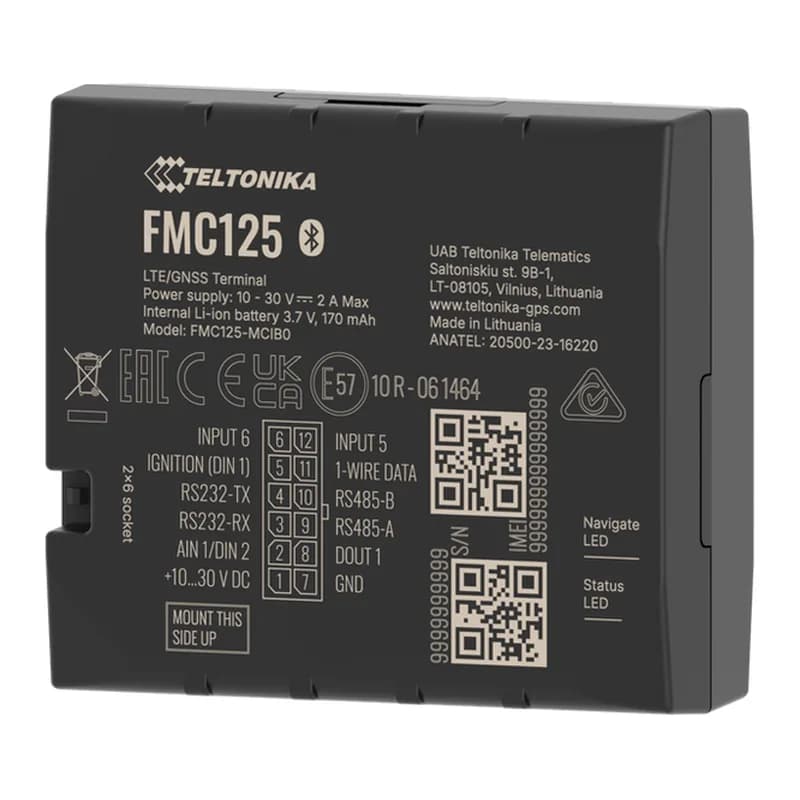
The Teltonika FMC125 is the 4G version of the FMB125. It tracks a vehicle on the fast 4G network and has two special ports, RS232 and RS485, for connecting fuel sensors and card readers. With Fleet Scanner, you see every vehicle live and know exactly how much fuel is in each tank.

4G with 2G backupRS232 + RS485 for sensorsUp to 5 fuel sensorsDual SIM two SIM cards
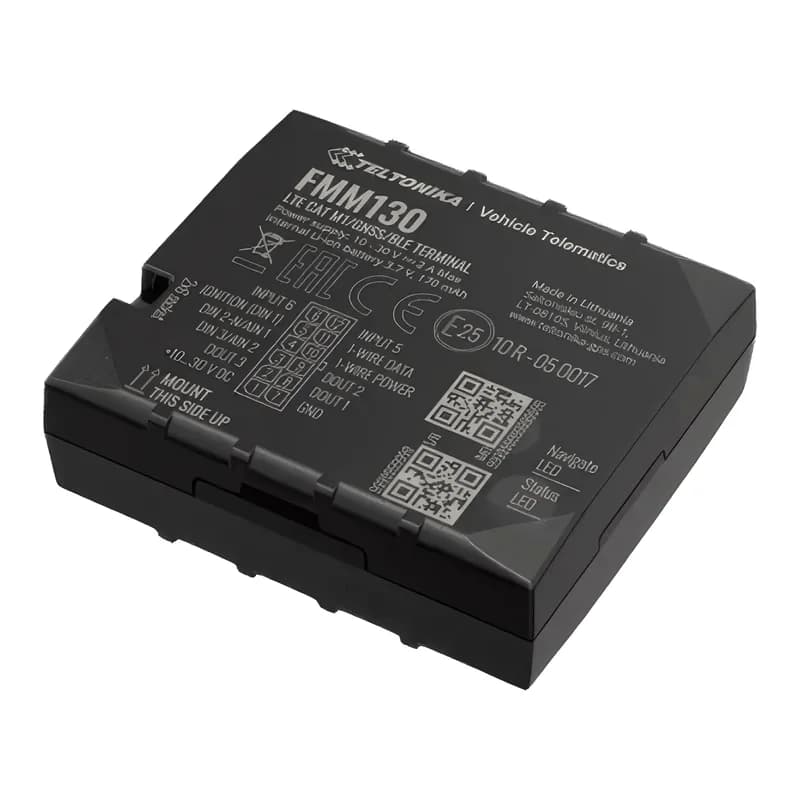
Teltonika FMC125 4G LTE GPS tracker with RS232 and RS485 connections
4Gfast network, 2G backup
5fuel sensors on RS485
2SIM cards
128 MBmemory
10 Mbps4G download speed
live_position · 4G
4GSpeed 64 km/h
01 · Live tracking · Every record

Live tracking on the 4G network

The FMC125 sends the vehicle’s position over 4G. If there is no 4G signal, it uses 2G instead. It also takes two SIM cards, so it can switch networks if one is weak. You see the vehicle live on the Fleet Scanner map.

24 Speed239 Engine on/off240 Moving or stopped
GPS fleet tracking software →
fuel · RS485 sensors
Tank 412 LDrop -47 L
02 · Fuel sensors · RS232 / RS485

Know exactly how much fuel is in each tank

A fuel sensor is a long probe that sits inside the tank and measures the level. The FMC125 can read one sensor on RS232 and up to five on RS485. Fleet Scanner draws a fuel chart for each tank and warns you if fuel suddenly drops, which can mean theft.

201/202 Fuel sensor 1203/204 Fuel sensor 2210 Fuel sensor 3
Fuel monitoring system →
driver_id · RFID + iButtonA3 41 9F 00
Driver known
03 · Driver ID · RS232 + 1-Wire

Cards and keys that show who is driving

Drivers can tap a card on an RFID reader (connected to RS232) or touch an iButton key. Fleet Scanner then knows who drove each trip. That makes driver scores fair and helps if there is a fine or an accident.

207 RFID card78 iButton key
Driver management software →
temperature · 1-Wire + BLE
Inside 4 °C
04 · Temperature · 1-Wire + Bluetooth

Watch the temperature of the load

Wired probes and wireless Bluetooth sensors report the temperature inside the vehicle. Fleet Scanner keeps a record for every trip and alerts you if it goes outside the safe range.

72–75 Wired probes 1–425–28 Bluetooth sensors 1–4
Cold chain tracking →
driving · accelerometerX -612Y 180Z 990
Speeding
05 · Driving and safety · Motion sensor

Alerts for harsh driving, crashes and towing

The FMC125 notices hard braking, fast starts, sharp turns, speeding, long idling, crashes and towing. Fleet Scanner shows each one on the map and turns them into driver scores.

253 Harsh driving255 Speeding251 Idling247 Crash246 Towing
Driver scorecards →
vehicle_data · CAN adapter
RPM 1,310
06 · Vehicle data · CAN adapter

Real fuel and mileage from the vehicle

With a Teltonika CAN adapter, the FMC125 reads data straight from the vehicle, like fuel level, engine speed and total mileage. On cars and vans, a Bluetooth OBD dongle does a similar job.

81–89 CAN data256 VIN (OBD)
Preventive maintenance scheduling →

FMC125 specifications

Network4G LTE Cat 1 with 2G backup, dual SIM
SatellitesGPS, GLONASS, Galileo and BeiDou
Power10 to 30 V from the vehicle
Backup battery170 mAh
Inputs and outputs2 inputs, 1 output, 1 analog input
ExtrasRS232, RS485, 1-Wire, CAN adapter input, Bluetooth
RS232 / RS485 usesFuel sensors, RFID readers, Garmin navigation, displays
Memory128 MB
Size65 x 56.6 x 20.6 mm
Fleet Scanner port11922

Specifications can differ between hardware revisions. Check the manufacturer’s datasheet for your exact unit.

How to connect the FMC125 to Fleet Scanner

  1. Fix the FMC125 in the vehicle and connect power, ground and ignition. Connect the fuel sensor or card reader to RS232 or RS485.
  2. Open the Teltonika Configurator. Choose what each port is used for (for example "LLS" for fuel sensors), enter your SIM internet settings (APN) and your Fleet Scanner server address with port 11922.
  3. In Fleet Scanner, add the tracker by its IMEI number and pick the vehicle.
  4. Set up each fuel tank in Fleet Scanner, then drive a short trip to check the map and the fuel chart.

Teltonika FMC125 FAQ

Does Fleet Scanner work with the Teltonika FMC125?

Yes. Fleet Scanner reads its location, fuel sensors, RFID cards, driver keys, temperature and driving alerts. It uses port 11922.

What is the difference between the FMC125 and the FMB125?

They look and work the same. The FMC125 uses 4G with a 2G backup. The FMB125 uses 2G only.

How many fuel sensors can I connect?

One on RS232 and up to five on RS485. That covers most trucks and tankers with more than one tank.

Why does it take two SIM cards?

If one mobile network is weak or down, the tracker can switch to the other SIM, so you do not lose tracking.

FMC125 plugged in. Every tank on one platform.

From a single tracker to a mixed fleet across 1,000+ device models: live tracking, alerts, fuel, drivers, maintenance and reports in one self-hosted platform. See it with your own hardware.

Get a free demo

More supported GPS trackers

Parameter IDs are Teltonika AVL IDs listed for the FMC125; fuel, RFID and CAN data need the matching accessory. Teltonika and FMC125 are trademarks of Teltonika Telematics. Specifications from the Teltonika FMC125 datasheet.

Take Control with
Fleet Tracking

Track vehicles in real time, optimize routes, and take full control of your fleet operations.

Free Demo