Skip to content
Fleet Scanner
Hardware integration · Teltonika FMC920

Teltonika FMC920 4G tracker, working inside Fleet Scanner

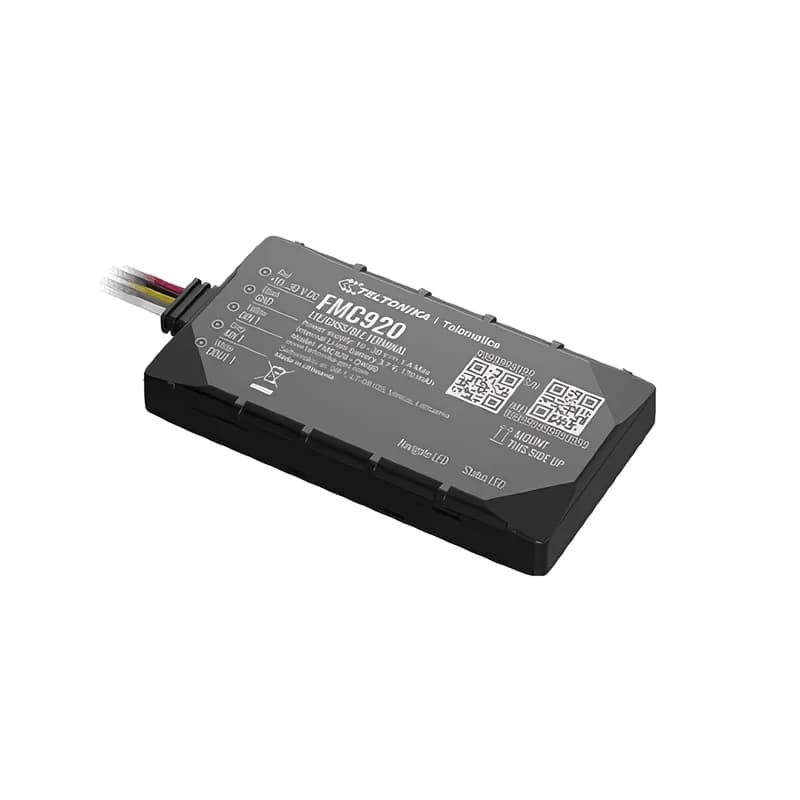
The Teltonika FMC920 4G GPS tracker is the 4G version of Teltonika’s best-selling small tracker. It uses 4G LTE Cat 1 and falls back to 2G when needed. It has a backup battery and Bluetooth. As 2G networks close, it is the natural upgrade for fleets that use the FMB920. Fleet Scanner turns its records into live tracking, driving scores, alerts and reports.

LTE Cat 1 + 2G fallbackCompact 79 x 43 x 12 mmBLE 4.0 EYE sensors + OBD donglePort 11922
Teltonika FMC920 compact 4G LTE GPS tracker with wiring
LTE Cat 1with 2G fallback
10 MbpsLTE download speed
128 MBflash, about 422,000 records
IP54dust and splash protection
54 gweight
live_position · LTE
Speed 72 km/hLTE
01 · Live tracking · Permanent I/O

Live tracking on 4G, ready for the 2G switch-off

The FMC920 finds its position with GPS, GLONASS, Galileo and BeiDou. It sends position, speed, ignition and movement over 4G (LTE Cat 1). Where needed, it falls back to 2G. Fleet Scanner shows every vehicle live. It keeps each trip so you can play it back.

24 Speed239 Ignition240 Movement16/199 Odometer / trip
GPS fleet tracking software →
driving_events · accelerometerX -612Y 180Z 990
Harsh brakingScore -2 pts
02 · Driving behaviour · Eventual I/O

Harsh driving, speeding and too much idling

The motion sensor (accelerometer) and the Green Driving feature flag harsh acceleration, braking and cornering. The Over Speeding and Excessive Idling features catch habits that waste fuel. Idling means the engine runs while the vehicle stands still. Fleet Scanner turns all of these into driver scores.

253/254 Green driving255 Over speeding251 Idling
Driver scorecards →
security · alarms
UnplugBackup ON
03 · Crash, towing and unplug · Eventual I/O

Crash detection, towing and unplug alerts

The FMC920 can tell when there is a crash. It can tell when the vehicle is towed away with the ignition off. It also notices when the tracker is unplugged. Its backup battery keeps it reporting after the power is cut. Fleet Scanner sends each of these to you as an instant alert.

247 Crash detection246 Towing252 Unplug
Real-time fleet alerts →
digital_io · in / outDIN1 Ignition ONAIN1 12.4 VDOUT1 Relay OFF
DIN1 ONRelay OFF
04 · Inputs and outputs · Permanent I/O

Ignition input, analog input and a relay output

The FMC920 has a digital input for ignition and an analog input for an analog fuel sensor. It also has an open-collector output for an immobiliser relay. That relay is a switch that can stop the engine from starting. You can even switch it with a phone call. Fleet Scanner shows each change and can switch the output for you.

1 Digital input 19 Analog input 1179 Digital output 1
Vehicle and equipment protection →
obd · bluetooth dongle
Coolant 86 °C
05 · OBD-II data · BLE OBD-II

Engine data from a Bluetooth OBD-II dongle

An OBD-II dongle is a small plug for the vehicle’s diagnostic port. Pair one over Bluetooth to get RPM, engine load, coolant temperature and fault codes. You need no extra wiring. Fleet Scanner uses this data for service reminders and early warnings.

36 Engine RPM31 Engine load32 Coolant temp30 Fault codes
Preventive maintenance scheduling →
ble_sensors · EYE
BLE temp 4.6 °C
06 · BLE sensors · Bluetooth 4.0 + LE

EYE beacons and sensors without wiring

Bluetooth 4.0 + LE connects Teltonika EYE beacons and sensors and other Bluetooth (BLE) accessories. So a van can report its cargo temperature. It can also report a tagged item that is nearby. Fleet Scanner saves each sensor reading with the trip.

10800–03 EYE temp25–28 BLE temp #1–4
Speeding, idling and geofence alerts →
device_health · power12.6V
Ext 12.7 V
07 · Power and diagnostics · Permanent I/O

Voltage, battery and network health

Every record has the vehicle’s power voltage, the backup battery, the signal and sleep mode. Fleet Scanner alerts you when a tracker loses power or goes quiet. So you always know why there is a gap in tracking.

66 External voltage67 Battery voltage113 Battery level21 Signal200 Sleep mode
Fleet reports and dashboards →

FMC920 specifications

NetworkLTE Cat 1 (up to 10 Mbps down) with 2G fallback; bands depend on the regional version
GNSSGPS, GLONASS, Galileo, BeiDou, SBAS, QZSS, AGPS; 33 channels, < 3 m
Power supply10 to 30 V DC
Backup battery170 mAh Li-Ion
Inputs / outputsDigital input, analog input, open-collector digital output
InterfacesBluetooth 4.0 + LE (EYE sensors, BLE OBD-II dongle), internal antennas, Micro-SIM
Memory128 MB flash
Size / weight79 x 43 x 12 mm, 54 g, IP54
Fleet Scanner port11922 (TCP)

Specifications can differ between hardware revisions. Check the manufacturer’s datasheet for your exact unit.

How to connect the FMC920 to Fleet Scanner

  1. Fit the FMC920 behind the dashboard with the label facing up. Then connect power, ground and ignition.
  2. Open the Teltonika Configurator. Set the APN (internet settings) of your 4G (LTE) SIM. Then enter your Fleet Scanner server’s domain or IP, port 11922 and protocol TCP.
  3. In Fleet Scanner, add the tracker by its IMEI number. Then assign it to a vehicle and a driver.
  4. If you use EYE sensors or an OBD-II dongle, pair them now. Then check the first trip on the live map.

Teltonika FMC920 FAQ

Does Fleet Scanner support the Teltonika FMC920?

Yes. Fleet Scanner reads the FMC920’s position, ignition, input and output, and driving events. It also reads crash, towing and unplug alerts, plus Bluetooth sensor and OBD dongle data. It reports on port 11922.

What is the difference between the FMC920 and the FMB920?

They have the same small design. The FMC920 uses 4G LTE Cat 1 and falls back to 2G. The FMB920 is 2G only. So the FMC920 is the safer choice where 2G is being switched off.

Does the FMC920 have CAN or 1-Wire?

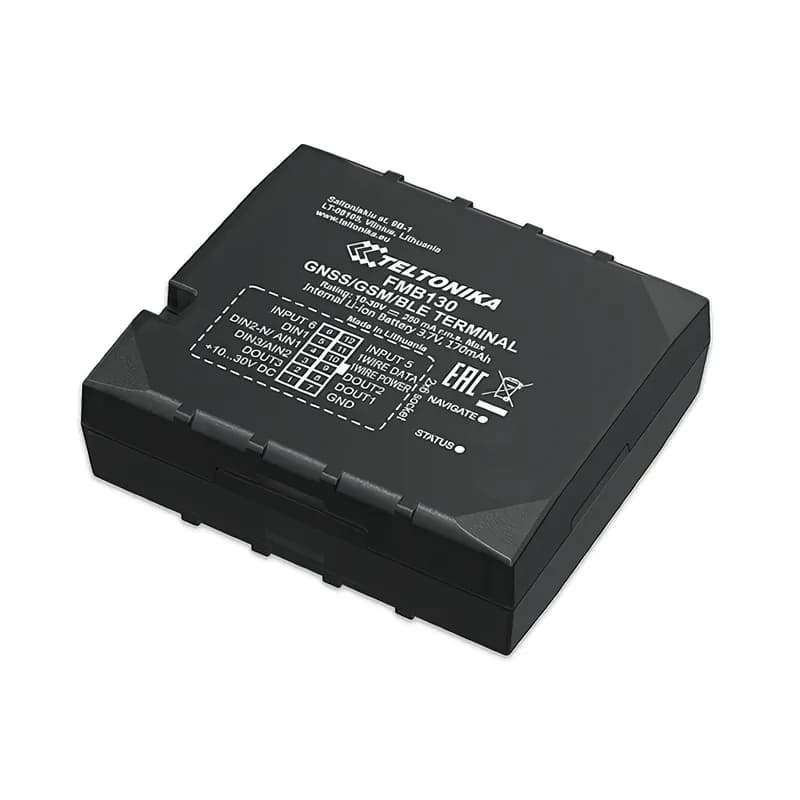
No. CAN bus is the vehicle’s own data network. If you need CAN data, iButton driver keys or Dallas temperature probes, use the Teltonika FMC130. The FMC920 reads engine data through a Bluetooth OBD-II dongle.

Can I move my FMB920 fleet to the FMC920 in Fleet Scanner?

Yes. Both use the same Teltonika protocol and port. So when you swap the hardware, the vehicle keeps its history, alerts and reports in Fleet Scanner.

FMC920 plugged in. Fleet running on one platform.

From a single tracker to a mixed fleet across 1,000+ device models: live tracking, alerts, fuel, drivers, maintenance and reports in one self-hosted platform. See it with your own hardware.

Get a free demo

More supported GPS trackers

Parameter IDs come from Teltonika’s shared FMB/FMC AVL parameter table. Teltonika and FMC920 are trademarks of Teltonika Telematics. Specifications from the Teltonika FMC920 datasheet and description.

Take Control with
Fleet Tracking

Track vehicles in real time, optimize routes, and take full control of your fleet operations.

Free Demo