Skip to content
Fleet Scanner
Hardware integration · Teltonika FMM001

Teltonika FMM001 OBD tracker, working inside Fleet Scanner

The Teltonika FMM001 is a plug-in GPS tracker for cars and vans. It goes into the OBD port, the small socket under the dashboard that garages use to check a car. It talks over LTE Cat M1, a kind of 4G made for small devices. If there is no LTE Cat M1 signal, it uses 2G instead. You plug it in, and it starts sending the car’s location, engine data and alerts to Fleet Scanner.

OBD plug and playLTE Cat M1 + 2G backup32 engine valuesBluetooth wireless sensors
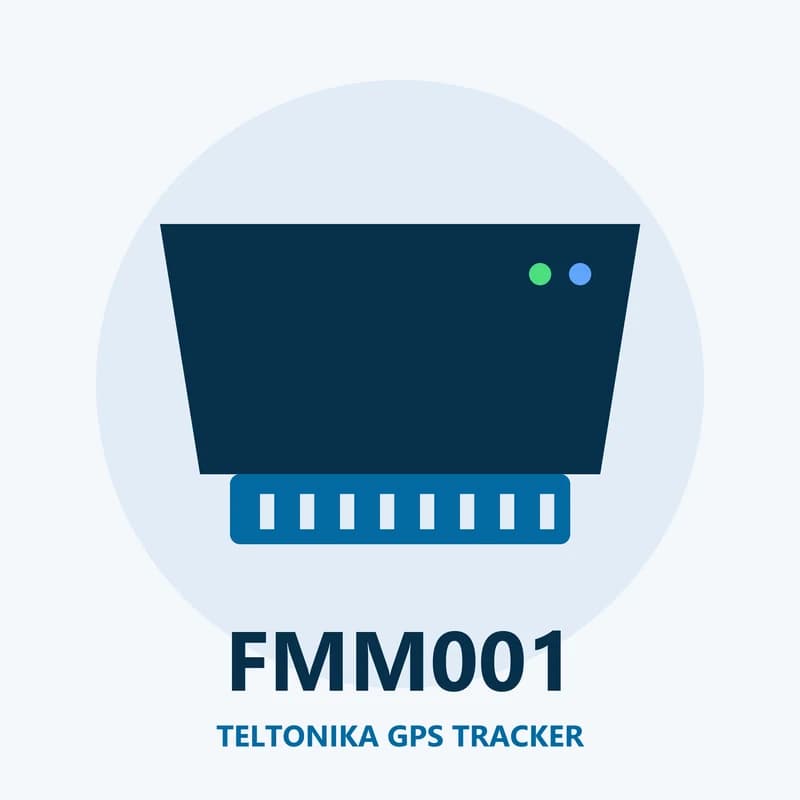
Illustration of the Teltonika FMM001 GPS tracker
0wires to connect
32engine values it can read
33satellite tracking channels
170 mAhbackup battery
128 MBmemory
live_position · LTE-M
Speed 38 km/hLTE-M
01 · Live tracking · Every record

See each car on the map over LTE Cat M1

Once it is in the OBD socket, the FMM001 takes its power from the car and gets to work. It uses GPS, GLONASS, Galileo, BeiDou and QZSS to work out where it is. It sends the position over LTE Cat M1, or over 2G when that is all it can find. If there is no signal at all, it keeps the records in its memory. The 128 MB memory holds about 422,400 records. They are sent when the signal comes back, so no part of a trip goes missing in Fleet Scanner.

Position Speed Engine on/off Moving or stopped Satellites in view
GPS fleet tracking software →
engine · OBD-II
OBD Connected
02 · Engine data · OBD-II

Engine values from the car’s own computer

Every modern car has a small computer that keeps track of the engine. The FMM001 can ask it for up to 32 values. It speaks the common OBD languages, over K-Line and CAN bus. Which values you get depends on the car, because each car maker shares a different set. Fleet Scanner keeps these values with each trip and uses them for service reminders.

Up to 32 OBD values K-Line CAN bus SAE J1850
Preventive maintenance scheduling →
driving · accelerometerX -612Y 180Z 990
Fast turnScore -1 pt
03 · Driving and safety · Motion sensor

Driver scores from braking, speeding and idling

There is a motion sensor (accelerometer) inside the FMM001. Teltonika calls its driving check Green Driving. It spots hard braking, quick starts and fast turns. The tracker also flags over speeding and long idling, which is when the engine runs but the car does not move. It can sense a crash too, from a light knock up to a bad accident. Fleet Scanner adds all of this up into a score for each driver.

Green Driving Over speeding Excessive idling Crash detection
Driver scorecards →
security · alerts
Lifted ALERT
04 · Unplug and towing · Events

Alerts when the tracker is pulled out or the car is lifted

A plug-in tracker can be pulled out in a second. The FMM001 sends an event when it is unplugged and again when it is plugged back in. It can use the car’s power alone for this, or the power and the motion sensor together. It also sends an event when the car is towed or lifted while parked. And it can tell when someone is blocking the mobile signal (jamming). The 170 mAh backup battery gives it time to send these alerts.

Unplug detection Towing detection Jamming detection
Real-time fleet alerts →
bluetooth · sensors
Load area 4 °C
05 · Bluetooth sensors · Bluetooth 4.0 + LE

Pair it with Bluetooth temperature and humidity sensors

The FMM001 has Bluetooth 4.0 with Low Energy built in. It can pick up readings from small wireless sensors, such as a temperature and humidity sensor placed in the back of a van. Fleet Scanner stores each reading next to the trip. You can then send an alert when the van gets too warm.

Bluetooth temperature Bluetooth humidity BLE sensors
Fleet reports and dashboards →
geofence · trip
Zone YardEntered
06 · Zones and trips · Scenarios

Zones, trips and a fuel guess from GPS

The FMM001 knows when a car enters or leaves a zone you set up. With Auto Geofence it can also warn you when a parked car starts to move off. The Trip feature marks where each journey starts and ends. A GNSS fuel counter works out roughly how much fuel was used from the distance driven. In Fleet Scanner you can draw your own zones on the map, like your yard or a client’s site.

Manual geofence Auto Geofence Trip GNSS fuel counter
Fleet geofencing software →

FMM001 specifications

NetworkLTE Cat M1 with 2G fallback (GSM 850/900/1800/1900 MHz)
SatellitesGPS, GLONASS, Galileo, BeiDou and QZSS, with A-GPS; 33 tracking channels
PowerFrom the car’s OBD socket
Backup battery170 mAh Li-Ion
Car protocolsSAE J1850, ISO 9141-2, ISO 14230-4 (KWP2000) and ISO 15765-4 (CAN)
ExtrasBluetooth 4.0 + LE, accelerometer
Memory128 MB
SIMMicro-SIM
Size67.2 x 49.6 x 25 mm, IP41
Working temperature-40 °C to +85 °C (without battery)
Fleet Scanner port11922

Specifications can differ between hardware revisions. Check the manufacturer’s datasheet for your exact unit.

How to connect the FMM001 to Fleet Scanner

  1. Check that your SIM card works on LTE Cat M1 or 2G where you drive. Put the Micro-SIM in the FMM001.
  2. Connect the FMM001 to a computer and open the Teltonika Configurator. Enter your SIM’s APN and your Fleet Scanner server address with port 11922, then save.
  3. Plug the FMM001 into the car’s OBD socket, which you will usually find below the steering wheel. In Fleet Scanner, add the tracker by its IMEI number and link it to the car.
  4. Take the car for a short drive. Its position should show up on the Fleet Scanner live map within a few minutes.

Teltonika FMM001 FAQ

Does the Teltonika FMM001 work with Fleet Scanner?

Yes. Fleet Scanner takes in its location, engine on or off, OBD values, driving events, unplug and towing alerts and Bluetooth sensor readings. Set the tracker to send to port 11922.

What is LTE Cat M1 on the FMM001?

LTE Cat M1 (also called LTE-M) is a slow but power-saving kind of 4G for small devices like trackers. A tracker sends small messages, so it does not need fast internet. Where LTE Cat M1 is missing, the FMM001 switches to 2G.

Is the FMM001 still sold?

No. Teltonika lists the FMM001 as end of life. The last order date was in May 2023, and Teltonika support ended on 2 August 2025. Teltonika names the FMM003 as its replacement. FMM001 trackers you already own still connect to Fleet Scanner.

How is the FMM001 different from the FMC001?

They look alike and are the same size, with the same 170 mAh backup battery. The FMC001 uses LTE Cat 1 with 3G and 2G backup. The FMM001 uses LTE Cat M1 with 2G backup.

FMM001 on LTE-M. Every car on one map.

From a single tracker to a mixed fleet across 1,000+ device models: live tracking, alerts, fuel, drivers, maintenance and reports in one self-hosted platform. See it with your own hardware.

Get a free demo

More supported GPS trackers

Data names follow the Teltonika FMM001 documentation; engine data depends on what each car shares over OBD. Teltonika lists the FMM001 as end of life. Teltonika and FMM001 are trademarks of Teltonika Telematics. Specifications from the Teltonika FMM001 datasheet, quick manual and wiki.

Take Control with
Fleet Tracking

Track vehicles in real time, optimize routes, and take full control of your fleet operations.

Free Demo