Skip to content
Fleet Scanner
Hardware integration · Teltonika FMP100

Teltonika FMP100 lighter socket tracker, working inside Fleet Scanner

The Teltonika FMP100 is a 2G GPS tracker that goes in the 12V cigarette lighter socket of a car or van. You push it in and it is ready, with no wires to cut. It has a button, a coloured light and a small buzzer. It also has a USB port, so the driver can still charge a phone. Fleet Scanner shows where it is and what the driver is doing.

12V socket push in, no wiring2G mobile networkBuzzer warns the driverBluetooth sensors + headset
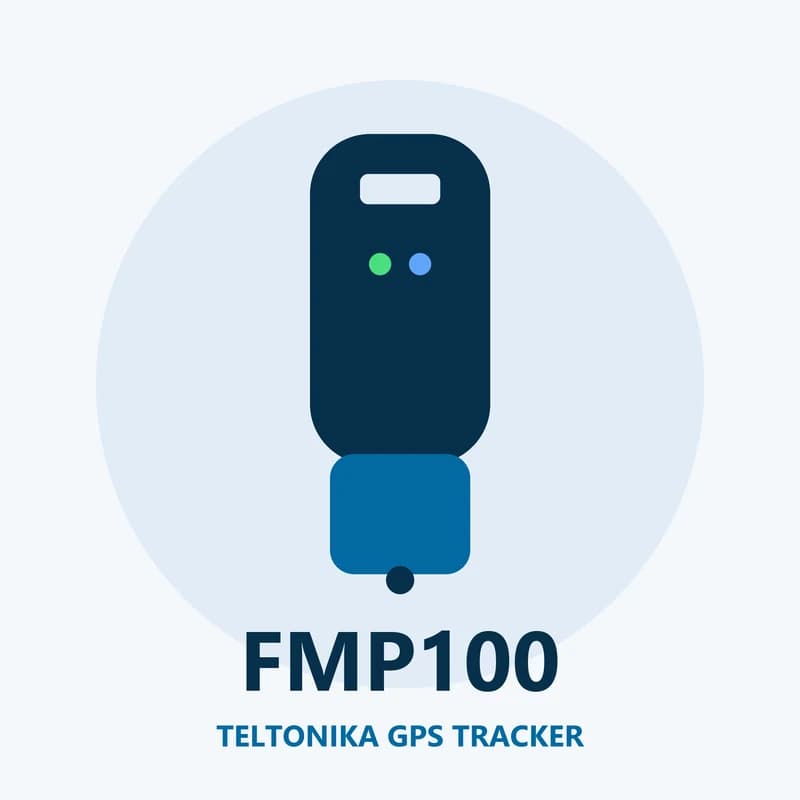
Illustration of the Teltonika FMP100 GPS tracker
0wires to fit
1button with 3 press types
5 V 1 AUSB port to charge a phone
170 mAhbackup battery
128 MBmemory
live_position
Speed 44 km/hEngine ON
01 · Live tracking · Every record

Push it into the socket and follow the van live

The FMP100 takes its power from the lighter socket. It finds its place with GPS, GLONASS, Galileo and BeiDou. It can tell the engine is on from the car’s voltage or from its own motion sensor. Fleet Scanner draws each trip on the live map, with speed and stops, and keeps it so you can watch it again later.

Speed Engine on/off Moving or stopped External voltage
GPS fleet tracking software →
button · private modeSOS
AlarmMode Business
02 · Button and private mode · Built-in button

One button for help, and for private trips

The FMP100 has a built-in button. You can press it in 3 different ways, and you choose what each press does. One press can send an alarm with the vehicle’s position, for example after a flat tyre or an accident. Another can switch between business and private mode. In private mode the tracker stops saving positions, which is handy when a work car is used at the weekend.

Alarm Business / private mode Check trip
Real-time fleet alerts →
driving · buzzerX -612Y 180Z 990
Over speedBuzzer ON
03 · Driving and safety · Motion sensor + buzzer

A beep in the cab when the driver goes too fast

The FMP100 watches how the vehicle is driven. It spots harsh braking, hard starts and sharp turns, going over the speed limit and leaving the engine running while parked. The buzzer can beep right away, so the driver hears it and slows down. Fleet Scanner keeps the same events and turns them into a score for each driver.

Green driving Overspeeding Excessive idling Buzzer
Driver scorecards →
security · alerts
Unplugged
04 · Unplug, towing and crash · Scenarios

Alerts if it is pulled out, the car is towed or hit

A tracker in the lighter socket is easy to see and easy to pull out. The FMP100 sends an alert when that happens. It also warns you when a parked car is lifted or moved with the engine off, and when it feels a crash. It can notice when someone blocks the mobile signal too. Fleet Scanner sends each alert to the right person.

Unplug detection Towing detection Crash detection Jamming detection
Real-time fleet alerts →
bluetooth · sensors
Load area 5 °C
05 · Bluetooth · Bluetooth 4.0 + LE

Pair a headset or a small temperature sensor

The FMP100 has Bluetooth 4.0 with Low Energy. It can pair with a hands-free headset or speaker in the cab. It can also read Bluetooth sensors, such as one that checks temperature and humidity in the back of a van. Fleet Scanner saves those readings with each trip, so you can use them in reports.

Bluetooth temperature Bluetooth humidity Hands-free headset
Fleet reports and dashboards →
geofence · trip
Zone DepotLeft zone
06 · Zones and trips · Scenarios

Draw zones and split the day into trips

The FMP100 supports manual zones that you set up and an auto zone around a parked car. If the car leaves the auto zone, you hear about it. The trip setting cuts the day into separate journeys for a logbook. In Fleet Scanner you can add your own zones too, like a depot, a home address or a customer site.

Auto geofence Manual geofence Trip
Fleet geofencing software →

FMP100 specifications

Network2G (GSM) quad-band 850/900/1800/1900 MHz, GPRS class 12
SatellitesGPS, GLONASS, Galileo, BeiDou, SBAS and QZSS, with AGPS; 33 channels
AccuracyUnder 2.5 m (CEP)
Power10 to 30 V DC from the cigarette lighter socket
Backup battery170 mAh Li-ion
Engine on/offFrom the motion sensor or the vehicle’s voltage
ExtrasBluetooth 4.0 + LE, button, RGB light, buzzer
USBMicro-USB for set up, USB Type-A to charge a phone (5 V 1 A)
Memory128 MB
Size96.7 x 33.4 x 27.5 mm
Fleet Scanner port11922

Specifications can differ between hardware revisions. Check the manufacturer’s datasheet for your exact unit.

How to connect the FMP100 to Fleet Scanner

  1. Put a data SIM card in the FMP100. Connect it to a computer over Micro-USB and open the Teltonika Configurator.
  2. Enter your SIM internet settings (APN) and your Fleet Scanner server address with port 11922. Choose what each button press should do.
  3. Push the FMP100 into the vehicle’s 12V cigarette lighter socket. In Fleet Scanner, add it with its IMEI number and pick the vehicle.
  4. Turn the key and drive around the block. The vehicle should show up on the live map.

Teltonika FMP100 FAQ

Does Fleet Scanner work with the Teltonika FMP100?

Yes. Fleet Scanner reads its position, engine on/off, button alarms, driving events, unplug and towing alerts and Bluetooth sensor data. Point the tracker at port 11922 on your own Fleet Scanner server.

Is the Teltonika FMP100 still sold?

No. Teltonika now marks the FMP100 as end of life and out of stock. It does not name a direct replacement on the product page. FMP100 trackers you already have keep working with Fleet Scanner.

Can the driver still charge a phone with the FMP100 in the socket?

Yes. The FMP100 has its own USB Type-A port that gives 5 V and 1 A, so a phone or tablet can charge from the tracker while it sits in the socket.

What does private mode do on the FMP100?

In private mode the tracker stops saving positions, so private trips are not tracked. The driver switches between business and private mode with the button, if you set the button up that way.

FMP100 in the socket. Every van on one map.

From a single tracker to a mixed fleet across 1,000+ device models: live tracking, alerts, fuel, drivers, maintenance and reports in one self-hosted platform. See it with your own hardware.

Get a free demo

More supported GPS trackers

Data names follow Teltonika’s FMP100 documentation; Bluetooth data needs a paired sensor. Teltonika lists the FMP100 as end of life. Teltonika and FMP100 are trademarks of Teltonika Telematics. Specifications from the Teltonika FMP100 datasheet and wiki.

Take Control with
Fleet Tracking

Track vehicles in real time, optimize routes, and take full control of your fleet operations.

Free Demo