Skip to content
Fleet Scanner
Hardware integration · Teltonika FMU125

Teltonika FMU125 3G tracker, working inside Fleet Scanner

The Teltonika FMU125 GPS tracker is a 3G box for trucks that carry extra gear. It uses 2G when 3G is not there. Its RS232 and RS485 ports take fuel probes, card readers and a Garmin navigator. Teltonika stopped making it, but the ones on the road still work. Fleet Scanner shows them on a live map and turns their data into alerts and reports.

3G with 2G fallbackRS232 + RS485 add-on portsUp to 5 fuel probes on RS485Bluetooth 4.0 LE built in
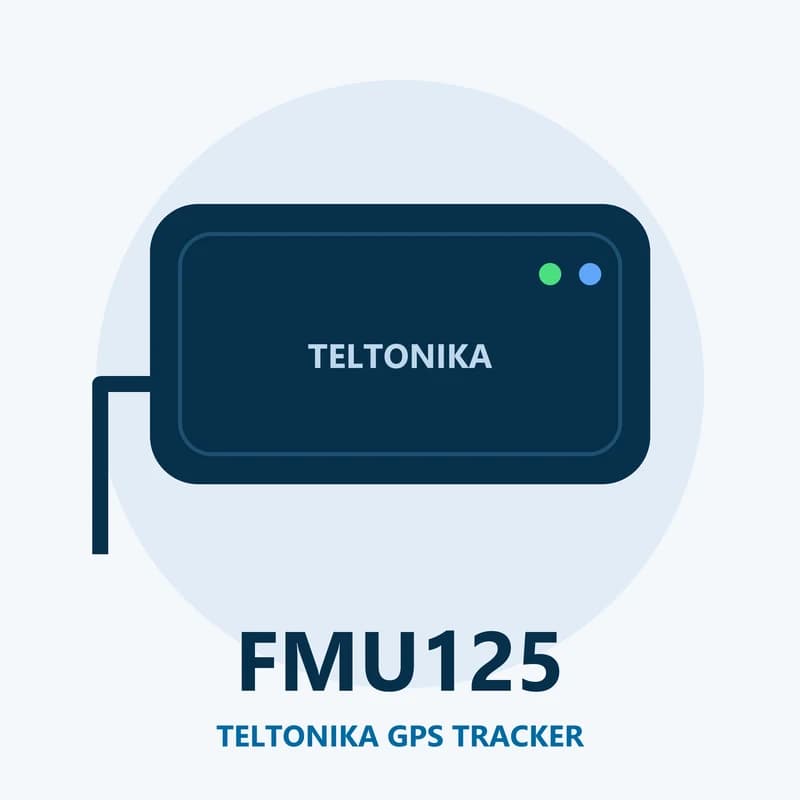
Illustration of the Teltonika FMU125 GPS tracker
1 + 1RS232 and RS485 ports
5LLS fuel probes on RS485
422,400records in 128 MB
170 mAhbackup battery
52 gwith case and battery
fuel · LLS on RS232/RS485
Tank 2 288 LNight drop -35 L
01 · Fuel probes · RS232 / RS485

Watch every tank with LLS fuel probes

An LLS probe sits inside the fuel tank and measures how full it is. The FMU125 takes one probe on RS232 and up to five on RS485. Fleet Scanner draws a fuel line for each tank. A sudden drop with the engine off stands out, so you can spot fuel theft fast.

LLS fuel level LLS fuel temperature Probes 1 to 5 on RS485
Fuel monitoring system →
rs232 · add-onsDIN1 Ignition ONAIN1 12.4 VDOUT1 Relay OFF
Garmin linkedCard read
02 · Serial add-ons · RS232

Card readers, a Garmin screen and other serial gear

Set the RS232 port to the job you need. It can read an RFID card reader, drive an LCD screen or talk to a Garmin navigator. Teltonika says the FMU125 supports Garmin FMI up to version 2.1, so you can send text and jobs to the cab. It can also pass raw serial data on over TCP.

RFID Garmin FMI LCD NMEA TCP pass-through
Driver management software →
live_position · 3G
3GSpeed 72 km/h
03 · Live tracking · Every record

A live map over 3G, with 2G as the backup

The tracker takes its position from GPS, GLONASS, Galileo and BeiDou satellites. It saves a point by time, distance, turn angle and speed change, all at once. When there is no signal, records wait in its memory and go out later, so trips have no gaps.

Speed Ignition Movement Satellite fix Odometer
GPS fleet tracking software →
driver_id · 1-WireA3 41 9F 00
Key known
04 · Driver keys · 1-Wire

Tie each trip to the person behind the wheel

A 1-Wire iButton reader lets each driver touch a small key before setting off. The tracker sends the key number with its data. Fleet Scanner matches it to a name, so every trip, alert and fuel event lands on the right driver.

iButton ID
Driver scorecards →
temperature · 1-Wire
Box 3.8 °C
05 · Temperature · 1-Wire

Wired temperature probes for chilled loads

The same 1-Wire line also reads temperature probes. Put one in the cargo box and Fleet Scanner keeps the reading with each trip. If the load gets too warm or too cold, you get an alert.

1-Wire temperature Sensor ID
Cold chain tracking →
driving_events · accelerometerX -612Y 180Z 990
Harsh braking
06 · Driving events · Accelerometer

Harsh driving, speeding, crashes and towing

The FMU125 notices hard braking, fast starts and sharp turns. It also flags speeding, a crash, a vehicle lifted or towed with the engine off, and a jammed mobile signal. Fleet Scanner turns these into driver scores and alerts on your phone.

Harsh acceleration Harsh braking Harsh cornering Over speeding Crash Towing GSM jamming
Real-time fleet alerts →
vehicle_data · CAN adapter
CAN linked
07 · Vehicle data · LV-CAN adapter

Engine data through a CAN adapter

Two of the input wires can link to a Teltonika LV-CAN adapter. The adapter reads data from the vehicle’s own network. What you get depends on the make and model. Fleet Scanner uses it in fuel and service reports.

CAN adapter data
Preventive maintenance scheduling →

FMU125 specifications

Network3G (UMTS/HSPA) with 2G (GSM/GPRS) fallback, GPRS class 12
SatellitesGPS, GLONASS, Galileo and BeiDou, sensitivity up to -165 dBm
Power10 to 30 V DC from the vehicle
Backup battery170 mAh Li-Ion, 3.7 V
Inputs and outputs2 digital inputs (one pin can work as an analog input, 0 to 30 V), 1 open collector output
Interfaces1 RS232, 1 RS485, 1-Wire, LV-CAN adapter wires, Bluetooth 4.0 LE
Port modesRS232: LLS, RFID, Garmin FMI, LCD, NMEA, TCP. RS485: LLS, NMEA, TCP
Memory128 MB, about 422,400 records
Weight and temperature52 g, works from -40 to +85 °C (without the battery)
Fleet Scanner port11922 (TCP)

Specifications can differ between hardware revisions. Check the manufacturer’s datasheet for your exact unit.

How to connect the FMU125 to Fleet Scanner

  1. Mount the FMU125, then wire power (10 to 30 V), ground and ignition. Plug any fuel probe or card reader into RS232 or RS485.
  2. In the Teltonika Configurator, pick the mode for each serial port, for example LLS for fuel probes.
  3. Set the server by SMS. Type two spaces, then: setparam 2001:APN;2002:APN_username;2003:APN_password;2004:Domain;2005:11922;2006:0. Put your SIM’s APN and your Fleet Scanner address in place of the words. 2006:0 means TCP.
  4. Add the tracker in Fleet Scanner by its IMEI, set up each fuel tank, and take a short drive to check the live map.

Teltonika FMU125 FAQ

Does the Teltonika FMU125 work with Fleet Scanner?

Yes. Fleet Scanner reads its position, ignition, fuel probes, card reads, iButton keys, temperature probes and driving events. Send its data to your Fleet Scanner server on port 11922 over TCP.

Is the FMU125 discontinued?

Yes. Teltonika lists the FMU125 as end of life. Production stopped on 9 July 2021 and support ended on 1 May 2024. Teltonika names the FMC125 as the replacement. FMU125 units you own still report to Fleet Scanner.

How do I set the APN and server on the FMU125 by SMS?

Use the setparam command. Parameter 2001 is the APN, 2002 and 2003 are the APN user and password, 2004 is the server, 2005 is the port and 2006 is the protocol. Start the text with two spaces if no SMS login is set.

Can the FMU125 run a Garmin navigator?

Yes, on the RS232 port. Teltonika says it supports Garmin FMI up to version 2.1. The RS485 port does not do Garmin.

Why does my FMU125 not answer SMS?

In deep sleep the mobile part of the tracker is mostly off, so it cannot get messages. Send the text again once the tracker is awake.

FMU125 still wired in. Every tank on one map.

From a single tracker to a mixed fleet across 1,000+ device models: live tracking, alerts, fuel, drivers, maintenance and reports in one self-hosted platform. See it with your own hardware.

Get a free demo

More supported GPS trackers

Data names follow Teltonika’s FMU125 documentation; fuel, card and CAN data need the matching add-on. Teltonika lists the FMU125 as end of life and names the FMC125 as its replacement. Teltonika and FMU125 are trademarks of Teltonika Telematics. Specifications from the Teltonika FMU125 wiki and product page.

Take Control with
Fleet Tracking

Track vehicles in real time, optimize routes, and take full control of your fleet operations.

Free Demo