Skip to content
Fleet Scanner
Hardware integration · Sinocastel T-229

Sinocastel T-229 4G T-box, connected to Fleet Scanner

The Sinocastel T-229 is a 4G T-box GPS tracker for cars, vans, trucks and work machines. Sinocastel calls it a T-box OBD-II GPS tracking device. It reads the vehicle’s own data over OBD-II and CAN bus, and that includes J1939 and J1708 trucks. Its harness has room for a camera, a temperature sensor, an RFID reader, a door sensor, a microphone, a speaker and an SOS button. It can even share its 4G link as a Wi-Fi hotspot. Fleet Scanner takes what it sends and builds a live map, alerts and reports on your own server.

4G LTE Cat 4 three regional versionsCAN + OBD-II J1939 and J1708 tooWi-Fi + BLE hotspot in the cabPort 21655
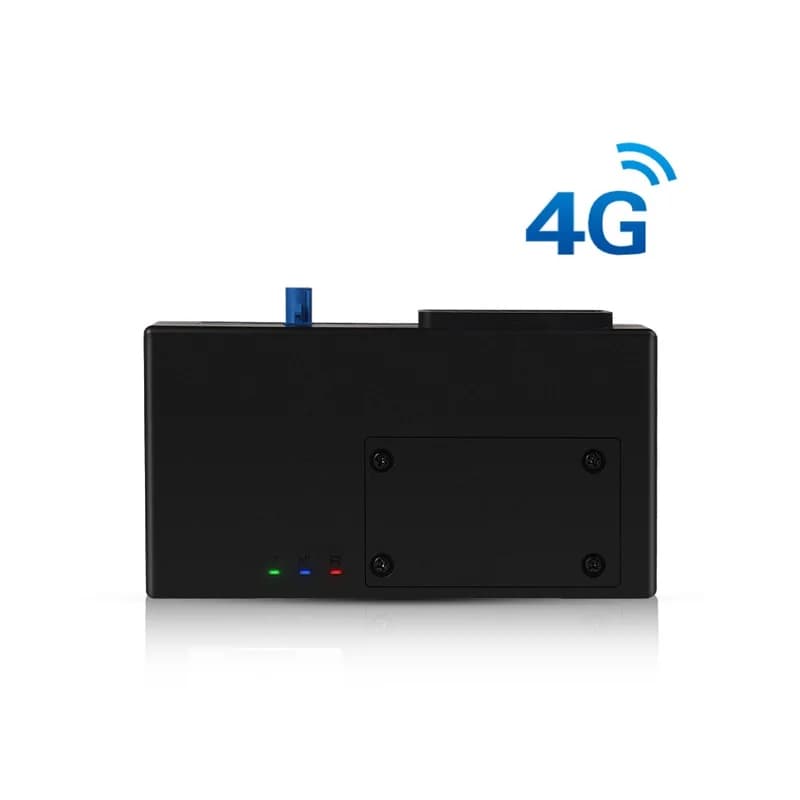
Sinocastel T-229 4G T-box, a flat black box with three small lights and a blue antenna socket on top
5digital inputs
5digital outputs
2high speed CAN buses
3 mGPS accuracy (CEP)
9 to 36 Vsupply range
report · gps
Truck 12 57 km/hLTE
01 · Live tracking on 4G · GPS L1

T-229 GPS tracker positions every second

The T-229 finds its place with GPS on the L1 band and updates once a second. Sinocastel gives a typical accuracy of 3 metres and a speed accuracy of 0.1 m/s. From cold it needs about 23 seconds for a first fix, and under a second when it is warm. It keeps its data in 8 MB of flash memory. Fleet Scanner shows every vehicle on the live map and keeps each route for playback.

GPS L1 1 Hz updates 8 MB flash LTE / HSPA / GPRS + SMS
GPS fleet tracking software →
vehicle_bus · can
Bus J1939Fuel used 31 L
02 · Engine data · OBD-II + CAN

Engine PIDs, mileage and fuel use from cars and trucks

Two high speed CAN buses let the T-229 talk to the vehicle. For cars it knows ISO 15765-4, ISO 9141-2 and ISO 14230-4. For trucks and buses it adds SAE J1939 and SAE J1708. Sinocastel lists engine PIDs, mileage counts and fuel use among the things it reports. Fleet Scanner places those values beside each trip and uses them for service reminders and fuel reports.

ISO 15765-4 ISO 9141-2 ISO 14230-4 SAE J1939 SAE J1708
Preventive maintenance scheduling →
io · relay
Door openRelay off
03 · Inputs, outputs and engine cut · I/O harness

Ignition, door and SOS wires plus an engine cut relay

There are 5 digital inputs. One senses the ignition, one is for the SOS button and three are free for your own use, such as a door sensor. Of the 5 digital outputs, one drives a relay and four are general. Sinocastel’s wiring drawing shows an engine cut relay on the harness. Three analog inputs read voltages too. In Fleet Scanner the ignition wire builds trips and engine hours, and only approved users may switch an output.

5 digital inputs 5 digital outputs 3 analog inputs Engine cut relay
Vehicle and equipment protection →
driver_id · rfidA3 41 9F 00
Driver S. AliCard
04 · Driver ID · RFID and iButton

Know who drove with an RFID card or iButton

The harness has its own plug for an RFID reader and card, and the drawing also names an iButton on one of the wires. A driver taps a card or touches a tag before the trip. Each journey then carries a name, not just a vehicle number. Fleet Scanner uses that to build scorecards for every driver and to show who had the van at any time.

RFID reader / card iButton
Driver scorecards →
serial · rs232 + rs485
Tank 62 %Load 5.1 °C
05 · Sensors and camera · RS-232 / RS-485

Fuel level, temperature probes and a camera

An RS-232 port and an RS-485 port take outside devices. Sinocastel names fuel level sensors, door contacts and temperature probes as add-ons. A separate plug on the harness is marked for a camera or a temperature sensor. If you would rather use USB, the two serial ports can give way to one USB port for internet access. With sensors in place, Fleet Scanner charts the tank and the load temperature along the route.

RS-232 RS-485 Fuel level sensor Temperature probe Camera
Fuel monitoring software →
wireless · wifi + ble
Hotspot onBLE ready
06 · Wi-Fi hotspot and Bluetooth · 802.11b/g/n + BLE

A 4G Wi-Fi hotspot and Bluetooth Low Energy

The T-229 can turn its 4G link into a Wi-Fi hotspot on 2.4 GHz, using 802.11b, g or n at up to 65 Mbps. So a tablet or phone in the cab can get online through the tracker. It also has Bluetooth Low Energy (BLE). The Wi-Fi and mobile antennas sit inside the case. For GPS you can use the inside antenna or plug an outside one into the blue socket.

802.11b/g/n 2.4 GHz BLE External GPS antenna
Fleet reports and dashboards →
alarm · imu + powerX -612Y 180Z 990
UnpluggedHard brake
07 · Driving, unplug and battery · IMU + power watch

Driving behaviour, unplug alarm and battery watch

A motion sensor (IMU) inside the box is there to detect driving behaviour. Sinocastel also lists an unplug alarm and a battery monitor. A backup lithium battery keeps positions flowing for a while when the main power is cut, so no data is lost in the gap. Fleet Scanner sends each alarm to you at once and adds driving events to each driver’s score.

IMU Driving behaviour Unplug alarm Battery monitor
Real-time fleet alerts →

T-229 4G specifications

Network versionsT-229LE (LTE Cat 4, EMEA): FDD LTE B1/B3/B5/B7/B8/B20, TDD LTE B38/B40/B41, WCDMA B1/B5/B8. T-229LA (LTE Cat 4, North America): FDD LTE B2/B4/B12, WCDMA B2/B4/B5. T-229LU (LTE Cat 4, Latin America and Australia): LTE FDD B1/B22/B3/B4/B5/B7/B8/B28, LTE TDD B40, WCDMA B1/B2/B4/B5/B8, GSM B2/B3/B5/B8
GNSSGPS L1 (1575.42 MHz), internal or external antenna, 1 Hz refresh
GPS performanceCold start about 23 s, warm start about 2 s, hot start under 1 s; 3 m CEP, speed 0.1 m/s; tracking -165 dBm, acquisition -148 dBm (all typical)
Vehicle bus2 high speed CAN buses; ISO 15765-4, ISO 9141-2, ISO 14230-4, SAE J1939, SAE J1708
Inputs and outputs5 digital inputs (ignition, SOS, 3 general), 5 digital outputs (1 relay, 4 general), 3 analog inputs
Ports1 RS-232 and 1 RS-485, or 1 USB port for internet access; Micro-USB configuration port; Micro SIM, push-push socket
Audio1 differential microphone input, 1 differential speaker output
Wi-Fi and Bluetooth2.4 to 2.4835 GHz, 802.11b/g/n, up to 65 Mbps (n), 54 Mbps (g), 11 Mbps (b); BLE
Motion sensorIMU for driving behaviour detection
Power9 to 36 V DC; under 200 mA max and under 150 mA average at 13.8/27.6 V; under 5 mA in sleep at 12/24 V; backup lithium battery
Data and memoryPacket data (GPRS/HSPA/LTE) and SMS, embedded TCP/IP stack; 8 MB flash
Size and weight140 x 74 x 28 mm, 100 g
Storage and humidityStorage -40 to +85 °C; humidity 5 to 95 %, no fog
Fleet Scanner port21655

Specifications can differ between hardware revisions. Check the manufacturer’s datasheet for your exact unit.

How to connect the T-229 4G to Fleet Scanner

  1. Choose the T-229 version made for your region: LE for Europe, the Middle East and Africa, LA for North America, or LU for Latin America and Australia. Push a Micro SIM with mobile data into its push-push socket. The board also has a backup battery switch, so check that it is set to ON.
  2. Connect the wiring harness. Its OBD-II plug carries both CAN lines and has a fuse on the power lead. Run the ACC wire to the ignition, then add what you need: a door sensor, the engine cut relay or an iButton, plus the SOS button, microphone, speaker, RFID reader and camera or temperature sensor on their own plugs.
  3. Set the APN (your SIM’s internet settings) and your Fleet Scanner server’s domain or IP address with port 21655. Sinocastel’s public files show a Micro-USB configuration port but list no SMS commands or setup tool, so ask Sinocastel or your supplier for the T-229 configuration tool or commands.
  4. Add the T-229 in Fleet Scanner by its IMEI number. Then take the vehicle out for ten minutes. The GPS and cellular lights should come on, the dot should move on the live map, and engine values should appear in the vehicle details.

Sinocastel T-229 FAQ

Does Fleet Scanner work with the Sinocastel T-229?

Yes. Point the T-229 at port 21655 on your own Fleet Scanner server. Traccar’s public device list places the T-229 in the Castel protocol family. Positions, engine data, inputs and alarms then feed the live map, alerts, reports, the AI agent and the web and phone apps.

What is a T-box, and is the T-229 one?

T-box is short for telematics box, also called a telematics control unit. Sinocastel sells the T-229 as a 4G IoV T-box: a vehicle terminal that reads OBD and CAN data, tracks the vehicle and links to extra devices such as cameras and card readers.

Where can I find the T-229 manual and SMS commands?

The only T-229 file Sinocastel shares in public is the datasheet. It says the tracker can send data by SMS, but it gives no SMS commands, user manual or protocol paper. Sinocastel says it confirms firmware, protocols and functions for each project, so ask them for the setup files.

Can the T-229 read data from heavy trucks?

Yes. Besides the car OBD-II standards, the T-229 supports SAE J1939 and SAE J1708, which trucks and buses use. Sinocastel aims it at fleets, car rental, mining and building sites. The values you get depend on what each vehicle puts on its bus.

Which T-229 version do I need?

Pick by region. The T-229LE covers Europe, the Middle East and Africa, the T-229LA covers North America, and the T-229LU covers Latin America and Australia. All three use LTE Cat 4 with 3G as backup, and the LU adds 2G GSM. Match the bands in the specs table to your SIM provider.

How long does the T-229 keep working without vehicle power?

Sinocastel gives no run time, and its own files do not agree on the backup battery size. What it does say is that the battery keeps position data uploading when the main power is cut. Keep the battery switch on, and an unplug alarm tells you when the power goes.

T-229 on the CAN bus. Engine, driver and route in one view.

From a single tracker to a mixed fleet across 1,000+ device models: live tracking, alerts, fuel, drivers, maintenance and reports in one self-hosted platform. See it with your own hardware.

Get a free demo

More supported GPS trackers

Features and specs follow the Sinocastel T-229 product page and the T-229 datasheet. Sensors, cameras, RFID readers and relays are add-ons. Engine data depends on the vehicle. Sinocastel and T-229 are trademarks of Sinocastel Co., Ltd.

Take Control with
Fleet Tracking

Track vehicles in real time, optimize routes, and take full control of your fleet operations.

Free Demo