Skip to content
Fleet Scanner
Hardware integration · Teltonika MSP500

Teltonika MSP500 speed limiter, tracked in Fleet Scanner

The Teltonika MSP500 is a GPS tracker built to stop vehicles from going too fast. It has its own relay and buzzer, so it can warn the driver and then cut fuel or hold back the accelerator. Teltonika stopped selling it in 2024, but the units already fitted keep working, and Fleet Scanner reads every one of them.

Relay + buzzer built in for speed limits2G quad-band GSMIP65 sealed caseDiscontinued still supported here
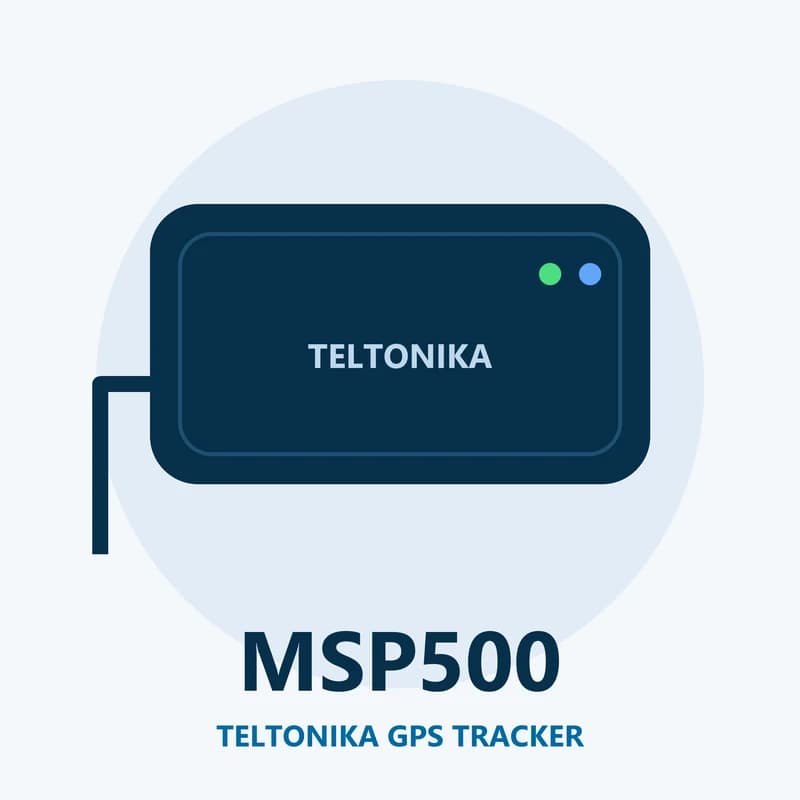
Illustration of the Teltonika MSP500 GPS tracker
1built-in relay
3speed sources to pick from
4sleep modes
128 MBinternal flash memory
400 mAhbackup battery
over_speeding · DOUT1
Limit 90 km/hRelay ON
01 · Speed limiting · Relay + buzzer

Slow the vehicle down when it goes over the limit

You set a top speed in the Teltonika Configurator. As the vehicle gets close to it, the buzzer beeps inside the cab. If the driver keeps going, the relay on output 1 does one job you choose: cut the fuel pump, close a fuel valve, or hold back the accelerator through an extra throttle controller. Fleet Scanner logs each over speed event against the vehicle and the driver.

Over speeding event Relay on output 1 Buzzer warningOne limiting method per unit
Speeding, idling and geofence alerts →
speed_source · GNSS / OBD / pulsesleepmoving
Source GNSS
02 · Speed sources · Configurator

Pick where the speed reading comes from

The MSP500 can take the speed from satellites, from an OBD-II dongle over Bluetooth, or from pulses on its grey pulse wire. Pick the one that fits the vehicle. The same speed is then used for the limit and sent to Fleet Scanner with every record.

GNSS speed OBD-II speed (Bluetooth) Pulse input
Live vehicle tracking →
eco_driving · idlingX -612Y 180Z 990
BrakingScore 82
03 · Driving style · Events

Harsh driving and long idling

Besides speed, the tracker spots hard starts, hard braking and sharp turns. It also notices when the engine idles for too long. Fleet Scanner turns these events into a score for each driver, so you can see who needs a talk.

Harsh acceleration Harsh braking Harsh cornering Excessive idling
Driver scorecards →
geofence · trip
Depot left
04 · Zones and trips · Scenarios

Zones and trips on the map

The MSP500 has Auto Geofence, which warns you if a parked vehicle starts to move. You can also store your own zones on the device. The Trip feature marks where each journey starts and ends. Fleet Scanner adds as many extra zones as you need on the server side.

Auto geofence Manual geofence Trip
Fleet geofencing software →
bluetooth · 4.0 + LE
BT paired
05 · Bluetooth · Bluetooth 4.0 + LE

Bluetooth for setup and an OBD-II dongle

Bluetooth lets you set up the tracker from a laptop or phone without opening the case. It also links to an OBD-II dongle when you want the car’s own speed reading. The tracker can be updated over the air with Teltonika FOTA as well.

Configurator over Bluetooth OBD-II dongle FOTA updates
Fleet reports and dashboards →
power · sleep68%
Battery OK
06 · Power and sleep · Internal battery

Backup battery and four sleep modes

A 400 mAh Ni-MH battery inside keeps the tracker going for a while if the vehicle’s power is cut. Four sleep modes save power when the vehicle is parked: GPS Sleep, Online Deep Sleep, Deep Sleep and Ultra Deep Sleep. The IP65 case keeps out dust and water spray.

GPS Sleep Online Deep Sleep Deep Sleep Ultra Deep Sleep
Vehicle and equipment protection →

MSP500 specifications

StatusDiscontinued by Teltonika (ordering ended February 2024, production ended March 2024, support ended July 2025); still works with Fleet Scanner
Network2G GSM, quad-band 850 / 900 / 1800 / 1900 MHz, GPRS and SMS
AntennasInternal GNSS and GSM antennas
Backup battery400 mAh Ni-MH, 7.2 V
Speed limitingBuilt-in relay on output 1 and buzzer
InterfacesDigital input, pulse input, RS232, Bluetooth 4.0 + LE
Memory128 MB internal flash
CaseIP65
Operating temperature-40 °C to +85 °C (without battery)
Size and weight103 x 86 x 39 mm, 250 g
Fleet Scanner port11922

Specifications can differ between hardware revisions. Check the manufacturer’s datasheet for your exact unit.

How to connect the MSP500 to Fleet Scanner

  1. Leave the MSP500 wired as it is. Only check that the SIM card still has data.
  2. Send the setparam SMS from the Teltonika quick manual with your APN in 2001, your Fleet Scanner server address in 2004 and 11922 in 2005. Put two spaces before the text. Or make the same change in the Teltonika Configurator over USB or Bluetooth.
  3. In Fleet Scanner, add the tracker by its IMEI, choose the MSP500 model and link it to the vehicle.
  4. Watch the live map, then drive past your set speed once to see the over speed event arrive.

Teltonika MSP500 FAQ

Is the Teltonika MSP500 discontinued?

Yes. Teltonika lists it as end of life. Ordering closed in February 2024, production stopped in March 2024 and support ended in July 2025. Units already in vehicles still send data, and Fleet Scanner keeps reading them on port 11922.

How do I connect the MSP500 to a tracking server by SMS?

Use the setparam SMS from the quick manual. Put the APN in 2001 (with 2002 and 2003 for user name and password if your network needs them), the server address in 2004 and the port in 2005. 2006 picks TCP (0) or UDP (1).

How does the MSP500 limit speed?

It beeps a buzzer as the driver nears the limit. Past the limit, its relay cuts the fuel pump, closes a fuel valve or, with an extra throttle controller, holds back the accelerator. Each unit can use only one of these methods.

What does Fleet Scanner show from the MSP500?

Live position and speed, over speed events, harsh driving and idling, geofence and trip data. You get alerts, reports and driver scores on your own server, with web and phone apps.

Keep your MSP500 speed limiters on one map.

From a single tracker to a mixed fleet across 1,000+ device models: live tracking, alerts, fuel, drivers, maintenance and reports in one self-hosted platform. See it with your own hardware.

Get a free demo

More supported GPS trackers

The MSP500 is built on the Teltonika FMB platform and talks the same Teltonika protocol. Teltonika lists the MSP500 as end of life. Teltonika and MSP500 are trademarks of Teltonika Telematics. Specifications from the Teltonika MSP500 datasheet, quick manual and wiki.

Take Control with
Fleet Tracking

Track vehicles in real time, optimize routes, and take full control of your fleet operations.

Free Demo