Skip to content
Fleet Scanner
Hardware integration · TopFlyTech TLD2-D

TopFlyTech TLD2-D 4G LTE OBD tracker, working inside Fleet Scanner

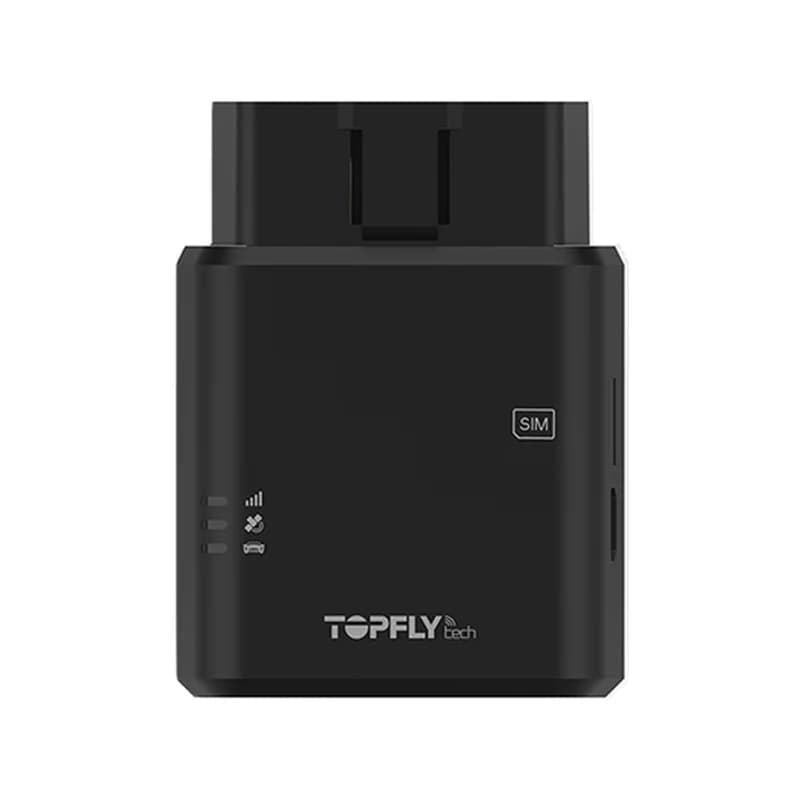
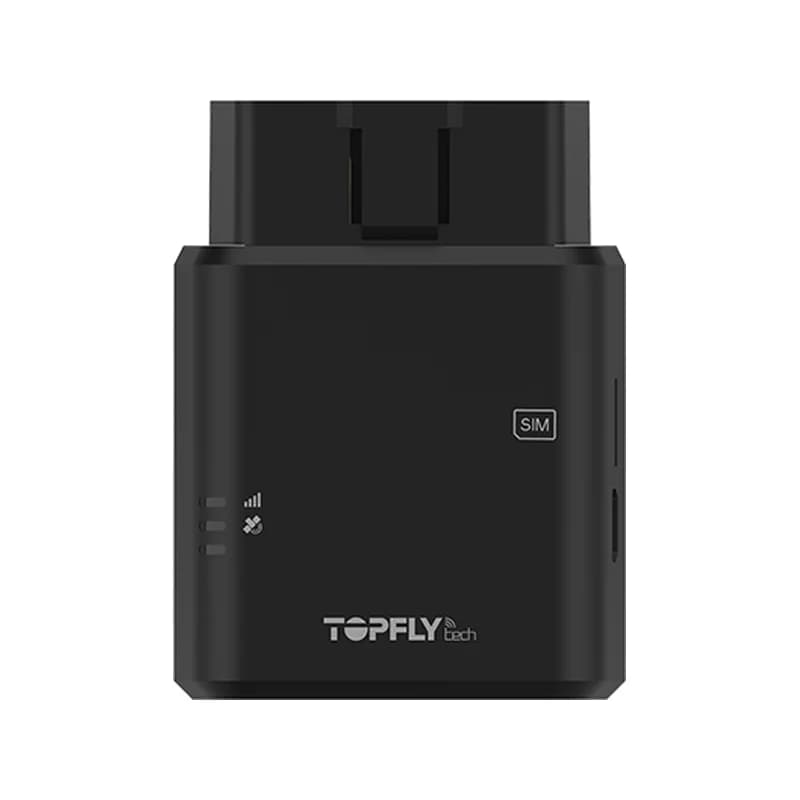
The TopFlyTech TLD2-D is a 4G LTE GPS tracker that plugs into the OBD-II port of a car, the socket under the dashboard. TopFlyTech made it for car insurance, car leasing and live tracking. TopFlyTech’s datasheet marks the D as the version that reads data from the car’s CAN bus, such as the VIN, fuel level and fault codes. TopFlyTech has now replaced it, but units already plugged in can send everything to Fleet Scanner on your own server.

4G LTE-M and NB-IoTOBD-II plug in, no wiresCAN data VIN, fuel, RPM, fault codesBLE 5.0 wireless sensors
Small black TopFlyTech TLD2-D tracker with an OBD-II plug on one end
3 sfastest update rate
60,000points saved with no signal
200 mAhbackup battery
-167 dBmGNSS tracking sensitivity
7 to 32 Vvehicle power
live_position · LTE-M
Speed 58 km/hGNSS Fix
01 · Live tracking · GNSS + LTE

A position as often as every 3 seconds

The TLD2-D gets its power from the OBD socket and starts as soon as it is plugged in. Its MediaTek receiver uses GPS with GLONASS, or GPS with BeiDou, and TopFlyTech rates it at under 2.5 metres. It can report by time, by distance or when the car turns. Out of mobile range, it keeps up to 60,000 points and sends them later. Fleet Scanner shows the car live and keeps each trip for playback.

Position Speed Time, angle and distance reports Buffered points
GPS fleet tracking software →
vehicle_data · CAN bus
Fuel 47 %DTC P0171
02 · Car data · OBD-II, ISO 15765-4

VIN, mileage, fuel and fault codes from the car

This is what sets the D version apart: it reads data from the car’s CAN bus through the OBD-II plug. TopFlyTech lists the VIN, the odometer, the fuel level, engine RPM and DTCs, the fault codes that light up the engine warning lamp. It uses the ISO 15765-4 car protocol. Fleet Scanner uses these numbers for service reminders, fuel reports and early warnings when a fault code appears.

VIN Odometer Fuel level Engine RPM Fault codes (DTC)
Preventive maintenance scheduling →
driving · 6-axis sensorX -612Y 180Z 990
Harsh turnBuzzer ON
03 · Driving behaviour · 6-axis accelerometer

Harsh driving caught, and a beep for the driver

A 6-axis motion sensor inside the TLD2-D notices harsh speeding up, harsh turns and harsh braking. It also raises a speeding alarm when the car goes past the limit you set. A small buzzer inside the tracker beeps when harsh driving happens, so the driver hears it straight away. Fleet Scanner adds each event to that driver’s score.

Harsh acceleration Harsh turning Harsh braking Speeding Buzzer warning
Driver scorecards →
security · alarms
Power CUTBattery ON
04 · Crash and theft alerts · Alarms

Crash data, a pulled plug, towing and jamming

When the TLD2-D senses a crash, it collects data about the accident so you can work out what happened later. If someone pulls it out of the socket, its 200 mAh battery keeps it on long enough to send a power alarm. TopFlyTech also lists a towing alarm and a warning when someone jams the mobile signal. Fleet Scanner passes each one to the right person the moment it arrives.

Crash detection External power cut Towing Network jamming Low backup battery
Real-time fleet alerts →
bluetooth · BLE 5.0
Rear door CLOSEDTemp 5 °C
05 · Bluetooth sensors · BLE 5.0

Wireless sensors for temperature, doors and a relay

With BLE 5.0 built in, the TLD2-D can pick up TopFlyTech’s own Bluetooth add-ons. These include the TSTH1-B for temperature and humidity, the TSDT1-B for temperature and a door, and the TSR1-B wireless relay. TopFlyTech says it also works with your own Bluetooth sensors. Fleet Scanner saves each reading with the trip it came from.

TSTH1-B temperature and humidity TSDT1-B temperature and door TSR1-B wireless relay
Fleet reports and dashboards →
device_health · network12.6V
Engine ONLTE-M
06 · Engine and network · Status reports

Engine on and off, plus data roaming control

The TLD2-D sends an alert each time the engine is switched on or off, so Fleet Scanner can split the day into trips. It runs on LTE Cat M1 and NB-IoT, with GSM and EDGE as well. A roaming setting stops it from using extra data when it crosses into another network. Its firmware can be updated over the air, so you do not need to unplug it. Fleet Scanner shows each tracker’s health and warns you if one stops reporting.

Ignition on/off Data roaming control Firmware over the air
Fleet reports and dashboards →

TLD2-D OBDII specifications

StatusEnd of life at TopFlyTech; upgraded to the TorchX 310
NetworkLTE Cat M1 (B1/B2/B3/B4/B5/B8/B12/B13/B18/B19/B20/B25/B26/B27/B28/B66/B85), LTE Cat NB2 (B1/B2/B3/B4/B5/B8/B12/B13/B18/B19/B20/B25/B28/B66/B71/B85), GSM/EDGE 850/900/1800/1900 MHz
SatellitesMediaTek receiver, GPS + GLONASS or GPS + BeiDou, 33 tracking and 99 acquisition channels, tracking sensitivity -167 dBm
Accuracy and first fixUnder 2.5 m; cold start under 15 s, warm under 8 s, hot under 1 s (with EASY)
Car linkOBD-II plug with CAN data reading, ISO 15765-4
Power7 to 32 V DC from the OBD socket
Backup battery200 mAh Li-Polymer, 3.7 V
ExtrasBLE 5.0, buzzer, 6-axis accelerometer, LEDs for network, diagnostics and GNSS, USB for debugging, internal antennas
SIMNano-SIM
DataTCP, UDP, MQTT and SMS; firmware updates over the air
Working temperature-30 °C to +80 °C
Fleet Scanner port21655

Specifications can differ between hardware revisions. Check the manufacturer’s datasheet for your exact unit.

How to connect the TLD2-D OBDII to Fleet Scanner

  1. Slide a data Nano-SIM that works on LTE-M, NB-IoT or GSM into the TLD2-D. Make sure the SIM has a data plan for the networks in your area.
  2. Set the SIM’s APN, your Fleet Scanner server address and port 21655 in the tracker. TopFlyTech does not post the TLD2-D setup files or command list on its website, so ask TopFlyTech or your seller for them.
  3. Plug the tracker into the OBD-II socket, usually under the dashboard near the steering wheel. Check that the network and GNSS lights come on. In Fleet Scanner, add it by its IMEI number and pick the car.
  4. Start the engine and drive a short loop. The car should show up on the live map, and car data like fuel level should follow if your car shares it.

TopFlyTech TLD2-D FAQ

Does Fleet Scanner work with the TopFlyTech TLD2-D?

Yes. Fleet Scanner reads the TLD2-D’s position, engine on and off, CAN car data, harsh driving and speeding events, crash, towing, power cut and jamming alarms, and its Bluetooth sensor readings. Send its data to port 21655 on your Fleet Scanner server.

Is the TopFlyTech TLD2-D discontinued?

Yes. TopFlyTech says the TLD2-D has reached the end of its product lifecycle and has been upgraded to the TorchX 310, a 4G Cat M1 OBD-II tracker. TLD2-D units you already own can keep reporting to Fleet Scanner.

What is the difference between the TLD2-D and the TLD2-L?

TopFlyTech’s TLD2 series datasheet marks CAN data reading as a D version feature. The D also has an extra diagnostics light. So the TLD2-D can send the VIN, odometer, fuel level, RPM and fault codes, while the TLD2-L does not list them.

Can I set up the TLD2-D by SMS?

SMS is one of the ways TopFlyTech says the TLD2-D can talk, next to TCP, UDP and MQTT. But TopFlyTech’s product page and datasheet do not give the SMS commands. Ask TopFlyTech for the TLD2-D command list before you send any text to the tracker.

Does the TLD2-D work where 2G is switched off?

Yes. It runs on LTE Cat M1 and NB-IoT, two low power 4G networks. It also supports GSM and EDGE. Check that your SIM supports LTE-M or NB-IoT where your cars drive.

TLD2-D in the OBD port. Every fault code on one screen.

From a single tracker to a mixed fleet across 1,000+ device models: live tracking, alerts, fuel, drivers, maintenance and reports in one self-hosted platform. See it with your own hardware.

Get a free demo

More supported GPS trackers

Data items are listed by name only; no packet codes are shown because we could not confirm the TLD2-D in a published protocol decoder. CAN data depends on what each car shares. TopFlyTech lists the TLD2-D as end of life and names the TorchX 310 as its upgrade. TopFlyTech and TLD2-D are trademarks of TOPFLYtech. Specifications from the TopFlyTech TLD2-D product page and the LTE TLD2 series datasheet.

Take Control with
Fleet Tracking

Track vehicles in real time, optimize routes, and take full control of your fleet operations.

Free Demo