Skip to content
Fleet Scanner
Hardware integration · WanWay G19H

WanWay G19H GPS tracker for cars, set up on Fleet Scanner

The WanWay G19H is a small 2G GPS tracker for cars with just four wires and an IP67 waterproof case. WanWay says it keeps working when a car drives through deep water or sits out in the rain. Its GPS and GSM antennas are inside, and a 55 mAh battery keeps it alive for a while if the wires get cut. It can also cut the petrol or power from far away. Fleet Scanner runs on your own server, so every G19H lands on a map you control.

2G quad band GSMIP67 waterproof caseRelay petrol / power cutPort 10214
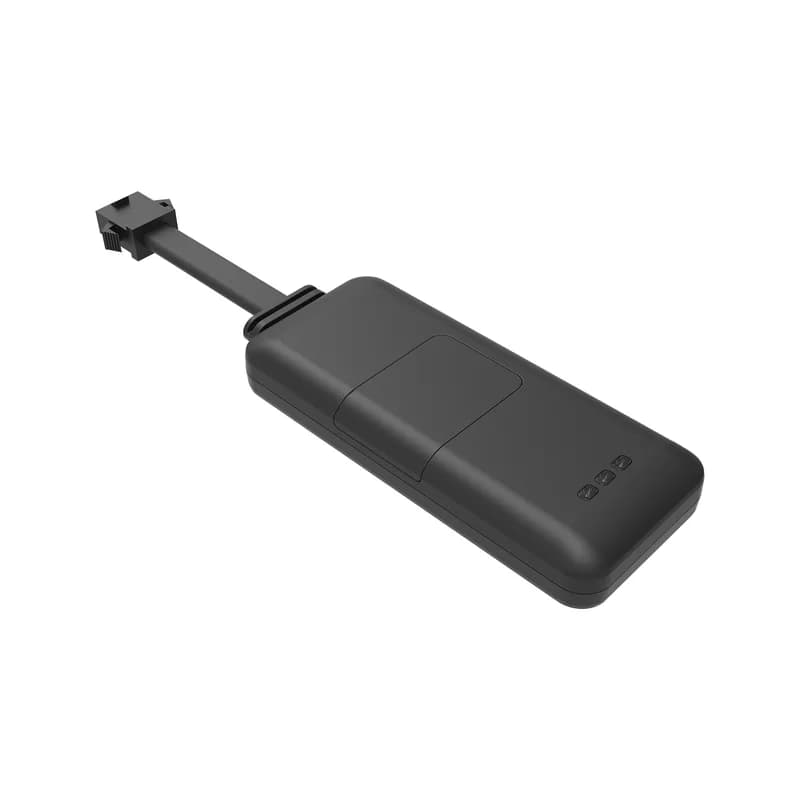
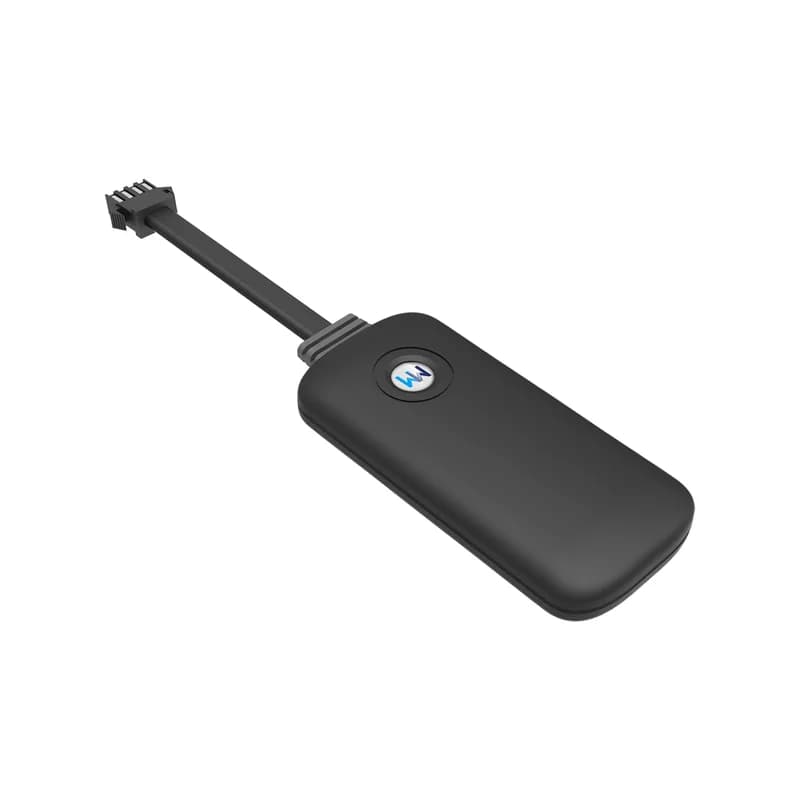
WanWay G19H GPS tracker, a flat black rounded box with the WW logo and a short flat lead with a four-pin connector on the end
10 sbetween position uploads
9 to 90 Vpower input
55 mAhbattery inside the case
4wires to connect
32 gweight
gprs · 10 s
Upload 10 sGPS fixed
01 · Live tracking · Always online

A new point on the map every 10 seconds

WanWay sets the G19H to stay online all the time and upload its position every 10 seconds over GPRS. Under open sky it is good to about 5 metres. A warm start finds a fix in under 15 seconds. Fleet Scanner joins those points into a trace you can play back later, with the mileage for each day.

GPRS upload 10 s Always online Trace playback Mileage report
Live vehicle tracking →
alarm · fence / speed
Fence outSpeed 88 km/h
02 · Geofence and speed · Platform rules

Shapes on the map and a speed limit for each car

A geofence is just a zone on the map that you choose. For the G19H, WanWay lets you draw it as a circle, a polygon or any shape you like, and it alarms when the car goes in or out. There is an over-speed alarm too, which goes off when the car passes your chosen top speed. Fleet Scanner has no cap on the number of areas, and every alert can go to whoever needs it.

Circle fence Polygon fence Fence in / out Over-speed alarm
Fleet geofencing software →
relay · yellow wire
Petrol CUTACC OFF
03 · Petrol cut-off · Relay output

Halt a car someone is using without asking

The yellow wire drives a relay that sits on the car’s speed control line. When you cut, petrol or power stops and the engine will not run. WanWay says to use a 12 V relay for a car and a 24 V relay for a truck. The relay is not in the G19H box list, and WanWay sells a relay and socket as an extra. In Fleet Scanner you decide which users can see the cut-off button.

Yellow relay wire Relay pins 85 / 86 Pins 87 and 87A Cut petrol / power
Vehicle and equipment protection →
alarm · cut wire12.6V
Power cutBattery 55 mAh
04 · Cut-wire alarm · Power line + battery

You hear about it when a thief pulls the wires

The G19H runs on any car or truck power from 9 to 90 V. If someone cuts the power wire, it raises a cut-wire alarm. Its 55 mAh battery inside gives it the power to send that alarm. A low battery alarm is on the list as well. Fleet Scanner shows both as alerts with a map pin, so you know where the car was.

Cut-wire alarm Low battery alarm 55 mAh battery 9 to 90 V input
Fleet alerts management software →
sensor · vibrationsleepmoving
VibrationParked yes
05 · Vibration and moving · Built-in sensor

A parked car that shakes or moves sends an alarm

There is a vibration sensor inside the G19H. When a parked car gets knocked, it can send a vibration alarm. WanWay also lists a displacement alarm, for when a car moves away from where it was left. Fleet Scanner adds the time and place to each one, so you can check what happened.

Vibration alarm Displacement alarm Vibration sensor
Real-time fleet alerts →
status · ACC / GSMDIN1 Ignition ONAIN1 12.4 VDOUT1 Relay OFF
ACC ONGSM strong
06 · Ignition and status · Orange ACC wire

Know when the key turns and how good the signal is

The orange wire goes to the ACC line, so the G19H can tell when the key turns on and off. WanWay says you can also check the GPS status and the GSM signal strength from the server side. Fleet Scanner uses the key on and key off times to split the day into trips, and shows the signal and fix as device health.

ACC detection GPS status GSM signal strength OTA upgrade
Trip planning and trip records →

G19H specifications

Network2G only: GSM 850 / 900 / 1800 / 1900 MHz with GPRS class 12 (TCP/IP)
PositioningGPS, 20 channels, accuracy 5 m or better
Time to first fixHot under 2 s and cold under 38 s (open sky), warm under 15 s
SensitivityAcquisition -144 dBm, tracking -160 dBm
AntennasBuilt in: spring GSM antenna and 18 x 18 x 4 mm ceramic GPS antenna
Power supply9 to 90 V DC
Backup battery55 mAh, built in
Wiring4 wires: red plus (9 to 90 V), black minus, orange ACC, yellow relay
Not includedNo SOS button, no microphone and no extra data or function port
WaterproofIP67
In the boxTracker, wire, warranty card, screwdriver, 4 screws, user manual
SetupSMS commands or platform; OTA upgrade supported
Size / weight74 x 35 x 13 mm, 32 g
ProtocolGT06 protocol family (per Traccar’s device list)
Fleet Scanner port10214 (TCP)

Specifications can differ between hardware revisions. Check the manufacturer’s datasheet for your exact unit.

How to connect the G19H to Fleet Scanner

  1. WanWay asks for a 2G SIM with both mobile data (GPRS) and texting on it. Open the SIM cover on the G19H, put the SIM in and close it again.
  2. Find a hidden spot, such as inside the dashboard, behind the front windshield trim, under the wiper, or under the rear window or in the trunk. Fix it with cable ties or sponge double-sided tape. Wire red to battery plus and black to battery minus, then orange to ACC. For the petrol cut, find the speed control line, check its voltage with a meter, cut it in two and join both ends to the relay’s 87 and 87A pins. Then connect the tracker’s yellow wire to the relay as the drawing in the manual shows.
  3. Text the G19H to set its APN. The format is APN,name# (APN,internet# is the manual’s example). If your SIM needs a user name and password, use APN,name,user,password#. The tracker replies ok when it worked.
  4. Next, tell the G19H where your Fleet Scanner server is. Send Server,1,yourdomain,10214,0# for a domain name, or Server,0,yourIP,10214,0# for an IP. The last 0 means TCP. Wait for the ok reply.
  5. Send PARAM#. The reply shows the IMEI, the upload interval and more. Type that 15-digit IMEI into Fleet Scanner to add the tracker, then take a short drive and text WHERE# to compare the position.

WanWay G19H FAQ

Does the WanWay G19H work with Fleet Scanner?

Yes. Set its server to your Fleet Scanner address with port 10214 and it shows up on your map with its trips, ACC state and alarms. Fleet Scanner is installed on a server you own, includes white label, and works with 1,000+ GPS devices, so a G19H can share a fleet with other brands.

What SMS commands does the G19H manual list?

The WanWay manual prints four. APN,name# (or APN,name,user,password#) sets the internet settings. Server,0,IP,port,0# or Server,1,domain,port,0# sets the server, and the last 0 means TCP. PARAM# sends back the settings with the IMEI. WHERE# sends back the location.

How do I change the G19H server from WanWay’s platform to my own?

Out of the box it reports to WanWay’s own platform at wanwaygps.com. Text Server,1, then your domain, then 10214, then 0#, all with commas and no spaces. Use Server,0 instead if you have an IP address. When it replies ok, the G19H sends its data to Fleet Scanner.

Is the G19H waterproof?

Yes. WanWay rates the G19H IP67 after its own waterproof tests. It says the tracker can keep working on a rainy day or when the car drives through water. The manual still asks you to hide it in a spot away from water.

How long does the G19H battery last?

WanWay gives no hours for it. The 55 mAh battery inside is a backup, not the main power. Its job is to keep the tracker going for long enough to send a cut-wire alarm when someone removes the car power.

Is the WanWay G19H still sold, and does it have 4G?

Yes. WanWay still lists the G19H on wanwaytech.net as a 2G, 4-pin, 55 mAh waterproof vehicle tracker. It is 2G only. Where 2G networks have closed, pick a 4G model instead.

Four wires in. Your G19H cars on your own map.

From a single tracker to a mixed fleet across 1,000+ device models: live tracking, alerts, fuel, drivers, maintenance and reports in one self-hosted platform. See it with your own hardware.

Get a free demo

More supported GPS trackers

The hardware facts, wires and texts on this page are taken from WanWay’s G19H product page, G19H flyer, G19H specification and G19H manual on wanwaytech.net. Where these differ (GPS chip, top working temperature, GSM light colour), the item is left out. Traccar’s public device list names the GT06 protocol family for it. G19H and WanWay are trademarks of their owner, Shanghai WanWay Digital Technology Co., Ltd.

Take Control with
Fleet Tracking

Track vehicles in real time, optimize routes, and take full control of your fleet operations.

Free Demo