Skip to content
Fleet Scanner
Hardware integration · WanWay S20

WanWay S20 4G magnetic GPS tracker on Fleet Scanner

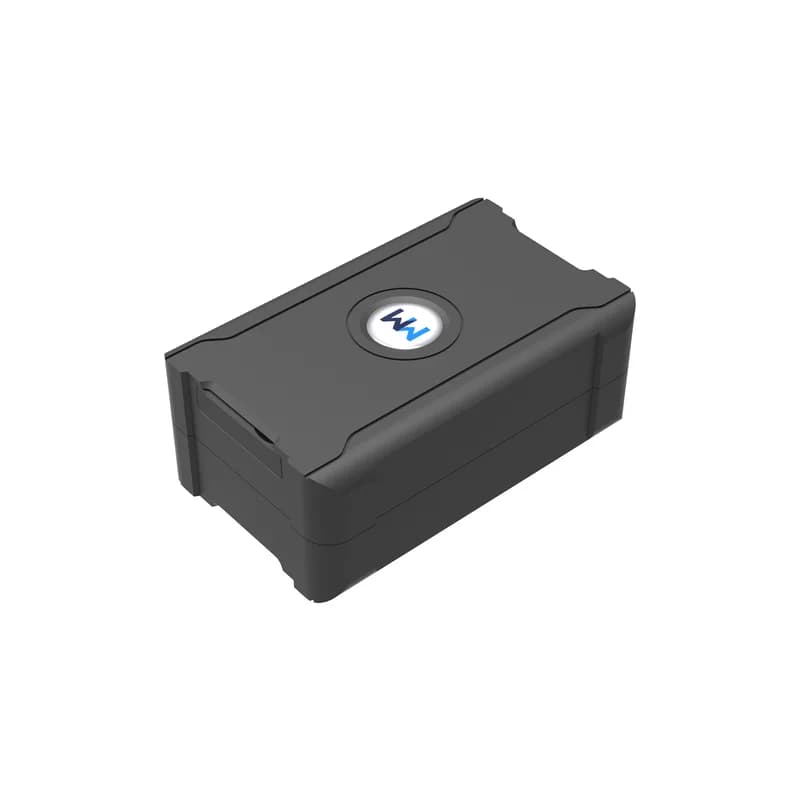
The WanWay S20 is a 4G GPS tracker with no wires at all. A strong magnet holds it on metal, and a 6000 mAh battery inside keeps it running. WanWay made it to move from one vehicle to the next, to sit in a parcel, or to watch over things of value. It names trucks, trailers, containers, luggage and cold cargo as uses. Send its reports to Fleet Scanner on your own server, and each S20 shows up on the same live map as the rest of your fleet.

4G + 2G LA and EA band versions6000 mAh battery insideMagnet no wiring neededPort 10214
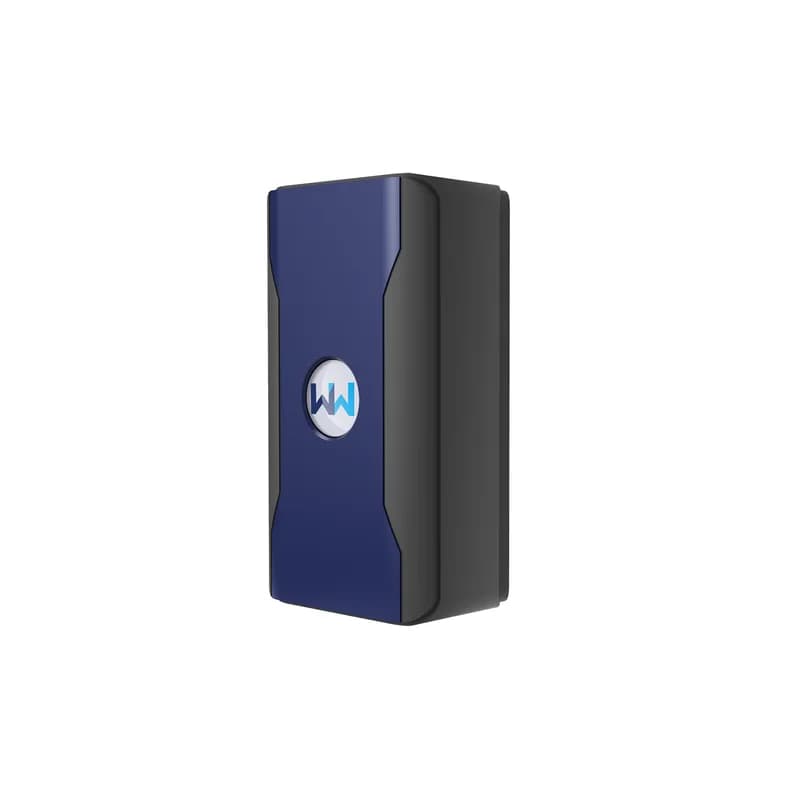
WanWay S20 GPS tracker, a dark grey rectangular box with rounded corners and a round WW logo badge on top
6000 mAhbuilt-in battery
10 sdefault upload gap
5 to 1440 minreport gap in interval mode
56satellite channels
170 gweight
bds · gps · glonass
Fix 3 systemsUpload 10 s
01 · Live tracking · AT6558R chip

S20 positions from three satellite systems

An AT6558R chip inside the S20 reads BeiDou, GPS and GLONASS satellites over 56 channels. WanWay puts its accuracy at about 5 metres. From a hot start it has a fix in under 2 seconds, and from cold in under 38 seconds under open sky. By default it uploads a point every 10 seconds. Fleet Scanner links those points into a trace, so you can play back where a box or trailer went.

BDS / GPS / GLONASS Upload every 10 s Trace playback About 5 m accuracy
Live vehicle tracking →
li battery · 6000 mAh68%
Mode intervalBattery 71 %
02 · Battery and power modes · Two working modes

A 6000 mAh battery with two ways to save it

The S20 has no power wires, so its 6000 mAh battery does all the work. The manual gives two working modes. In smart power saving mode, the motion sensor wakes the GPS, which then works for 4 minutes each time. In interval mode you pick a report gap from 5 to 1440 minutes, and longer gaps make the battery last longer. Fleet Scanner shows the battery for each unit and passes on the low battery alarm.

Smart power saving mode Interval mode 5 to 1440 min Low battery alarm USB charging
Fleet reports and dashboards →
alarm · light sensorSOS
RemovedLight seen
03 · Removal alarm · Light sensor

A light sensor that tells you the tracker was found

Hidden out of sight, the S20 sits in the dark. If someone finds it and pulls it off, its light sensor sees the change and sends a disassemble alarm. That way you learn about it even before the tracker goes quiet. Fleet Scanner sends that alarm to the right people with the last known spot on the map.

Light sensor Disassemble alarm
Instant fleet alerts →
fallback · base station
Source LBSGPS no fix
04 · Indoor location · GPS / LBS

Cell tower location when the sky is blocked

Inside a warehouse or a closed container, satellites may not reach the S20. The manual says that when no GPS or BeiDou signal is found, it switches to the mobile base station (LBS) to work out where it is. That fix is less exact than GPS, but it still gives you an area. Fleet Scanner puts it on the map like any other report.

LBS position Auto switch from GPS
Trailer and container tracking →
g-sensor · vibrationsleepmoving
VibrationMount magnet
05 · Magnet and vibration · Built-in sensor

Stick it on metal, then let it feel for shaking

A strong magnet on the back means you can put the S20 on any steel part in seconds, with no tools. Its motion sensor can send a vibration alarm once you turn on its guard (defensive) state. WanWay warns that the magnet must not touch hot parts such as an exhaust pipe, and must stay away from hard disks. Fleet Scanner stores each vibration alarm with the time and place.

Strong magnet Vibration alarm Guard state
Fleet asset management software →
alarm · fence / speed
Zone left yardSpeed 92 km/h
06 · Zones and speed · Geo-fence + over-speed

Warnings when an asset leaves its zone or goes too fast

Set a zone on the map, and the S20 alarms when the asset goes in or out of it. WanWay says you can set the zone from an app or by SMS. An over-speed alarm goes off when the asset moves faster than your limit. The manual also lets you save up to 3 SOS phone numbers. In Fleet Scanner you can add as many zones as you like, each with its own alert list.

Geo-fence in / out Over-speed alarm 3 SOS numbers
Fleet geofencing software →
leds · red / yellow / blueDIN1 Ignition ONAIN1 12.4 VDOUT1 Relay OFF
LTE normalGPS normal
07 · Lights and checks · Three LEDs

Three lights that show charge, network and GPS

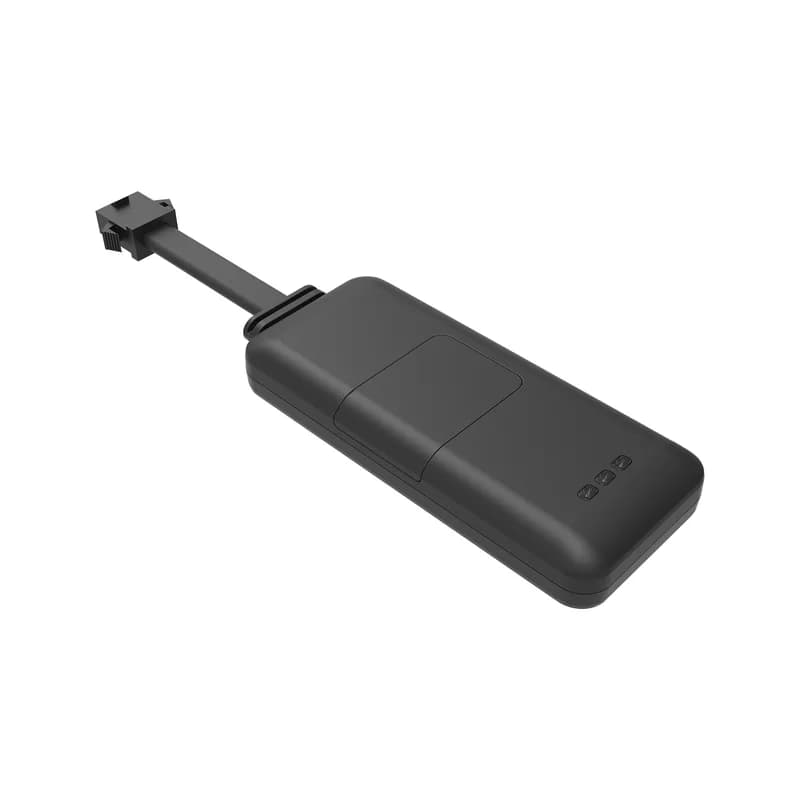
The S20 has a red light for power, a yellow one for the 4G link and a blue one for GPS. A slow yellow blink means it has a normal LTE signal, and a slow blue blink means the GPS signal is fine. A fast red blink warns that the battery is low. WanWay lets you check the asset from a platform, an app or by SMS. Fleet Scanner adds its own web and phone apps.

Red power LED Yellow LTE LED Blue GPS LED Data upgrade port
Real-time fleet alerts →

S20 specifications

NetworkLA version: 4G B1/B2/B3/B4/B5/B7/B8/B28/B38/B40/B41/B66 and 2G 850/900/1800/1900 MHz. EA version: 4G B1/B3/B5/B7/B8/B20/B28/B38/B40/B41 and 2G 900/1800 MHz
PositioningAT6558R chip, BeiDou, GPS and GLONASS, 56 channels, about 5 m; base station (LBS) location when there is no satellite fix
Time to first fixUnder 2 s hot, under 15 s warm, under 38 s cold (hot and cold in open sky)
SensitivityAcquisition -144 dBm, tracking -165 dBm
AntennasBuilt in: FPC antenna for 4G, 25 x 25 x 2 mm ceramic GPS antenna
Battery6000 mAh built in, 3.7 V working voltage
Charging5 V input through the USB port under a silicone plug
ReportingEvery 10 s by default; smart power saving mode or interval mode (5 to 1440 minutes)
SensorsLight sensor, vibration sensor
Buttons and portsPower button and data upgrade port; no SOS button, no ACC detection, no petrol or power cut-off
LightsRed power, yellow LTE, blue GPS
MountingStrong magnet on the back
Size / weight80 x 50 x 32 mm, 170 g
In the boxTracker, charger, power cable, user manual, certificate
SettingsBy SMS command or platform; checking by web or app
ProtocolGT06 family, as named for the S20 in Traccar’s device list
Fleet Scanner port10214 (TCP)

Specifications can differ between hardware revisions. Check the manufacturer’s datasheet for your exact unit.

How to connect the S20 to Fleet Scanner

  1. Choose the S20 version for your region (LA or EA, which differ in 4G and 2G bands) and get a SIM with mobile data that works there. Make sure the tracker is switched off. Find the notch, open the case, open the SIM holder and slide the SIM in the right way round.
  2. Charge it before first use. Pull back the silicone plug and connect the USB cable. A steady red light means it is charging, and a slow red blink means it is full.
  3. Hold the power switch for more than 3 seconds. The main light blinks fast, which means it is working, and then goes dark as the S20 drops into sleep mode. The yellow light blinks slowly once 4G is working, and the blue one blinks slowly once GPS is fine.
  4. Point the S20 at your Fleet Scanner server with port 10214, and set your SIM’s APN. WanWay says settings are made by SMS command or from a platform, but the S20 manual prints no command text, so get the exact wording for your firmware from WanWay. The manual’s own platform is iopgps.com with the Trackway app, where you log in with the IMEI and its last 6 digits.
  5. Add the 15-digit IMEI from the back of the case to Fleet Scanner. Stick the S20 on a steel part away from hot pipes, in a dry spot, with its antenna side not facing down onto metal. Test it once after you fit it.

WanWay S20 FAQ

Does the WanWay S20 work with Fleet Scanner?

Yes. Traccar’s device list puts the WanWay S20 in the GT06 protocol family, and Fleet Scanner takes it on port 10214. You see its position, battery and alarms on your own server. Fleet Scanner comes with white label, alerts, reports and a built-in AI agent, and it reads 1,000+ GPS devices.

How long does the WanWay S20 battery last?

WanWay does not give a number of days for the S20. It gives a 6000 mAh battery and two modes. Smart power saving mode lets the motion sensor wake the GPS for 4 minutes at a time. Interval mode lets you set 5 to 1440 minutes between reports. Longer gaps mean longer life.

What SMS commands does the S20 use?

The S20 user manual (V1.1) and its spec sheet say it can be set by SMS or from a platform, but they do not print any command text. Ask WanWay for the APN, server and mode commands for your unit, then set the server to your Fleet Scanner address and port 10214.

How do I fit the S20 magnetic tracker?

Put it on a flat steel surface and the magnet does the rest. Do not let the magnet touch hot parts such as an exhaust pipe, and keep it away from hard disks. Do not lay it face down on metal, since that can block GPS. Pick a dry spot that does not shake hard.

Is the WanWay S20 waterproof?

WanWay gives no IP rating for the S20. Its manual tells you to choose a waterproof place and to keep it away from air conditioning outlets, where water can collect. A rubber plug covers the USB port.

Is the WanWay S20 still sold?

Yes. WanWay still lists the S20 on wanwaytech.net as a 4G portable tracker with a 6000 mAh battery. The page has its flyer, user manual and specification sheet to download.

S20 on the magnet. Every asset on your own map.

From a single tracker to a mixed fleet across 1,000+ device models: live tracking, alerts, fuel, drivers, maintenance and reports in one self-hosted platform. See it with your own hardware.

Get a free demo

More supported GPS trackers

Specs, modes, lights and fitting advice come from WanWay’s S20 product page and its S20 4G flyer, technical specification and user manual (V1.1) on wanwaytech.net. Where these differ (top working temperature), the item is left out. Traccar’s public device list names the GT06 protocol family for the S20. WanWay and S20 are trademarks of Shanghai WanWay Digital Technology Co., Ltd.

Take Control with
Fleet Tracking

Track vehicles in real time, optimize routes, and take full control of your fleet operations.

Free Demo