Skip to content
Fleet Scanner
Hardware integration · ATrack AL11

ATrack AL11 waterproof GPS tracker, working inside Fleet Scanner

The ATrack AL11 is a small, sealed LTE GPS tracker that ATrack calls an all terrain automotive tracker. Its IP67 case keeps out water and dust, so it suits vans, trucks, trailers and other assets that live outside. Only three wires are needed to fit it, and it can be hidden out of sight. It can also read the ignition, cut the engine through a relay, read a driver key and a temperature probe, and send an SOS. Fleet Scanner takes what it sends and turns it into map views, alerts and reports for your team.

IP67 water and dust sealedLTE Cat.1 3G or 2G fallback by version3 wires simple installPort 21655
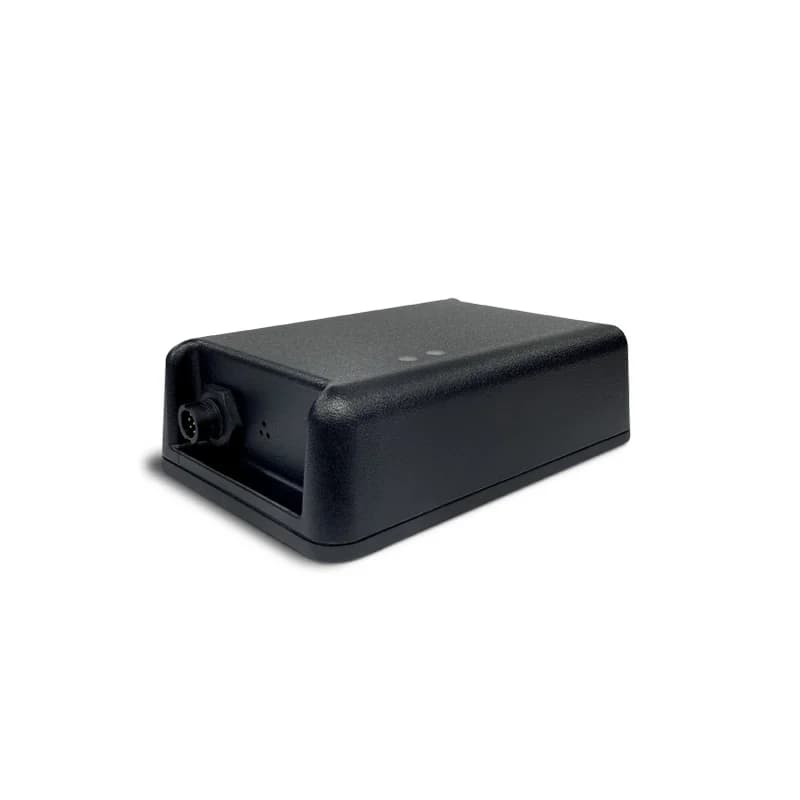
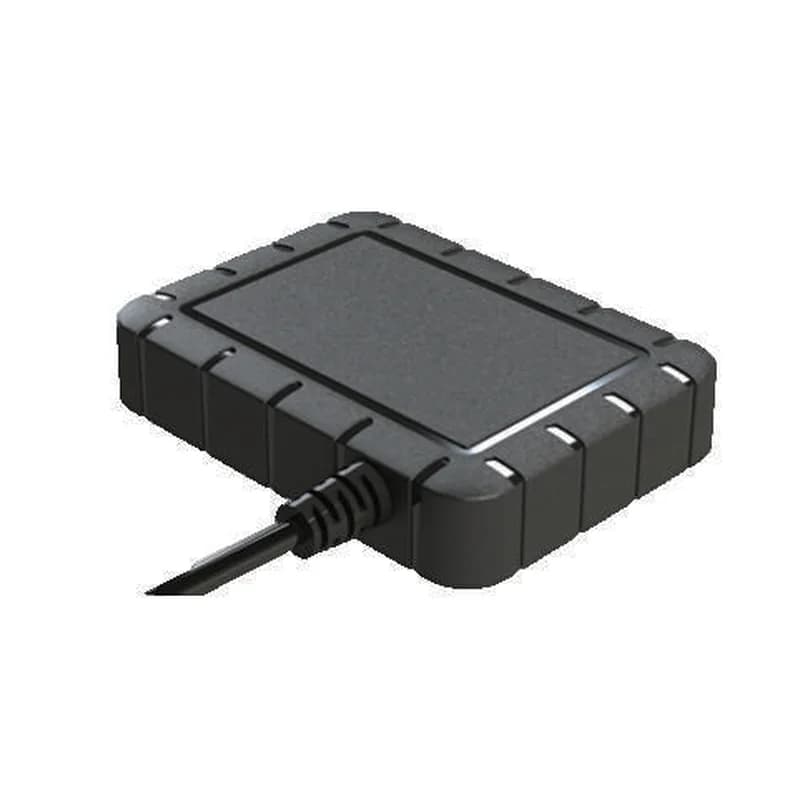
ATrack AL11 black waterproof GPS tracker with a ribbed rubber edge and a cable coming out of one end
1,050 mAhbackup battery
135,000logs kept in memory
3.0 mlocation accuracy (CEP 50%)
±16 g3-axis motion sensor
-40 to 70 °Cworking range without battery
tracking · logging
Speed 72 km/hGPS FIXED
01 · Live tracking · GPS + GLONASS

Real-time tracking and logging you can set up your way

The AL11 uses GPS and GLONASS satellites with a 99 channel receiver, and ATrack rates it at 3.0 m accuracy. You decide how often it reports, and you can add your own report rules. If the mobile signal drops, the tracker stores up to 135,000 logs in its 64 Mbit flash memory. Fleet Scanner draws the route live and keeps every trip for playback.

Position report User-defined report Stored logs SBAS correction
GPS fleet tracking software →
accelerometer · ±16gX -612Y 180Z 990
ImpactScore -3 pts
02 · Driving behaviour · 3-axis sensor

Speeding, rough driving and impact detection

A 3-axis motion sensor (accelerometer) with a ±16 g range sits inside the case. ATrack uses it for driver behaviour checks, speeding, motion and impact detection. So you learn when a van is driven hard or takes a knock. Each event lowers that driver’s score in Fleet Scanner, and the worst ones can trigger an alert straight away.

Driver behaviour Speeding Motion Impact
Driver scorecards →
alarm · sos + zonesSOS
SOS PRESSEDZone Depot 2
03 · SOS and zones · Inputs + geofence

An SOS button and geofence alerts

ATrack sells an SOS push button cable for the AL11. When the driver presses it, the tracker sends an SOS alert. The AL11 also has geofencing built in. A geofence is an area you draw, such as a depot or a customer yard. Fleet Scanner sends the alert to the right person and lets you add more zones on its side.

SOS input Geofence in / out
Real-time fleet alerts →
ignition · relay
Ignition OFFRelay ARMED
04 · Ignition and engine cut · Ignition input + outputs

Ignition sensing and engine cut with a 12 V or 24 V relay

One positive input is set aside for the ignition, so the tracker knows when the engine is on. That gives Fleet Scanner clean trip starts and stops and engine hours. There are up to two outputs that can each sink up to 300 mA. Wire ATrack’s 12 V or 24 V relay to one of them, and an approved user can stop the engine from starting after a theft.

Ignition input Digital output 1 Digital output 2 Relay
Vehicle and equipment protection →
1-wire · driver idA3 41 9F 00
Driver Key 0418Trip Business
05 · Driver ID · 1-Wire interface

Driver ID with an iButton key, plus trailer ID

The AL11 has one 1-Wire port. Plug in ATrack’s iButton reader or the magnetic iButton reader, and each driver taps a small key before the trip. A 1-Wire trailer ID part can tell which trailer is hooked on. There is also a switch button so drivers can mark a trip as business or private. Fleet Scanner links each trip to the right driver and trailer.

iButton driver key Trailer ID Business / private switch
Driver management →
1-wire · temperature
Cargo 4.2 °C
06 · Temperature · 1-Wire probe

Temperature readings from a 1-Wire probe

ATrack lists a 1-Wire temperature probe as an add-on for the AL11. Put it in a cargo area, and the tracker sends the reading with its other data. There is also an analog input that reads 0 to 40 V for another sensor. Fleet Scanner shows the temperature on a chart and warns you when it goes too high or too low.

1-Wire temperature Analog input 0 to 40 V
Cold chain tracking →

AL11 specifications

VersionsAL11-LA (AT&T, North America): LTE Cat.1 B2/B4/B5/B12, 3G B2/B4/B5. AL11-LE (Europe): LTE Cat.1 B1/B3/B8/B20/B28, 2G 900/1800 MHz. AL11-LU (Australia): LTE Cat.1 B3/B5/B8/B28, 3G B1/B5/B8
DataUDP, TCP and SMS; built-in cellular antenna
GPS99 channel, GPS and GLONASS, SBAS (QZSS, WAAS, EGNOS, GAGAN, MSAS), 3.0 m CEP 50%, built-in antenna
Power supply12 V or 24 V vehicle system; 50 to 250 mA in use and 2.6 mA in deep sleep at 12 V
Backup battery3.7 V 1,050 mAh
Inputs / outputs1 positive ignition input, up to 3 digital inputs, up to 2 digital outputs (300 mA sink), up to 1 analog input (0 to 40 V, 12 bit), 1-Wire for driver ID and temperature
Memory64 Mbit flash, up to 135,000 logs and 9,000 queued messages
Sensors3-axis accelerometer, ±16 g
ConnectorsMolded power and I/O harness, internal Mini SIM (2FF), internal Micro USB for setup
Size / weight105 x 72 x 21 mm, 198 g, flame retardant PC case, screw mounting bracket
EnvironmentIP67; -40 to 70 °C without battery, -20 to 60 °C with battery; 95% humidity at 50 °C, non-condensing
Setup and updatesACT tool over USB, ATrack ADM portal or SMS; firmware over the air (FOTA), ADM or USB
CertificationsFCC, IC, PTCRB, RoHS; AT&T carrier approved
Fleet Scanner port21655

Specifications can differ between hardware revisions. Check the manufacturer’s datasheet for your exact unit.

How to connect the AL11 to Fleet Scanner

  1. Pick the version for your region: AL11-LA for AT&T in North America, AL11-LE for Europe or AL11-LU for Australia. Open the case and put a Mini SIM (2FF) with data in the internal slot.
  2. Screw the AL11 in place with its mounting bracket. The GPS antenna is inside, so the top should face the sky with no metal above it. Connect the three main wires: power, ground and ignition. Add the relay, SOS button, iButton reader or temperature probe if you use them.
  3. Configure the AL11 with ATrack’s ACT configuration tool over the internal Micro USB port, or by SMS or the ATrack ADM portal. Enter three things: the APN (the internet settings of your SIM), the address of your Fleet Scanner server with port 21655, and how often it should report.
  4. In Fleet Scanner, create a new device with the AL11’s IMEI number and pick the vehicle or trailer it sits in. Turn the key, drive around the block, then look for the new route and the ignition change in Fleet Scanner.

ATrack AL11 FAQ

Does Fleet Scanner work with the ATrack AL11?

Yes. Fleet Scanner listens for the AL11 on port 21655 and shows its position, ignition, driving events, SOS, geofence, driver ID and temperature data. You can run it on your own server, with your own brand on it.

Is the ATrack AL11 still on sale?

ATrack no longer lists the AL11 on its website. The old product page now opens a not found message. The AL11 datasheets are still on ATrack’s own server, and Fleet Scanner still supports trackers already in the field.

How do I set up the AL11 or send it SMS commands?

ATrack lists three ways to configure it: the ACT tool on a USB cable, the ADM web portal, or SMS. The datasheet does not print the SMS command list, so ask ATrack or your supplier for the AL11 command guide. Whichever way you use, set the APN, server address and port 21655.

How long does the AL11 run on its backup battery?

The AL11 has a 3.7 V 1,050 mAh backup battery. ATrack does not give a run time in hours. It does say the tracker draws only 2.6 mA in deep sleep at 12 V, against 50 to 250 mA when working.

Which AL11 version do I need?

Choose by region and network. The AL11-LA is for AT&T in North America and falls back to 3G. The AL11-LE is for Europe and falls back to 2G. The AL11-LU is for Australia and falls back to 3G. All three use LTE Cat.1.

Can the AL11 be used outside or on a trailer?

Yes. Its IP67 case is sealed against water and dust, and its antennas are inside the case. ATrack also sells a 1-Wire trailer ID part, so you can see which trailer a truck is pulling.

AL11 sealed and fitted. Every asset on one live map.

From a single tracker to a mixed fleet across 1,000+ device models: live tracking, alerts, fuel, drivers, maintenance and reports in one self-hosted platform. See it with your own hardware.

Get a free demo

More supported GPS trackers

Specifications from the ATrack AL11 datasheets (rev. 20190129 and rev. 20210126). Traccar’s public device list places the AL11 in the ATrack protocol family. Relay, SOS button, iButton, trailer ID and temperature features need ATrack’s optional accessories. ATrack and AL11 are trademarks of ATrack Technology Inc.

Take Control with
Fleet Tracking

Track vehicles in real time, optimize routes, and take full control of your fleet operations.

Free Demo