Skip to content
Fleet Scanner
Hardware integration · Concox AT1

Concox AT1 asset GPS tracker, working inside Fleet Scanner

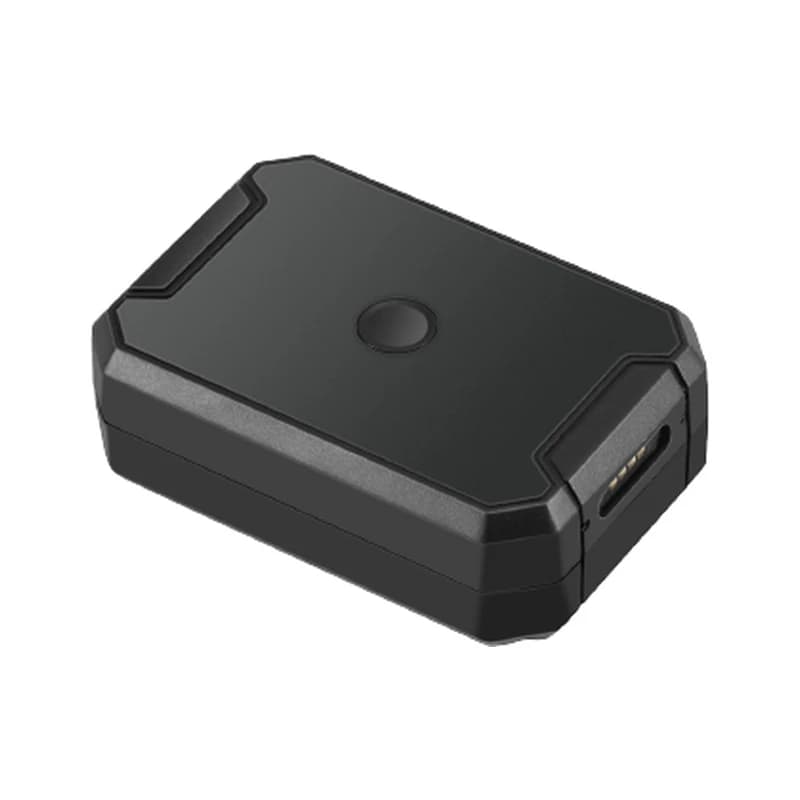
The Concox AT1 GPS tracker is a small box with its own 6,000 mAh battery, made by Jimi IoT. A magnet holds it to metal, so you do not need to wire anything. People put it on vans, containers, cargo and other things of value. It sends its place over the 2G network and can tell you when it is taken off, shaken or hears a loud noise. Fleet Scanner turns those reports into a live map, alerts and a history for every asset.

6,000 mAh built-in battery2G quad-band GSMGPS + LBS positioningPort 10000
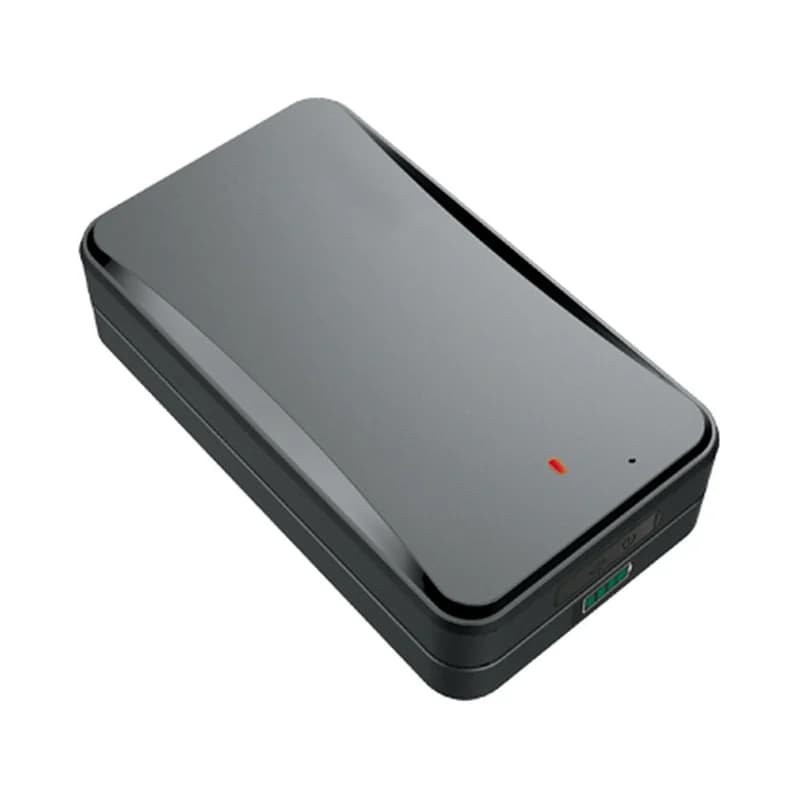
Concox AT1 small black magnetic asset GPS tracker with one round button on top
6,000 mAhrechargeable battery
25 daysoperation time on one charge
100 hourswhen it reports every 10 seconds
3working modes set by SMS
IP67dust and water rating
location · mode 1 / 2
Report every 10 sGPS FIXED
01 · Timed reports · MODE,1 / MODE,2

Reports every 10 seconds, or every few hours

The AT1 has two modes for regular reports. Mode 2 sends a position every 10 to 1,800 seconds, and 10 seconds is the default. Mode 1 is for slow updates, from every 5 minutes up to every 7,200 minutes, with 30 minutes as the default. Its motion sensor is off in mode 1. Fleet Scanner draws each report on the map and joins them into a route you can replay later.

0x01 Login Location packet MODE,1,T# MODE,2,T# Speed
Live vehicle tracking →
deep sleep · mode 368%
Mode SLEEPWakes 10:05
02 · Deep sleep · MODE,3

Deep sleep with one check-in a day

Mode 3 is deep sleep. You pick the first wake-up time, like 10:05, and how many hours to wait before the next one. The gap can be 1 to 24 hours, and 24 is the default. Between check-ins the AT1 rests and saves its battery. Fleet Scanner knows when the next report should arrive, so you can tell a sleeping tracker from a lost one.

MODE,3,T1,T2# First wake time (HH:MM) Wake gap (1 to 24 h)
Fleet asset management software →
lbs · cell towers
LBS approx.GPS searching
03 · Cell tower location · GPS + LBS

A rough place when the sky is blocked

Inside a container or a basement, GPS often has no signal. The AT1 then sends the details of the phone towers it can hear. This is called LBS. Fleet Scanner turns those tower details into an area on the map. When the tracker gets a clear view of the sky again, the exact GPS point takes over.

MCC MNC LAC Cell ID
alarm · removal
RemovedTracking 20 min
04 · Tamper alert · REMALM

Tamper alert when it is taken off or opened

If someone removes the AT1 or takes it apart, it sends a tamper alert. When this happens in standby, it also starts tracking for 20 minutes, so you can see where it goes. Then it falls back to a very long standby. You can choose how the alert is sent: data only, data plus SMS, or with a phone call too. Fleet Scanner puts the alert in front of the right person straight away.

0x16 Alarm packet REMALM,A,M# Tracking for 20 min
Fleet alerts management software →
alarm · vibration + speedsleepmoving
MovedLimit 80 km/h
05 · Vibration and speed · Accelerometer

Shaken, moved or driven too fast

An accelerometer inside the AT1 feels movement. Jimi IoT lists a vibration alert for when the asset is shaken or moved, and an over-speed alert for when it travels faster than a limit you set. Fleet Scanner keeps every one of these events, with the time and place, in the asset’s history.

Vibration alert Over-speed alert
geofence · zones
Zone Port gateLeft
06 · Geofences · Alerts

A warning when cargo leaves its zone

A geofence is an area you mark on the map, like a port, a warehouse or a parking lot. The AT1 has a geofence alert of its own. In Fleet Scanner you can draw more zones of any shape. Then you choose who hears about it when an asset goes in or out.

Geofence alert
Fleet geofencing software →
mic · sound alarmSOS
Noise > 60 dBRecording 60 s
07 · Sound and listen-in · Waterproof mic

Loud noise alerts, recordings and listen-in

The AT1 has a waterproof microphone that hears up to about 3 meters away. If the noise goes above 60 dB, it can send a sound alarm and record a short clip, 60 seconds by default. You can also send MONITOR# from a saved SOS number. The tracker replies “OK” and calls you back, so you can hear what is going on around it. You can save up to 3 SOS numbers.

SODALM,A,M,N,P,Q# MONITOR# SOS numbers (up to 3) Voice recording
status · 0x1312.6V
Battery 62 %GSM online
08 · Battery and power · Status packet

Battery warnings and a locked power button

The AT1 warns you when its battery is low, and the red light blinks fast too. A full charge takes about 3 hours with the charger in the box. You can disable the on and off button, so a thief cannot simply switch the tracker off. Fleet Scanner lists the battery of every AT1 in one place, so you know which ones to charge next.

0x13 Status / heartbeat Low battery alert Power button disabling
Fleet reports and dashboards →

AT1 specifications

Network2G GSM quad-band 850/900/1800/1900 MHz
PositioningGPS (L1) + LBS; -165 dBm tracking, -148 dBm acquisition sensitivity
Time to first fixHot start 1 s or less, cold start 32 s or less on average (open sky)
Battery6,000 mAh / 3.7 V industrial-grade Li-Polymer, rechargeable, about 3 hours to charge
Working modesMode 1 timed reports (5 to 7,200 min), mode 2 frequent reports (10 to 1,800 s), mode 3 deep sleep (wake every 1 to 24 h)
InterfacesNano-SIM, 3 lights (GPS blue, GSM green, power red), waterproof microphone, magnetic charging connector, 32+32 Mb storage
SensorsAccelerometer
In the boxTracker, magnetic cover, user guide, charger, charging cable (collar optional)
Size / rating85 x 58 x 29 mm, IP67, -20 to +70 °C, 5% to 95% humidity (non-condensing)
Fleet Scanner port10000 (TCP)

Specifications can differ between hardware revisions. Check the manufacturer’s datasheet for your exact unit.

How to connect the AT1 to Fleet Scanner

  1. Charge the AT1 with its own charger until the red light stops glowing steadily, which takes about 3 hours. Fit a Nano-SIM card that has data (GPRS) and SMS. Close the case well, because Jimi IoT says it is less waterproof once the SIM is put in by hand.
  2. Hold the on and off button for 3 seconds. The lights flash to show it has started. Use the SMS commands from Jimi IoT’s full command list to set the APN (your SIM’s internet settings) and your Fleet Scanner server’s domain or IP with port 10000.
  3. Pick a working mode by SMS, for example MODE,2,T# for frequent reports or MODE,3,T1,T2# for deep sleep. Add up to 3 alarm numbers with SOS,A,number1,number2,number3#. Then add the tracker in Fleet Scanner by the IMEI printed on its label.
  4. Put the AT1 on a metal part of the asset with its magnet, where it is out of sight. Wait until the green light gives a short blink every 3 seconds, which means it is online. Then check that its first positions show up on the map.

Concox AT1 FAQ

Can I connect the Concox AT1 to Fleet Scanner?

Yes. Point the AT1 at your own Fleet Scanner server on port 10000. Fleet Scanner then reads its positions, battery level and alarms, such as tamper, vibration, over-speed, geofence, low battery and loud noise.

How long does the Concox AT1 battery last?

Jimi IoT gives about 25 days of operation from the 6,000 mAh battery. The user guide says about 100 hours if it sends a GPS report every 10 seconds. Fewer reports, or deep sleep mode, make it last longer. Fleet Scanner warns you when the battery is low.

What are the main AT1 SMS commands?

From the user guide: MODE,1,T#, MODE,2,T# and MODE,3,T1,T2# set the working mode. SOS,A,number1,number2,number3# saves alarm numbers and SOS# shows them. MONITOR# starts listen-in. REMALM,A,M# sets the tamper alert and SODALM,A,M,N,P,Q# sets the sound alarm. For the APN and server, use Jimi IoT’s full command list.

Is the Concox AT1 still made, and is it 4G?

Jimi IoT still shows the AT1 on its product pages, with no end of life note. It is a 2G (GSM) tracker, not 4G. Check that 2G still works where your assets go. If it does not, a 4G asset tracker such as the Jimi IoT JM-LL01 is a better fit.

AT1 on the cargo. Every asset on one map.

From a single tracker to a mixed fleet across 1,000+ device models: live tracking, alerts, fuel, drivers, maintenance and reports in one self-hosted platform. See it with your own hardware.

Get a free demo

More supported GPS trackers

Commands are from the Jimi IoT AT1 user guide (version 1.1). Packet types follow the Concox GT06 communication protocol used by Jimi IoT trackers. Battery times are Jimi IoT’s figures and change with settings and signal. Concox and AT1 are trademarks of Jimi IoT. Specifications from the Jimi IoT AT1 product page, leaflet and user guide.

Take Control with
Fleet Tracking

Track vehicles in real time, optimize routes, and take full control of your fleet operations.

Free Demo