Skip to content
Fleet Scanner
Hardware integration · SEEWORLD S102T

SEEWORLD S102T GPS tracker, working inside Fleet Scanner

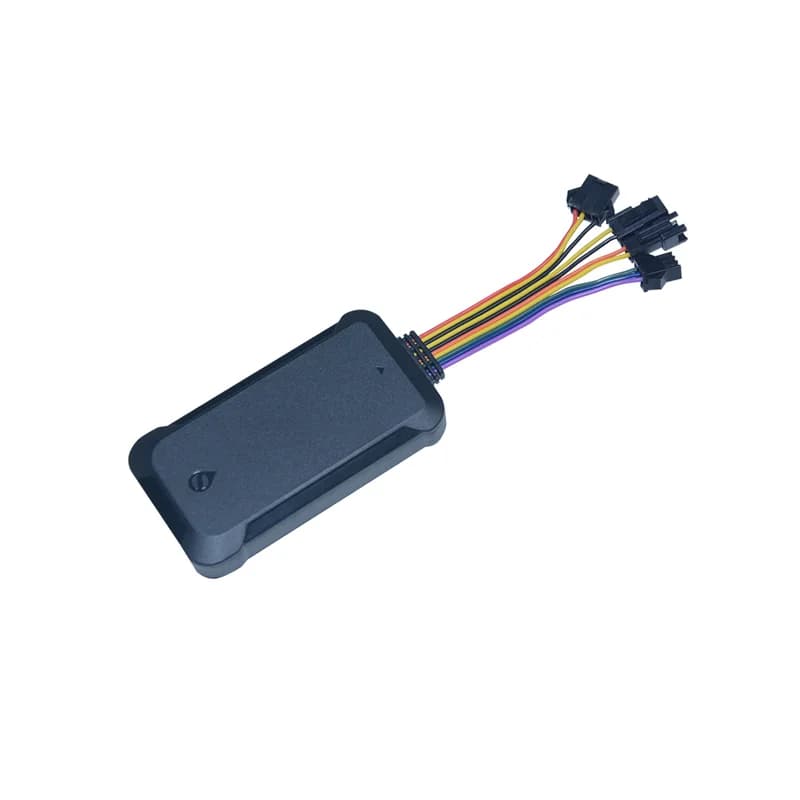
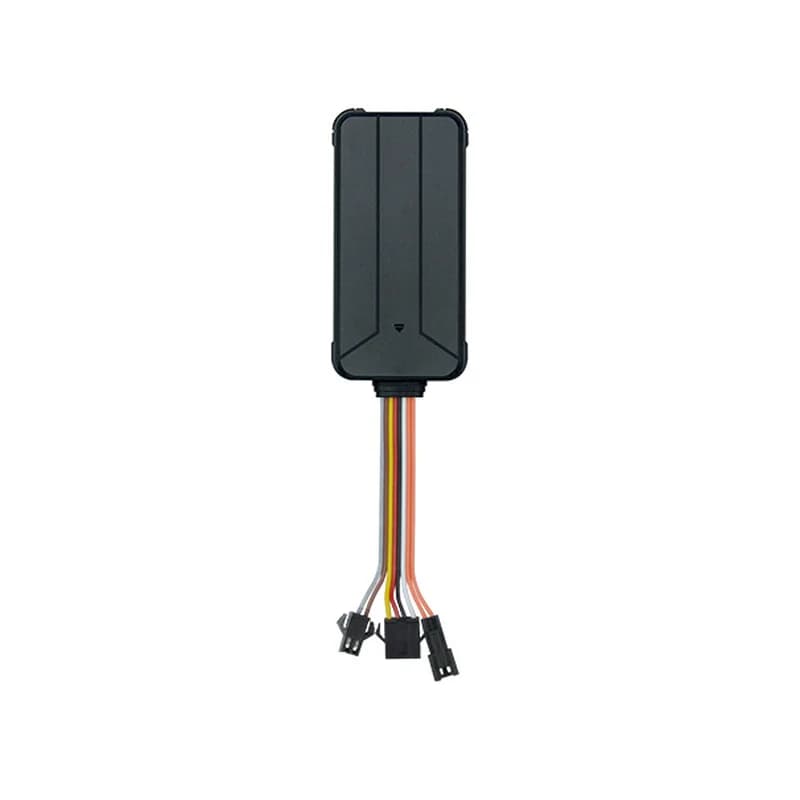
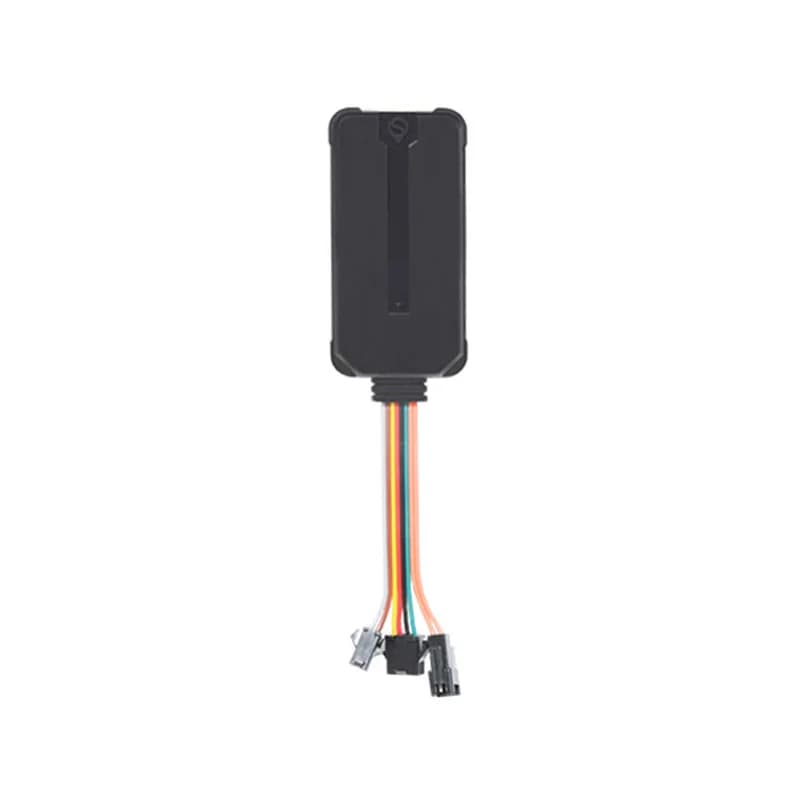
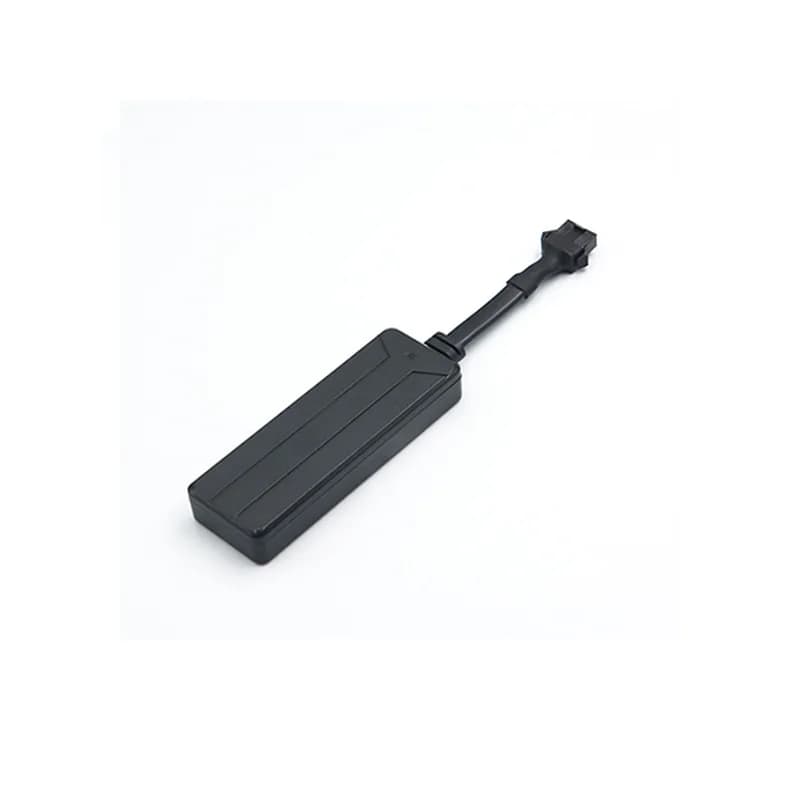
The SEEWORLD S102T GPS tracker is a slim black box with four wires, made for rental cars and vehicles bought on a loan. SEEWORLD also lists it for fleets, motorbikes, buses and shared bikes. It sends its place over 2G every 10 seconds, can stop the fuel from afar, and carries a light sensor that notices if someone digs it out of its hiding place. You watch all of them in Fleet Scanner, which runs on a server you own.

2G quad-band GSMGPS under 10 mLight sensor tamper alarmPort 11820
SEEWORLD S102T GPS tracker, a slim black plastic box with a short cable and a square plug
9 to 36 Vvehicle power
4wires
10 slive update gap
300points kept offline
0.5 hstandby battery
upload · C field
Gap 10 sGPS FIXED
01 · Live tracking · GPS

A new point every few seconds, and one more on every sharp turn

SEEWORLD says the S102T updates its place every 10 seconds. The gap is the C part of the setup text, written in seconds, so C:0030 means every 30 seconds. If the car swings round a corner harder than usual, the tracker sends an extra point straight away. So when you replay a trip in Fleet Scanner, the line follows the bends of the road.

C: time gap in seconds Latitude / longitude Turn upload Under 10 m accuracy
Live vehicle tracking →
wire · orange ACCDIN1 Ignition ONAIN1 12.4 VDOUT1 Relay OFF
ACC ONTrip started
02 · Key on and off · Orange wire

Every point says if the key is on

You join the orange wire to the ignition. Each time the S102T uploads, the data says whether ACC (the key) is on or off. SEEWORLD also lists ACC detection and an ACC alarm on its product page. Fleet Scanner uses each key on and key off to cut the day into trips, so you can see when a rental car was driven and when it sat still.

ACC on ACC off ACC alarm Trip start / end
Trip planning and trip records →
wire · yellow oil
Fuel CUTCar parked
03 · Fuel cut · Yellow wire + relay

Stop a car whose driver stopped paying

The yellow wire is the oil cut line. The S102T manual says the fuel can be cut and brought back two ways: by the server, or with an SMS. SEEWORLD’s page says a relay breaks the power to the ignition, so the car stalls. Only cut the fuel when the car is parked or it is safe to do so.

Cut fuel Restore fuel From server or SMS Yellow wire (oil -)
Vehicle and equipment protection →
alarm · light + powerX -612Y 180Z 990
Light seenRemoved
04 · Tamper alarm · Light sensor

Find out when someone pulls the tracker out

A small light sensor sits on the S102T case. When it is hidden in a dark spot and someone uncovers it, it raises a light sensor alarm. If the power down alarm and the light alarm both go off within 2 minutes, the tracker reports an illegal dismantling alarm. SEEWORLD’s page also lists alarms for hard braking, fast speeding up and crashes. In Fleet Scanner you choose who hears about each of these.

Light sensor alarm Illegal dismantling Hard braking / speeding up Collision
Fleet alerts management software →
alarm · power down / low68%
Car power lostBackup on
05 · Power alarms · Red and black wires

A warning when the car battery drops or the wires go

The S102T watches the voltage on its red wire. When the car voltage falls below 5 V, it switches to its backup battery and sends a power down alarm. A reading from 5 V up to 10 V counts as low, and a low power alarm goes out. The manual gives the backup battery half an hour of standby, so the alarm and a last place can still reach Fleet Scanner.

Power down (below 5 V) Low power (5 to 10 V) Backup battery 0.5 h
Fleet reports and dashboards →
alarm · over speed / fence
Speed over limitZone inside
06 · Speed and zones · Platform setting

The speed limiter is a top speed alarm

SEEWORLD sells the S102T as a tracker with a speed limiter. In the manual this works as an alarm. You set the highest speed on the platform, and when the GPS speed goes over it, the tracker sends an over speed alarm. SEEWORLD also lists an electronic fence. In Fleet Scanner you set the top speed per car and draw zones on the map, such as the area a rental may be driven in.

Over speed alarm Max speed on platform Electronic fence Zone in / out
Fleet geofencing software →
mode · static / motion12.6V
Mode staticStored 300 max
07 · Sleep and weak signal · 3-axis accelerometer

Rests when the car is still, keeps points when signal drops

A 3-axis motion sensor checks for shaking all the time. After 5 minutes with no movement, the S102T goes into static mode and turns its GPS off to use less power. When it feels the car move, it goes back to motion mode by itself. If it has a fix but no network, it keeps up to 300 points and sends them when the signal is good again. EPO data helps it find its place faster.

Static mode after 5 min Motion mode 300 stored points EPO assisted fix

S102T specifications

Network2G GSM/GPRS quad-band 850/900/1800/1900 MHz, GPRS class 12, TCP
PositioningGPS, under 10 m accuracy, EPO assisted positioning
Time to first fixHot start 5 s or less, warm start 30 s or less, cold start 40 s or less (open sky, average)
Power supply9 to 36 V DC (12 V or 24 V recommended)
Working current25 mA at 12 V, 10 mA in static mode
Standby batteryAbout 0.5 hours
Wires4 wires: red (+) power, black ground, orange ACC, yellow oil cut
SensorsLight sensor, 3-axis accelerometer
LightsGSM red, GPS yellow
Offline memoryUp to 300 points while out of signal
CaseABS and PC plastic, fire resistant (SEEWORLD)
EnvironmentWorking -25 to +75 °C, storage -40 to +85 °C
Fleet Scanner port11820 (TCP)

Specifications can differ between hardware revisions. Check the manufacturer’s datasheet for your exact unit.

How to connect the S102T to Fleet Scanner

  1. Check the box holds the S102T, its power cable, the manual and warranty card. Open the bottom cover and push in a 2G SIM card that has internet. Never swap the SIM while the unit has power, and press gently, because the holder breaks easily.
  2. Choose somewhere dark that stays dry, well clear of the air conditioning outlet and of the car’s audio or radio gear. Light on the case sets off false light alarms. Lay the GPS side facing the sky with no metal above it and no more than a 45° tilt. Then hide the wires.
  3. Wire red to (+) and black to ground on a 9 to 36 V vehicle, orange to the ignition (ACC) and, for remote stop, yellow to the fuel cut relay. Now text the tracker one message: <SPBSJ*P:BSJGPS*T:your server IP,11820*A:your APN*N:the IMEI*C:0030>. Using a domain name? Swap the T part for Q:your domain:11820.
  4. Add the S102T in Fleet Scanner by its IMEI. Watch the lights: a steady red light means it is online over GPRS, and a steady yellow light means GPS has a fix. Last, open the live map and look for its first position.

SEEWORLD S102T FAQ

How do I connect a SEEWORLD S102T to Fleet Scanner?

Send the S102T one text message that holds everything: <SPBSJ*P:BSJGPS*T:your server IP,11820*A:your APN*N:the IMEI*C:0030>. T is your Fleet Scanner IP and port 11820, A is the APN of your SIM, N is the tracker’s IMEI and C is the report gap in seconds. If you use a domain, write Q:your domain:11820 instead of T.

What SMS commands does the S102T have?

The S102T manual on seeworld.com lists one setup message. It starts with SPBSJ, then P for the password (BSJGPS out of the box), T for the IP and port or Q for a domain and port, A for the APN, N for the device number and C for the time gap. The manual prints no other command texts, so use the server for the fuel cut and alarm settings.

Does the S102T speed limiter slow the car down?

SEEWORLD calls the feature a speed limiter. Its manual describes it as an over speed alarm: you set the highest speed on the platform, and the tracker sends an alarm when the GPS speed goes above it. The manual does not say it slows the vehicle. To stop a car you use the fuel cut on the yellow wire.

How long does the S102T battery last?

The S102T takes its power from the car, anywhere from 9 to 36 V. Its standby battery is only there for alarms, and the manual gives it about half an hour. When the car stands still, static mode drops the current to 10 mA and turns the GPS off to go easy on the car battery.

What can the SEEWORLD S102T track?

SEEWORLD lists car rental, loan vehicles, asset tracking, fleet, motorbike and bus management, logistics transport and bike sharing. It reports place, speed and key on or off, and sends alarms for power down, low power, over speed, light, dismantling, hard driving and crashes.

Is the S102T still sold, and is it 4G?

Yes. The S102T page on seeworld.com shows it in stock and was updated in 2026, and SEEWORLD gives no end date. It talks over 2G (GSM/GPRS) and nothing newer, so ask your mobile network how long it will keep 2G on. SEEWORLD shows 4G wired trackers such as the D11L on the same page, and Fleet Scanner handles 1,000+ GPS devices, so a mixed fleet of 2G and 4G units is fine.

Rental cars out on the road. Each S102T reporting to you.

From a single tracker to a mixed fleet across 1,000+ device models: live tracking, alerts, fuel, drivers, maintenance and reports in one self-hosted platform. See it with your own hardware.

Get a free demo

More supported GPS trackers

Wiring, lights, alarms, the setup message and power figures follow the S102T user manual on seeworld.com. Network, accuracy, start times, uses and the speed limiter name are from the SEEWORLD S102T product page. SEEWORLD and S102T are trademarks of their owner.

Take Control with
Fleet Tracking

Track vehicles in real time, optimize routes, and take full control of your fleet operations.

Free Demo