Skip to content
Fleet Scanner
Hardware integration · Teltonika FMC130

Teltonika FMC130 4G LTE tracker, working inside Fleet Scanner

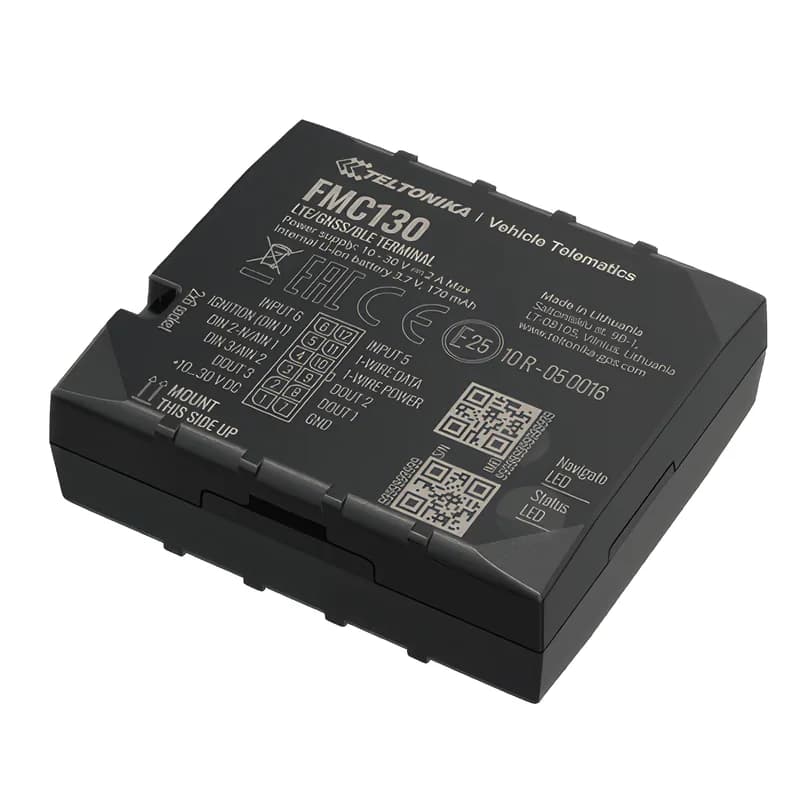
The Teltonika FMC130 4G GPS tracker is Teltonika’s advanced vehicle tracker. It uses 4G LTE Cat 1 and falls back to 2G when there is no 4G. It has three inputs, three outputs, 1-Wire and a CAN adapter input. 1-Wire is a simple wired connection for driver keys and temperature probes. The tracker sends position, fuel, engine data, driver ID, temperatures and driving events. All of it goes straight into Fleet Scanner’s live map, fuel reports, alerts and other reports.

LTE Cat 1 + 2G fallback3 · 3 · 2 DIN · DOUT · AIN1-Wire iButton + probesCAN LV-CAN200 / ALL-CAN300
Teltonika FMC130 4G LTE vehicle telematics terminal
14firmware scenarios
3 · 3 · 2digital in · out · analog in
128 MBflash record storage
10 MbpsLTE download speed
< 3 mGNSS accuracy
live_position · LTE
Speed 72 km/hLTEMoving
01 · Live tracking · Permanent I/O

Fast live tracking on 4G, with 2G as a backup

The FMC130 sends position, speed, ignition and movement over 4G (LTE Cat 1). Outside 4G coverage, it switches to 2G. When there is no signal at all, it saves records in its 128 MB memory and sends them later. So Fleet Scanner never loses a trip.

24 Speed239 Ignition240 Movement69 GNSS status181/182 PDOP/HDOP16/199 Odometer / trip
GPS fleet tracking software →
can_bus · adapter
Fuel 74 %RPM 1,380
02 · CAN vehicle data · LV-CAN200 / ALL-CAN300

Fuel, RPM and mileage straight from the CAN bus

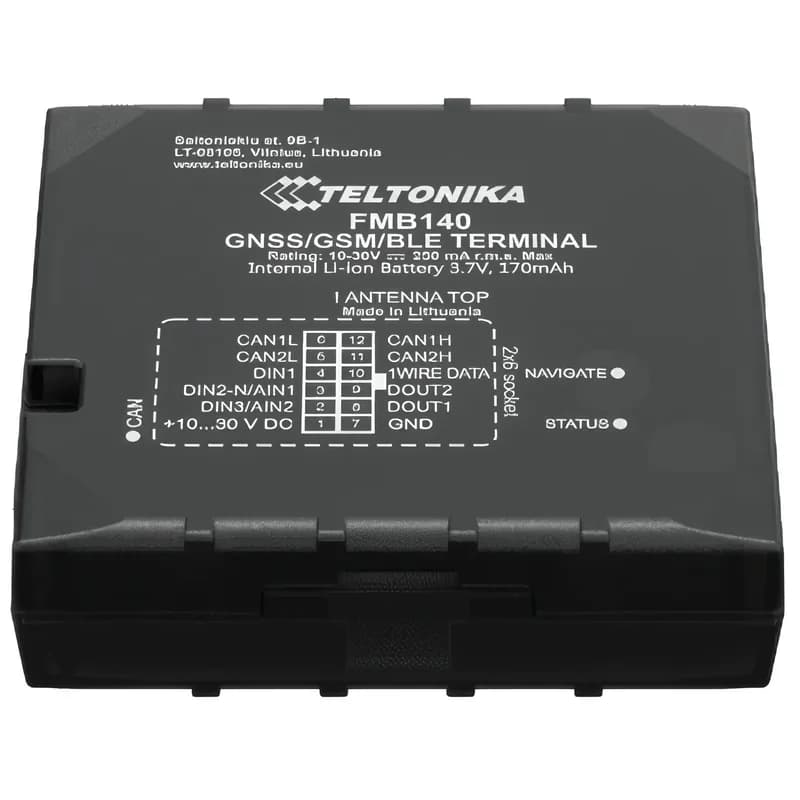
The CAN bus is the vehicle’s own data network. Add an LV-CAN200 or ALL-CAN300 adapter and the FMC130 can read it. You get fuel level, fuel used, engine speed (RPM), vehicle speed, accelerator pedal position and total mileage. Fleet Scanner uses these real numbers, not estimates, for fuel and cost per mile.

84/89 CAN fuel level83 Fuel consumed85 Engine RPM81 Vehicle speed82 Accelerator pedal87 Total mileage
Fuel monitoring system →
fuel · LLS + CAN
Level 412 LDrop -47 LTheft flag
03 · Fuel monitoring · LLS + CAN + OBD

Fuel level probes that catch fuel theft

Fuel data can come from four places. Analog fuel level sensors can use the two analog inputs. CAN adapters and a Bluetooth OBD-II dongle can send it too. The GNSS Fuel Counter can also estimate it. Fleet Scanner draws one clear fuel graph. It tells real refuels apart from stolen fuel (siphoning), and it flags sudden drops.

9/6 Analog input 1/212/13 Fuel used / rate (GPS)84 CAN fuel level
Fleet fuel management software →
driver_auth · 1-WireA3 41 9F 00
AuthorisedImmobiliser RELEASED
04 · Driver identification · 1-Wire

iButton driver ID and an immobiliser that waits for the key

An iButton is a small driver key that the driver touches to a reader. Fleet Scanner matches every iButton read to a driver. So each trip, fuel event and harsh driving alert belongs to the person at the wheel. With the Immobilizer feature, the engine stays blocked until an approved key is used.

78 iButton ID248 Immobilizer
Driver management software →
temperature · 1-Wire + BLE
Zone 1 -18.4 °CZone 2 4.1 °C
05 · Temperature · 1-Wire + BLE

Temperature logging for refrigerated (fridge) loads

Wired 1-Wire temperature probes and Bluetooth temperature and humidity sensors report for each zone. Fleet Scanner saves every reading with the trip. It alerts you when the temperature goes outside your range. It also keeps the history that cold chain customers ask for.

72–75 Dallas temp 1–425–28 BLE temp #1–4
Cold chain tracking →
driving_events · accelerometerX -612Y 180Z 990
Harsh corneringScore -1 pt
06 · Driving behaviour · Eventual I/O

Green driving, speeding, crash and towing events

The motion sensor (accelerometer) and event features flag harsh acceleration, braking and cornering. They also catch speeding, too much idling, towing, crashes and the tracker being unplugged. Fleet Scanner puts these into driver scorecards and safety alerts.

253/254 Green driving255 Over speeding251 Idling247 Crash246 Towing252 Unplug
Driver scorecards →
digital_io · in / outDIN1 Ignition ONAIN1 12.4 VDOUT1 Relay OFF
Door OPENRelay OFF
07 · Inputs and outputs · Permanent I/O

Three inputs, three outputs and ground sense

The three digital inputs can carry ignition, a door, PTO (power take-off) or panic buttons. DIN1 and DIN2 can also count pulses. The three outputs can drive a buzzer, another device or a relay. A relay is a switch that can stop the engine from starting. Fleet Scanner sends an alert on every change. You can also switch an output from the dashboard.

1/2/3 Digital input 1–3179/180/380 Digital output 1–39/6 Analog input 1–2381 Ground sense
Fleet alerts management software →
obd · bluetooth dongle
Coolant 86 °CFaults 0
08 · OBD-II data · BLE OBD-II

Engine data for cars and vans without CAN wiring

On cars and vans, you can use a Bluetooth OBD-II dongle. It plugs into the vehicle’s diagnostic port. It gives engine RPM, engine load, coolant temperature and fault codes. You don’t need to touch the CAN wires. Fleet Scanner uses this data for service reminders and early warnings.

36 Engine RPM31 Engine load32 Coolant temp30 Fault codes
Preventive maintenance scheduling →
device_health · power12.6V
Ext 27.4 VBattery 92 %
09 · Power and diagnostics · Permanent I/O

Voltage, battery and network health

Every record has the vehicle’s power voltage, the backup battery, the GSM signal and sleep mode. Fleet Scanner watches them. It alerts you when a tracker loses power or goes silent. So you know why tracking stopped, instead of finding the gap later.

66 External voltage67/68 Battery V / current113 Battery level21 GSM signal200 Sleep mode
Fleet reports and dashboards →

FMC130 specifications

NetworkLTE Cat 1 (up to 10 Mbps down) with 2G GSM fallback; bands depend on the regional variant
GNSSGPS, GLONASS, Galileo, BeiDou, QZSS, AGPS; 33 channels
Accuracy< 3 m
Power supply10 to 30 V DC with overvoltage protection, 3 A fuse
Backup battery170 mAh Li-Ion
Inputs / outputs3 digital inputs, 3 digital outputs, 2 analog inputs
Interfaces1-Wire, CAN adapter input (LV-CAN200, ALL-CAN300, CAN-CONTROL), Bluetooth 4.0 + LE
Memory128 MB internal flash
Size / weight65 x 56 x 20.6 mm, 55 g, IP41
SIMMicro-SIM or eSIM
Fleet Scanner port11922 (TCP)

Specifications can differ between hardware revisions. Check the manufacturer’s datasheet for your exact unit.

How to connect the FMC130 to Fleet Scanner

  1. Fit the FMC130 under the dashboard. Connect power, ground and ignition. Add a CAN adapter, a 1-Wire reader or fuel sensors if you need them.
  2. Open the Teltonika Configurator. Set your SIM’s internet settings (APN). Then enter your Fleet Scanner server’s domain or IP, port 11922 and protocol TCP.
  3. In Fleet Scanner, add the device by its IMEI number and assign it to a vehicle.
  4. Check the first trip on the live map. Then set up any extra inputs in the device settings: fuel sensor, temperature probes, iButton and outputs.

Teltonika FMC130 FAQ

Does Fleet Scanner support the Teltonika FMC130?

Yes. Fleet Scanner reads the FMC130’s position, ignition, inputs and outputs, and driving events. It also reads CAN adapter data, 1-Wire iButton and temperature data, Bluetooth sensors and OBD dongle data. It reports on port 11922.

What is the difference between the FMC130 and the FMB920?

The FMC130 is a 4G LTE tracker. It has 3 inputs, 3 outputs, 2 analog inputs, 1-Wire and a CAN adapter input. The FMB920 is a simpler 2G tracker. It has one input, one output and one analog input, and it is best for cars and vans.

Can the FMC130 read fuel from the CAN bus?

Yes, with an LV-CAN200 or ALL-CAN300 adapter. The CAN bus is the vehicle’s own data network. Fleet Scanner then shows the vehicle’s own fuel level and fuel used. It also alerts you to sudden drops.

Does the FMC130 work without 4G coverage?

Yes. Where 4G (LTE) is not available, it switches to 2G. When there is no signal, it saves records in its 128 MB memory. It sends them when it reconnects.

FMC130 plugged in. Fleet running on one platform.

From a single tracker to a mixed fleet across 1,000+ device models: live tracking, alerts, fuel, drivers, maintenance and reports in one self-hosted platform. See it with your own hardware.

Get a free demo

More supported GPS trackers

Parameter IDs are Teltonika AVL IDs as sent by the FMC130. Some depend on connected accessories (CAN adapter, 1-Wire, BLE sensors). Teltonika and FMC130 are trademarks of Teltonika Telematics. Specifications from the Teltonika FMC130 datasheet v3.0.

Take Control with
Fleet Tracking

Track vehicles in real time, optimize routes, and take full control of your fleet operations.

Free Demo